Puns
🟡 Updated this year⚠️ Install Order · 2 steps
Install in this order, then this mod last — most mods fail to load without their framework and dependencies in place.
🖼️ Gallery (7 images)


🔍 Analysis
- 👍 0.6% endorsement rate
- 🏆 #286 of 369 forge mods in this game by downloads
📋 About This Mod
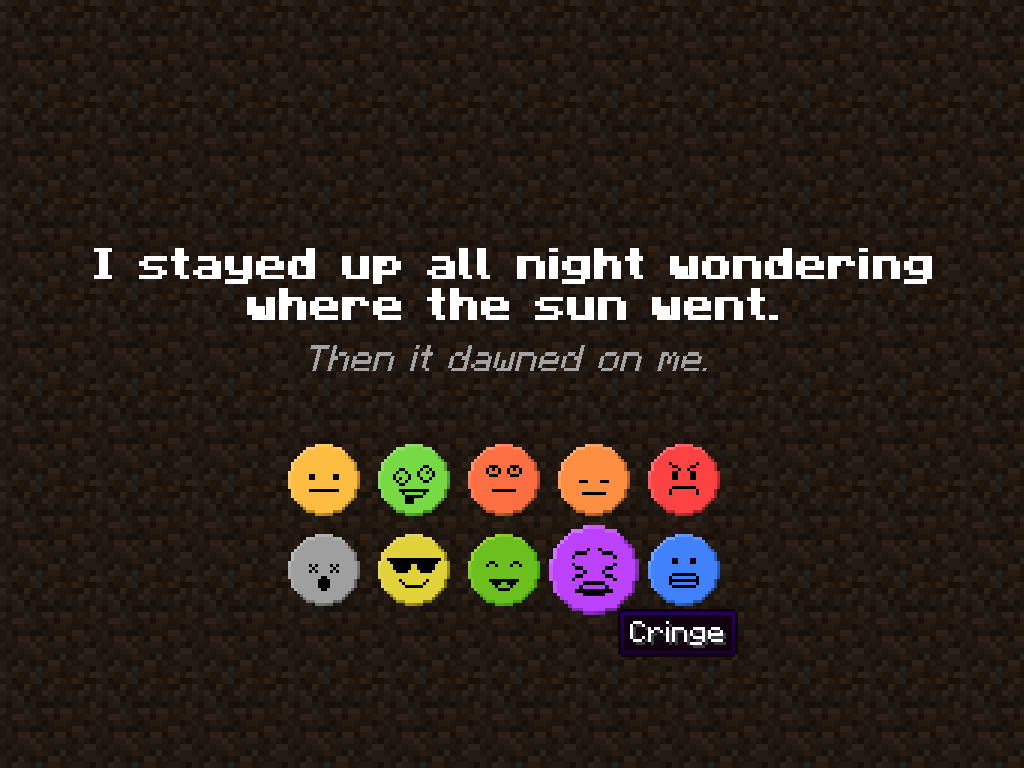
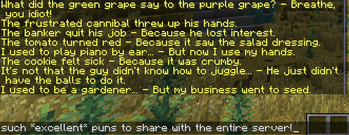
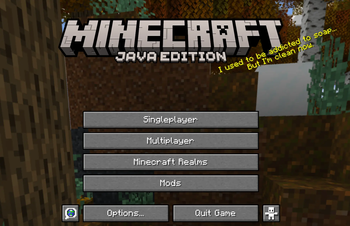
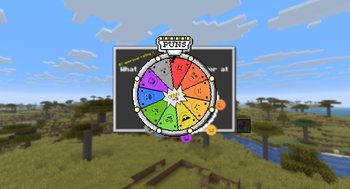
Why wait until gameplay to start the fun? The React‑o‑Pun Screen greets players _before_ the title menu with a randomized pun and a flurry of animated reactions. Of course it's not just a useless and cringy screen! It’s a grandiose stage for wordplay, whimsy and _maximum enjoyment for everybody!_
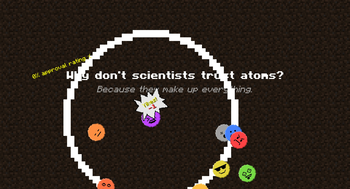
Randomized Puns: Each visit serves up a fresh pun, ensuring no two intros feel _entirely_ the same. _May contain traces of nuts._ Reactions: From _neat_ to _absolute cringe_, the possible set of reactions lets you “respond” to the pun with an impactful click. Embrace the puns and the cringe! Dynamic Animations: Buttons wobble, spin, and scatter with parabolic motion, while shockwaves ripple outward when pressed, making every reaction feel alive. Cinematic Flair: Fading backgrounds, easing curves, and shake effects give the screen polish worthy of a comedy show intro. * Unskippable Charm: ESC won’t save you, as you’ll have to face the pun head‑on. It’s _pun‑ishment with style_. Trying to excape the machine this way will just result in more _magnificent_ puns, haha!
The React‑o‑Pun Screen sets the tone for the entire mod: playful, maximally polished, and impossible to ignore. It’s the perfect warm‑up act before diving into the pun‑filled chaos of the game.
# Command and Configuration Guide
## Overview The Puns mod displays interactive question/answer screens at specific moments (before the title screen or during world loading) and allows players to react with neutral, positive or negative votes. All reactions can be recorded and used to compute statistics (positive points, negative points, total votes, and approval rating).
Since custom entries can now be created freely, the content is no longer limited to puns. Any question/answer pair can be used, turning the mod into a lightweight in-game polling, questionnaire tool or whatever you decide. Server administrators can distribute questions and review aggregated player feedback via the remote statistics backend or local files.
## Commands All commands are registered under `/puns`. Regular players can use the basic `send` sub-command; all other features require permission level 2 (default for operators).
### Player Commands - `/puns send` Sends a random active entry to all players and opens the voting screen.
- `/puns send
` - Sends a random entry to the specified players.
- `/puns send
` - Same as above, but forces the text color (any ChatFormatting color name, e.g. `gold`, `dark_purple`).
- `/puns send
` - Full style control (bold and italic are `true` or `false`).
### Administrator Commands (requires op level 2)
#### Vote Commands - `/puns vote` Opens a random entry for all players.
- `/puns vote
` - Opens a random entry for the selected players.
- `/puns vote
create ` - Immediately creates a new custom entry and opens the voting screen (targets all players if no target specified). `
` is fully optional.
Example: `/puns vote create "Do you like the new spawn?" ""`
- `/puns vote
byID ` - Opens the entry with the specified ID for the selected players.
#### Search and Open Specific Entries
- `/puns vote
- `/puns vote
find fuzzy question ` - Fuzzy-search only in the question.
- `/puns vote
find fuzzy answer ` - Fuzzy-search only in the answer.
- `/puns vote
find exact any ` - Exact substring search in question or answer.
- `/puns vote
find exact both ` - Exact substring match on both parts (either part may be empty).
`
#### Management Commands
- `/puns add
- `/puns remove
` - Removes the custom entry with the specified ID and reloads.
- `/puns reload`
- Reloads the pun list from files/remote (syncs to all clients).
- `/puns list`
- Prints the full list of active entries to the server log (or client console if executed by player).
#### File Management Commands - `/puns deleteFile` Deletes `puns.json` (falls back to bundled/remote/custom).
- `/puns clearFile`
- Clears `puns.json` to an empty array.
- `/puns clearCustom`
- Clears all entries in `custom_puns.json`.
## Configuration Options (config/puns-common.toml)
| Option | Default | Description | |-----------------------------|-----------|--------------------
📊 Mod Details
- Game
- Minecraft Mods
- Author
- Verph
- Version
- 1.2
- Downloads
- 616
- Endorsements
- 4
- Category
- forge
- Created
- 11/14/2025
- Updated
- 11/30/2025
- Game Versions
- 1.21.9, 1.21.10
- Tags
- minigame
🔧 How to Install Minecraft Mods Mods
Download from Modrinth. Use Prism Launcher or drop into your mods folder.
📖 Full step-by-step install guide for Minecraft Mods →
Visit the official mod page for specific installation instructions for this mod.
🎮 Need cheat codes or console commands? Check ur gaming wiki for Minecraft Mods commands, item IDs, and more.
❓ Frequently Asked Questions
Which Minecraft Mods versions does Puns support?
The author lists 1.21.9, 1.21.10. Other versions may work but are untested by the author.
What is the latest version of Puns?
Version 1.2, published 2025-11-30 with 616 downloads recorded at the source.
Keep browsing — more Minecraft Mods mods await