Protomod
🟡 Updated this year⚠️ Install Order · 2 steps
Install in this order, then this mod last — most mods fail to load without their framework and dependencies in place.
🖼️ Gallery (4 images)

🔍 Analysis
- 🏆 #577 of 590 adventure mods in this game by downloads
📋 About This Mod
!(https://cdn.modrinth.com/data/cached_images/a698ce9a55ad8a772bc70a20f0c14b02f85717a8_0.webp) Protomod is the only Minecraft mod that allows you to transform into your own unique protogen, completely on the client.
- Turn into your own fursona at the click of a button, and turn back to your normal Minecraft skin with another click!
- Completely client-sided and will work on any server
- Consistant, quick updates to the latest version of Minecraft
- Garunteed compatibility with all of your favorite mods
- Support for BOTH Fabric and Neoforge
- Custom animations
- The ability for users to change their protogen's texture easily
## Turning into a Protogen (and back into a human)
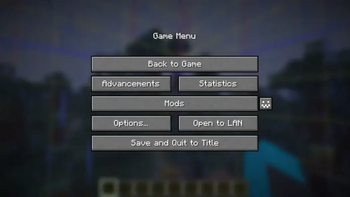
Unlike Minecraft, this mod allows you to switch your skin in-game through our config screen. If you view your options screen, you'll see a little button next to your mods button:
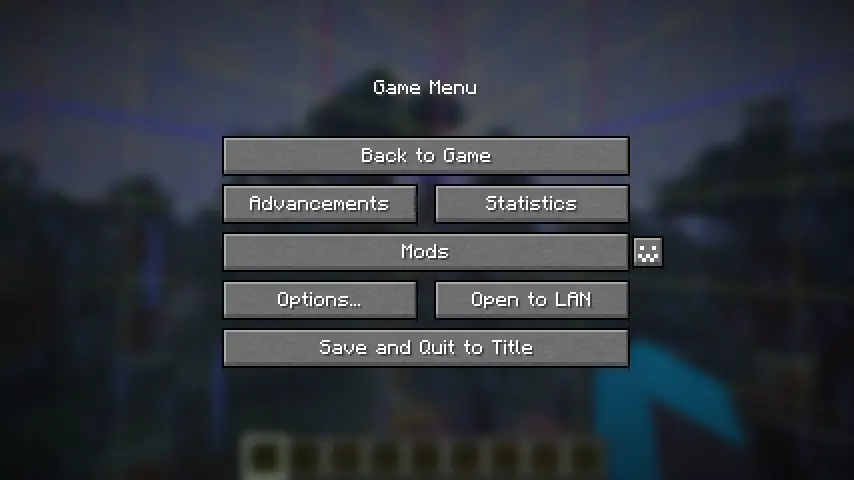
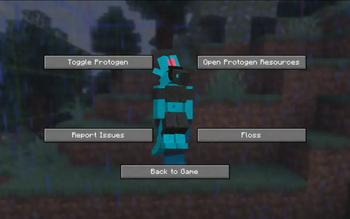
Click it to open the config menu, where you can access a variety of options, including toggling off your protogen.
!(https://cdn.modrinth.com/data/cached_images/ad917cc0a8490bd0767b00c85660f3d9af38fa0b_0.webp)
## Making your Own Protogen
By default, the skin of my own fursona, Ice, is coded into the mod. You can override this easily.
In order to do this, you can download the file protogen.bbmodel on my (https://github.com/downloadableduck/protomod). From there, use (https://blockbench.net/) to re-color the protogen. The (https://web.blockbench.net/) will work as well!
All of the modeling (so the shapes and objects that make up the protogen) are done for you, all you need to do is color it. An example protogen (the default one used in the mod) is available for download right here.
!(https://cdn.modrinth.com/data/cached_images/e01c3ac85eea81346173d9fe6a3382fc88daf434.png)
Once you have your texture, save it somewhere on your computer. Open up the config screen and click 'Open Protogen Resources.' Paste your texture there and rename it to 'protogen.png', and you should be good to go! Reload your resources.
> Make sure that .png is the file extension and not part of the file's name.
## Works on ANY server!
!(https://cdn.modrinth.com/data/cached_images/1cae071f52a4b64cb256ea768c35527e92bf9ba5_0.webp)
Only you will be a protogen when interacting with others. We hope to make this toggleable in the future.
## Restrictions
- Your armor will not show up in the third person.
- Your items will not show up in the third person.
- Your hand in first person will still be the same as your default Minecraft skin.
- Thank you to (https://sketchfab.com/Endles13) on Sketchfab for the (https://sketchfab.com/3d-models/minecraft-protogen-model-1cf00d1d4fda4a008036410fc213bdee), which this is based off of! (I had to manually transform it myself, but a lot of the cubes were just copy/pased.)
- Thank you to MemberCat Studios for open-sourcing the code of their ModelShifter mod! I never would have figured out how to change the model of the player without them.
## Requirements
On Fabric, this mod requires the (https://modrinth.com/mod/fabric-api), (https://modrinth.com/mod/modmenu), and (https://modrinth.com/mod/geckolib). On Neoforge, this mod requires (https://modrinth.com/mod/geckolib).
## Animations
Click here to view some of the animations!
📊 Mod Details
- Game
- Minecraft Mods
- Author
- downloadableduck
- Version
- 1.0.4-26.2
- Downloads
- 474
- Endorsements
- 1
- Category
- adventure
- Created
- 5/17/2026
- Updated
- 7/2/2026
- Game Versions
- 26.2
- Tags
- adventure, decoration
🔧 How to Install Minecraft Mods Mods
Download from Modrinth. Use Prism Launcher or drop into your mods folder.
📖 Full step-by-step install guide for Minecraft Mods →
Visit the official mod page for specific installation instructions for this mod.
🎮 Need cheat codes or console commands? Check ur gaming wiki for Minecraft Mods commands, item IDs, and more.
❓ Frequently Asked Questions
Which Minecraft Mods versions does Protomod support?
The author lists 26.2. Other versions may work but are untested by the author.
What is the latest version of Protomod?
Version 1.0.4-26.2, published 2026-07-02 with 474 downloads recorded at the source.
Keep browsing — more Minecraft Mods mods await