PixelArt
🟡 Updated this year⚠️ Install Order · 2 steps
Install in this order, then this mod last — most mods fail to load without their framework and dependencies in place.
🖼️ Gallery (2 images)
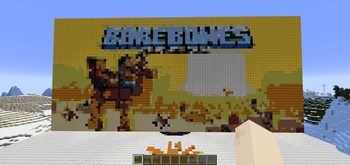
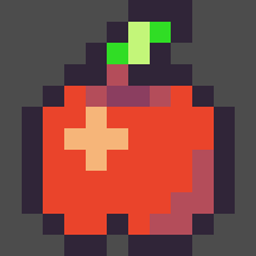
🔍 Analysis
- 👍 0.5% endorsement rate
- 🏆 #21 of 254 decoration mods in this game by downloads
📋 About This Mod
yeah, that's right you can make any pixel art from small to extremely large. # PixelArt Mod Usage ## Commands ### Render ``` /pixelart render <url> /pixelart render <maxheight> <url> /pixelart render <orientation> <url> /pixelart render <maxheight> <orientation> <url> ``` ### Erase ``` /pixelart erase <url> /pixelart erase <maxheight> <url> /pixelart erase <orientation> <url> /pixelart erase <maxheight> <orientation> <url> ``` ### Undo ``` /pixelart undo ``` ## Parameters * `<url>` - Direct URL to an image (PNG, JPG, etc.) * `<maxheight>` - Maximum height in blocks (1-100) * `<orientation>` - Either `vertical` (default) or `horizontal` ## Examples ``` /pixelart render https://example.com/image.png /pixelart render 50 https://example.com/image.png /pixelart render horizontal https://example.com/image.png /pixelart render 50 vertical https://example.com/image.png /pixelart erase https://example.com/image.png /pixelart undo ```
Introduction I have noticed a lot of people want to make pixel art and spend a lot of time doing it. Personally I don't like using all my time to do something when the computer can just do it for me. Call me lazy if you wish. So I wrote this very simple plugin that can load a max sized 200 x 200 pixel bitmap image and convert it into blocks within minecraft. Either local files or online files can be used. Commands: p list directory List all the .bmp files in a directory. p art file path direction omit color file path can be a local file like C:/myimage.bmp or an online image like http://www.image.com/image.bmp direction is either "h" for horizontal or "v" for vertical. Positioning is based on the players current location. omit color This is optional but makes it possible for you to have pixel art that is not the shape of the image file. Say you want to make pixel art of an apple. Color the background behind the apple pink and set the omit color to pink and anything that is pink will not be drawn into the pixel art. Colors black, white, silver, gray, red, orange, yellow, lime, green, lightblue, cyan, blue, purple, magenta, pink, brown Colors are compared to the closest minecraft wool color. Sometimes colors will not look right and this works best with more simple colors. Images only load one direction. Permissions None. Configuration None. Source Code Download Examples
📊 Mod Details
- Game
- Minecraft Mods
- Author
- NetherAirTune
- Version
- 1.0.0
- Downloads
- 574
- Endorsements
- 3
- Category
- decoration
- Created
- 1/10/2026
- Updated
- 12/28/2025
- Game Versions
- 1.21.11
- Tags
- decoration, magic, utility
🔧 How to Install Minecraft Mods Mods
Download from Modrinth. Use Prism Launcher or drop into your mods folder.
📖 Full step-by-step install guide for Minecraft Mods →
Visit the official mod page for specific installation instructions for this mod.
🎮 Need cheat codes or console commands? Check ur gaming wiki for Minecraft Mods commands, item IDs, and more.
❓ Frequently Asked Questions
Which Minecraft Mods versions does PixelArt support?
The author lists 1.21.11. Other versions may work but are untested by the author.
What is the latest version of PixelArt?
Version 1.0.0, published 2025-12-28 with 574 downloads recorded at the source.
Keep browsing — more Minecraft Mods mods await