Ping Wheel
🟡 Updated this year⚠️ Install Order · 2 steps
Install in this order, then this mod last — most mods fail to load without their framework and dependencies in place.
🖼️ Gallery (2 images)
🔍 Analysis
- 👍 0.0% endorsement rate
- 🏆 #157 of 1284 fabric mods in this game by downloads
📋 About This Mod
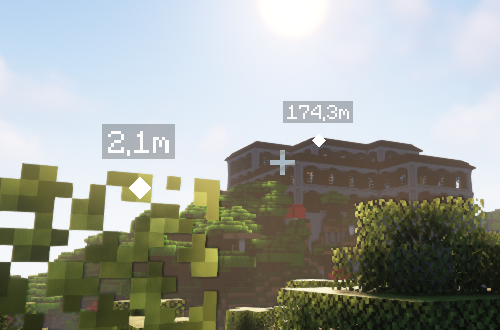
## About Modern co-op games often allow players to communicate via "pings" to mark in-game locations. This simple mod provides such pinging mechanism for the fabric and forge mod loaders. Default keybind is "Mouse5" aka "Forward" to ping. Hold "Tab" (Player List) to see player names on pings. The settings can be changed via `/pingwheel config` or (https://modrinth.com/mod/modmenu). Read the (https://github.com/LukenSkyne/Minecraft-Ping-Wheel/wiki) for additional information. If you are looking to use the mod on Bukkit servers, you can install our (https://modrinth.com/plugin/ping-wheel-plugin). ## Gallery The following screenshot shows two pings in different distances with according scale. <img src="https://cdn-raw.modrinth.com/data/QQXAdCzh/images/801eff77c12888b6838ee376aaac40d190394e88.png" alt="In-Game"> <br><br> When Item Icons are enabled in the settings, the respective markers reflect the item texture (or model). <img src="https://cdn-raw.modrinth.com/data/QQXAdCzh/images/2c155a7af78d66174afcc1adc7efdbc8eefa05be.png" alt="Item-Icons"> <br><br> ## Dependencies <p> <a href="https://modrinth.com/mod/fabric-api"> <img alt="Fabric API" height="56" src="https://cdn.jsdelivr.net/npm/@intergrav/devins-badges@3/assets/cozy/requires/fabric-api_vector.svg"> </a> </p>
Modern co-op games often allow players to communicate via "pings" to mark in-game locations. This simple mod provides such pinging mechanism for the fabric and forge mod loaders.
Default keybind is "Mouse5" aka "Forward" to ping. Hold "Tab" (Player List) to see player names on pings. The settings can be changed via `/pingwheel config` or (https://modrinth.com/mod/modmenu). Read the (https://github.com/LukenSkyne/Minecraft-Ping-Wheel/wiki) for additional information.
If you are looking to use the mod on Bukkit servers, you can install our (https://modrinth.com/plugin/ping-wheel-plugin).
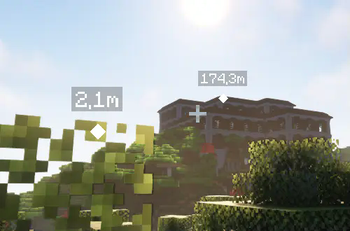
The following screenshot shows two pings in different distances with according scale.
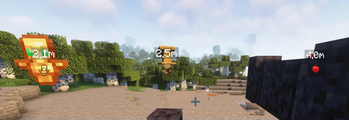
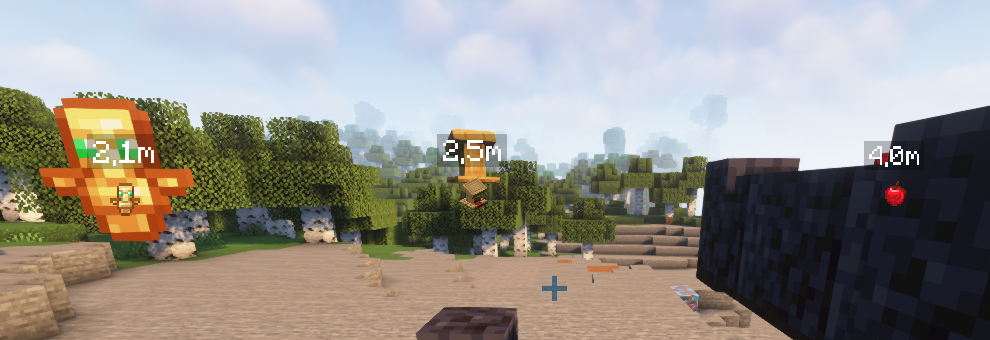
When Item Icons are enabled in the settings, the respective markers reflect the item texture (or model).
## Dependencies

📊 Mod Details
- Game
- Minecraft Mods
- Author
- Luken
- Version
- 1.12.1
- Downloads
- 12,729,792
- Endorsements
- 1,277
- Category
- fabric
- Created
- 12/15/2022
- Updated
- 7/18/2026
- Game Versions
- 26.2
- Tags
- social, utility
🔧 How to Install Minecraft Mods Mods
Download from Modrinth. Use Prism Launcher or drop into your mods folder.
📖 Full step-by-step install guide for Minecraft Mods →
Visit the official mod page for specific installation instructions for this mod.
🎮 Need cheat codes or console commands? Check ur gaming wiki for Minecraft Mods commands, item IDs, and more.
❓ Frequently Asked Questions
Which Minecraft Mods versions does Ping Wheel support?
The author lists 26.2. Other versions may work but are untested by the author.
What is the latest version of Ping Wheel?
Version 1.12.1, published 2026-07-18 with 12.7M downloads recorded at the source.
Keep browsing — more Minecraft Mods mods await