PicoHUD
🟠 Updated over a year ago⚠️ Install Order · 2 steps
Install in this order, then this mod last — most mods fail to load without their framework and dependencies in place.
🖼️ Gallery (7 images)
🔍 Analysis
- 👍 0.3% endorsement rate
- 🏆 #482 of 680 adventure mods in this game by downloads
📋 About This Mod
<!--suppress HtmlDeprecatedTag, XmlDeprecatedElement --> <center><img alt="screenshot" src="https://cdn.modrinth.com/data/483PZAuC/images/eb49516d01f602d651929bc17abdb88496c208d8.png" /></center> <center> An unobtrusive, player-readable information hud.<br/> Rounds and simplifies to make information glanceable.<br/> Requires <a href="https://modrinth.com/mod/connector">Connector</a> and <a href="https://modrinth.com/mod/forgified-fabric-api">FFAPI</a> on forge.<br/> </center> --- When a key (default left alt) is held, information text is shown, anchored to the top left of the screen. This includes: - Coordinates, in whole values. - Cardinal facing direction (northeast etc.) - Axes facing direction - indicates how your X and Z coordinates will change by moving forward. - In-game day and In-game Time - Rounded to the nearest half hour. - Shows day in a seasonal format when (https://modrinth.com/mod/fabric-seasons) is installed. - Translated biome name. !(https://cdn.modrinth.com/data/483PZAuC/images/ca921b0fd98456fd7a88ea7712c791be16cb9bc4.png) Includes configuration in `config/picohud.toml` for: - Which information lines to display. - Whether to use toggle or hold logic for the 'show overlay' key. --- ### Afterword All mods are built on the work of many others. This mod is included in (https://modrinth.com/modpack/tinkerers-quilt) - our modpack about rediscovering vanilla. We're open to suggestions for how to implement stuff better - if you see something wonky and have an idea - let us know. --- <center> <b>Tinkerer's:</b> <a href="https://modrinth.com/modpack/tinkerers-quilt">Quilt</a> - <a href="https://modrinth.com/mod/tinkerers-smithing">Smithing</a> - <a href="https://modrinth.com/mod/origins-minus">Origins</a> - <a href="https://modrinth.com/mod/tinkerers-statures">Statures</a> - <i>HUD</i><br/> <b>Loveletters:</b> <a href="https://modrinth.com/mod/inventory-tabs">Tabs</a> - <a href="https://modrinth.com/mod/antique-atlas-4">Atlas</a> - <a href="https://modrinth.com/mod/portable-crafting">Portable Crafting</a> - <a href="https://modrinth.com/mod/drogstyle">Drogstyle</a><br/> <b>Others:</b> <a href="https://modrinth.com/mod/switchy">Switchy</a> - <a href="https://modrinth.com/mod/crunchy-crunchy-advancements">Crunchy</a> - <a href="https://modrinth.com/mod/starcaller">Starcaller</a><br/> </center>
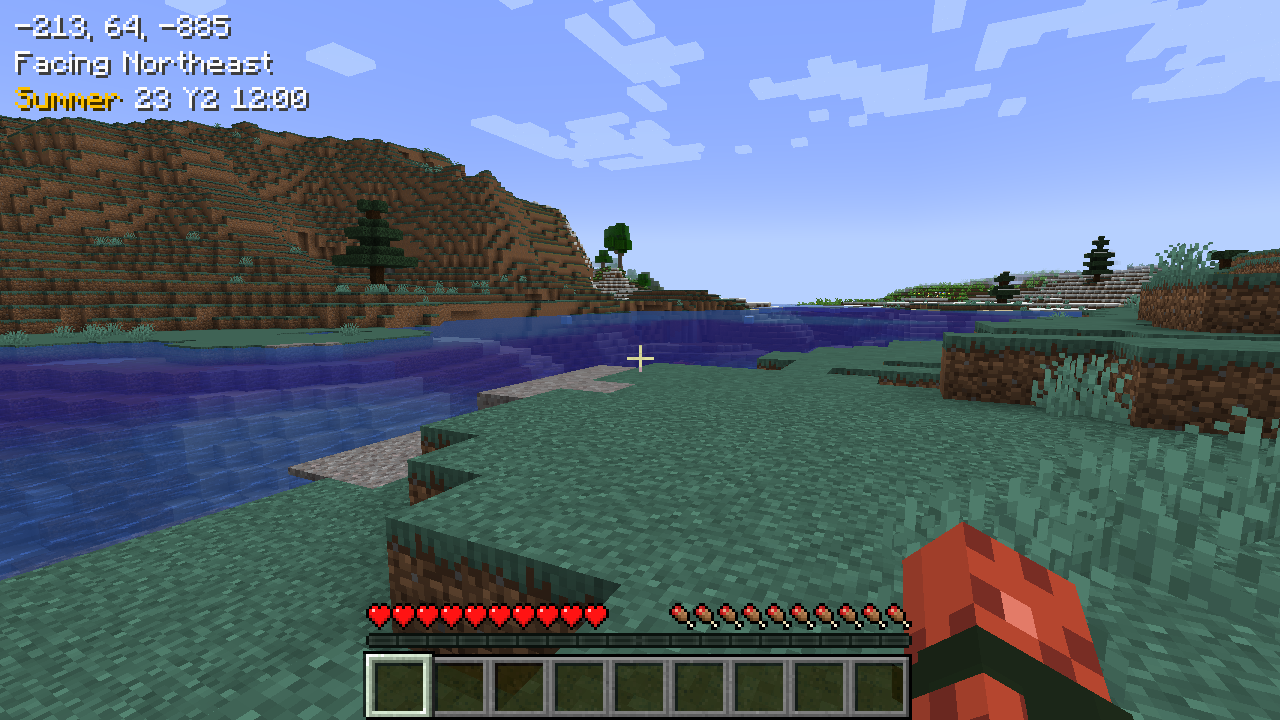
Rounds and simplifies to make information glanceable.
Requires Connector and FFAPI on forge.
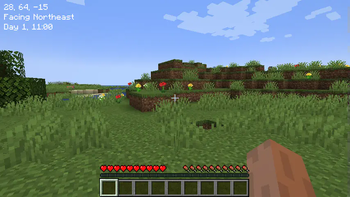
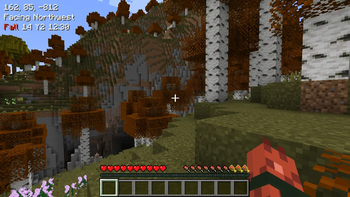
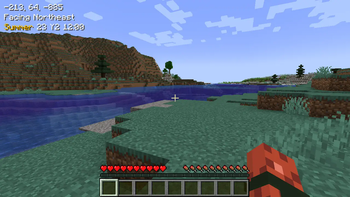
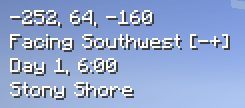
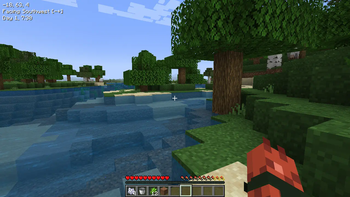
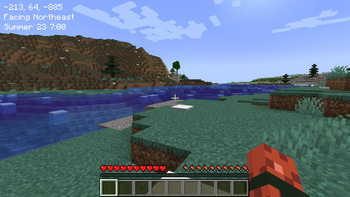
When a key (default left alt) is held, information text is shown, anchored to the top left of the screen.
This includes:
- Coordinates, in whole values.
- Cardinal facing direction (northeast etc.)
- Axes facing direction - indicates how your X and Z coordinates will change by moving forward.
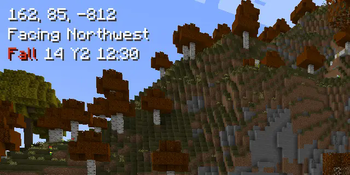
- In-game day and In-game Time - Rounded to the nearest half hour.
- - Shows day in a seasonal format when (https://modrinth.com/mod/fabric-seasons) is installed.
- Translated biome name.
!(https://cdn.modrinth.com/data/483PZAuC/images/ca921b0fd98456fd7a88ea7712c791be16cb9bc4.png)
Includes configuration in `config/picohud.toml` for:
- Which information lines to display.
- Whether to use toggle or hold logic for the 'show overlay' key.
### Afterword
All mods are built on the work of many others.
This mod is included in (https://modrinth.com/modpack/tinkerers-quilt) - our modpack about rediscovering vanilla.
We're open to suggestions for how to implement stuff better - if you see something wonky and have an idea - let us know.
Loveletters: Tabs - Atlas - Portable Crafting - Drogstyle
Others: Switchy - Crunchy - Starcaller
📊 Mod Details
- Game
- Minecraft Mods
- Author
- sleepingdragoninn
- Version
- 1.6.8+1.21
- Downloads
- 20,626
- Endorsements
- 61
- Category
- adventure
- Created
- 5/17/2023
- Updated
- 6/29/2025
- Game Versions
- 1.21, 1.21.1
- Tags
- adventure, game-mechanics, utility
🔧 How to Install Minecraft Mods Mods
Download from Modrinth. Use Prism Launcher or drop into your mods folder.
📖 Full step-by-step install guide for Minecraft Mods →
Visit the official mod page for specific installation instructions for this mod.
🎮 Need cheat codes or console commands? Check ur gaming wiki for Minecraft Mods commands, item IDs, and more.
❓ Frequently Asked Questions
Which Minecraft Mods versions does PicoHUD support?
The author lists 1.21, 1.21.1. Other versions may work but are untested by the author.
What is the latest version of PicoHUD?
Version 1.6.8+1.21, published 2025-06-29 with 20,626 downloads recorded at the source.
Keep browsing — more Minecraft Mods mods await