Orbital+
🟡 Updated this year⚠️ Install Order · 2 steps
Install in this order, then this mod last — most mods fail to load without their framework and dependencies in place.
🖼️ Gallery (8 images)
🔍 Analysis
- 👍 0.0% endorsement rate
- 🏆 #320 of 983 fabric mods in this game by downloads
📋 About This Mod
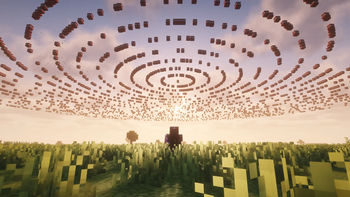
Orbital+ is a Minecraft mod that adds multiple orbital weapon systems controlled using fishing rods and commands.
It includes: - Orbital Strike Cannon - Orbital Wolf Cannon - Stasis System - Railgun System
All orbital actions are triggered using special fishing rods or through commands. All systems support both Vanilla Rod Mode and Unstable Rod Mode.
## Systems Included
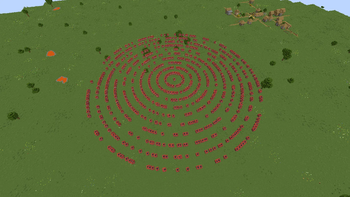
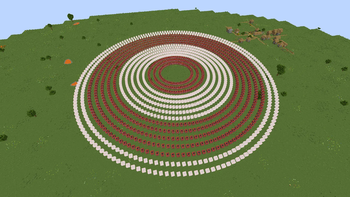
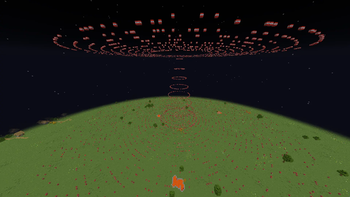
### Orbital Strike Cannon (OSC) Calls down destructive orbital attacks at the targeted location.
Modes - Stab - Nuke
### Orbital Wolf Cannon Summons wolves directly at the targeted location.
### Stasis System Teleports you to a saved coordinate set on the rod.
- Coordinates are saved directly onto the rod
- Each rod is tied to one location
- Stasis rods may be configured with custom coordinates or use the player's current position
### Railgun System Fires high-velocity arrows capable of one-shotting any entity.
## Fishing Rod System
Orbital+ supports two rod behavior modes.
### Vanilla Rod Mode Uses the normal vanilla fishing rod system.
`/oconfig rod vanilla`
### Unstable Rod Mode Uses the fishing rod system from the Unstable SMP.
Features - Fishing bobbers persist - Fishing bobbers are tied to the rod instead of the player - Multiple mechanisms can be set up using multiple rods - Mechanisms such as stasis chambers continue working even if: - You die - Leave the server - The server restarts
`/oconfig rod unstable`
## Orbital Settings
### OSC – Nuke Settings
Nuke Activation Delay
`/orbital settings systems osc nuke delay
Nuke Size
`/orbital settings systems osc nuke size
Nuke Type
`/orbital settings systems osc nuke type `
Supported Types: - default - mushroom - compressed - redstone
Changing the type resets the configured nuke size back to default.
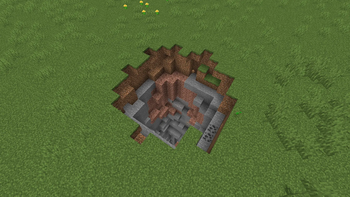
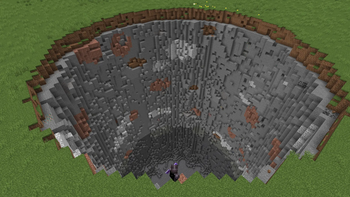
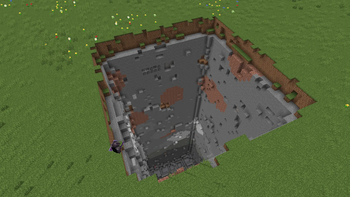
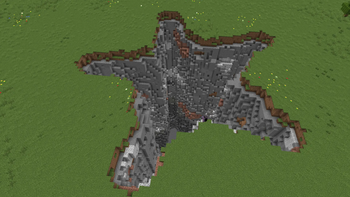
### OSC – Stab Settings
Stab Activation Delay
`/orbital settings systems osc stab delay `
Stab Depth
`/orbital settings systems osc stab depth
Stab Type
`/orbital settings systems osc stab type `
Supported Types: - default - square - circle - star
Changing the type resets the configured stab depth back to default.
### Railgun Settings
Railgun Arrow Amount
`/orbital settings system railgun amount `
Railgun Activation Delay
`/orbital settings system railgun delay `
### Stasis Settings
Stasis Activation Delay
`/orbital settings systems stasis delay `
### Wolf Settings
Wolf Summon Amount
`/orbital settings system wolf amount `
Wolf Summon Delay
`/orbital settings system wolf delay `
## Linking System
`/orbital link
`/orbital link stasis` Links the held rod into a stasis rod using the player’s current position.
`/orbital link stasis
## Death Sound System Toggle custom global death sounds.
`/oconfig death sound
## Proximity Message System Limits message visibility based on player distance.
Affects: - Chat messages - Join/Leave messages - Death messages
`/oconfig messages proximity
## Trust / Permissions System
List authorized players: `/orbital permissions list`
Trust a player:
`/orbital permissions trust
Untrust a player:
`/orbital permissions untrust
Trusted players cannot access: - Permissions branch - Oconfig
## Contact / Support
If you encounter any bugs or issues while using Orbital+, you can reach me directly on Discord: jhiro2483.
Please include: - The Minecraft version you’re using - A short description of the bug
This helps me fix issues faster and improve the mod for everyone.
📊 Mod Details
- Game
- Minecraft Mods
- Author
- Jhiro
- Version
- 1.3.0+1.21.11
- Downloads
- 63,937
- Endorsements
- 22
- Category
- fabric
- Created
- 2/26/2026
- Updated
- 2/22/2026
- Game Versions
- 1.21.11
- Tags
- game-mechanics, technology, utility
🔧 How to Install Minecraft Mods Mods
Download from Modrinth. Use Prism Launcher or drop into your mods folder.
📖 Full step-by-step install guide for Minecraft Mods →
Visit the official mod page for specific installation instructions for this mod.
🎮 Need cheat codes or console commands? Check ur gaming wiki for Minecraft Mods commands, item IDs, and more.
❓ Frequently Asked Questions
Which Minecraft Mods versions does Orbital+ support?
The author lists 1.21.11. Other versions may work but are untested by the author.
What is the latest version of Orbital+?
Version 1.3.0+1.21.11, published 2026-02-22 with 63,937 downloads recorded at the source.
Keep browsing — more Minecraft Mods mods await