No Chat Reports
🟡 Updated this year⚠️ Install Order · 2 steps
Install in this order, then this mod last — most mods fail to load without their framework and dependencies in place.
🖼️ Gallery (4 images)
🔍 Analysis
- 👍 0.0% endorsement rate
- 🏆 #29 of 1284 fabric mods in this game by downloads
📋 About This Mod
# No Chat Reports <a href="https://www.curseforge.com/minecraft/mc-mods/no-chat-reports"><img alt="curseforge" height="28" src="https://cdn.jsdelivr.net/npm/@intergrav/devins-badges@2/assets/compact/available/curseforge_vector.svg"></a> <a href="https://modrinth.com/mod/no-chat-reports"><img alt="modrinth" height="28" src="https://cdn.jsdelivr.net/npm/@intergrav/devins-badges@2/assets/compact/available/modrinth_vector.svg"></a> <a href="https://github.com/Aizistral-Studios/No-Chat-Reports"><img alt="github" height="28" src="https://cdn.jsdelivr.net/npm/@intergrav/devins-badges@2/assets/compact/available/github_vector.svg"></a> <a href="https://gitlab.com/Aizistral-Studios/No-Chat-Reports"><img alt="gitlab" height="28" src="https://cdn.jsdelivr.net/npm/@intergrav/devins-badges@2/assets/compact/available/gitlab_vector.svg"></a> This mod strips cryptographic signatures which are attached to every chat message sent from 1.19 and onwards. Removing them makes it impossible to track and associate your chat messages with your Minecraft client, and, by extension, Microsoft account. **As of 1.19.1, it also disables Player Chat Reporting** Please notice that, while I am aware of (https://github.com/nodusclient/guardian) and certain other exploits that allow you to counteract reporting systems on the client against the will of the server, I am consciously choosing to not integrate them as part of this mod. No Chat Reports will only remain effective on the client side if the server allows it to be. If you do not like servers that enforce chat signing and fully support chat reporting - I advise to simply not play on them. Also, while there are many plugins out there that "borrow" the name and even icon of NoChatReports, please be aware that **I have not authored any of them** and cannot say how well they do their job. ## Installation and Usage: NoChatReports supports both Fabric and Forge, just download the version for your respective modloader and game version. It can be installed on either the client, server, or on both sides, and will function differently depending on which sides it is present on: **1. Only Client:** The client will refuse to send the account's public key to the server, and signatures will be stripped from the messages that you send. This way it won't be useful to try and report your messages, as there will be no proof that they were actually sent from your account. The server will relay them unless the `enforce-secure-profile` option is set to `true` in the `server.properties` file (which it is by default since 1.19.1) If the server does require you to sign messages and you are on either 1.19.1 or 1.19.2, you will not be able to join the server unless you agree to send signed messages (NoChatReports will supply a warning screen), if you are on 1.19.3 or higher, you will still be able to join the server, but will not be able to use chat-related commands (other commands do still work) **2. Only Server:** Clients will still attach signatures when sending messages to the server, but the server will strip them before relaying them to other players. This way chat reporting will not work for any players that join. You can enable the conversion of player to system messages in the config, to prevent players without the mod from seeing them as "Not Secure" As of 1.20.2 the server cannot disable the "unsigned messages" warning on the client. It can only be disabled if the client has NoChatReports (or a similar mod) installed. **3. Both Client and Server:** Signatures will be stripped on the client side before sending messages to the server, which will not attempt to verify message signatures. Chat reporting and "Only Show Secure Chat" will not function, and players will be notified that those features are disabled by the mod when trying to use them. Although NoChatReports can function when it is only present on one of either sides, NoChatReports can be configured to demand itself to be installed on the respective other side in order to play. This way you can install it on the server and require all clients that join to have NoChatReports installed, but you can also leave it server-only if you prefer. Additionally, if installed on the client, NoChatReports will disable Telemetry (similar to what (https://modrinth.com/mod/no-telemetry) does). To make sure that your server is compatible with NoChatReports, you can take a look at (https://github.com/Aizistral-Studios/No-Chat-Reports/wiki/Protecting-Server-Players). ## Configuration The configuration files are located in the `NoChatReports` subfolder of the default config folder. `NCR-Client.json` stores Client-Side settings `NCR-Common.json` stores Server-Side settings `NCR-Encryption.json` stores Chat Encryption settings (Only effective on the client) `NCR-ServerPreferences.json` stores Per-Server Signing Modes You can find more information (https://github.com/Aizistral-Studios/No-Chat-Repo
# No Chat Reports




This mod strips cryptographic signatures which are attached to every chat message sent from 1. 19 and onwards. Removing them makes it impossible to track and associate your chat messages with your Minecraft client, and, by extension, Microsoft account.
As of 1. 19. 1, it also disables Player Chat Reporting
Please notice that, while I am aware of (https://github.com/nodusclient/guardian) and certain other exploits that allow you to counteract reporting systems on the client against the will of the server, I am consciously choosing to not integrate them as part of this mod. No Chat Reports will only remain effective on the client side if the server allows it to be. If you do not like servers that enforce chat signing and fully support chat reporting - I advise to simply not play on them.
Also, while there are many plugins out there that "borrow" the name and even icon of NoChatReports, please be aware that I have not authored any of them and cannot say how well they do their job.
## Installation and Usage:
NoChatReports supports both Fabric and Forge, just download the version for your respective modloader and game version. It can be installed on either the client, server, or on both sides, and will function differently depending on which sides it is present on:
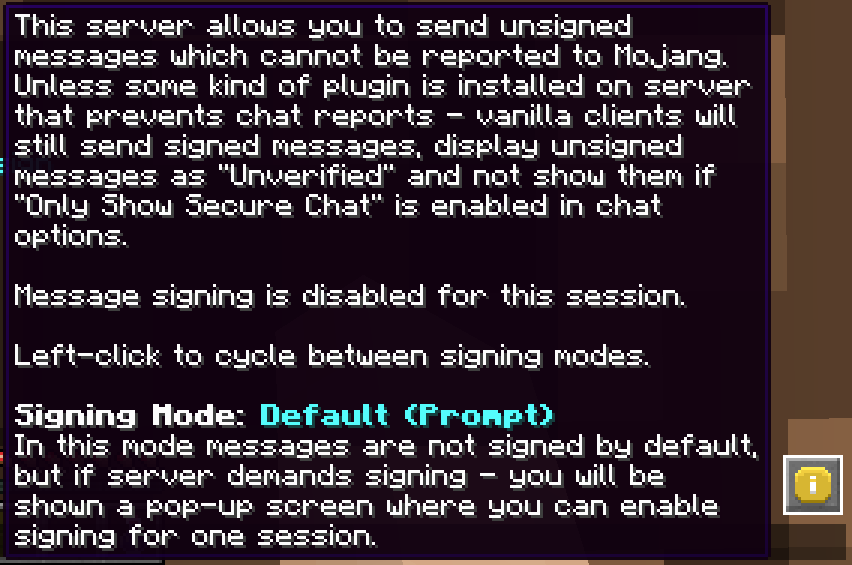
1. Only Client: The client will refuse to send the account's public key to the server, and signatures will be stripped from the messages that you send. This way it won't be useful to try and report your messages, as there will be no proof that they were actually sent from your account. The server will relay them unless the `enforce-secure-profile` option is set to `true` in the `server.properties` file (which it is by default since 1. 19. 1)
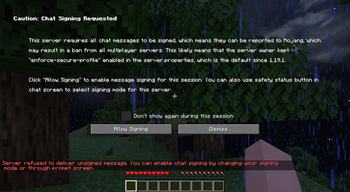
If the server does require you to sign messages and you are on either 1. 19. 1 or 1. 19. 2, you will not be able to join the server unless you agree to send signed messages (NoChatReports will supply a warning screen), if you are on 1. 19. 3 or higher, you will still be able to join the server, but will not be able to use chat-related commands (other commands do still work)
2. Only Server: Clients will still attach signatures when sending messages to the server, but the server will strip them before relaying them to other players. This way chat reporting will not work for any players that join. You can enable the conversion of player to system messages in the config, to prevent players without the mod from seeing them as "Not Secure"
As of 1. 20. 2 the server cannot disable the "unsigned messages" warning on the client. It can only be disabled if the client has NoChatReports (or a similar mod) installed.
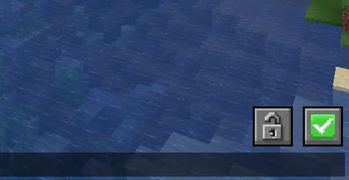
3. Both Client and Server: Signatures will be stripped on the client side before sending messages to the server, which will not attempt to verify message signatures. Chat reporting and "Only Show Secure Chat" will not function, and players will be notified that those features are disabled by the mod when trying to use them.
Although NoChatReports can function when it is only present on one of either sides, NoChatReports can be configured to demand itself to be installed on the respective other side in order to play. This way you can install it on the server and require all clients that join to have NoChatReports installed, but you can also leave it server-only if you prefer.
Additionally, if installed on the client, NoChatReports will disable Telemetry (similar to what (https://modrinth.com/mod/no-telemetry) does).
To make sure that your server is compatible with NoChatReports, you can take a look at (https://github.com/Aizistral-Studios/No-Chat-Reports/wiki/Protecting-Server-Players).
## Configuration
The configuration files are located in the `NoChatReports` subfolder of the default config folder.
`NCR-Client.json` stores Client-Side settings
`NCR-Common.json` stores Server-Side settings
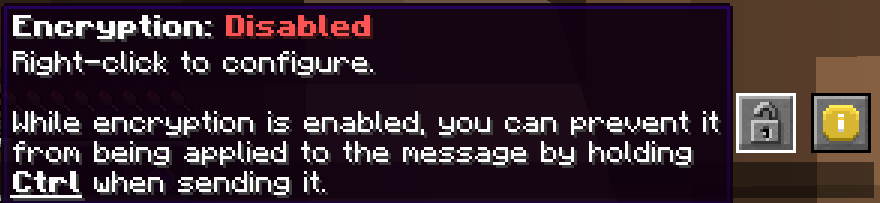
`NCR-Encryption.json` stores Chat Encryption settings (Only effective on the client)
`NCR-ServerPreferences.json` stores Per-Server Signing Modes
You can find more information (https://github.com/Aizistral-Studios/No-Chat-Repo
📊 Mod Details
- Game
- Minecraft Mods
- Author
- Aizistral
- Version
- Forge-1.20.1-v2.2.3
- Downloads
- 55,141,878
- Endorsements
- 3,355
- Category
- fabric
- Created
- 6/17/2022
- Updated
- 8/18/2026
- Game Versions
- 1.20, 1.20.1
- Tags
- social, utility
🔧 How to Install Minecraft Mods Mods
Download from Modrinth. Use Prism Launcher or drop into your mods folder.
📖 Full step-by-step install guide for Minecraft Mods →
Visit the official mod page for specific installation instructions for this mod.
🎮 Need cheat codes or console commands? Check ur gaming wiki for Minecraft Mods commands, item IDs, and more.
❓ Frequently Asked Questions
Which Minecraft Mods versions does No Chat Reports support?
The author lists 1.20, 1.20.1. Other versions may work but are untested by the author.
What is the latest version of No Chat Reports?
Version Forge-1.20.1-v2.2.3, published 2026-08-18 with 55.1M downloads recorded at the source.
Keep browsing — more Minecraft Mods mods await