MusicPlayerMod
🟡 Updated this year⚠️ Install Order · 2 steps
Install in this order, then this mod last — most mods fail to load without their framework and dependencies in place.
🖼️ Gallery (7 images)
🔍 Analysis
- 👍 0.2% endorsement rate
- 🏆 #498 of 896 fabric mods in this game by downloads
📋 About This Mod
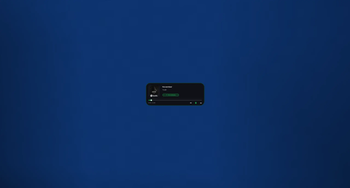
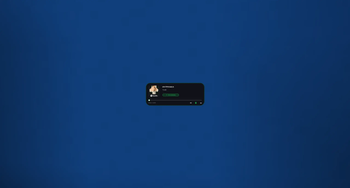
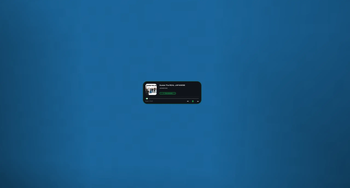
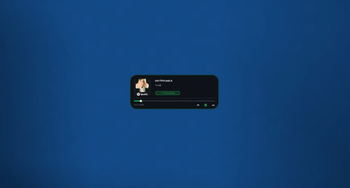
# Music Player Mod (HUD) A sleek, modern music player overlay for Minecraft that displays your currently playing media from Spotify, YouTube Music, and other Windows media sources directly in-game. ## ✨ Features - **Real-time Media Display** - Shows current song title, artist, album art, and playback progress - **Beautiful UI** - Glassmorphism design with smooth animations, blur effects, and rounded corners - **Customizable Position** - Drag the HUD anywhere on screen while chat is open - **Size Modes** - Toggle between small and big display sizes - **Non-intrusive** - Transparent overlay that doesn't pause your game - **Windows Media Integration** - Works with any media player that uses Windows Media API (Spotify, YouTube Music, Apple Music, etc.) - **Smart Animations** - Smooth progress bar transitions and playback state indicators ## 🎮 How to Use 1. Press **M** (default keybind) to open the settings menu 2. Click **"Enable Player"** to activate the HUD 3. Open **chat** and **click and drag** the HUD to reposition it 4. Toggle between **small/big sizes** in the settings menu 5. The HUD automatically updates with your currently playing media ## 🎨 Design Features - **Frosted glass background** with dynamic blur - **Smooth progress bar** with animated thumb indicator - **"Now Playing" badge** with pulse animation - **Dynamic accent colors** - Green when playing, gray when paused - **Ambient glow effect** around the panel - **Album art display** with automatic cropping and fallback icon ## 📋 Requirements - **Fabric Loader** - **Minecraft 1.21** - **Windows OS** (for media integration) - **Fabric API** (if required by dependencies) ## 🔧 Configuration - **Position**: Drag while chat is open - **Size**: Toggle in settings menu (M key) - **Enable/Disable**: Settings menu or keybind ## 📝 Notes - This mod **only displays** media information and does not control playback - It reads from **Windows Media API** to show what's currently playing on your system - The HUD is **draggable only when chat is open** to prevent accidental movement during gameplay - Position and settings are **automatically saved** when changed ## 🐛 Known Limitations - **Windows only** - Media integration requires Windows Media API - **Display only** - Cannot control playback (play/pause/skip) - Media information depends on what the media player reports to Windows ## 💡 Tips - If the HUD doesn't show media, make sure your media player is running and playing something - The album art may take a moment to load when switching songs - Long song titles will be automatically trimmed with "…" --- Enjoy your music while playing Minecraft! 🎵
# Music Player Mod (HUD)
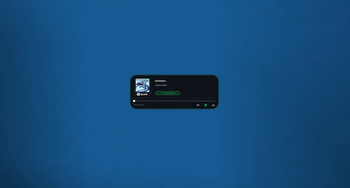
A sleek, modern music player overlay for Minecraft that displays your currently playing media from Spotify, YouTube Music, and other Windows media sources directly in-game.
## ✨ Features
- Real-time Media Display - Shows current song title, artist, album art, and playback progress
- Beautiful UI - Glassmorphism design with smooth animations, blur effects, and rounded corners
- Customizable Position - Drag the HUD anywhere on screen while chat is open
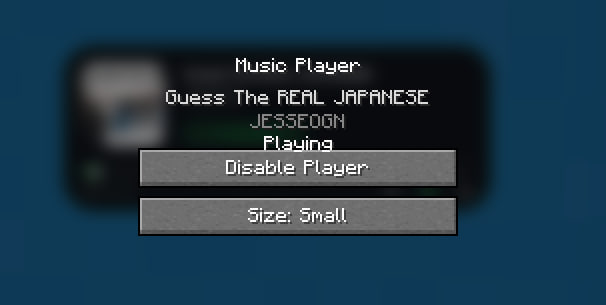
- Size Modes - Toggle between small and big display sizes
- Non-intrusive - Transparent overlay that doesn't pause your game
- Windows Media Integration - Works with any media player that uses Windows Media API (Spotify, YouTube Music, Apple Music, etc.)
- Smart Animations - Smooth progress bar transitions and playback state indicators
## 🎮 How to Use
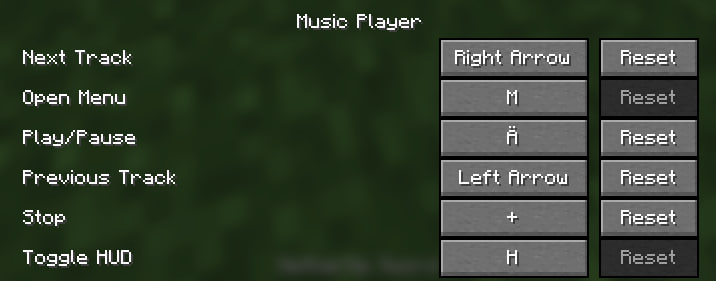
1. Press M (default keybind) to open the settings menu 2. Click "Enable Player" to activate the HUD 3. Open chat and click and drag the HUD to reposition it 4. Toggle between small/big sizes in the settings menu 5. The HUD automatically updates with your currently playing media
## 🎨 Design Features
- Frosted glass background with dynamic blur
- Smooth progress bar with animated thumb indicator
- "Now Playing" badge with pulse animation
- Dynamic accent colors - Green when playing, gray when paused
- Ambient glow effect around the panel
- Album art display with automatic cropping and fallback icon
## 📋 Requirements
- Fabric Loader
- Minecraft 1. 21
- Windows OS (for media integration)
- Fabric API (if required by dependencies)
## 🔧 Configuration
- Position: Drag while chat is open
- Size: Toggle in settings menu (M key)
- Enable/Disable: Settings menu or keybind
## 📝 Notes
- This mod only displays media information and does not control playback
- It reads from Windows Media API to show what's currently playing on your system
- The HUD is draggable only when chat is open to prevent accidental movement during gameplay
- Position and settings are automatically saved when changed
## 🐛 Known Limitations
- Windows only - Media integration requires Windows Media API
- Display only - Cannot control playback (play/pause/skip)
- Media information depends on what the media player reports to Windows
- If the HUD doesn't show media, make sure your media player is running and playing something
- The album art may take a moment to load when switching songs
- Long song titles will be automatically trimmed with "…"
Enjoy your music while playing Minecraft! 🎵
📊 Mod Details
- Game
- Minecraft Mods
- Author
- Flixis
- Version
- 1.0.2
- Downloads
- 519
- Endorsements
- 1
- Category
- fabric
- Created
- 6/5/2026
- Updated
- 6/14/2026
- Game Versions
- 1.21.4, 1.21.5, 1.21.6, 1.21.7, 1.21.8
- Tags
- game-mechanics, social, utility
🔧 How to Install Minecraft Mods Mods
Download from Modrinth. Use Prism Launcher or drop into your mods folder.
📖 Full step-by-step install guide for Minecraft Mods →
Visit the official mod page for specific installation instructions for this mod.
🎮 Need cheat codes or console commands? Check ur gaming wiki for Minecraft Mods commands, item IDs, and more.
❓ Frequently Asked Questions
Which Minecraft Mods versions does MusicPlayerMod support?
The author lists 1.21.4, 1.21.5, 1.21.6, 1.21.7, 1.21.8, 1.21.9. Other versions may work but are untested by the author.
What is the latest version of MusicPlayerMod?
Version 1.0.2, published 2026-06-14 with 519 downloads recorded at the source.
Keep browsing — more Minecraft Mods mods await