MultiStorage
🟠 Updated over a year ago⚠️ Install Order · 2 steps
Install in this order, then this mod last — most mods fail to load without their framework and dependencies in place.
🖼️ Gallery (10 images)



🔍 Analysis
- 👍 0.5% endorsement rate
- 🏆 #802 of 920 fabric mods in this game by downloads
📋 About This Mod
<center> <p><img src="https://cdn.modrinth.com/data/34gINAHf/images/17a02a1e3064f756182ec79aad8cc0d923a3bcd2.png" width="840" height="105" /></p> <p><img src="https://cdn.modrinth.com/data/34gINAHf/images/fde8d89f03e436a26fb2785015dd7a81f1ec8bb0.png" alt="" width="800" height="115" /></p> <p><span>*** <a href="https://modrinth.com/mod/shetiphiancore" rel="nofollow">ShetiPhianCore</a> Required! ***</span></p> <p> </p> <p><span>Combine nearly any 2 blocks or items (modded or vanilla) for fully custom storage.</span></p> <p><span>If one block used emits light the crafted item will as well.</span></p> <p><img src="https://cdn.modrinth.com/data/34gINAHf/images/a9d47c48d670ada20a6076d6bf49fffb44003fd9.png" width="640" height="70" /></p> <p><span><font size=6><strong>Stacking Storage</strong></font></span></p> <p><span>Stacks up to 3 tall. Each has 27 slots (upgradable).</span></p> <p><span>Connected containers combine contents.</span></p> <p><img src="https://cdn.modrinth.com/data/34gINAHf/images/6e8053bfecef142b36e35e26b596418f6ea24b7a.png" alt="" width="650" height="419" /></p> <p> </p> <p><img src="https://cdn.modrinth.com/data/34gINAHf/images/a9d47c48d670ada20a6076d6bf49fffb44003fd9.png" width="640" height="70" /></p> <p><span><font size=6><strong>Junk Box</strong></font></span></p> <p><span>Each drawer is individually accessed and has 32 slots (upgradable).</span></p> <p><span>Only 16 slots are visible at once.</span></p> <p><img src="https://cdn.modrinth.com/data/34gINAHf/images/d939224afbac536a747365164f88a0b0edee0c37.png" alt="" width="650" height="389" /></p> <p> </p> <p><img src="https://cdn.modrinth.com/data/34gINAHf/images/a9d47c48d670ada20a6076d6bf49fffb44003fd9.png" width="640" height="70" /></p> <p><span><font size=6><strong>Queue Chest</strong></font></span></p> <p><span>Items are stored in a large list. Only add/remove from the start or end.</span></p> <p><span>Holds 4096 individual items (upgradable to stacks).</span></p> <p><img src="https://cdn.modrinth.com/data/34gINAHf/images/b03e9e0311df0ed69fae46d7f4ffb100b614f29b.png" alt="" width="650" height="233" /></p> <p> </p> <p><img src="https://cdn.modrinth.com/data/34gINAHf/images/a9d47c48d670ada20a6076d6bf49fffb44003fd9.png" width="640" height="70" /></p> <p><span><font size=6><strong>Storage Visualizer</strong></font></span></p> <p><span>When placed on any container allows add/remove of listed items.</span></p> <p><span>When on a block functions as a simple item frame.</span></p> <p><span><font size=1>left-click = remove 1 item, shift-left-click = remove stack, right-click = add held stack, empty-hand-double-right-click = add all matching items</font></span></p> <p><span><font size=1>shift-right-click = add held stack to filter, empty-hand-shift-right-click = remove held stack from filter</font></span></p> <p><img src="https://cdn.modrinth.com/data/34gINAHf/images/5cc183bc555a29c95d6b472ed26c152ce1b8b550.png" alt="" width="650" height="395" /></p> <p> </p> <p><img src="https://cdn.modrinth.com/data/34gINAHf/images/a9d47c48d670ada20a6076d6bf49fffb44003fd9.png" width="640" height="70" /></p> <p><span><font size=6><strong>Chameleon Chest</strong></font></span></p> <p><span>Can mimic other blocks. Has 12 slots (upgradable).</span></p> <p><span>Use wrench to set block quickly (see GIF bellow).</span></p> <p><img src="https://cdn.modrinth.com/data/34gINAHf/images/649ca55913428d7f1a8f16abed2619fbabde1079.png" width="300" height="314" /></p> <p> </p> <p><img src="https://cdn.modrinth.com/data/34gINAHf/images/a9d47c48d670ada20a6076d6bf49fffb44003fd9.png" width="640" height="70" /></p> <p><span><font size=6><strong>Upgrades</strong></font></span></p> <p><span>Increase the capacity of containers.</span></p> <p><span><font size=1>Hold shift with upgrade in hand to high-light applicable containers, right-click to apply.</font></span></p> <p><img src="https://cdn.modrinth.com/data/34gINAHf/images/ac95689ee556a19715db7617ecc12136a5b322a0.png" width="650" height="242" /></p> <p> </p> <p><img src="https://cdn.modrinth.com/data/34gINAHf/images/a9d47c48d670ada20a6076d6bf49fffb44003fd9.png" width="640" height="70" /></p> <p><span><font size=6><strong>Tools</strong></font></span></p> <p><span>The Wrench is used to manipulate containers (see GIF bellow).</span></p> <p><span>The Bench is used to craft everything else from the mod.</span></p> <p><img src="https://cdn.modrinth.com/data/34gINAHf/images/851964113c9a2b4f9f3a402f49cd7209f2a39f43.png" width="300" height="465" /></p> <p> </p> <p><img src="https://cdn.modrinth.com/data/34gINAHf/images/a9d47c48d670ada20a6076d6bf49fffb44003fd9.png" width="640" height="70" /></p> <p><span><font size=6><strong>GIFs</strong></font></span></p> <p> <img src="https://i.imgur.com/2tRZ5gA.gif" alt="" width="650" height="359" /></p> <p> <img src="https://i.imgur.com/X5kNfHp.gif" alt="" width="650" height="359" /></p> <p> <img src="https://i.imgur.com/cCV9VSS
ShetiPhianCore Required!
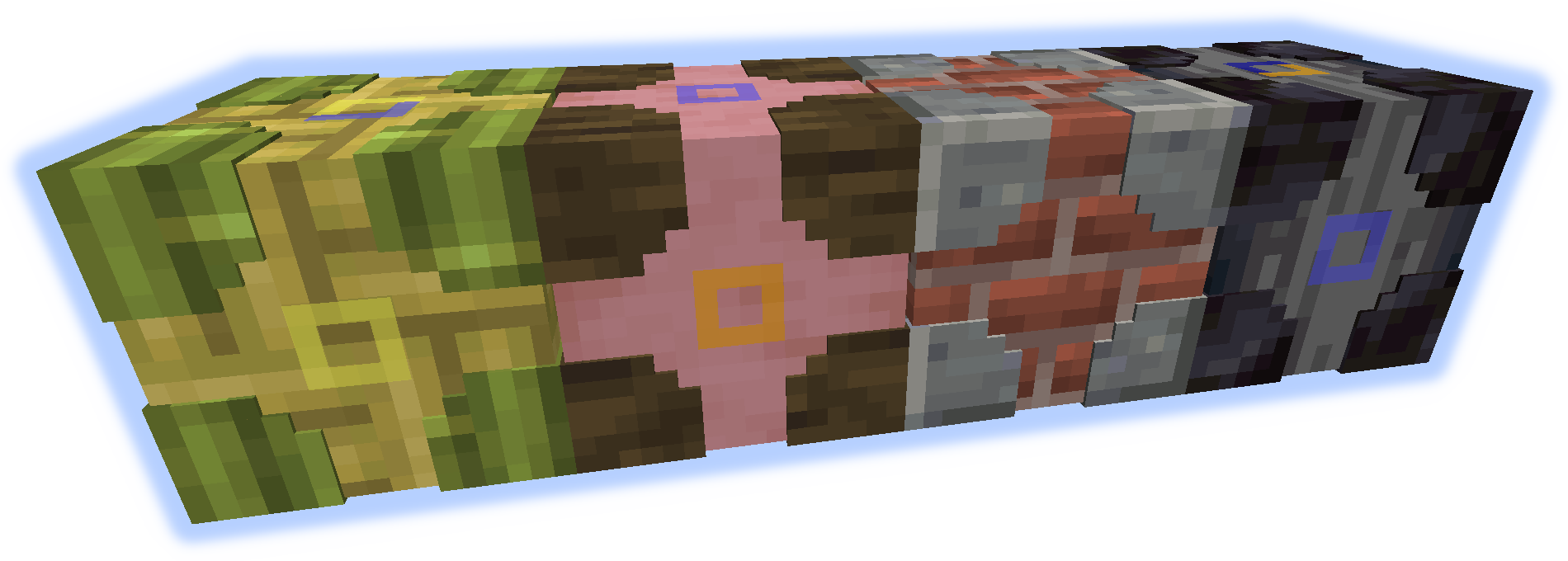
Combine nearly any 2 blocks or items (modded or vanilla) for fully custom storage.
If one block used emits light the crafted item will as well.
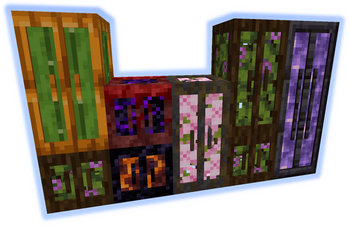
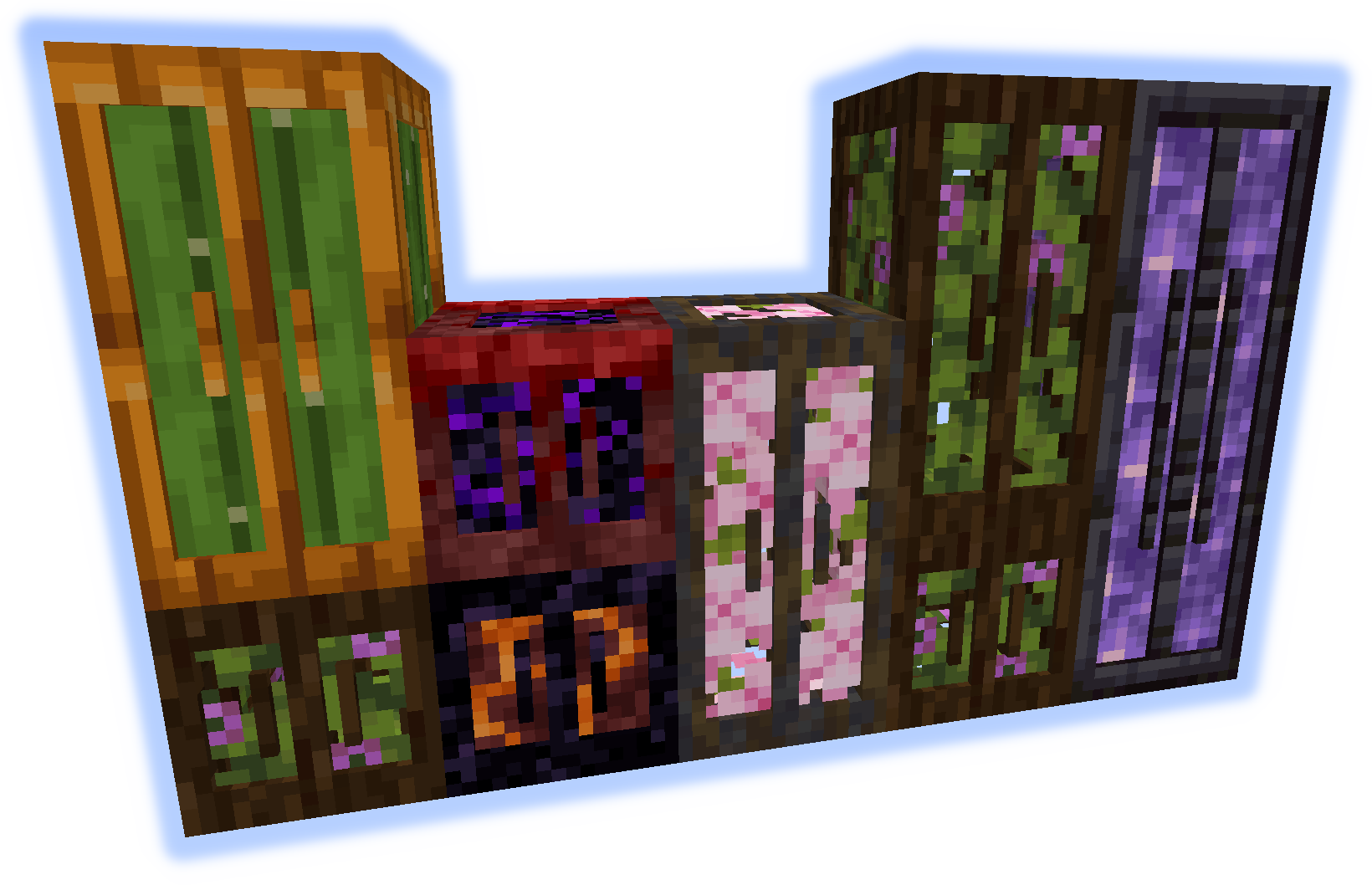
Stacking Storage
Stacks up to 3 tall. Each has 27 slots (upgradable).
Connected containers combine contents.
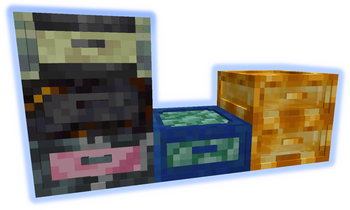
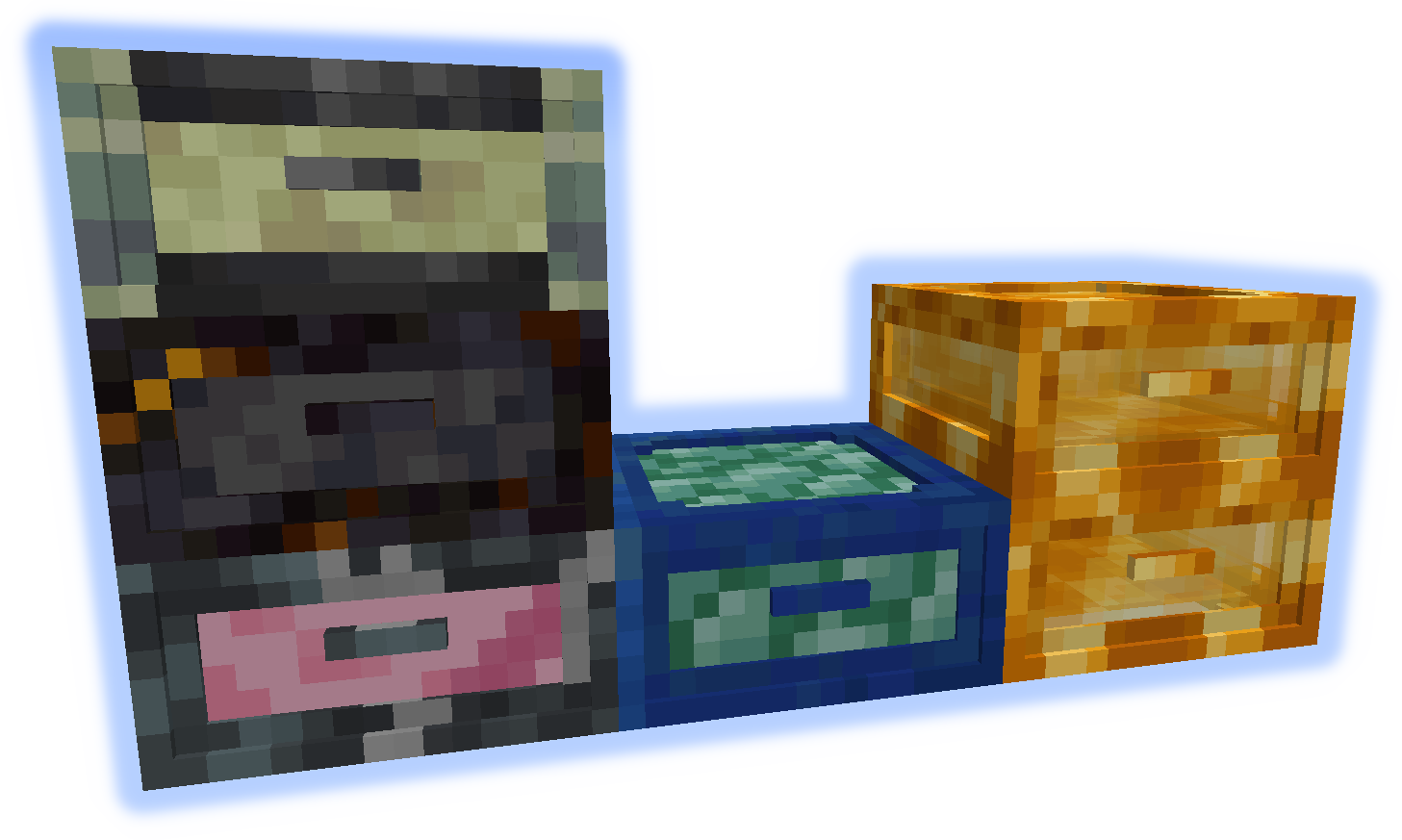
Junk Box
Each drawer is individually accessed and has 32 slots (upgradable).
Only 16 slots are visible at once.
Queue Chest
Items are stored in a large list. Only add/remove from the start or end.
Holds 4096 individual items (upgradable to stacks).
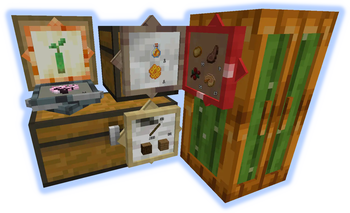
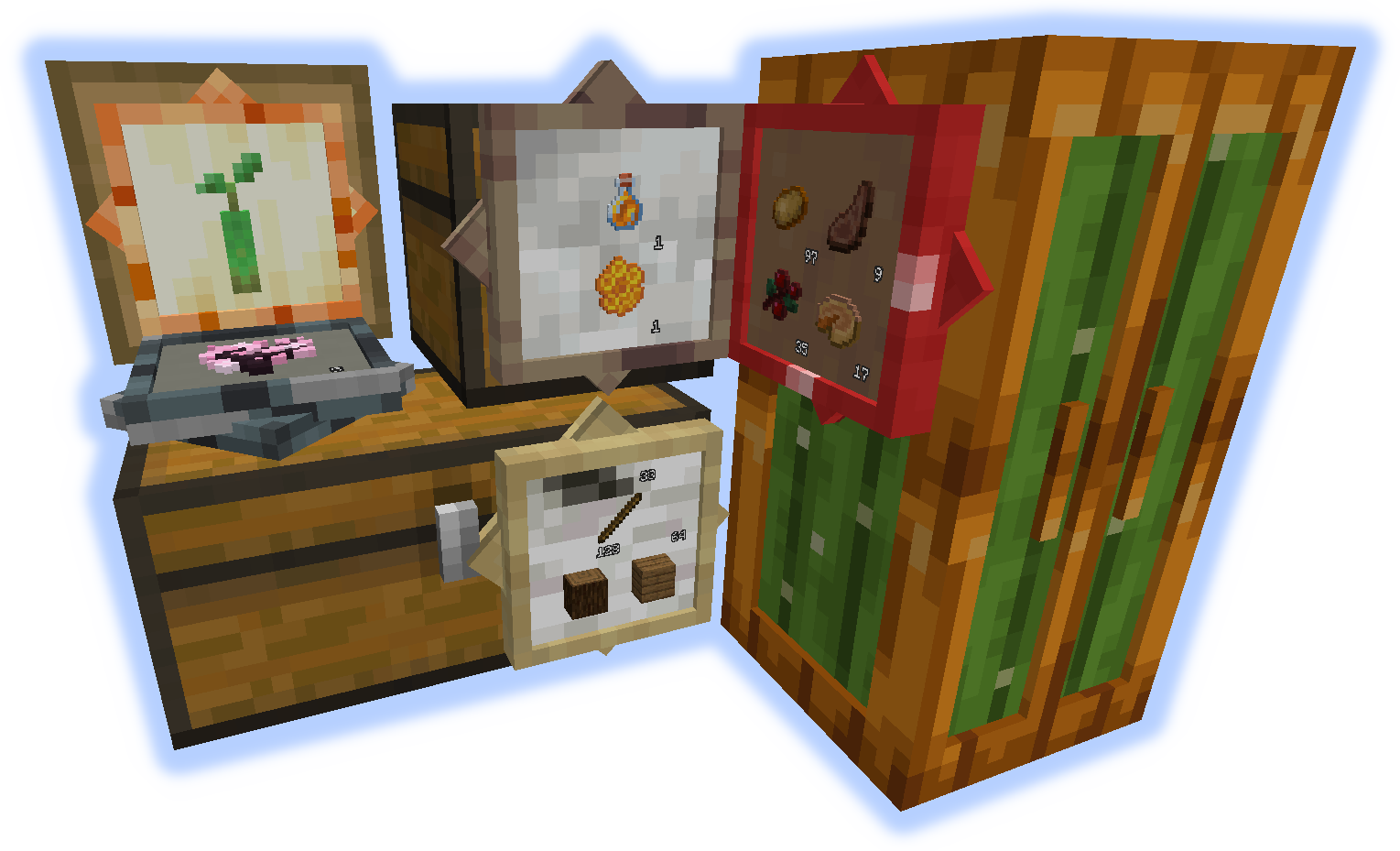
Storage Visualizer
When placed on any container allows add/remove of listed items.
When on a block functions as a simple item frame.
left-click = remove 1 item, shift-left-click = remove stack, right-click = add held stack, empty-hand-double-right-click = add all matching items
shift-right-click = add held stack to filter, empty-hand-shift-right-click = remove held stack from filter
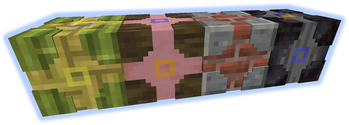
Chameleon Chest
Can mimic other blocks. Has 12 slots (upgradable).
Use wrench to set block quickly (see GIF bellow).
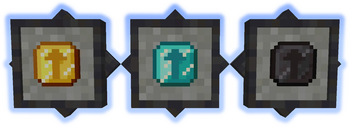
Upgrades
Increase the capacity of containers.
Hold shift with upgrade in hand to high-light applicable containers, right-click to apply.

Tools
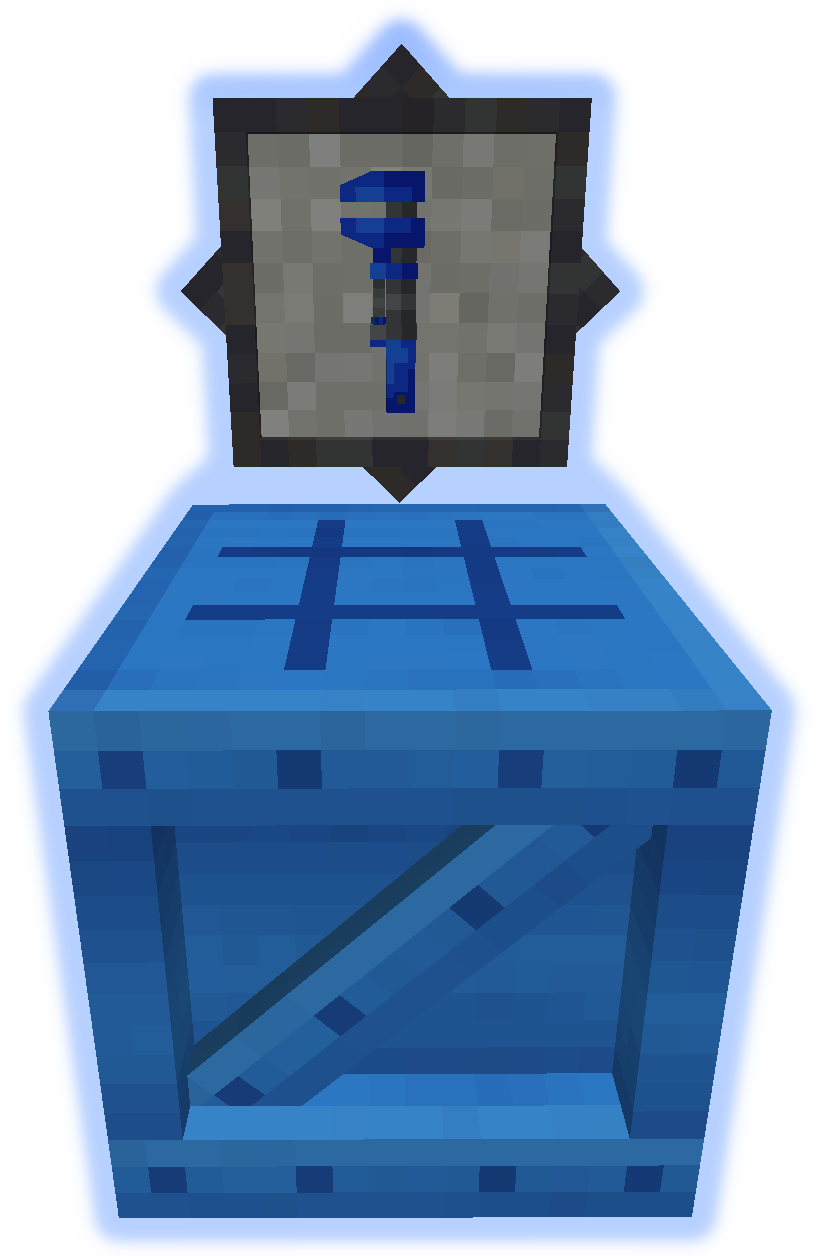
The Wrench is used to manipulate containers (see GIF bellow).
The Bench is used to craft everything else from the mod.
GIFs


📊 Mod Details
- Game
- Minecraft Mods
- Author
- ShetiPhian
- Version
- 1.21.1-1.0
- Downloads
- 4,325
- Endorsements
- 21
- Category
- fabric
- Created
- 11/13/2023
- Updated
- 8/22/2025
- Game Versions
- 1.21.1
- Tags
- storage
🔧 How to Install Minecraft Mods Mods
Download from Modrinth. Use Prism Launcher or drop into your mods folder.
📖 Full step-by-step install guide for Minecraft Mods →
Visit the official mod page for specific installation instructions for this mod.
🎮 Need cheat codes or console commands? Check ur gaming wiki for Minecraft Mods commands, item IDs, and more.
❓ Frequently Asked Questions
Which Minecraft Mods versions does MultiStorage support?
The author lists 1.21.1. Other versions may work but are untested by the author.
What is the latest version of MultiStorage?
Version 1.21.1-1.0, published 2025-08-22 with 4,325 downloads recorded at the source.
Keep browsing — more Minecraft Mods mods await