Modify Utils
🟡 Updated this year⚠️ Install Order · 2 steps
Install in this order, then this mod last — most mods fail to load without their framework and dependencies in place.
🖼️ Gallery (12 images)

🔍 Analysis
- 👍 0.1% endorsement rate
- 🏆 #142 of 284 equipment mods in this game by downloads
📋 About This Mod
# Modify Utils Modify Utils makes valuable dropped items render larger on the ground — so you never lose track of important items on a custom server again! --- ## ✨ Features - Valuable dropped items render **visually larger** on the ground - Detects items by **custom name**, **item type**, or **both** - Fully configurable scales from **0.1x to 4.0x** per item - **Item Lock** — prevents protected items from being accidentally dropped - Multiple **render modes** for balancing visibility and performance - Custom item rules using item ID, item path, or display-name matching - **In-game settings screen** with quick hotkeys - Lightweight **client-side only** — no server installation needed --- ## 🗡️ Supported Items **Swords & Weapons** - Dash Sword, Strike Sword, Executioner Sword - Void Sword, Lifesteal Sword, Inhibitor Sword - Knockback Sword, Axe of Protection, Axe of Resistance **Tools** - Instant Mine Pickaxe, Punch Bow **Tokens** - Kill Token, Mining Token, Wood Token - Compressed Mining Token, Compressed Axe Token, Compressed Kill Token **Special Items** - Enchanted Golden Apple, Chorus Fruit, Wind Charge - Ender Pearl, Blue Ice, Obsidian, Stone Brick Wall - Spectral Arrow **Armor** - All trimmed armor pieces **Custom Items** - Any item you define yourself via the config! --- ## 🎨 Render Modes | Mode | Behavior | |---|---| | **Vanilla** | Normal rendering unless a valuable item is modified | | **Performance** | Non-valuable items render tiny | | **Ultra Performance** | Non-valuable items are hidden entirely | | **Near Only** | Non-valuable items only render close to the player | --- ## ⌨️ Hotkeys | Key | Action | |---|---| | **L** | Toggle Item Lock | | **M** | Toggle Modify Mode | | **N** | Cycle Render Mode | | **B** | Cycle Detection Mode | | **O** | Open Settings | --- ## ⚙️ Configuration Open **Mod Menu** in-game and click on **Modify Utils** to adjust scales, detection modes, render modes, and custom item rules — all without leaving the game. --- ## 📦 Requirements - (https://fabricmc.net/) 0.16.0+ - (https://modrinth.com/mod/fabric-api) - (https://modrinth.com/mod/cloth-config) - (https://modrinth.com/mod/modmenu) - Java 21+
# Modify Utils
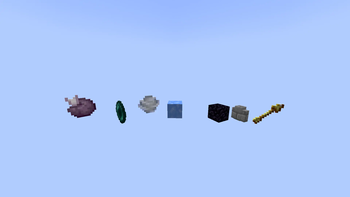
Modify Utils makes valuable dropped items render larger on the ground — so you never lose track of important items on a custom server again!
## ✨ Features
- Valuable dropped items render visually larger on the ground
- Detects items by custom name, item type, or both
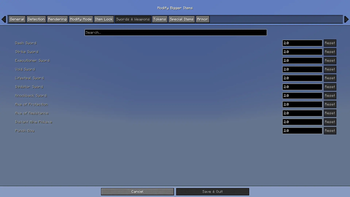
- Fully configurable scales from 0. 1x to 4. 0x per item
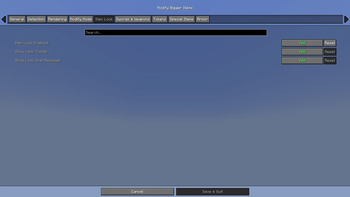
- Item Lock — prevents protected items from being accidentally dropped
- Multiple render modes for balancing visibility and performance
- Custom item rules using item ID, item path, or display-name matching
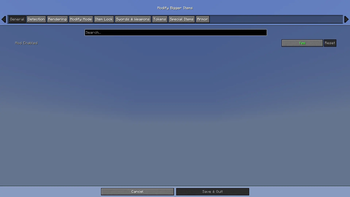
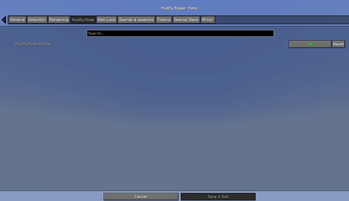
- In-game settings screen with quick hotkeys
- Lightweight client-side only — no server installation needed
## 🗡️ Supported Items
Swords & Weapons - Dash Sword, Strike Sword, Executioner Sword - Void Sword, Lifesteal Sword, Inhibitor Sword - Knockback Sword, Axe of Protection, Axe of Resistance
Tools - Instant Mine Pickaxe, Punch Bow
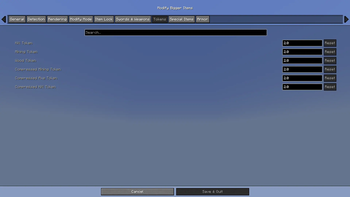
Tokens - Kill Token, Mining Token, Wood Token - Compressed Mining Token, Compressed Axe Token, Compressed Kill Token
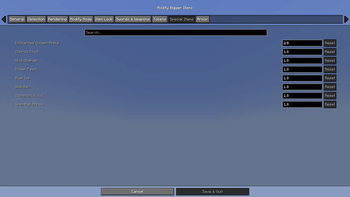
Special Items - Enchanted Golden Apple, Chorus Fruit, Wind Charge - Ender Pearl, Blue Ice, Obsidian, Stone Brick Wall - Spectral Arrow
Armor - All trimmed armor pieces
Custom Items - Any item you define yourself via the config!
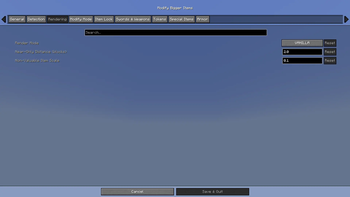
## 🎨 Render Modes
| Mode | Behavior | |---|---| | Vanilla | Normal rendering unless a valuable item is modified | | Performance | Non-valuable items render tiny | | Ultra Performance | Non-valuable items are hidden entirely | | Near Only | Non-valuable items only render close to the player |
## ⌨️ Hotkeys
| Key | Action | |---|---| | L | Toggle Item Lock | | M | Toggle Modify Mode | | N | Cycle Render Mode | | B | Cycle Detection Mode | | O | Open Settings |
## ⚙️ Configuration
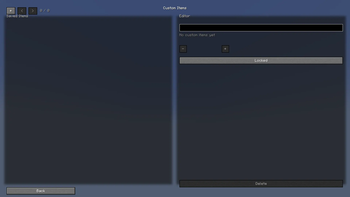
Open Mod Menu in-game and click on Modify Utils to adjust scales, detection modes, render modes, and custom item rules — all without leaving the game.
## 📦 Requirements
- (https://fabricmc.net/) 0. 16. 0+
- (https://modrinth.com/mod/fabric-api)
- (https://modrinth.com/mod/cloth-config)
- (https://modrinth.com/mod/modmenu)
- Java 21+
📊 Mod Details
- Game
- Minecraft Mods
- Author
- BayHarbotButcher
- Version
- 2.0.0
- Downloads
- 1,826
- Endorsements
- 2
- Category
- equipment
- Created
- 6/9/2026
- Updated
- 6/27/2026
- Game Versions
- 1.21.11
- Tags
- equipment, game-mechanics, utility
🔧 How to Install Minecraft Mods Mods
Download from Modrinth. Use Prism Launcher or drop into your mods folder.
📖 Full step-by-step install guide for Minecraft Mods →
Visit the official mod page for specific installation instructions for this mod.
🎮 Need cheat codes or console commands? Check ur gaming wiki for Minecraft Mods commands, item IDs, and more.
❓ Frequently Asked Questions
Which Minecraft Mods versions does Modify Utils support?
The author lists 1.21.11. Other versions may work but are untested by the author.
What is the latest version of Modify Utils?
Version 2.0.0, published 2026-06-27 with 1,826 downloads recorded at the source.
Keep browsing — more Minecraft Mods mods await