Mercantile
🟡 Updated this year⚠️ Install Order · 2 steps
Install in this order, then this mod last — most mods fail to load without their framework and dependencies in place.
Preview
🔍 Analysis
- 🏆 #7 of 56 economy mods in this game by downloads
📋 About This Mod
<p align="center"> <img src="https://raw.githubusercontent.com/kvnmtz/mercantile/refs/heads/main/docs/logo_400x400.webp" alt="Title"/> <br><br> <img alt="mc-versions" height="56" src="https://raw.githubusercontent.com/kvnmtz/mercantile/refs/heads/main/docs/badge_mc_versions.svg">   <img alt="forge" height="56" src="https://cdn.jsdelivr.net/npm/@intergrav/devins-badges@3/assets/cozy/supported/forge_vector.svg">   <img alt="fabric" height="56" src="https://cdn.jsdelivr.net/npm/@intergrav/devins-badges@3/assets/cozy/supported/fabric_vector.svg"> </p> # 🪙 Mercantile This mod adds a simple currency to Minecraft: copper, silver and gold coins (configurable). While holding a coin and right-clicking, its value will be stored in your "purse". You can get the coins back by clicking the respective buttons in your inventory. There is no way to get the items (currently), apart from creative mode or commands. This means, you'll have to come up with your own economy system for your server. \ Some ideas: - Admin shops, exchanging goods (e.g. Wheat) for coins - Add coins to chest loot tables using KubeJS + LootJS (this works best with the Lootr mod, so everyone has a chance to loot coins) - Coins as quest rewards (using something like FTB Quests) ## Create Shopkeeper Integration If you have Create 6+ installed, this mod will enable you to pay super easily with your stored coins at shopkeepers! Any coins you have in your inventory will be stored before the purchase. \ Here is how such an interaction might look like ingame: !(https://raw.githubusercontent.com/kvnmtz/mercantile/refs/heads/main/docs/create_integration.webp) ## Adding your own coins The mod provides standard textures and item models for copper, silver and gold coins (with different textures depending on the item stack size). \ (I am no artist, so I used existing textures from the Thermal Series mods made by Team CoFH.) If you add any other coins you need to also provide a resource pack with corresponding textures and item models for these items. You may also want to add the `#mercantile:coin` tag to any new coins using a datapack or something like KubeJS. ### Example If you want to add a platinum coin, you first need to declare it and its value in the `config/mercantile-common.properties` config file. You can do this by adding this line to the file: ```properties platinum = 10000 ``` >Note: The coin definitions in this file need to be the same on client and server. This creates a `mercantile:platinum_coin` item with a value of 10,000. Now you need to provide a resource pack with the corresponding textures and item models. \ An example for such a resource pack is provided for this specific example in the (https://github.com/kvnmtz/mercantile/tree/main/resourcepack-example). ## Tips for modpacks - Include a way to get coins - If you use the default textures and have Thermal Series mods installed, you may want to remove the recipes for Thermal's own coins using something like KubeJS: ```js ServerEvents.recipes(event => { event.remove({ input: /^thermal:.+_coin$/ }); event.remove({ output: /^thermal:.+_coin$/ }); event.remove({ id: /^thermal:machines\/press\/press_.+_to_coin$/ }); }); ```



# 🪙 Mercantile
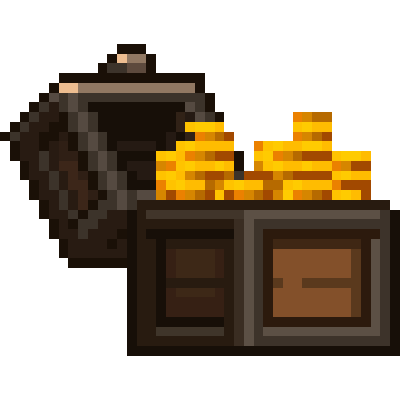
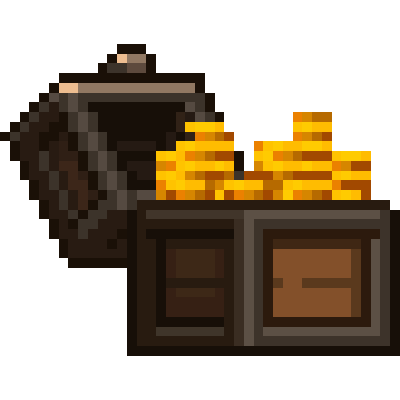
This mod adds a simple currency to Minecraft: copper, silver and gold coins (configurable). While holding a coin and right-clicking, its value will be stored in your "purse". You can get the coins back by clicking the respective buttons in your inventory.
There is no way to get the items (currently), apart from creative mode or commands. This means, you'll have to come up with your own economy system for your server. \ Some ideas: - Admin shops, exchanging goods (e.g. Wheat) for coins - Add coins to chest loot tables using KubeJS + LootJS (this works best with the Lootr mod, so everyone has a chance to loot coins) - Coins as quest rewards (using something like FTB Quests)
## Create Shopkeeper Integration
If you have Create 6+ installed, this mod will enable you to pay super easily with your stored coins at shopkeepers! Any coins you have in your inventory will be stored before the purchase. \ Here is how such an interaction might look like ingame:
!(https://raw.githubusercontent.com/kvnmtz/mercantile/refs/heads/main/docs/create_integration.webp)
## Adding your own coins
The mod provides standard textures and item models for copper, silver and gold coins (with different textures depending on the item stack size). \ (I am no artist, so I used existing textures from the Thermal Series mods made by Team CoFH.)
If you add any other coins you need to also provide a resource pack with corresponding textures and item models for these items. You may also want to add the `#mercantile:coin` tag to any new coins using a datapack or something like KubeJS.
### Example
If you want to add a platinum coin, you first need to declare it and its value in the `config/mercantile-common.properties` config file. You can do this by adding this line to the file: ```properties platinum = 10000 ```
>Note: The coin definitions in this file need to be the same on client and server.
This creates a `mercantile:platinum_coin` item with a value of 10,000.
Now you need to provide a resource pack with the corresponding textures and item models. \ An example for such a resource pack is provided for this specific example in the (https://github.com/kvnmtz/mercantile/tree/main/resourcepack-example).
## Tips for modpacks
- Include a way to get coins
- If you use the default textures and have Thermal Series mods installed, you may want to remove the recipes for Thermal's own coins using something like KubeJS:
- ```js
- ServerEvents.recipes(event => {
- event.remove({ input: /^thermal:.+_coin$/ });
- event.remove({ output: /^thermal:.+_coin$/ });
- event.remove({ id: /^thermal:machines\/press\/press_.+_to_coin$/ });
- });
- ```
📊 Mod Details
- Game
- Minecraft Mods
- Author
- 3xpl01t
- Version
- 1.0.0
- Downloads
- 236
- Endorsements
- 4
- Category
- economy
- Created
- 12/8/2025
- Updated
- 12/5/2025
- Game Versions
- 1.20.1
- Tags
- economy
🔧 How to Install Minecraft Mods Mods
Download from Modrinth. Use Prism Launcher or drop into your mods folder.
📖 Full step-by-step install guide for Minecraft Mods →
Visit the official mod page for specific installation instructions for this mod.
🎮 Need cheat codes or console commands? Check ur gaming wiki for Minecraft Mods commands, item IDs, and more.
❓ Frequently Asked Questions
Which Minecraft Mods versions does Mercantile support?
The author lists 1.20.1. Other versions may work but are untested by the author.
What is the latest version of Mercantile?
Version 1.0.0, published 2025-12-05 with 236 downloads recorded at the source.
Keep browsing — more Minecraft Mods mods await