Lua Runtime
🟠 Updated over a year ago⚠️ Install Order · 2 steps
Install in this order, then this mod last — most mods fail to load without their framework and dependencies in place.
🖼️ Gallery (1 images)
🔍 Analysis
- 👍 1.4% endorsement rate — high engagement, a strong quality signal
- 🏆 #833 of 874 fabric mods in this game by downloads
📋 About This Mod
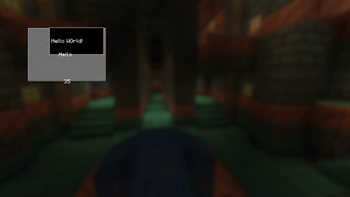
Add Lua scripting to Minecraft! Still in development. <iframe width="560" height="315" src="https://www.youtube-nocookie.com/embed/R_NLry8_UGc" title="YouTube video player" frameborder="0" allow="accelerometer; autoplay; clipboard-write; encrypted-media; gyroscope; picture-in-picture; web-share" allowfullscreen></iframe> # Some notes to start with - Don't forget to check the source code of scripts as it could be malicious. We're not responsible for any bans or damages caused by scripts. - If the game crashes due to this mod, then its probably not caused by this mod, rather caused by scripts. - If the game crashes after updating the mod, then try deleting the config at `/config/lua_runtime_config.json` # Benefits of using the mod - Backwards compatibility: All scripts made for older versions of Minecraft will work on newer versions of Minecraft. (breaking changes are in alpha versions) # Using the mod ## Adding mods Drag and drop Lua scripts into the `lua` folder in your Minecraft instance folder. ## Example script ```lua print("Hello World!") Minecraft.AddClientLoadedListener(function() local gui = Minecraft.CreateNewGUI("Lua Screen") gui.Display() end) ```
Add Lua scripting to Minecraft! Still in development.
# Some notes to start with
- Don't forget to check the source code of scripts as it could be malicious. We're not responsible for any bans or damages caused by scripts.
- If the game crashes due to this mod, then its probably not caused by this mod, rather caused by scripts.
- If the game crashes after updating the mod, then try deleting the config at `/config/lua_runtime_config.json`
# Benefits of using the mod
- Backwards compatibility: All scripts made for older versions of Minecraft will work on newer versions of Minecraft. (breaking changes are in alpha versions)
# Using the mod
## Adding mods Drag and drop Lua scripts into the `lua` folder in your Minecraft instance folder.
## Example script ```lua print("Hello World!") Minecraft. AddClientLoadedListener(function() local gui = Minecraft. CreateNewGUI("Lua Screen") gui. Display() end) ```
📊 Mod Details
- Game
- Minecraft Mods
- Author
- mokkachocolata
- Version
- 0.13
- Downloads
- 1,607
- Endorsements
- 23
- Category
- fabric
- Created
- 10/29/2024
- Updated
- 7/23/2025
- Game Versions
- 1.21.6, 1.21.7, 1.21.8
- Tags
- utility
🔧 How to Install Minecraft Mods Mods
Download from Modrinth. Use Prism Launcher or drop into your mods folder.
📖 Full step-by-step install guide for Minecraft Mods →
Visit the official mod page for specific installation instructions for this mod.
🎮 Need cheat codes or console commands? Check ur gaming wiki for Minecraft Mods commands, item IDs, and more.
❓ Frequently Asked Questions
Which Minecraft Mods versions does Lua Runtime support?
The author lists 1.21.6, 1.21.7, 1.21.8. Other versions may work but are untested by the author.
What is the latest version of Lua Runtime?
Version 0.13, published 2025-07-23 with 1,607 downloads recorded at the source.
Keep browsing — more Minecraft Mods mods await