Loading Backgrounds
🟡 Updated this year⚠️ Install Order · 2 steps
Install in this order, then this mod last — most mods fail to load without their framework and dependencies in place.
🖼️ Gallery (1 images)
🔍 Analysis
- 👍 0.0% endorsement rate
- 🏆 #947 of 1284 fabric mods in this game by downloads
📋 About This Mod
!(https://www.bisecthosting.com/images/CF/Loading_Backgrounds/BH_LB_header.webp)
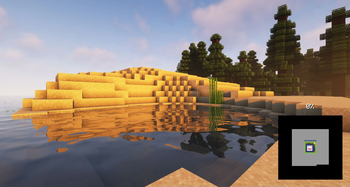
With this mod you will be able to customize the background of the loading screens of the Minecraft games, placing any type of customizable image.
It is recommended for all those creators of modpacks who want to give a better sensation to their contents, loading images of the modpack and placing them as background.
### Do you need a server to play with your friends?

For exceptional server hosting services, look no further than (https://bisecthosting.com/lupin)**. Of course, you can install all the mods or modpacks you want, and their support team is always available to help you.
(https://bisecthosting.com/lupin)**
!(https://www.bisecthosting.com/images/CF/Loading_Backgrounds/BH_LB_banner2.webp)
To add background images, you'll want to create a resource pack with the folder /assets/minecraft/textures/gui/backgrounds/ and put .png image files in there. Ideally you'd name them image1.png, image2.png, image3.png, etc. You can include background images in any resource pack and easily pack them in with any other resources.
!(https://cdn.modrinth.com/data/cached_images/816548bb07ab6d4c2b116ab88eb868316c81a21c.png)
It is essential to place the pack.mcmeta. Create a notepad with that name and put the following text:
``` { "pack": { "pack_format": 15, "description": "Loading Backgrounds images" } } ```
Also, you can look at this resourcepack as an (https://www.curseforge.com/minecraft/texture-packs/loading-backgrounds-loading-images).
!(https://www.bisecthosting.com/images/CF/Loading_Backgrounds/BH_LB_banner1.webp)
### Does it work on servers? ### Sure! Remember that the best way to play with mods and friends is with BisectHosting, and by **(https://bisecthosting.com/lupin).**
### Can this mod be used in modpacks? ### Of course! As long as it is published only on Modrinth or CurseForge. Uploading it to any other platform would be violating our rights and is not allowed at all.
However, we are really grateful if you consider adding it to your Modrinth or CurseForge modpack. If you need any small changes or have any questions, contact us!
!(https://www.bisecthosting.com/images/CF/Loading_Backgrounds/BH_LB_banner3.webp)
!(https://cdn.modrinth.com/data/dH40biZd/images/fb705776b1ec58fcbfc68f422cc0411a0e1359f7.jpeg)
[!(https://www.bisecthosting.com/images/CF/MultiRecipe/BH_Lupin_Discord.webp)](https://discord.gg/X8VY5WMbe4)
📊 Mod Details
- Game
- Minecraft Mods
- Author
- Lupin
- Version
- 1.8.1
- Downloads
- 812,825
- Endorsements
- 172
- Category
- fabric
- Created
- 9/15/2023
- Updated
- 5/11/2026
- Game Versions
- 26.1, 26.1.1, 26.1.2
- Tags
- game-mechanics, library, management
🔗 Required By 1 Mod
These mods list this mod as a dependency.
🔧 How to Install Minecraft Mods Mods
Download from Modrinth. Use Prism Launcher or drop into your mods folder.
📖 Full step-by-step install guide for Minecraft Mods →
Visit the official mod page for specific installation instructions for this mod.
🎮 Need cheat codes or console commands? Check ur gaming wiki for Minecraft Mods commands, item IDs, and more.
❓ Frequently Asked Questions
Which Minecraft Mods versions does Loading Backgrounds support?
The author lists 26.1, 26.1.1, 26.1.2. Other versions may work but are untested by the author.
What is the latest version of Loading Backgrounds?
Version 1.8.1, published 2026-05-11 with 812,825 downloads recorded at the source.
Keep browsing — more Minecraft Mods mods await