Lighty
🟡 Updated this year⚠️ Install Order · 2 steps
Install in this order, then this mod last — most mods fail to load without their framework and dependencies in place.
🖼️ Gallery (5 images)
🔍 Analysis
- 👍 0.0% endorsement rate
📋 About This Mod
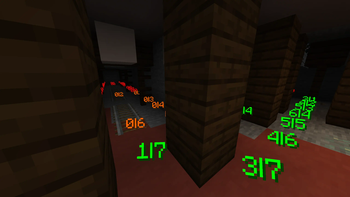
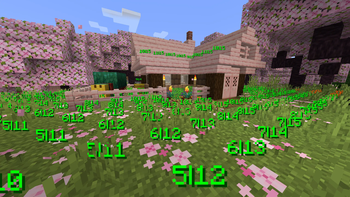
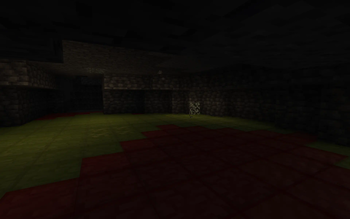
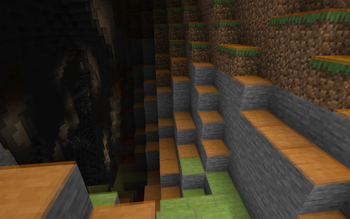
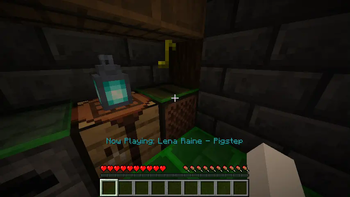
Instead of rendering crosses or numbers on the top face of blocks, Lighty takes a different approach - It renders a transparent carpet-like block on top! Or, new in version 1. 1. 0 - Renders the actual light level numbers, but Lighty Style!
Make sure to check out (https://modrinth.com/mod/lighty/gallery) for some pictures!
## Configuration - To activate the overlay, press `F7` and choose the desired mode. This key is configurable in the key binds menu. - As of version 1. 2. 0, you can quickly toggle the light overlay on or off using `F8`! This key is configurable in the key binds menu. - As of version 1. 3. 0, you can change the "red"/"orange" threshold in the new config menu (accessible using `F7`). Useful for those that want to light their places up aesthetically, or maybe you are playing with some mods that change the mobs spawning rules.
## Meaning of colors: - Green: No mobs can spawn here! - Orange: If the sun goes down, Mobs will spawn! Be careful! - Red: Mobs can spawn here!
If you have some ideas for this mod, feel free to open (https://codeberg.org/SchmarrnDevs/Lighty/issues)!
If you like this mod, consider following the project to get notified about new updates!
This mod was inspired by (https://github.com/Parzivail-Modding-Team/LightLevel).
📊 Mod Details
- Game
- Minecraft Mods
- Author
- andi-makes
- Version
- 4.0.1+26.2
- Downloads
- 3,725,340
- Endorsements
- 1,576
- Category
- bta-babric
- Created
- 8/7/2022
- Updated
- 7/23/2026
- Game Versions
- 26.2
- Tags
- utility
🔧 How to Install Minecraft Mods Mods
Download from Modrinth. Use Prism Launcher or drop into your mods folder.
📖 Full step-by-step install guide for Minecraft Mods →
Visit the official mod page for specific installation instructions for this mod.
🎮 Need cheat codes or console commands? Check ur gaming wiki for Minecraft Mods commands, item IDs, and more.
❓ Frequently Asked Questions
Which Minecraft Mods versions does Lighty support?
The author lists 26.2. Other versions may work but are untested by the author.
What is the latest version of Lighty?
Version 4.0.1+26.2, published 2026-07-23 with 3.7M downloads recorded at the source.
Keep browsing — more Minecraft Mods mods await