Lachryvisions
⚪ Last updated 2024⚠️ Install Order · 2 steps
Install in this order, then this mod last — most mods fail to load without their framework and dependencies in place.
🖼️ Gallery (5 images)
🔍 Analysis
- 👍 1.4% endorsement rate — high engagement, a strong quality signal
- 🏆 #166 of 285 equipment mods in this game by downloads
📋 About This Mod
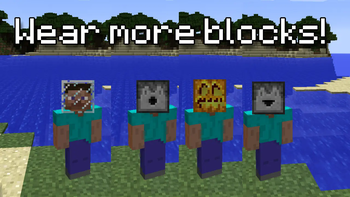
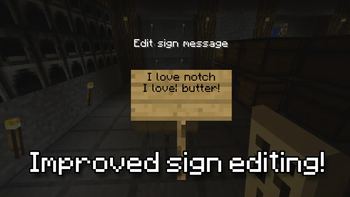
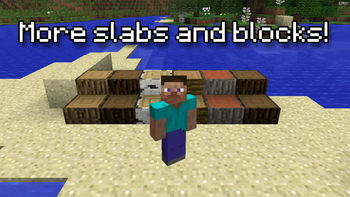
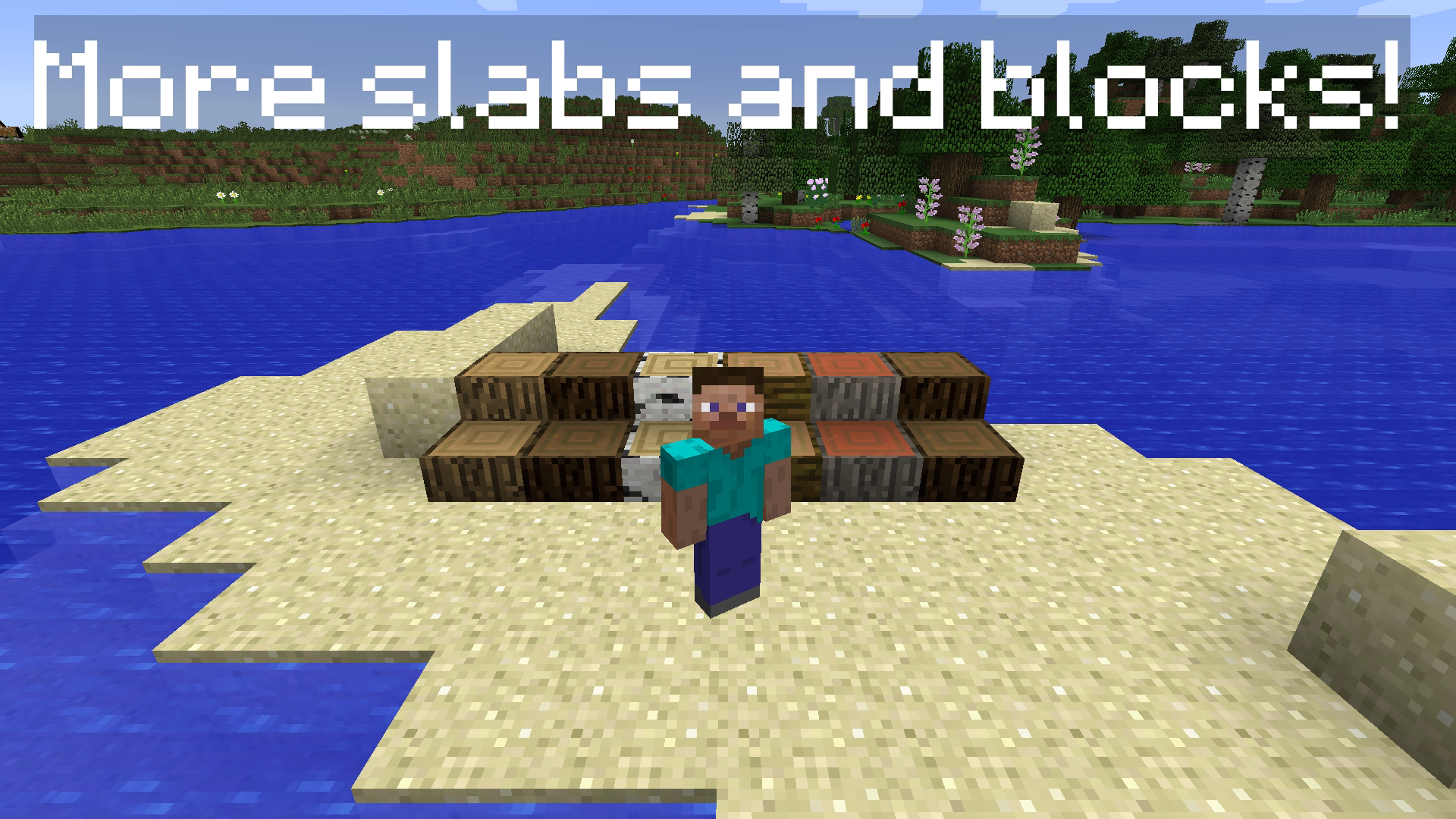
# Lachryvisions for 1.7.10 !(https://img.shields.io/badge/java-%23ED8B00.svg?style=for-the-badge&logo=openjdk&logoColor=white) !(https://img.shields.io/badge/YouTube-%23FF0000.svg?style=for-the-badge&logo=YouTube&logoColor=white) !(https://img.shields.io/badge/IntelliJIDEA-000000.svg?style=for-the-badge&logo=intellij-idea&logoColor=white) <img src="https://raw.githubusercontent.com/Lachrymogenic/Lachryvisions/main/src/main/resources/logo.png" alt="drawing" width="600"/> **Lachryvisions** (pronounced Lack-REVISIONS, name has multiple meanings, Revisions and Vision) is a mod for **1.7.10** that aims to extend the functionality of the Minecraft version **1.7.10** with new features and certain backported features that are designed to maintain the look and feel of Vanilla Minecraft, whilst also making the game better. <p float="left"> <img src="https://raw.githubusercontent.com/Lachrymogenic/Lachryvisions/main/showcase/showcase_01.gif" alt="drawing" width="400"/> <img src="https://raw.githubusercontent.com/Lachrymogenic/Lachryvisions/main/showcase/showcase_02.gif" alt="drawing" width="400"/> </p> <p float="left"> <img src="https://raw.githubusercontent.com/Lachrymogenic/Lachryvisions/main/showcase/showcase_03.gif" alt="drawing" width="400"/> <img src="https://raw.githubusercontent.com/Lachrymogenic/Lachryvisions/main/showcase/showcase_04.png" alt="drawing" width="400"/> </p> ### TLDR: I HATE MICROSOFT. 1.9+ are the worst versions of the game, especially 1.19 and 1.20. In my eyes, there is just so much bloat that doesn't need to be in the game, and Microsoft's acquisition of Minecraft aswell as annexing of Notch and kicking him out from events, made me resent Microsoft even more. Even with Account Migration and 1.19 "Online Safety Features" it's just... <br><br> It's not Minecraft anymore.<br><br>So I made a mod that allows me to modify Minecraft... well... however I envision! I also really wanted to get into Java and modding so this is how I was gonna do that. This mod exists so I can play Minecraft the way I intend to play it. And Microsoft cannot stop me. # Features * Improved Sign Editing * Boats no longer crash into planks and sticks * More blocks and slabs * More wearable blocks, place a Dispenser on your head! * Leather boots allow you to avoid trampling on your crops! * More commands, like /gmc, /gms, /gma * Improved stack limits of items that are limited to 16, to 64. # Roadmap / Todo * Backport good features from new versions (according to my personal tastes) * Fix bugs and annoyances in 1.7.10 * Add Vanilla items that respect the artstyle of the game. ## Will you port to 1.9+? No! Although I'm down for making a similar mod for 1.8.9 but removing stuff is harder than adding. # Installation Lachryvisions requires (https://www.curseforge.com/minecraft/mc-mods/unimixins) to load mixins and operate correctly. Once you have both mods downloaded, simply drag and drop them into your mods folder. You must be using the latest version of **1.7.10 Forge**. ## License This mod extends off of the Unimixins Example Mod and is licensed under the (LICENSE).
# Lachryvisions for 1. 7. 10 !(https://img.shields.io/badge/java-%23ED8B00.svg?style=for-the-badge&logo=openjdk&logoColor=white) !(https://img.shields.io/badge/YouTube-%23FF0000.svg?style=for-the-badge&logo=YouTube&logoColor=white) !(https://img.shields.io/badge/IntelliJIDEA-000000.svg?style=for-the-badge&logo=intellij-idea&logoColor=white)

Lachryvisions (pronounced Lack-REVISIONS, name has multiple meanings, Revisions and Vision) is a mod for 1. 7. 10 that aims to extend the functionality of the Minecraft version 1. 7. 10 with new features and certain backported features that are designed to maintain the look and feel of Vanilla Minecraft, whilst also making the game better.
### TLDR: I HATE MICROSOFT. 1. 9+ are the worst versions of the game, especially 1. 19 and 1. 20. In my eyes, there is just so much bloat that doesn't need to be in the game, and Microsoft's acquisition of Minecraft aswell as annexing of Notch and kicking him out from events, made me resent Microsoft even more. Even with Account Migration and 1. 19 "Online Safety Features" it's just...
It's not Minecraft anymore.
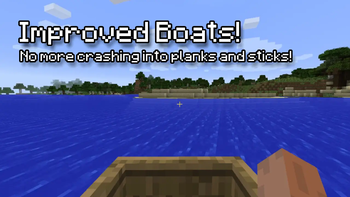
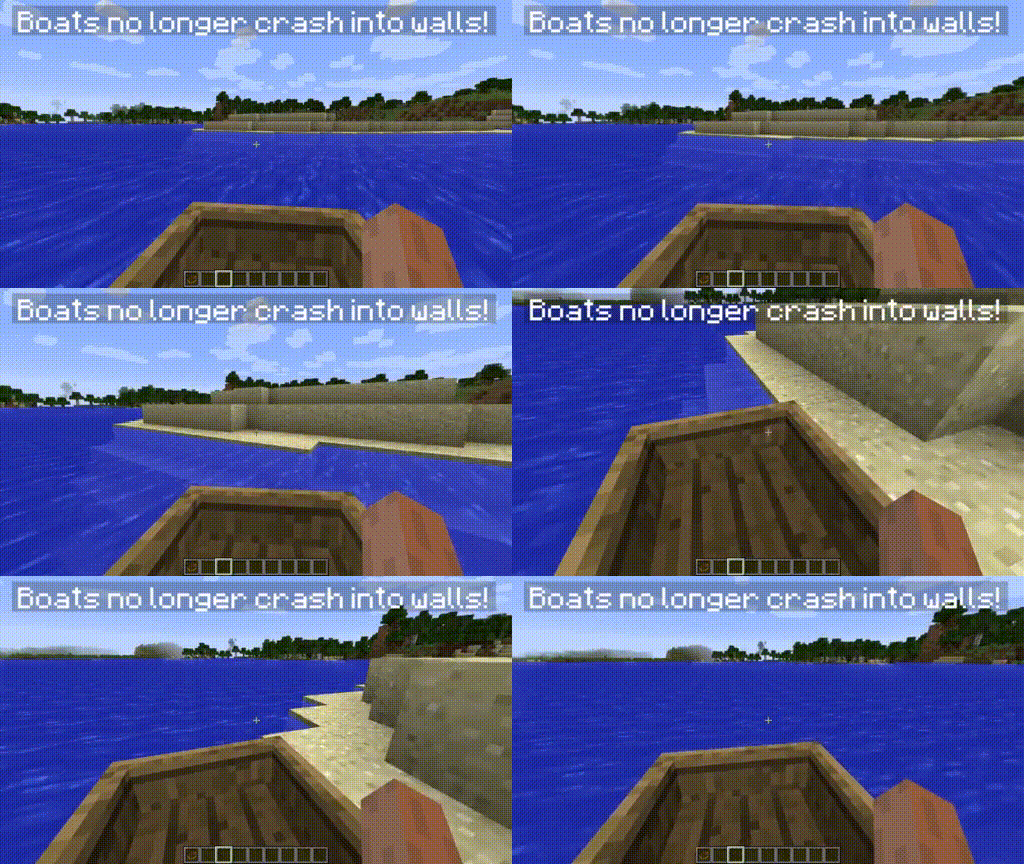
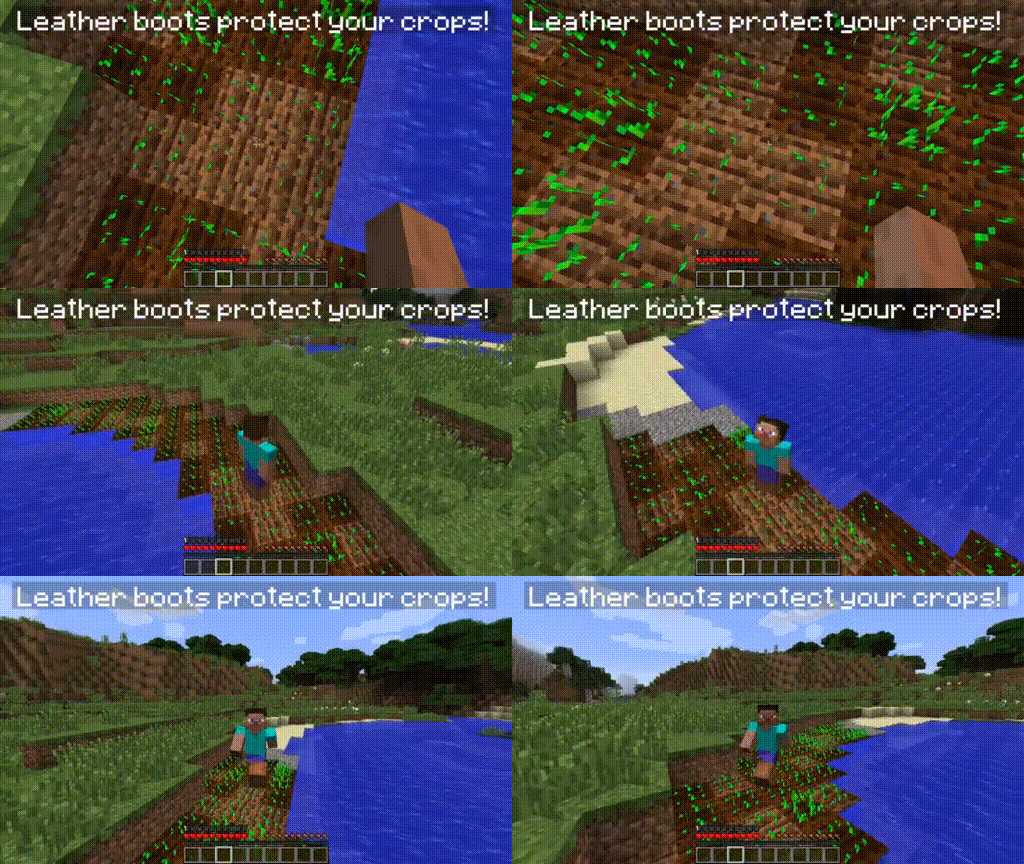
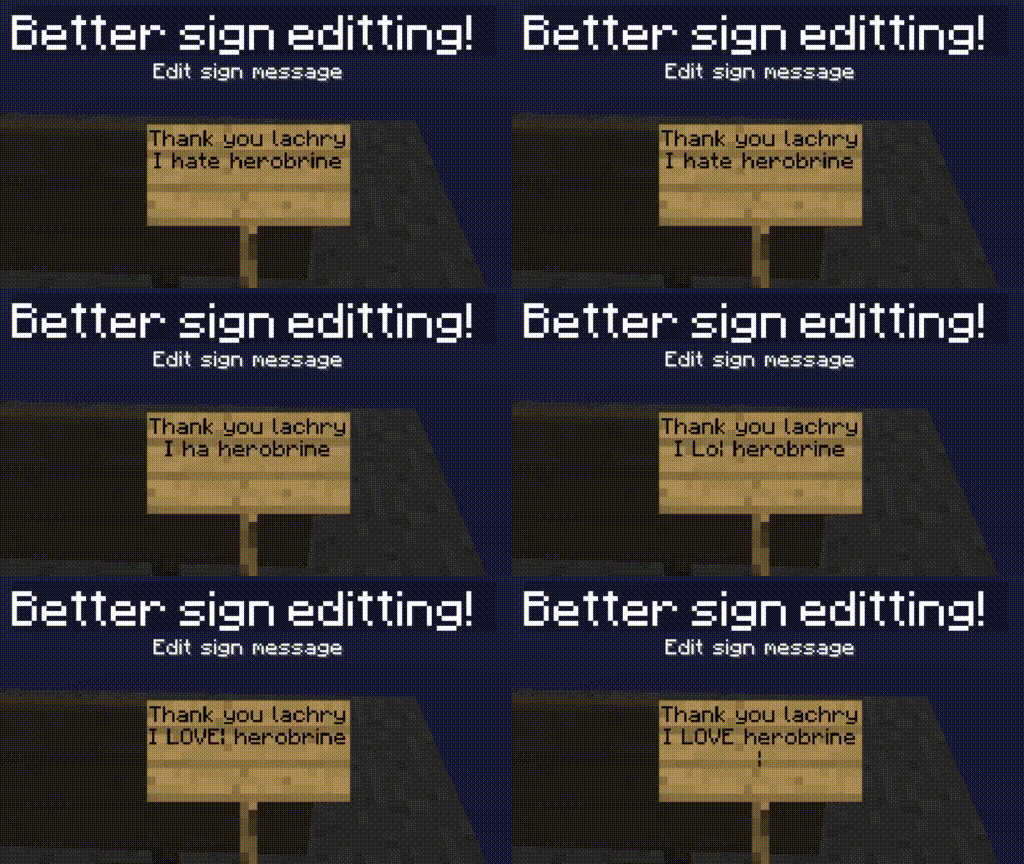
So I made a mod that allows me to modify Minecraft... well... however I envision! I also really wanted to get into Java and modding so this is how I was gonna do that. This mod exists so I can play Minecraft the way I intend to play it. And Microsoft cannot stop me. # Features Improved Sign Editing Boats no longer crash into planks and sticks More blocks and slabs More wearable blocks, place a Dispenser on your head! Leather boots allow you to avoid trampling on your crops! More commands, like /gmc, /gms, /gma Improved stack limits of items that are limited to 16, to 64. # Roadmap / Todo Backport good features from new versions (according to my personal tastes) Fix bugs and annoyances in 1. 7. 10 Add Vanilla items that respect the artstyle of the game. ## Will you port to 1. 9+? No! Although I'm down for making a similar mod for 1. 8. 9 but removing stuff is harder than adding.
# Installation Lachryvisions requires (https://www.curseforge.com/minecraft/mc-mods/unimixins) to load mixins and operate correctly. Once you have both mods downloaded, simply drag and drop them into your mods folder. You must be using the latest version of 1. 7. 10 Forge.
This mod extends off of the Unimixins Example Mod and is licensed under the (LICENSE).
📊 Mod Details
- Game
- Minecraft Mods
- Author
- Lachrymogenic
- Version
- 1.2.1
- Downloads
- 650
- Endorsements
- 9
- Category
- equipment
- Created
- 4/2/2024
- Updated
- 6/4/2024
- Game Versions
- 1.7.10
- Tags
- equipment, game-mechanics, management
🔧 How to Install Minecraft Mods Mods
Download from Modrinth. Use Prism Launcher or drop into your mods folder.
📖 Full step-by-step install guide for Minecraft Mods →
Visit the official mod page for specific installation instructions for this mod.
🎮 Need cheat codes or console commands? Check ur gaming wiki for Minecraft Mods commands, item IDs, and more.
❓ Frequently Asked Questions
Which Minecraft Mods versions does Lachryvisions support?
The author lists 1.7.10. Other versions may work but are untested by the author.
What is the latest version of Lachryvisions?
Version 1.2.1, published 2024-06-04 with 650 downloads recorded at the source.
Keep browsing — more Minecraft Mods mods await