Item Editor - Component & NBT
🟡 Updated this year⚠️ Install Order · 2 steps
Install in this order, then this mod last — most mods fail to load without their framework and dependencies in place.
🖼️ Gallery (12 images)

🔍 Analysis
- 👍 0.3% endorsement rate
- 🏆 #81 of 901 fabric mods in this game by downloads
📋 About This Mod
<p align="center"> <img src="https://cdn.modrinth.com/data/FFDotM4D/b496c7842db1b8bebd472998c6c753b6ce985377_96.webp" alt="Item Editor Logo" width="150"> </p> <p align="center"><small>thanks to MarioKartWii for icon</small></p> <h1 align="center">Item Editor</h1> <p align="center"> <strong>A powerful client-side in-game component and NBT editor for Minecraft: Java using the Fabric mod-loader.</strong> </p> <div align="center"> (https://img.shields.io/modrinth/dt/FFDotM4D?style=for-the-badge&logo=Modrinth&label=Modrinth&color=1bd96a)](https://modrinth.com/project/item-editor) (https://img.shields.io/badge/Source-181717?style=for-the-badge&logo=GitHub&label=GitHub)](https://github.com/noramibu/Item-Editor) (https://img.shields.io/badge/Join-5865F2?style=for-the-badge&logo=Discord&label=Discord)](https://discord.gg/FaxbR9eEFW) </div> --- ## Overview Item Editor opens a comprehensive GUI for the currently held item, allowing you to safely modify item data on a draft before applying changes. Designed as a modern alternative to traditional raw NBT data editors, this mod utilizes Minecraft's modern data component system instead of relying solely on outdated raw-NBT workflows. It features dynamic custom UI editors for modifying item properties, metadata, and components, including menus for special item types such as books, banners, custom fireworks, containers, signs, potions, and more. --- ## Key Features - **Draft-first Editing** - Safe modifications with live preview - **Modern Component System** - Native support for Minecraft 1.20.5+ data components - **Dynamic Editors** - Specialized UIs for books, banners, fireworks, containers, villager trades, command blocks and more - **Raw NBT Fallback** - Full text editor with syntax highlighting and validation - **Built-in Storage** - Save, search, and organize items, and import saved items from other mods - **Multiplayer Compatible** - Does not require a server-side plugin to function, only requires creative mode. --- ## Installation ### Requirements - **Minecraft Fabric** (compatible version) - **Fabric API** - **owo-lib** ### Steps 1. Install (https://fabricmc.net/use/) 2. Download the following files: - (https://modrinth.com/project/item-editor) (this mod) - (https://modrinth.com/mod/fabric-api) - (https://modrinth.com/mod/owo-lib) 3. Place all `.jar` files into your `mods` folder 4. Launch the game 5. Open the editor via **Controls → Item Editor** (default key: `I`) --- ## Core Workflow Item Editor uses a **draft-first editing** system to ensure safe, predictable modifications: | Feature | Description| |---------|------------| | **Draft Editing** | All edits are made on a temporary copy of the held item| | **Live Feedback** | Preview updates while editing, with validation shown inline| | **Safe Apply** | `Save / Apply` shows a diff/verification flow before committing| | **Discard Safety** | Close/Reset asks for confirmation when needed| --- ## Editor Categories ### General - **Custom Name Editing:** Styled formatting with presets, gradients, and color picker - **Core Values:** Count, Rarity, Durability/Damage, Repair Cost, Unbreakable - **Visual/Model Fields:** Glint override, Item Model, Custom Model values - **Adventure Predicates:** Can Break / Can Place On with searchable block picking ### Components **Always Available** - **Name/Stack/Flags:** Item Name, Glider, Death Protection - **Food/Consumable:** Nutrition, Saturation, Use Behavior - **Combat Behavior:** Animation Type & Duration, Hit Sounds with searchable sound picking - **Registry Components:** Damage Type, Note Block & Break Sound, Painting Variant - **Equipment / Combat:** Equipment Slot, Equip and Shearing Sounds, Asset ID, Camera Overlay, Weapon & Tool settings, Attack Range - **Block Attacks:** Block Attacks timings, Damage Reduction, Item Damage - **Custom Data:** Raw Editor for Custom Data compounds **Item Specific** - **Block State:** Block State properties - **Charged Projectiles:** Item ID, Count - **Map Metadata:** Map Color, Post-Processing (Lock/Scale) - **Advanced Map:** Map ID, Decorations, Lodestone Tracker - **Container Metadata:** Lock ID, Loot Table, Bee Occupants, Pot Decorations ### Display - Rich multi-line editor with formatting toolbar - Color/Gradient styling, Head & Sprite insertion and rendering - Save system for your favorite colors, gradients and shadows ### Attributes - Add, Edit or Remove Attributes - Menu for each Attribute, with Attribute, Amount, Operation, Slot, and Modifier ID fields - Summarizes current attribute values and allows resetting to original ### Enchantments - Searchable Enchantment picker and Level adjuster - Reorder or remove Enchantments - Allow "unsafe" enchantment levels over the survival limit ### Flags - Hide all or specific components from the tooltip or hide the entire tooltip ### Raw Editor - Full

thanks to MarioKartWii for icon
Item Editor
A powerful client-side in-game component and NBT editor for Minecraft: Java using the Fabric mod-loader.
[!(https://img.shields.io/modrinth/dt/FFDotM4D?style=for-the-badge&logo=Modrinth&label=Modrinth&color=1bd96a)](https://modrinth.com/project/item-editor) [!(https://img.shields.io/badge/Source-181717?style=for-the-badge&logo=GitHub&label=GitHub)](https://github.com/noramibu/Item-Editor) [!(https://img.shields.io/badge/Join-5865F2?style=for-the-badge&logo=Discord&label=Discord)](https://discord.gg/FaxbR9eEFW)
## Overview
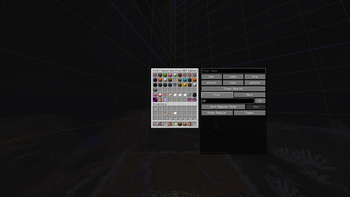
Item Editor opens a comprehensive GUI for the currently held item, allowing you to safely modify item data on a draft before applying changes. Designed as a modern alternative to traditional raw NBT data editors, this mod utilizes Minecraft's modern data component system instead of relying solely on outdated raw-NBT workflows.
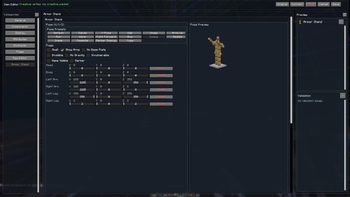
It features dynamic custom UI editors for modifying item properties, metadata, and components, including menus for special item types such as books, banners, custom fireworks, containers, signs, potions, and more.
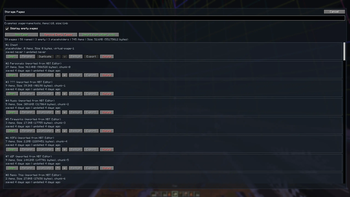
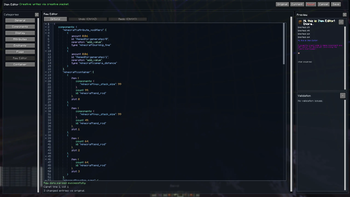
## Key Features - Draft-first Editing - Safe modifications with live preview - Modern Component System - Native support for Minecraft 1. 20. 5+ data components - Dynamic Editors - Specialized UIs for books, banners, fireworks, containers, villager trades, command blocks and more - Raw NBT Fallback - Full text editor with syntax highlighting and validation - Built-in Storage - Save, search, and organize items, and import saved items from other mods - Multiplayer Compatible - Does not require a server-side plugin to function, only requires creative mode.
## Installation
### Requirements - Minecraft Fabric (compatible version) - Fabric API - owo-lib
### Steps 1. Install (https://fabricmc.net/use/) 2. Download the following files: - (https://modrinth.com/project/item-editor) (this mod) - (https://modrinth.com/mod/fabric-api) - (https://modrinth.com/mod/owo-lib) 3. Place all `.jar` files into your `mods` folder 4. Launch the game 5. Open the editor via Controls → Item Editor (default key: `I`)
## Core Workflow
Item Editor uses a draft-first editing system to ensure safe, predictable modifications:
| Feature | Description| |---------|------------| | Draft Editing | All edits are made on a temporary copy of the held item| | Live Feedback | Preview updates while editing, with validation shown inline| | Safe Apply | `Save / Apply` shows a diff/verification flow before committing| | Discard Safety | Close/Reset asks for confirmation when needed|
## Editor Categories
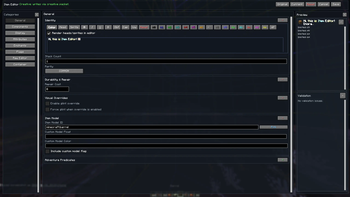
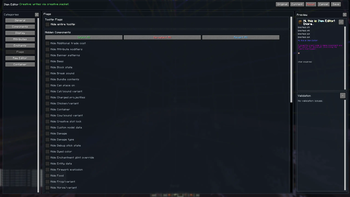
### General - Custom Name Editing: Styled formatting with presets, gradients, and color picker - Core Values: Count, Rarity, Durability/Damage, Repair Cost, Unbreakable - Visual/Model Fields: Glint override, Item Model, Custom Model values - Adventure Predicates: Can Break / Can Place On with searchable block picking
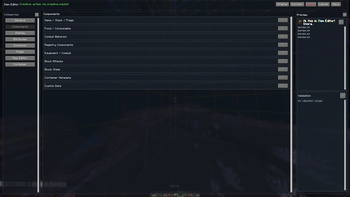
### Components
Always Available - Name/Stack/Flags: Item Name, Glider, Death Protection - Food/Consumable: Nutrition, Saturation, Use Behavior - Combat Behavior: Animation Type & Duration, Hit Sounds with searchable sound picking - Registry Components: Damage Type, Note Block & Break Sound, Painting Variant - Equipment / Combat: Equipment Slot, Equip and Shearing Sounds, Asset ID, Camera Overlay, Weapon & Tool settings, Attack Range - Block Attacks: Block Attacks timings, Damage Reduction, Item Damage - Custom Data: Raw Editor for Custom Data compounds
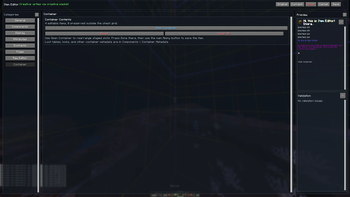
Item Specific - Block State: Block State properties - Charged Projectiles: Item ID, Count - Map Metadata: Map Color, Post-Processing (Lock/Scale) - Advanced Map: Map ID, Decorations, Lodestone Tracker - Container Metadata: Lock ID, Loot Table, Bee Occupants, Pot Decorations
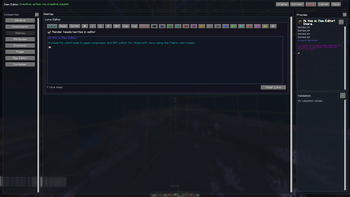
### Display - Rich multi-line editor with formatting toolbar - Color/Gradient styling, Head & Sprite insertion and rendering - Save system for your favorite colors, gradients and shadows
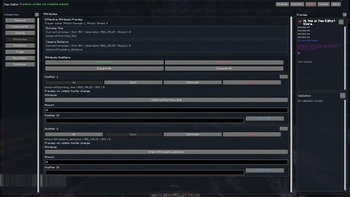
### Attributes - Add, Edit or Remove Attributes - Menu for each Attribute, with Attribute, Amount, Operation, Slot, and Modifier ID fields - Summarizes current attribute values and allows resetting to original
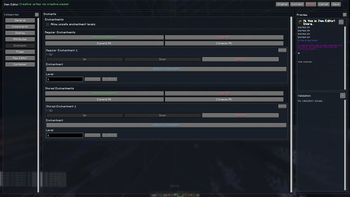
### Enchantments - Searchable Enchantment picker and Level adjuster - Reorder or remove Enchantments - Allow "unsafe" enchantment levels over the survival limit
### Flags - Hide all or specific components from the tooltip or hide the entire tooltip
### Raw Editor - Full
📊 Mod Details
- Game
- Minecraft Mods
- Author
- noramibu
- Version
- 1.21.11-b22
- Downloads
- 15,927
- Endorsements
- 44
- Category
- fabric
- Created
- 3/30/2026
- Updated
- 7/26/2026
- Game Versions
- 1.21.11
- Tags
- management, utility
🔧 How to Install Minecraft Mods Mods
Download from Modrinth. Use Prism Launcher or drop into your mods folder.
📖 Full step-by-step install guide for Minecraft Mods →
Visit the official mod page for specific installation instructions for this mod.
🎮 Need cheat codes or console commands? Check ur gaming wiki for Minecraft Mods commands, item IDs, and more.
❓ Frequently Asked Questions
Which Minecraft Mods versions does Item Editor - Component & NBT support?
The author lists 1.21.11. Other versions may work but are untested by the author.
What is the latest version of Item Editor - Component & NBT?
Version 1.21.11-b22, published 2026-07-26 with 15,927 downloads recorded at the source.
Keep browsing — more Minecraft Mods mods await