Item Descriptions
🟡 Updated this year⚠️ Install Order · 2 steps
Install in this order, then this mod last — most mods fail to load without their framework and dependencies in place.
🖼️ Gallery (9 images)

🔍 Analysis
- 👍 0.1% endorsement rate
- 🏆 #1267 of 1284 fabric mods in this game by downloads
📋 About This Mod
<center> <img width=75% src="https://resources.godsted.com/modrinth/item-descriptions/hero-alt2.webp"> </center><br> <center> <br> <a href='https://modrinth.com/mod/item-descriptions/versions?l=fabric'><img alt="fabric" height="56" src="https://raw.githubusercontent.com/intergrav/devins-badges/refs/heads/v3/assets/cozy/supported/fabric_vector.svg"></a> <a href='https://modrinth.com/mod/item-descriptions/versions?l=neoforge&l=forge'><img alt="forge" height="56" src="https://raw.githubusercontent.com/cassiancc/Cassians-Badges/refs/heads/main/cozy/NeoForge.svg"></a> <a href='https://modfest.net/vanity/bc25'><img height="56" src="https://raw.githubusercontent.com/worldwidepixel/badges/refs/heads/main/bc25/featured_in/cozy.svg"></a> </center> This mod adds a unique description to all blocks, items, and entities that is displayed when pressing the Ctrl key. These descriptions sum up what it can be used for, its source, and/or any other useful info. It strikes a compromise between not knowing anything about an item and constantly checking the Minecraft Wiki for detailed in-depth descriptions. Item Descriptions includes all vanilla blocks and items. For mod support, also add (https://modrinth.com/resourcepack/mod-descriptions)! ## Item Descriptions By default, holding down Ctrl when hovering over an item will show a short description of what it can do. Unique descriptions have been written for every item, and generic descriptions are also supported for various tags so many modded blocks come with built-in descriptions. ## Block and Entity Descriptions If you have (https://modrinth.com/mod/jade) or (https://modrinth.com/mod/wthit) installed, blocks and entities will also show descriptions when Ctrl is held. ## Enchantment Descriptions Item Descriptions supports descriptions for enchantments as well, with descriptions for every vanilla enchantments included. Item Descriptions prefers its own descriptions, but will support mods that support (https://modrinth.com/mod/enchantment-descriptions) out of the box. Enchantment Descriptions are also shown in the Enchanting Table, including (https://modrinth.com/mod/quark)'s Matrix Enchanting Table and (https://modrinth.com/mod/penchant)'s reworked Enchanting Table. ## Effect Descriptions Item Descriptions supports descriptions for enchantments as well, with descriptions for every vanilla enchantments included. Item Descriptions prefers its own descriptions, but will support mods that support (https://modrinth.com/mod/effect-descriptions) out of the box. ## Installation Item Descriptions is a completely clientside mod for Fabric and NeoForge. - On Fabric, only (https://modrinth.com/mod/fabric-api) is required. - On NeoForge, there are no dependencies. - Mod settings are available with (https://modrinth.com/mod/mod-menu) (only required on Fabric) and (https://modrinth.com/mod/cloth-config) or (https://modrinth.com/mod/yacl). Built in options include the tooltip key, hints, tooltip colour, "always on" mode, toggles for description types, and more. ## Mod Support Item Descriptions includes all vanilla blocks and items. For mod support, also add the (https://modrinth.com/resourcepack/mod-descriptions) resource pack! Additionally, compatibility exists for specific features in the following mods: | Icon | Link | Feature Added | |------------------------------------------------------|----------------------------------------------------------------------------|----------------------------------------------------------------------| | <img src="https://cdn.modrinth.com/data/nvQzSEkH/b04217bc2b7dc524c4d12f81ff42cc1cefb9b0fc_96.webp" width="64"> | **(https://modrinth.com/mod/jade)** | **Block and Entity Descriptions** — Jade will show block and entity descriptions in its informational HUD. | | <img src="https://cdn.modrinth.com/data/6AQIaxuO/2bd96dccf28d264598c2c5f5a46c1d57561841a2_96.webp" width="64"> | **(https://modrinth.com/mod/wthit)** | **Block and Entity Descriptions** — WTHIT will show block and entity descriptions in its informational HUD. | | <img src="https://cdn.modrinth.com/data/72RRCWM6/aff8f944a75aecb78ae9324be9d6880049cf026e.png" width="64"> | **(https://modrinth.com/mod/field-guide)** | **Entry Descriptions** — Automatically fills in entry lore. | | <img src="https://cdn.modrinth.com/data/5VolwT6c/c91c6519e275d9eeedd7e2cd5de7b253229942e6.webp" width="64"> | **(https://modrinth.com/mod/rrv)** | **Item, Enchantment, Effect, Tag Descriptions** — Tags shown by this mod will show Item Descriptions. Item Descriptions can also be configured to appear as info recipes




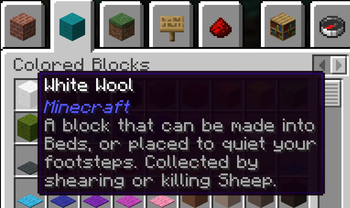
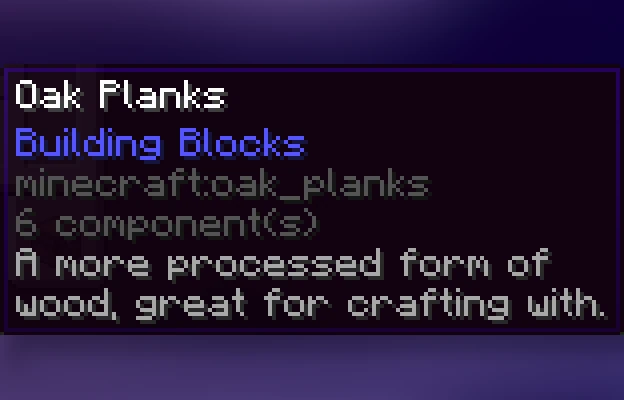
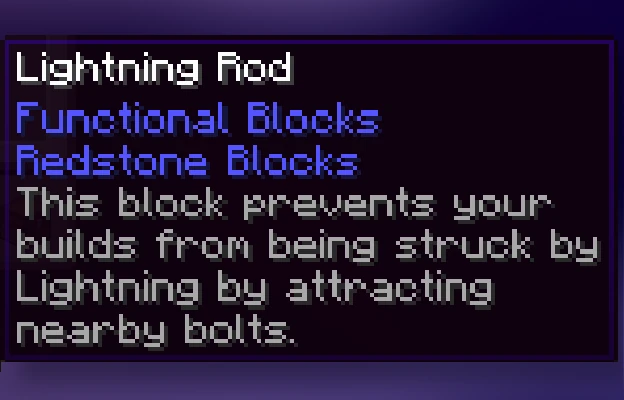
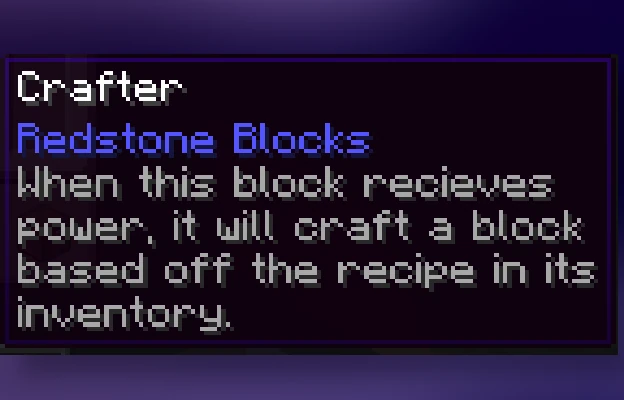
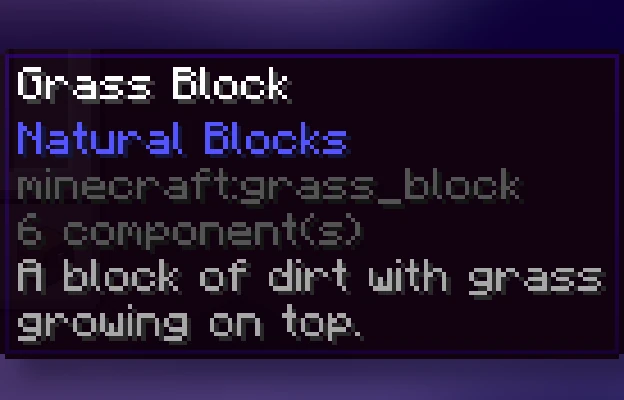
This mod adds a unique description to all blocks, items, and entities that is displayed when pressing the Ctrl key. These descriptions sum up what it can be used for, its source, and/or any other useful info. It strikes a compromise between not knowing anything about an item and constantly checking the Minecraft Wiki for detailed in-depth descriptions.
Item Descriptions includes all vanilla blocks and items. For mod support, also add (https://modrinth.com/resourcepack/mod-descriptions)!
## Item Descriptions
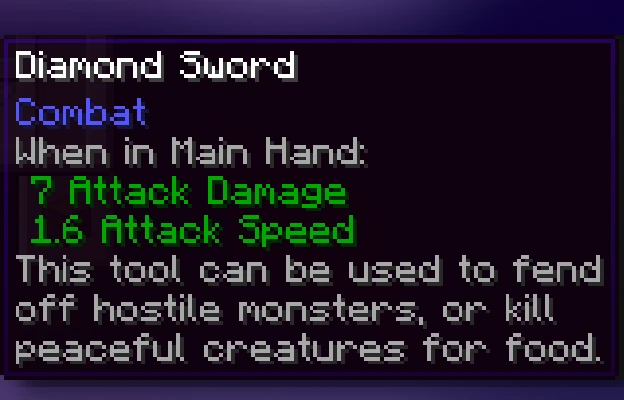
By default, holding down Ctrl when hovering over an item will show a short description of what it can do. Unique descriptions have been written for every item, and generic descriptions are also supported for various tags so many modded blocks come with built-in descriptions.
## Block and Entity Descriptions
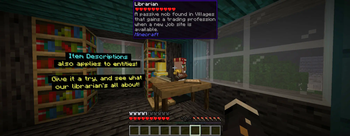
If you have (https://modrinth.com/mod/jade) or (https://modrinth.com/mod/wthit) installed, blocks and entities will also show descriptions when Ctrl is held.
## Enchantment Descriptions
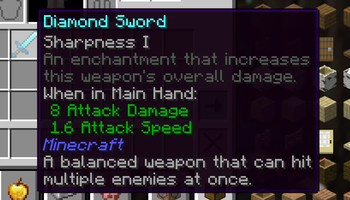
Item Descriptions supports descriptions for enchantments as well, with descriptions for every vanilla enchantments included. Item Descriptions prefers its own descriptions, but will support mods that support (https://modrinth.com/mod/enchantment-descriptions) out of the box.
Enchantment Descriptions are also shown in the Enchanting Table, including (https://modrinth.com/mod/quark)'s Matrix Enchanting Table and (https://modrinth.com/mod/penchant)'s reworked Enchanting Table.
## Effect Descriptions
Item Descriptions supports descriptions for enchantments as well, with descriptions for every vanilla enchantments included. Item Descriptions prefers its own descriptions, but will support mods that support (https://modrinth.com/mod/effect-descriptions) out of the box.
## Installation
Item Descriptions is a completely clientside mod for Fabric and NeoForge. - On Fabric, only (https://modrinth.com/mod/fabric-api) is required. - On NeoForge, there are no dependencies. - Mod settings are available with (https://modrinth.com/mod/mod-menu) (only required on Fabric) and (https://modrinth.com/mod/cloth-config) or (https://modrinth.com/mod/yacl). Built in options include the tooltip key, hints, tooltip colour, "always on" mode, toggles for description types, and more.
## Mod Support
Item Descriptions includes all vanilla blocks and items. For mod support, also add the (https://modrinth.com/resourcepack/mod-descriptions) resource pack! Additionally, compatibility exists for specific features in the following mods:
| Icon | Link | Feature Added |
|------------------------------------------------------|----------------------------------------------------------------------------|----------------------------------------------------------------------|
|  | (https://modrinth.com/mod/jade)** | Block and Entity Descriptions — Jade will show block and entity descriptions in its informational HUD. |
|
| (https://modrinth.com/mod/jade)** | Block and Entity Descriptions — Jade will show block and entity descriptions in its informational HUD. |
|  | (https://modrinth.com/mod/wthit)** | Block and Entity Descriptions — WTHIT will show block and entity descriptions in its informational HUD. |
|
| (https://modrinth.com/mod/wthit)** | Block and Entity Descriptions — WTHIT will show block and entity descriptions in its informational HUD. |
|  | (https://modrinth.com/mod/field-guide)** | Entry Descriptions — Automatically fills in entry lore. |
|
| (https://modrinth.com/mod/field-guide)** | Entry Descriptions — Automatically fills in entry lore. |
|  | (https://modrinth.com/mod/rrv)** | Item, Enchantment, Effect, Tag Descriptions — Tags shown by this mod will show Item Descriptions. Item Descriptions can also be configured to appear as info recipes
📊 Mod Details
- Game
- Minecraft Mods
- Author
- Cassian
- Version
- 2.8.3+26.1.2-neoforge
- Downloads
- 422,103
- Endorsements
- 245
- Category
- fabric
- Created
- 8/25/2024
- Updated
- 8/10/2026
- Game Versions
- 26.1, 26.1.1, 26.1.2
- Tags
- utility
🔧 How to Install Minecraft Mods Mods
Download from Modrinth. Use Prism Launcher or drop into your mods folder.
📖 Full step-by-step install guide for Minecraft Mods →
Visit the official mod page for specific installation instructions for this mod.
🎮 Need cheat codes or console commands? Check ur gaming wiki for Minecraft Mods commands, item IDs, and more.
❓ Frequently Asked Questions
Which Minecraft Mods versions does Item Descriptions support?
The author lists 26.1, 26.1.1, 26.1.2. Other versions may work but are untested by the author.
What is the latest version of Item Descriptions?
Version 2.8.3+26.1.2-neoforge, published 2026-08-10 with 422,103 downloads recorded at the source.
Keep browsing — more Minecraft Mods mods await