Integrated Terminals
🟢 Updated this month⚠️ Install Order · 2 steps
Install in this order, then this mod last — most mods fail to load without their framework and dependencies in place.
Preview

🔍 Analysis
- 👍 0.0% endorsement rate
- 🏆 #101 of 263 equipment mods in this game by downloads
📋 About This Mod
Terminals for managing and overviewing Integrated Dynamics networks

This mod adds terminals for managing and overviewing your Integrated Dynamics networks.
All stored items, fluids and energy become visible and interactable from a single place using the Storage Terminal, and crafting jobs become manageable from the Crafting Job Terminal.
This mod provides in-game documentation and tutorials through the 'On the Dynamics of Integration' book from Integrated Dynamics.
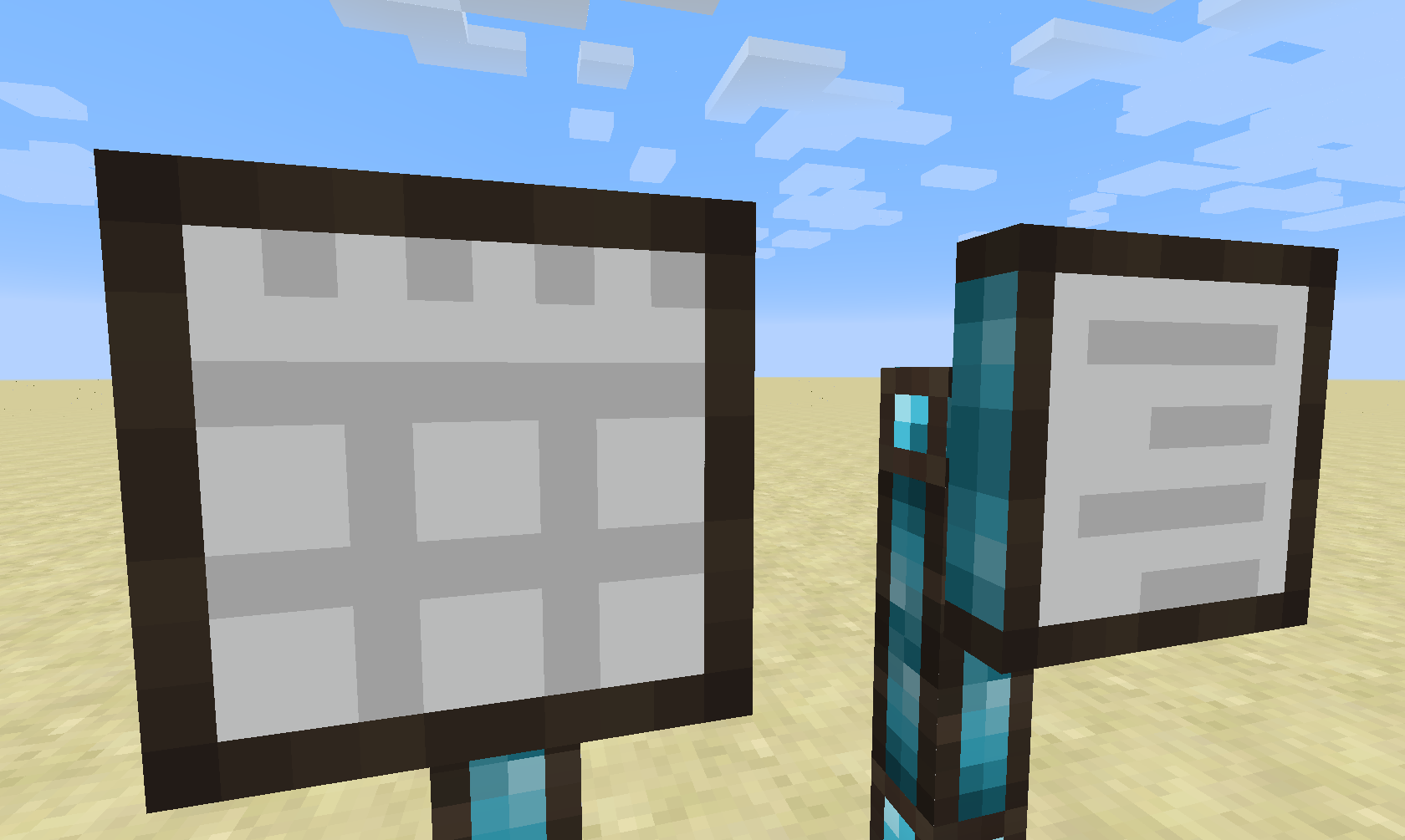
Currently, this mod introduces two types of terminals: The Storage Terminal and the Crafting Job Terminal. (Different kinds of terminals are planned for the future)
Storage Terminal
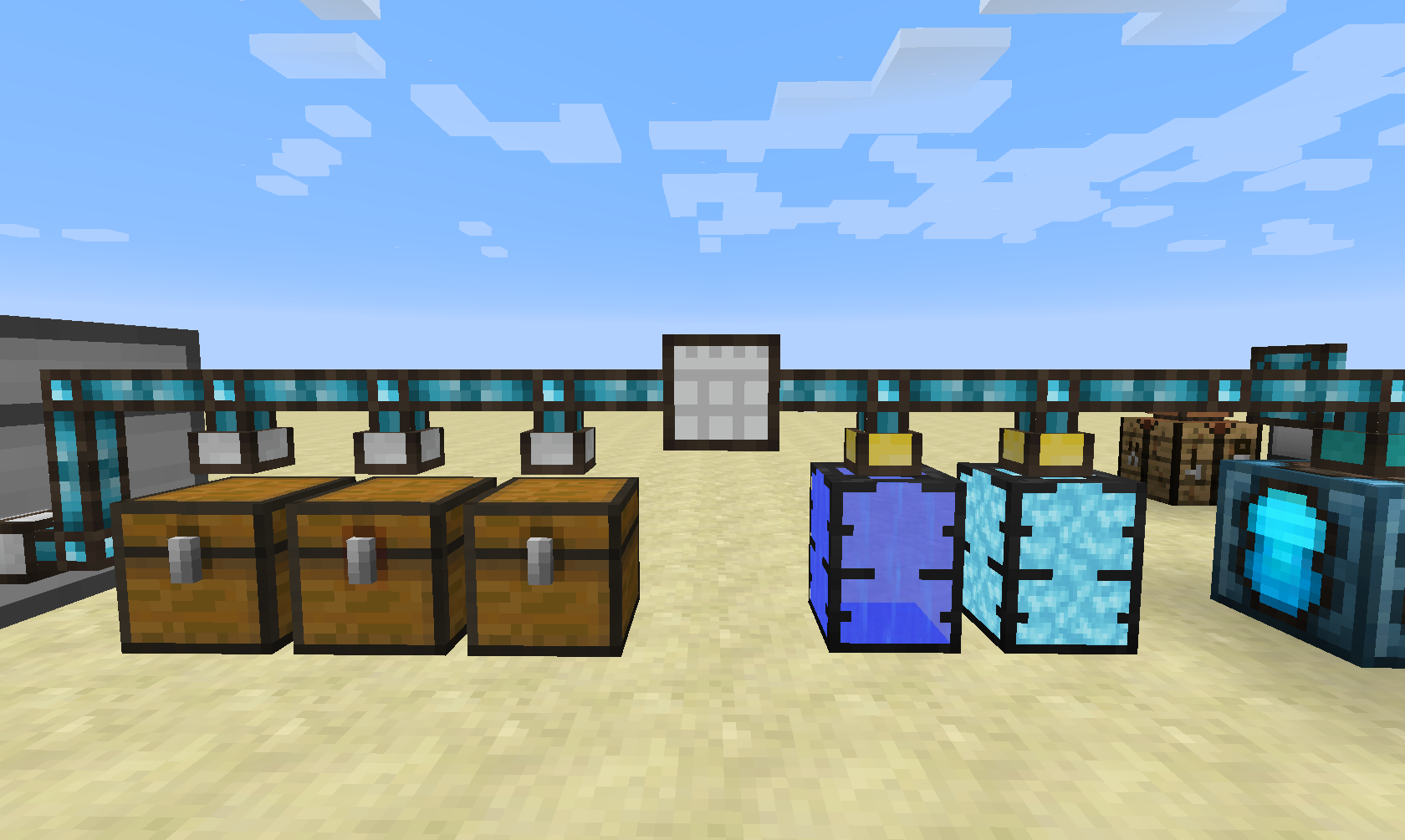
The Storage Terminal does it simple thing: it provides a central access to your storage network (which is achieved by using Integrated Tunnels Interfaces).
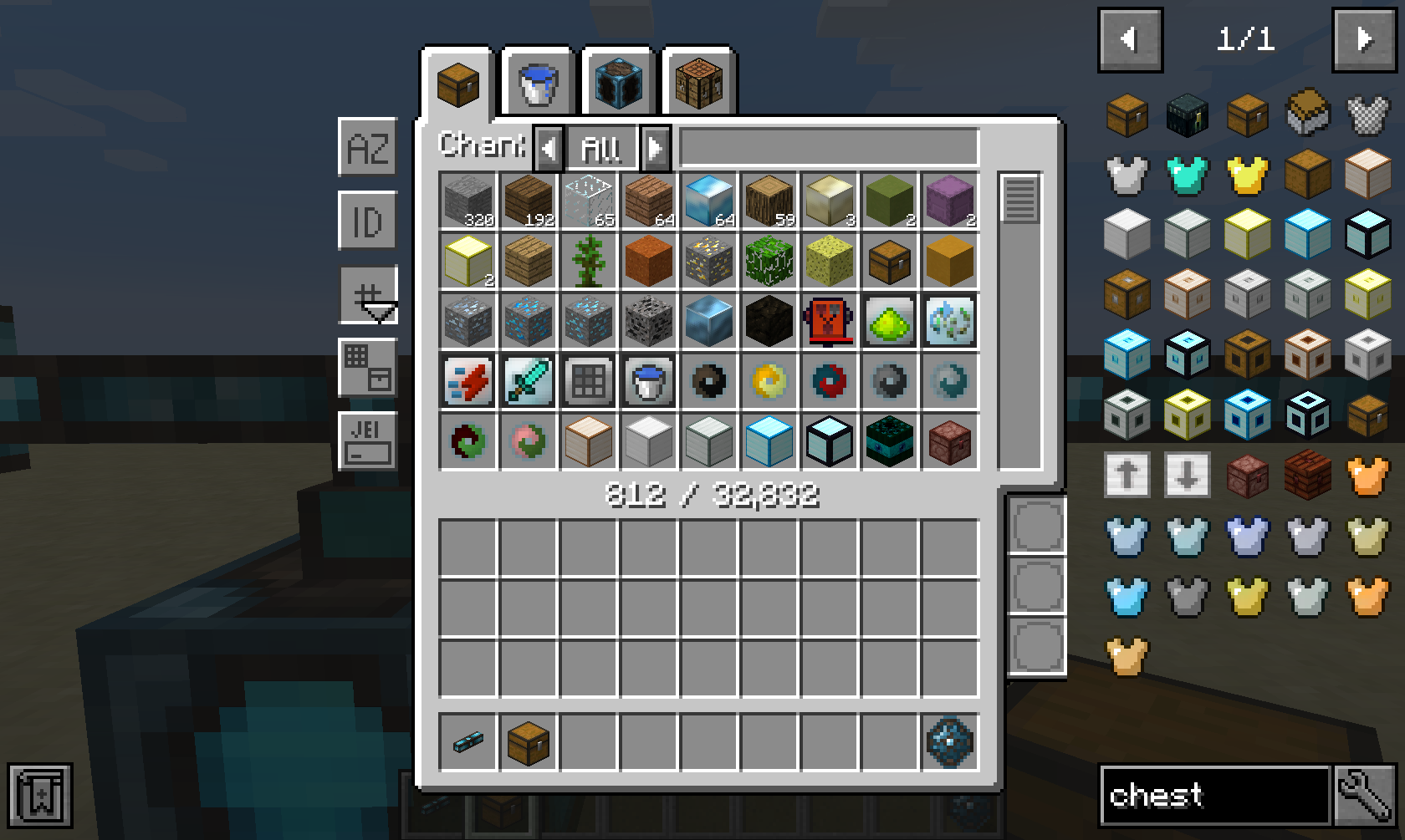 The Storage Terminal GUI provides a tab for each ingredient type in your network, such as items, fluids and energy. Additionally, it also provides a tab for crafting things directly inside the network.
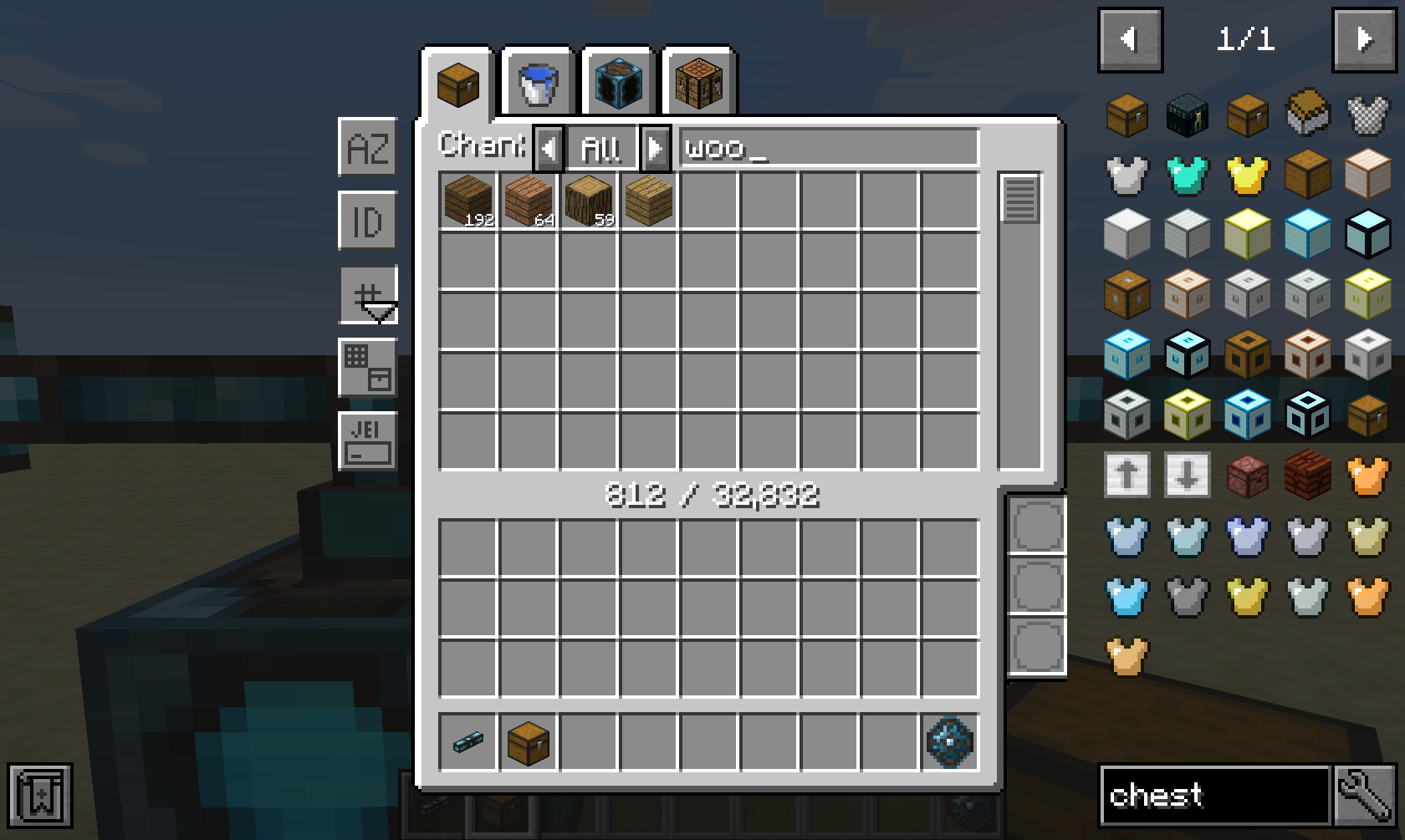
A wide range of sorting and advanced filtering options are available, such as filtering by mod ("@minecraft"), tooltip ("#FE") and oredictionary ("$wood"). Furthermore, you can even filter dynamically using Integrated Dynamics predicates that you can insert in the three bottom-right slots.
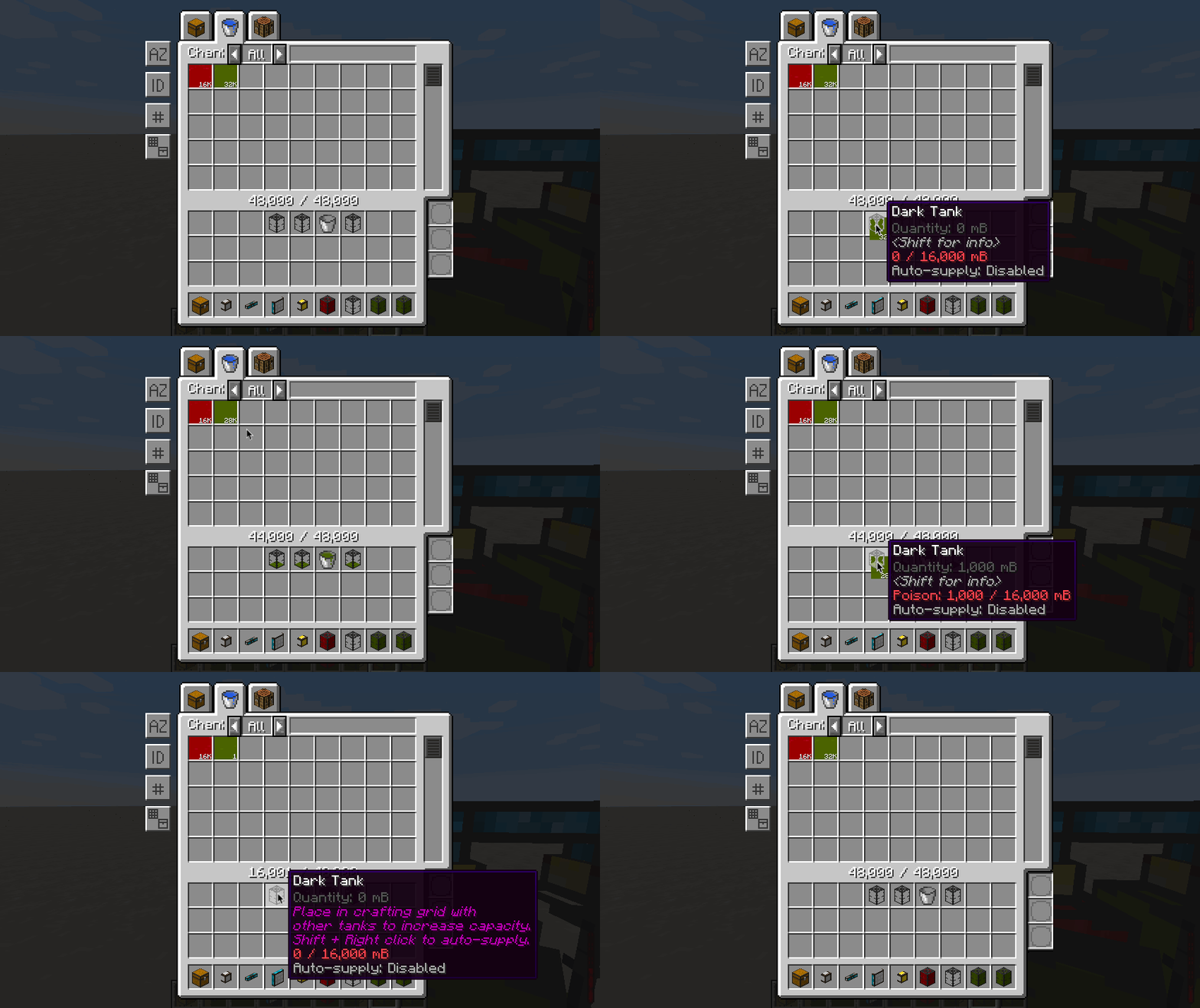
Fluids and energy can be extracted and inserted in a similar way as items, with the only difference that fluids and energy must be in a valid container when inside your inventory.
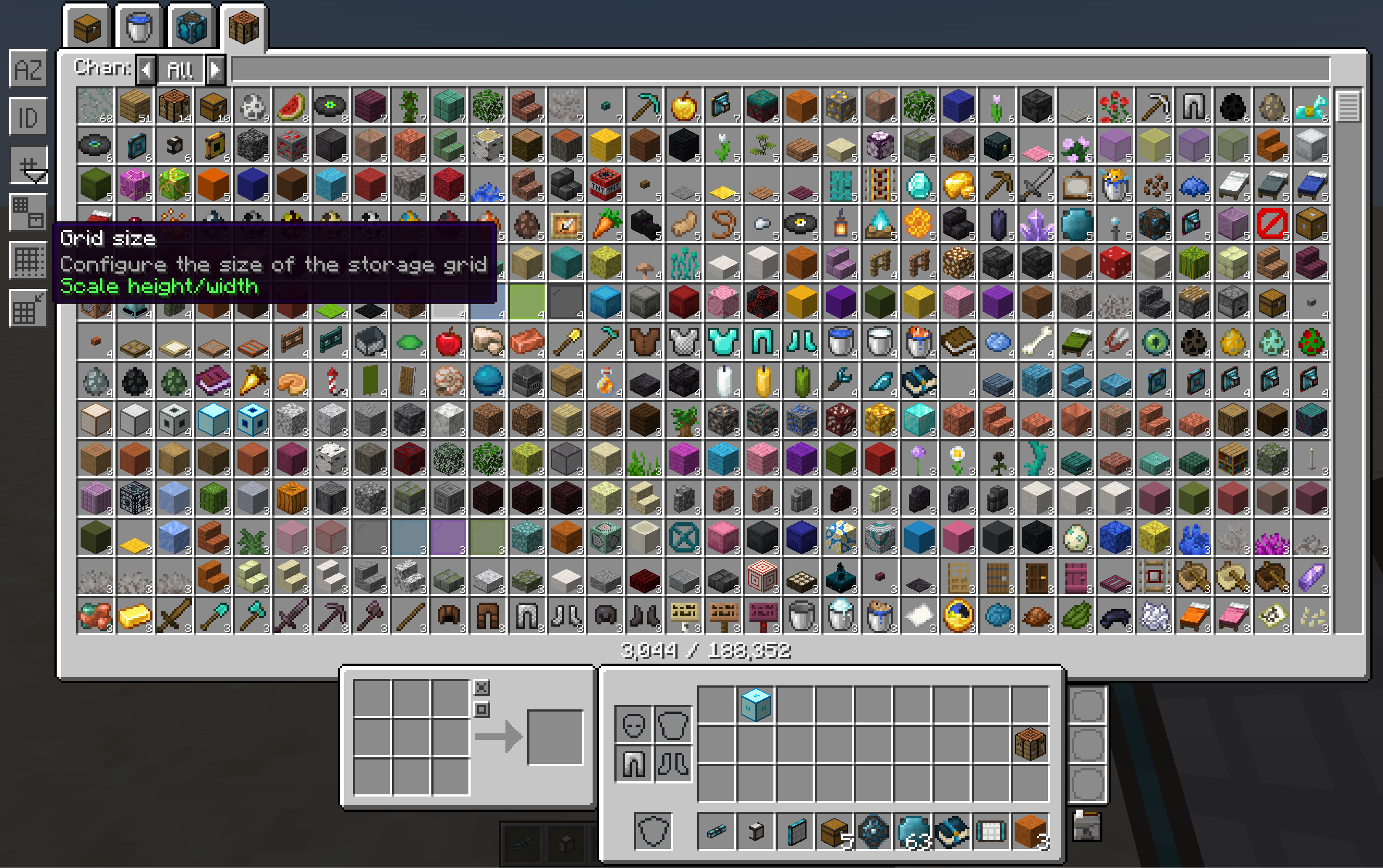
The GUI is fully responsive, which means that it can scale based on your screen's width and height. Different modes of scaling are available, and are fully configurable via the config file.
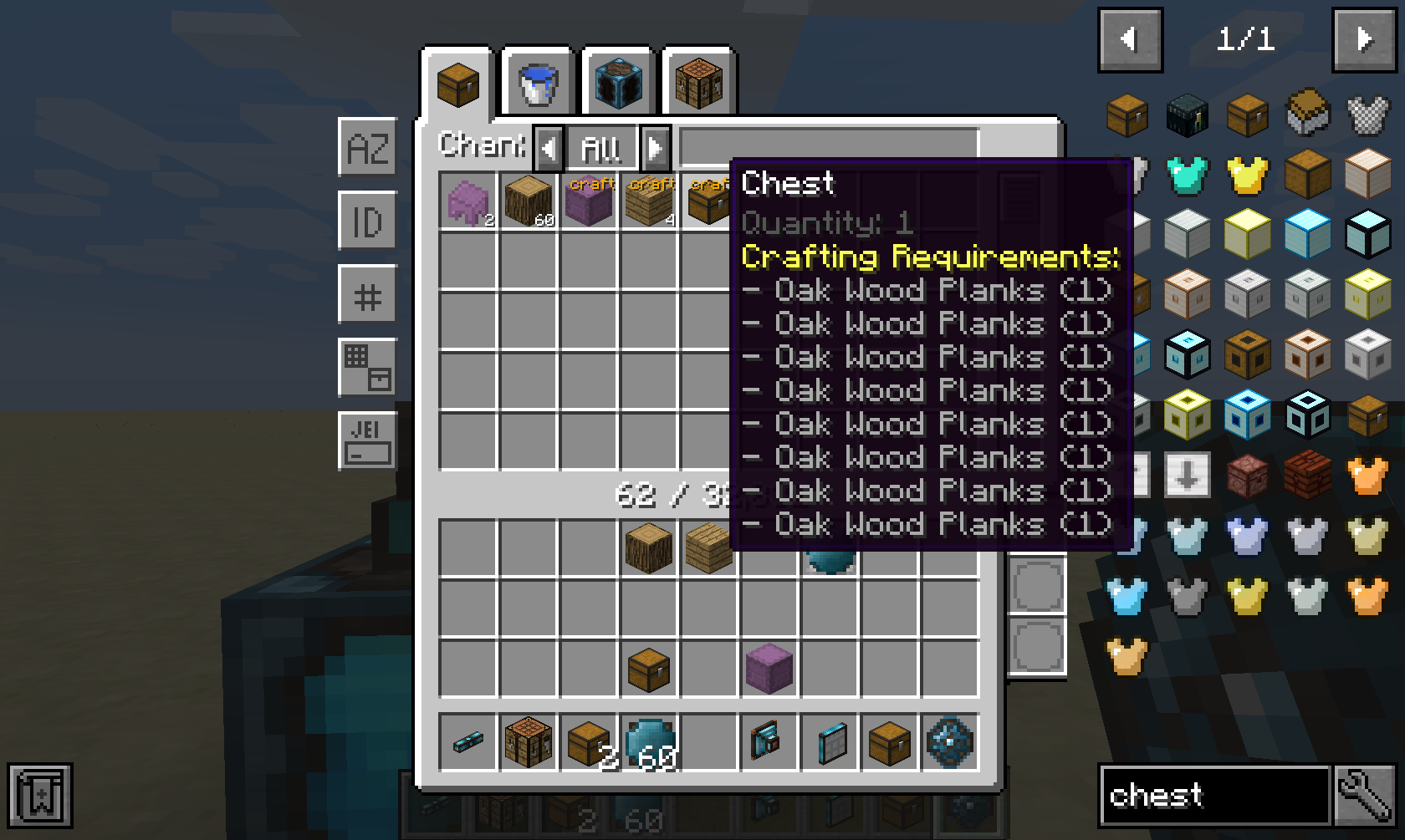
If you have a supported autocrafting mod such as Integrated Crafting installed, then all crafting options from the network will be shown.
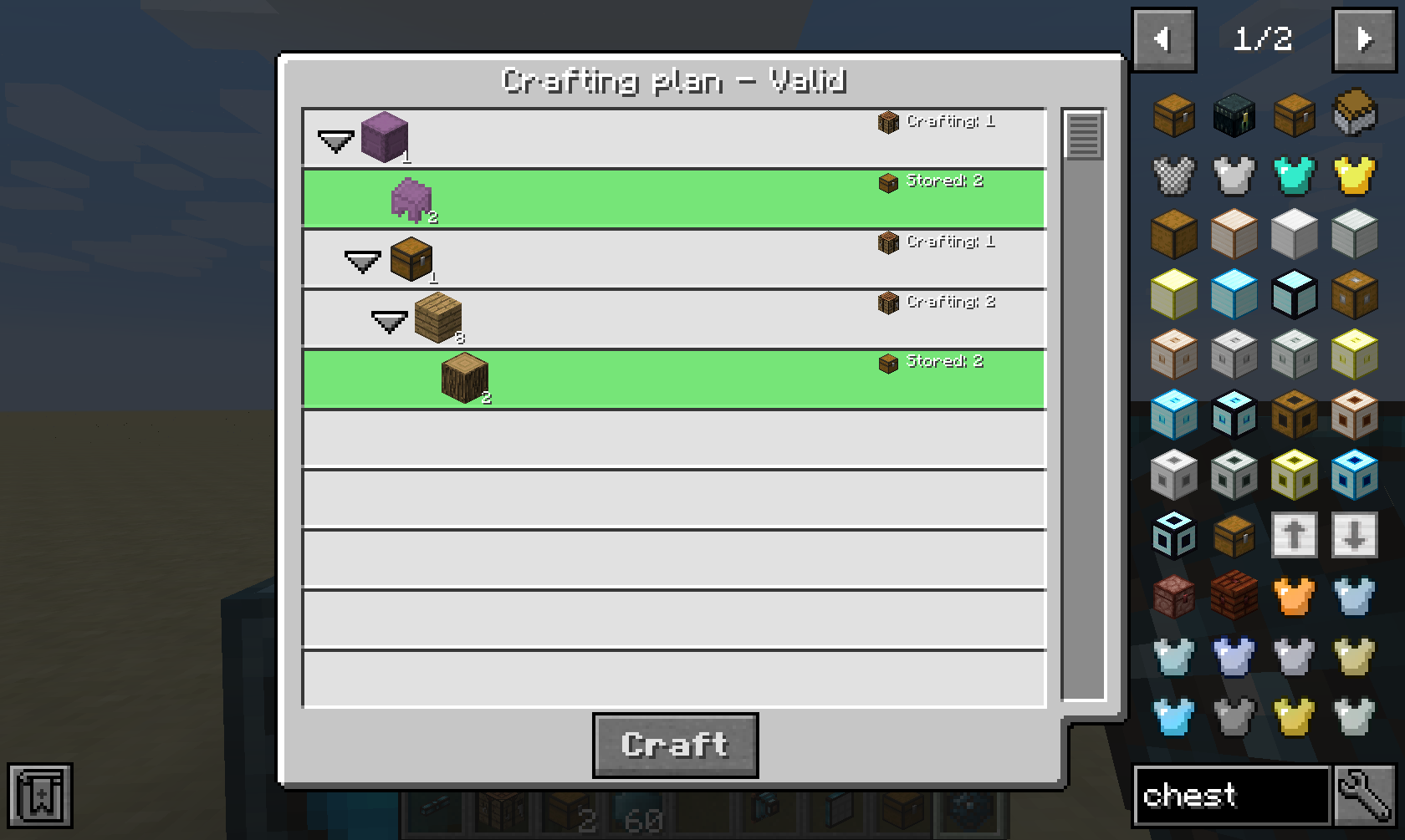
After clicking on a crafting option and providing an amount, you will be prompted with a crafting plan that will be executed when confirmed.
Crafting Job Terminal
This part is only useful if you have a supported autocrafting mod installed, such as Integrated Crafting.
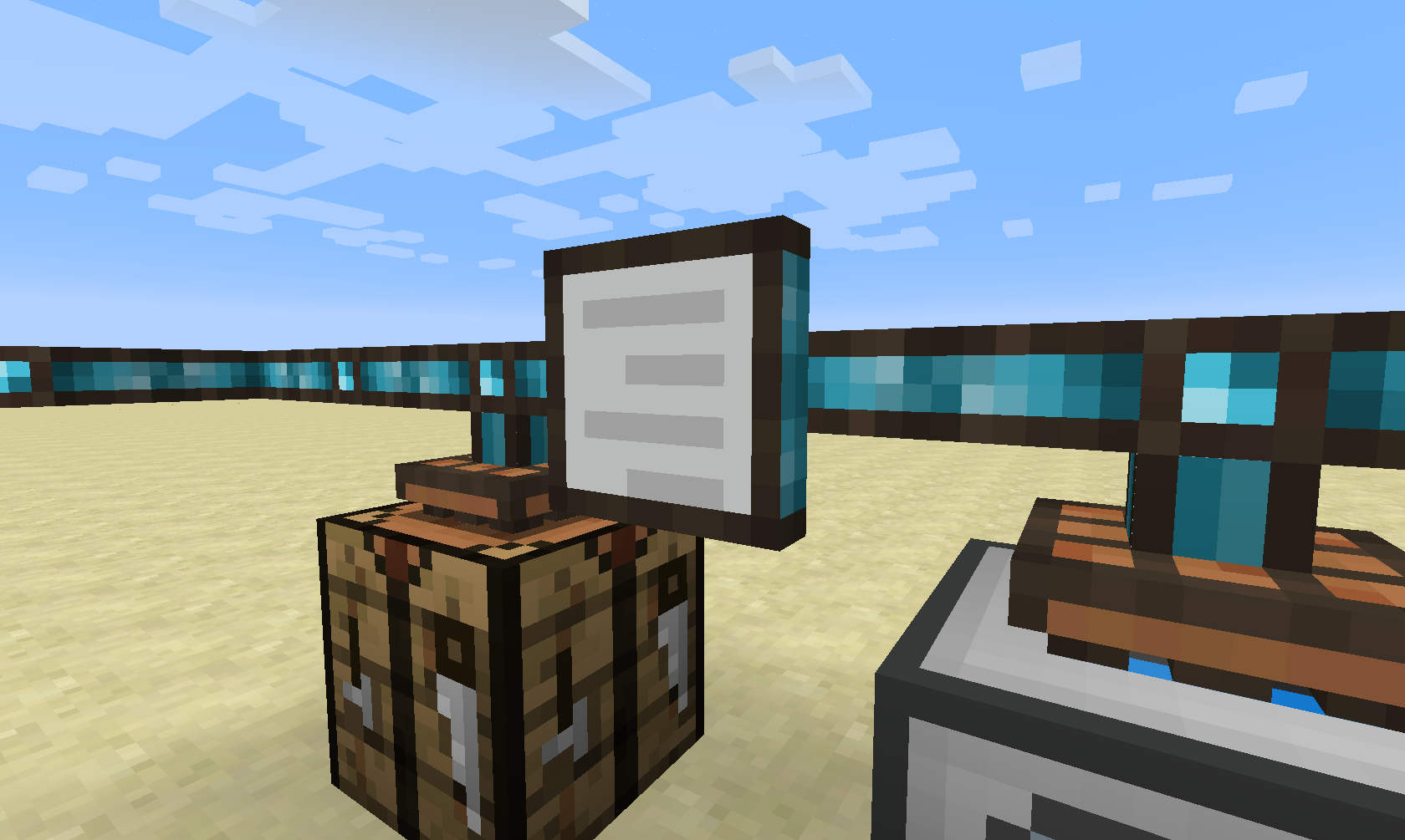
The Crafting Job Terminal allows you to view all active and pending crafting jobs in the network.
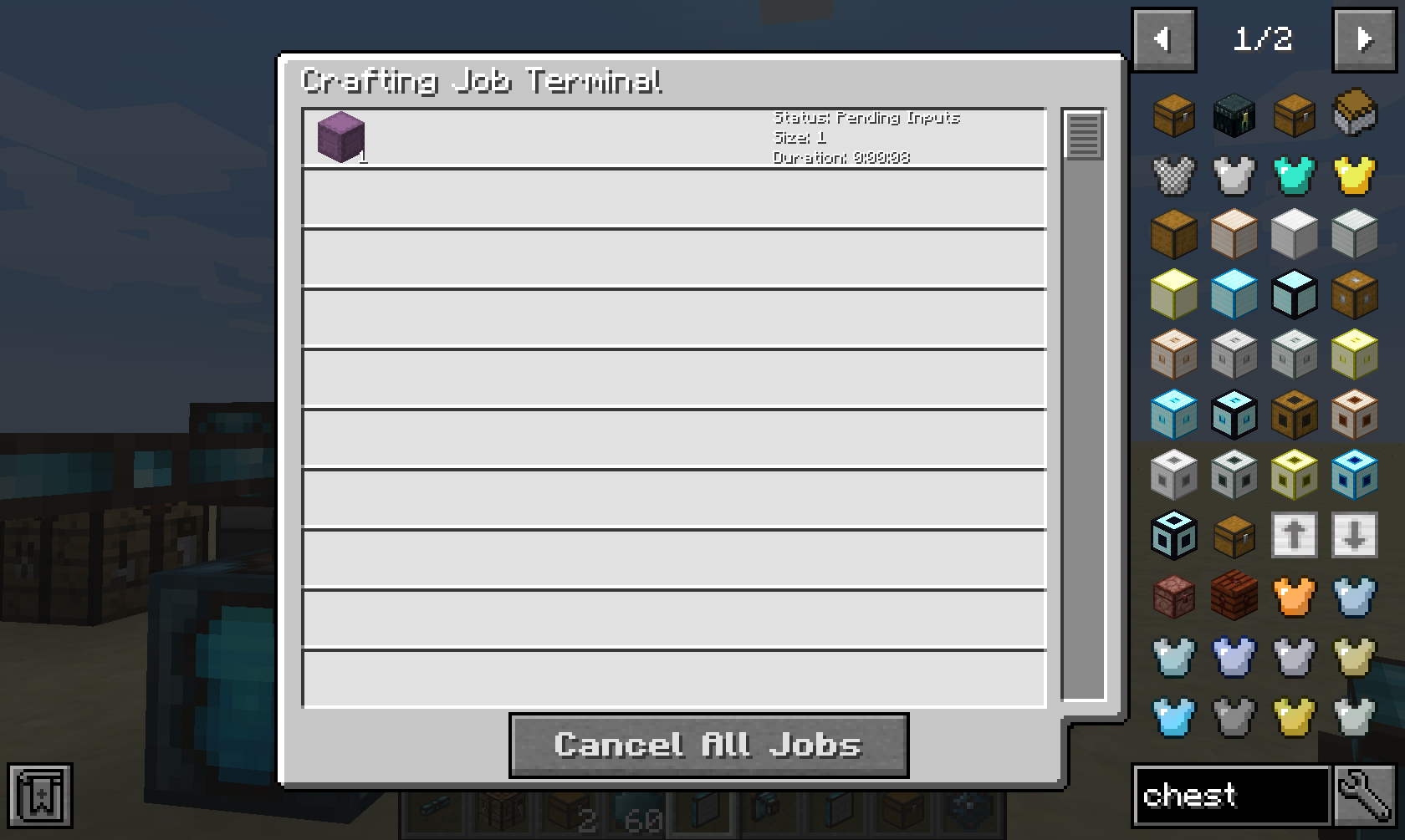
it will show you a live list of all crafting jobs in this network, and it will give you the option to cancel them.
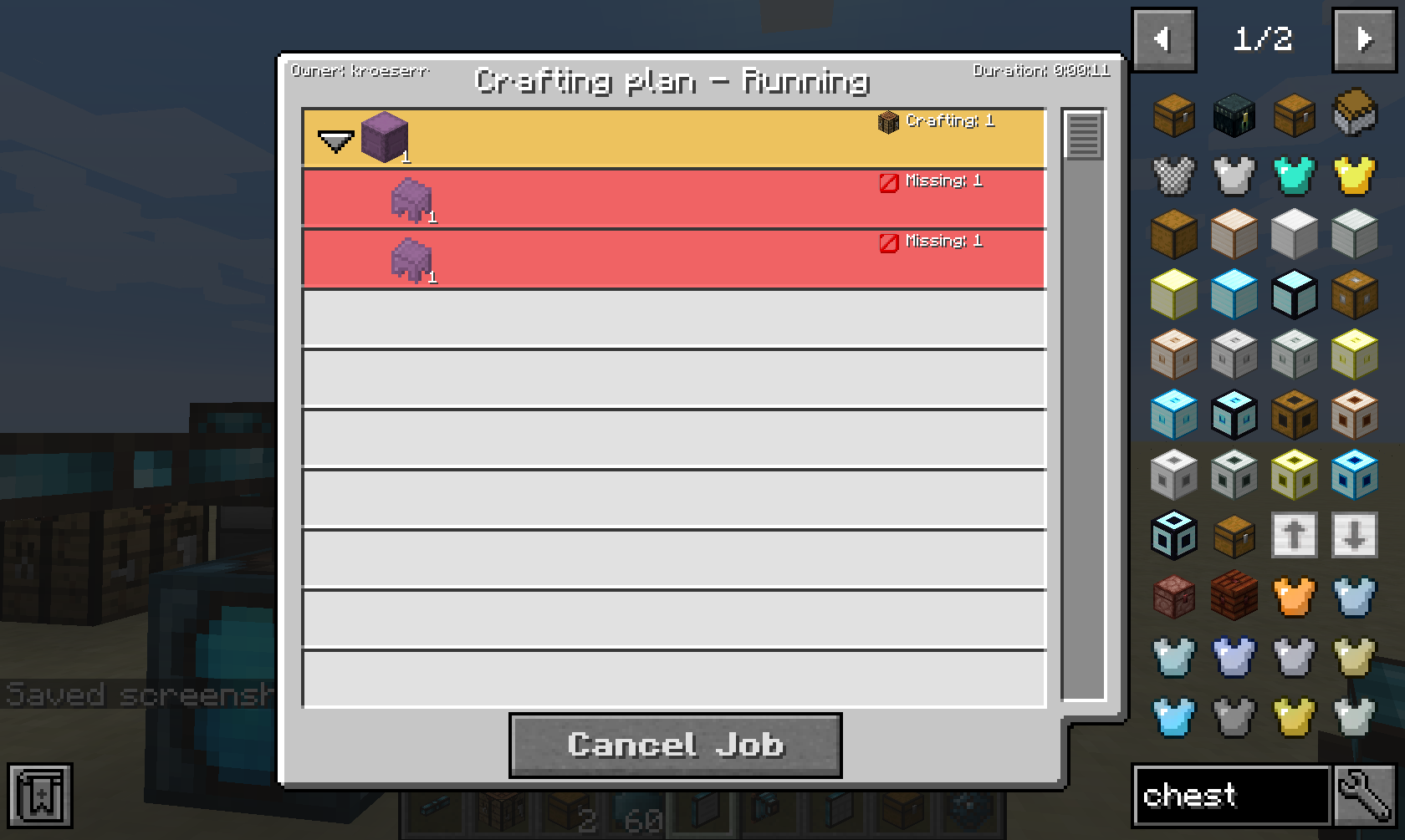
When clicking on a job, it will show you mo
📊 Mod Details
- Game
- Minecraft Mods
- Author
- rubensworks
- Version
- 26.2
- Downloads
- 58,513
- Endorsements
- 20
- Category
- equipment
- Created
- 6/5/2022
- Updated
- 9/7/2026
- Game Versions
- 26.2
- Tags
- equipment, storage, technology
🔧 How to Install Minecraft Mods Mods
Download from Modrinth. Use Prism Launcher or drop into your mods folder.
📖 Full step-by-step install guide for Minecraft Mods →
Visit the official mod page for specific installation instructions for this mod.
🎮 Need cheat codes or console commands? Check ur gaming wiki for Minecraft Mods commands, item IDs, and more.
❓ Frequently Asked Questions
Which Minecraft Mods versions does Integrated Terminals support?
The author lists 26.2. Other versions may work but are untested by the author.
What is the latest version of Integrated Terminals?
Version 26.2, published 2026-09-07 with 58,513 downloads recorded at the source.
Keep browsing — more Minecraft Mods mods await