HideHUD
🟡 Updated this year⚠️ Install Order · 2 steps
Install in this order, then this mod last — most mods fail to load without their framework and dependencies in place.
🖼️ Gallery (2 images)
🔍 Analysis
- 👍 0.1% endorsement rate
- 🏆 #665 of 893 fabric mods in this game by downloads
📋 About This Mod
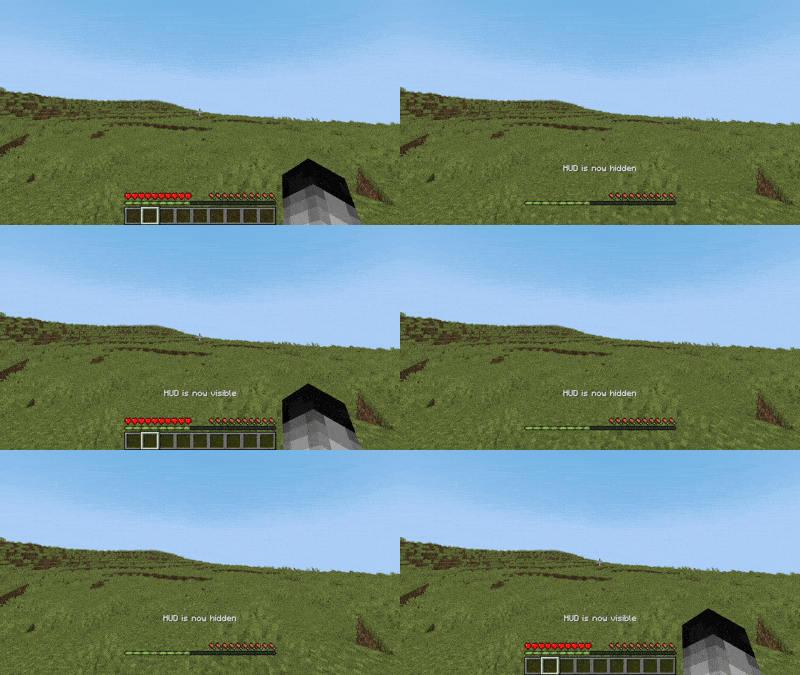
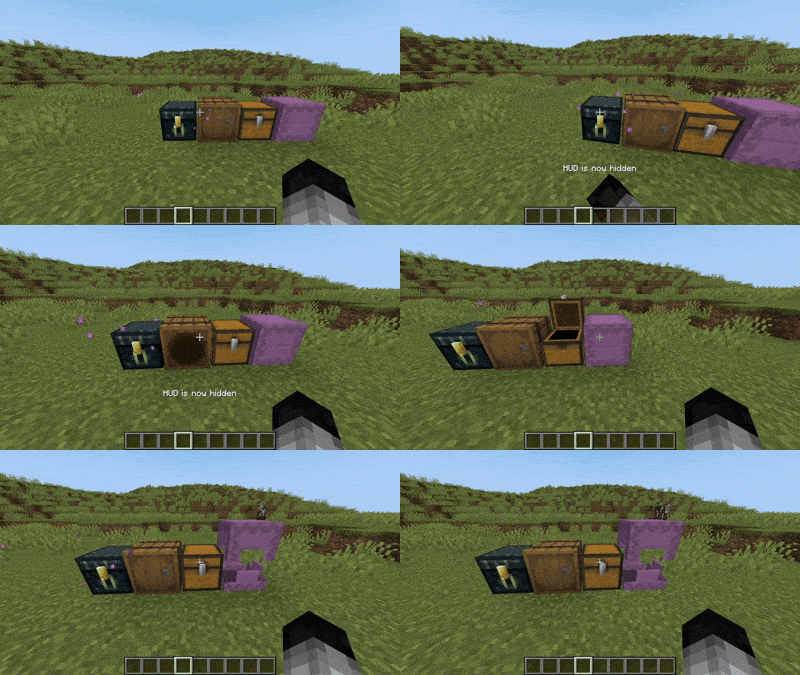
HideHUD is a Minecraft mod that allows you to selectively hide user interface elements and some screens (HUD & GUI) and some notifications (Recipes/Advancements), offering a cleaner and more personalized gaming experience. With it, you can disable components such as the hotbar, crosshairs, experience bar, inventory, and more, through configurable options, allowing you to select which elements appear on screen. You can hide the HUD with the "H" key, and you can open the settings with the "O" key by default. The mod adds a fully accessible config screen. !(https://cdn.modrinth.com/data/cached_images/dfd6909127ce047220cc40f883b5272bf89b3a46.png) Some Overlays hidden
!(https://cdn.modrinth.com/data/cached_images/8cb112bbc70a8bff3c403d69cefbcd075f3a226d.gif)
Configurable Overlays:
Hotbar | Player Healt | Hand | Chat Panel | Food Level | Armor Level | Experience Bar | Spyglass | Helmet | Frostbite | Portal | Crosshair | Boss Event Progress | Air Level | Mount Health | Jump Bar | Item Name | Sleep Fade | Potion Icons | Debug Text | FPS Graph | Record Overlay | Title Text | Subtitles | Scoreboard | Player List | Vignette
Configurable Screens:
Inventory Screen | Containers Screen | Chat Screen | Death Screen | Bed Screen
!(https://cdn.modrinth.com/data/cached_images/4814eb98db5a9bb21f7f720d5f318687da788ab6.png)
The mod can also detect any overlay from other mods that render through Forge/NeoForge’s RenderGuiLayerEvent.
!(https://cdn.modrinth.com/data/cached_images/7f1d1659b7f26685d63dbd49892e258617d613e8.png)
"Extra" allows you to disable Notifications, Recipes and Advancements. !(https://cdn.modrinth.com/data/cached_images/f4500ddcbd59b4a283b7ccc39caad084db5cc63a.png)
📊 Mod Details
- Game
- Minecraft Mods
- Author
- exoenrgy
- Version
- 1.3
- Downloads
- 6,760
- Endorsements
- 8
- Category
- fabric
- Created
- 3/28/2025
- Updated
- 6/20/2026
- Game Versions
- 26.1, 26.1.1, 26.1.2, 26.2
- Tags
- game-mechanics, utility
🔧 How to Install Minecraft Mods Mods
Download from Modrinth. Use Prism Launcher or drop into your mods folder.
📖 Full step-by-step install guide for Minecraft Mods →
Visit the official mod page for specific installation instructions for this mod.
🎮 Need cheat codes or console commands? Check ur gaming wiki for Minecraft Mods commands, item IDs, and more.
❓ Frequently Asked Questions
Which Minecraft Mods versions does HideHUD support?
The author lists 26.1, 26.1.1, 26.1.2, 26.2. Other versions may work but are untested by the author.
What is the latest version of HideHUD?
Version 1.3, published 2026-06-20 with 6,760 downloads recorded at the source.
Keep browsing — more Minecraft Mods mods await