Hide Coordinates
🟡 Updated this year⚠️ Install Order · 2 steps
Install in this order, then this mod last — most mods fail to load without their framework and dependencies in place.
Preview
🔍 Analysis
- 👍 0.7% endorsement rate
- 🏆 #514 of 557 adventure mods in this game by downloads
📋 About This Mod
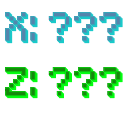
Hide Coordinates ================ Server-side Fabric mod to prevent sending real coordinates to the client. Based on and partly copied from the Spigot version CoordinateOffset by (https://github.com/joshuaprince). Credit also goes to (https://github.com/patbox) for a small sample of code I used from Polymer! Features --- * Players' coordinates are offset so that the location they entered the current world (join, teleport, portal or respawn) is shown to them as 0, 0. * Admins can use `/coordoffset get` to find their own offset. * Admins can use `/coordoffset set ` to change their own offset such that the specified pos is in the 0,0 chunk for them, or `/coordoffset set none` to disable the offset. * Any worldborder wall is only sent to players who can see it. This is to prevent client-side mods from instantly figuring out the offset from world border center information. Why? --- The gamerule `reducedDebugInfo` hides coordinates from the debug screen, but this can be easily circumvented using a client-side mod. This mod hides the coordinates for real by offsetting all coordinates sent to the client. A server that wants to actually enforce the gamerule `reducedDebugInfo` without an honour system will need a mod like this. This is my attempt at an implementation :) Disclaimer --- I'm a new modder. I needed this for a server I'm working on and made it as a learning opportunity. Therefore the mod doesn't have all the features, the code is quite messy, and there could be bugs or crashes. But I still figured it might be useful to some others. Feel free to use the code as you please, and improvement suggestions are welcome! Known issues: * The main feature missing here from CoordinateOffset are the vast configuration options. Offsets are always set so you spawn in chunk 0,0 and this resets on death and dimension change. * Worldborder growing or shrinking looks really weird. * It's possible that I missed some packets that need the offset, let me know!
Hide Coordinates ================ Server-side Fabric mod to prevent sending real coordinates to the client. Based on and partly copied from the Spigot version CoordinateOffset by (https://github.com/joshuaprince). Credit also goes to (https://github.com/patbox) for a small sample of code I used from Polymer!
Features --- Players' coordinates are offset so that the location they entered the current world (join, teleport, portal or respawn) is shown to them as 0, 0. Admins can use `/coordoffset get` to find their own offset. Admins can use `/coordoffset set ` to change their own offset such that the specified pos is in the 0,0 chunk for them, or `/coordoffset set none` to disable the offset. Any worldborder wall is only sent to players who can see it. This is to prevent client-side mods from instantly figuring out the offset from world border center information.
Why? --- The gamerule `reducedDebugInfo` hides coordinates from the debug screen, but this can be easily circumvented using a client-side mod. This mod hides the coordinates for real by offsetting all coordinates sent to the client. A server that wants to actually enforce the gamerule `reducedDebugInfo` without an honour system will need a mod like this. This is my attempt at an implementation :)
Disclaimer --- I'm a new modder. I needed this for a server I'm working on and made it as a learning opportunity. Therefore the mod doesn't have all the features, the code is quite messy, and there could be bugs or crashes. But I still figured it might be useful to some others. Feel free to use the code as you please, and improvement suggestions are welcome! Known issues: The main feature missing here from CoordinateOffset are the vast configuration options. Offsets are always set so you spawn in chunk 0,0 and this resets on death and dimension change. Worldborder growing or shrinking looks really weird. * It's possible that I missed some packets that need the offset, let me know!
📊 Mod Details
- Game
- Minecraft Mods
- Author
- JowhJy
- Version
- 1.0.12-beta+26.2
- Downloads
- 2,976
- Endorsements
- 21
- Category
- adventure
- Created
- 10/1/2024
- Updated
- 6/17/2026
- Game Versions
- 26.2
- Tags
- adventure, utility
🔧 How to Install Minecraft Mods Mods
Download from Modrinth. Use Prism Launcher or drop into your mods folder.
📖 Full step-by-step install guide for Minecraft Mods →
Visit the official mod page for specific installation instructions for this mod.
🎮 Need cheat codes or console commands? Check ur gaming wiki for Minecraft Mods commands, item IDs, and more.
❓ Frequently Asked Questions
Which Minecraft Mods versions does Hide Coordinates support?
The author lists 26.2. Other versions may work but are untested by the author.
What is the latest version of Hide Coordinates?
Version 1.0.12-beta+26.2, published 2026-06-17 with 2,976 downloads recorded at the source.
Keep browsing — more Minecraft Mods mods await