GTS Legends
⚪ Last updated 2023⚠️ Install Order · 2 steps
Install in this order, then this mod last — most mods fail to load without their framework and dependencies in place.
🖼️ Gallery (5 images)
🔍 Analysis
- 👍 0.1% endorsement rate
- 🏆 #5 of 31 economy mods in this game by downloads
📋 About This Mod
<h2 style="text-align: center;"><strong>GTS Legends</strong></h2> <p> </p> <p>This is a GTS addon for Pixelmon Reforged 1.12.2 we developped for our server "Pixelmon Legends", as we stopped running our server I'm making it public so everybody can use it and have fun !</p> <p> </p> <p>Through the interface you can sell items, pokemons and place announcements ! Admins can cancel listings, and ban specific items to be sold.</p> <p> </p> <p>Within item listing you can sell more than one stack at once, just stack more on top of it ! Prices are defined as unit price, do players can buy the quantity they like.</p> <p> </p> <p>Within pokémon listing you can see a lot of informations about the pokemon, and see their sprites. The admins have a way in config files to define minimum price.</p> <p> </p> <p>Here are the permissions to manage it :</p> <ul> <li><strong>gts.admin</strong> : Allows the player to use admin features such as the admin GUI</li> <li><strong>gts.sell_pokemon</strong> : Allows the player to sell pokemon</li> <li><strong>gts.sell_item</strong> : Allows the player to sell items.</li> <li><strong>gts.place_ad</strong> : Allows the player to place ads.</li> <li><strong>gts.vip</strong> : Increases the limits of max listings of the player.</li> </ul> <p> </p> <p> </p> <h3><strong>Installation:</strong></h3> <p> </p> <h4>For players:</h4> <p>Install Forge 1.12.2 - 14.23.5.2860</p> <p>Place Pixelmon Reforged Universal 1.12.2 (<a href="http://reforged.gg" target="_blank" rel="noopener noreferrer">Pixelmon Reforged</a>), Creative Core (<a href="https://www.curseforge.com/minecraft/mc-mods/creativecore/files/3626833" target="_blank" rel="noopener noreferrer">Creative Core</a>), and GTS Legends Client<a href="https://legacy.curseforge.com/minecraft/mc-mods/gts-legends/files/4558280" target="_blank" rel="noopener noreferrer"><strong> (Link) </strong></a> into mods folder</p> <p> </p> <p>Run and connect to a server with mod installed</p> <p> </p> <p> </p> <h4>For servers:</h4> <p>Use a forge server software on 1.12.2</p> <p>Have Pixelmon Reforged Server 1.12.2 in mod folder, as well as Creative Core and GTS Legends Server (<a href="https://legacy.curseforge.com/minecraft/mc-mods/gts-legends/files/4558278"><strong>Link</strong></a>)</p> <p>Place config file "<strong>gts.json</strong>" in the "config" folder of your server</p> <p>Place "<strong>gts_player_data.json</strong>" into the root of the server.</p> <p> </p> <p> </p> <p> </p> <p style="text-align: center;">Hope you like it, and if you can, pease support us ! ❤️</p>
GTS Legends
This is a GTS addon for Pixelmon Reforged 1. 12. 2 we developped for our server "Pixelmon Legends", as we stopped running our server I'm making it public so everybody can use it and have fun !
Through the interface you can sell items, pokemons and place announcements ! Admins can cancel listings, and ban specific items to be sold.
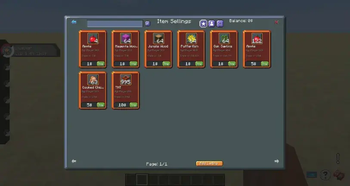
Within item listing you can sell more than one stack at once, just stack more on top of it ! Prices are defined as unit price, do players can buy the quantity they like.
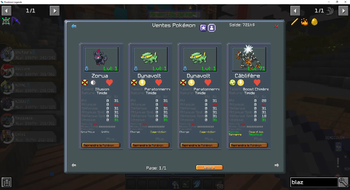
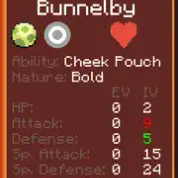
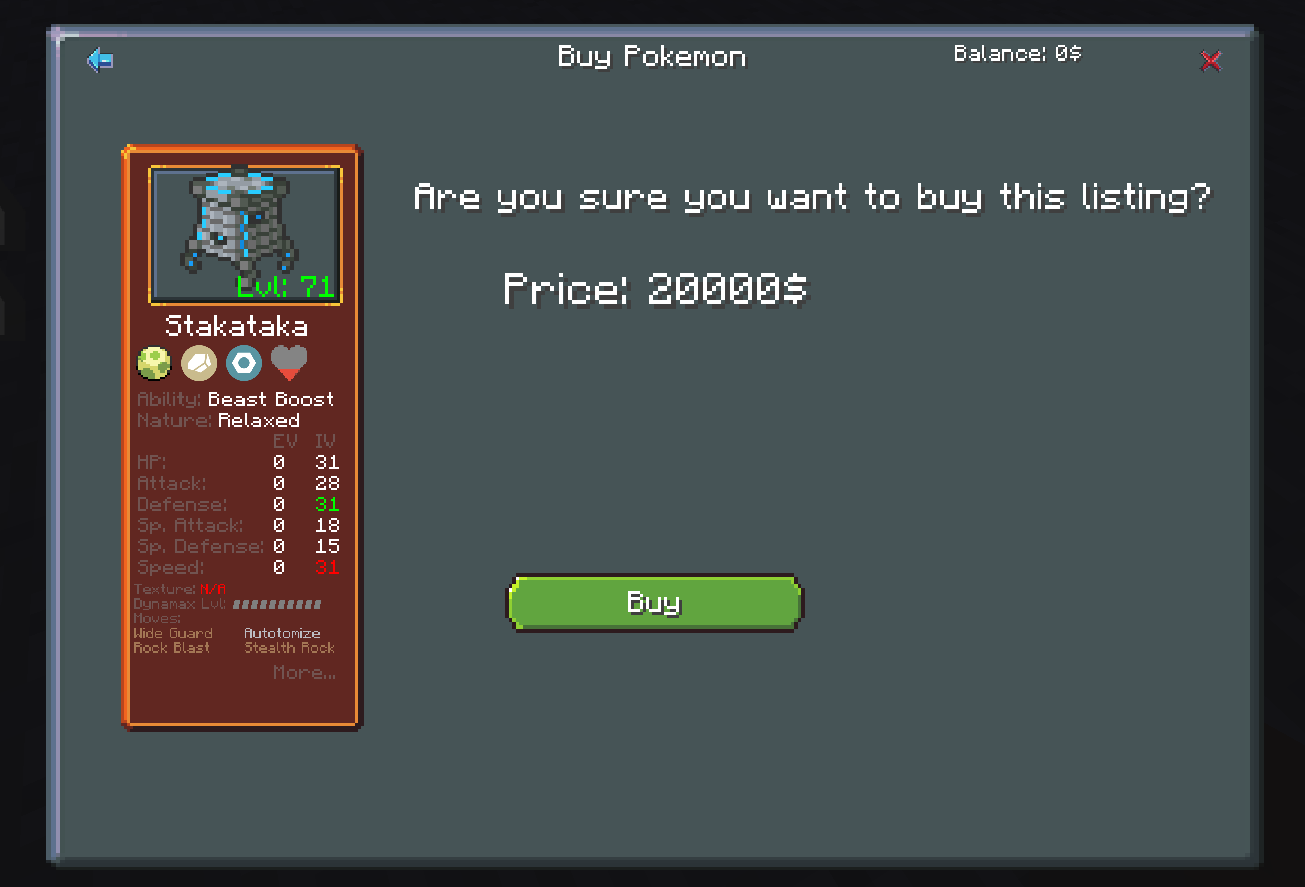
Within pokémon listing you can see a lot of informations about the pokemon, and see their sprites. The admins have a way in config files to define minimum price.
Here are the permissions to manage it :
- gts.admin : Allows the player to use admin features such as the admin GUI
- gts.sell_pokemon : Allows the player to sell pokemon
- gts.sell_item : Allows the player to sell items.
- gts.place_ad : Allows the player to place ads.
- gts.vip : Increases the limits of max listings of the player.
Installation:
For players:
Install Forge 1. 12. 2 - 14. 23. 5. 2860
Place Pixelmon Reforged Universal 1. 12. 2 (Pixelmon Reforged), Creative Core (Creative Core), and GTS Legends Client (Link) into mods folder
Run and connect to a server with mod installed
For servers:
Use a forge server software on 1. 12. 2
Have Pixelmon Reforged Server 1. 12. 2 in mod folder, as well as Creative Core and GTS Legends Server (Link)
Place config file "gts.json" in the "config" folder of your server
Place "gts_player_data.json" into the root of the server.
Hope you like it, and if you can, pease support us ! ❤️
📊 Mod Details
- Game
- Minecraft Mods
- Author
- astriyas
- Version
- 1.1
- Downloads
- 903
- Endorsements
- 1
- Category
- economy
- Created
- 8/27/2023
- Updated
- 8/21/2023
- Game Versions
- 1.12.2
- Tags
- economy, game-mechanics, social
🔧 How to Install Minecraft Mods Mods
Download from Modrinth. Use Prism Launcher or drop into your mods folder.
📖 Full step-by-step install guide for Minecraft Mods →
Visit the official mod page for specific installation instructions for this mod.
🎮 Need cheat codes or console commands? Check ur gaming wiki for Minecraft Mods commands, item IDs, and more.
❓ Frequently Asked Questions
Which Minecraft Mods versions does GTS Legends support?
The author lists 1.12.2. Other versions may work but are untested by the author.
What is the latest version of GTS Legends?
Version 1.1, published 2023-08-21 with 903 downloads recorded at the source.
Keep browsing — more Minecraft Mods mods await