Gothic Main Menu
⚪ Last updated 2023⚠️ Install Order · 2 steps
Install in this order, then this mod last — most mods fail to load without their framework and dependencies in place.
🖼️ Gallery (2 images)
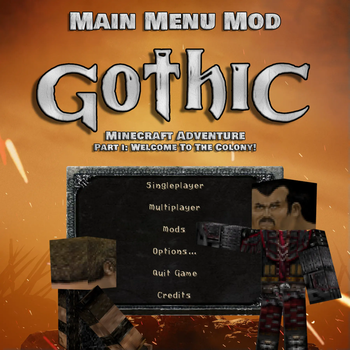
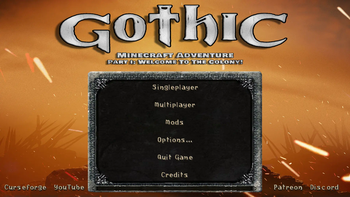
🔍 Analysis
- 🏆 #366 of 548 adventure mods in this game by downloads
📋 About This Mod
<p style="text-align: center;"><span style="font-family: impact, sans-serif; font-size: 18px;"> </span></p> <p style="text-align: center;"><span style="font-family: impact, sans-serif; font-size: 18px;">"Gothic Main Menu" jest częścią większego projektu o nazwie 'Gothic Minecraft Adventure', który został podjęty przez naszą ekipę "Square Quest". Mod ten wprowadza zupełnie nowe menu główne inspirowane kultową grą "Gothic".</span></p> <p style="text-align: center;"><span style="font-family: impact, sans-serif; font-size: 18px;"> Dzięki tej modyfikacji gracze będą mogli poczuć klimat i atmosferę świata ''Gothic'' już od samego początku gry.</span></p> <p style="text-align: center;"><span style="font-family: impact, sans-serif; font-size: 18px;"> </span></p> <p style="text-align: center;"><span style="font-family: impact, sans-serif; font-size: 36px;">Uwaga ważne!</span></p> <p style="text-align: center;"><span style="font-size: 18px; font-family: impact, sans-serif;">"Gothic Main Menu" wymaga zainstalowanej modyfikacji "Custom Main Menu" oraz przygotowanego przez nas pliku .json </span></p> <p style="text-align: center;"><span style="font-family: impact, sans-serif; font-size: 18px;">do których link znajdziecie poniżej:</span></p> <p style="text-align: center;"><span style="font-size: 18px; font-family: impact, sans-serif;"><a href="https://legacy.curseforge.com/minecraft/mc-mods/gothic-main-menu/files/4567693">mainmenu.json</a></span></p> <p style="text-align: center;"><span style="font-size: 18px; font-family: impact, sans-serif;"><a href="https://legacy.curseforge.com/minecraft/mc-mods/custom-main-menu">Custom Main Menu</a></span></p> <p style="text-align: center;"><span style="font-family: impact, sans-serif; font-size: 18px;"> </span></p> <p style="text-align: center;"><span style="font-size: 36px; font-family: impact, sans-serif;">Jak zainstalować?</span></p> <p style="text-align: center;"><span style="font-size: 24px; font-family: impact, sans-serif;">Już spieszę z pomocą!</span></p> <p style="text-align: center;"> </p> <p style="text-align: center;"><span style="font-size: 18px; font-family: impact, sans-serif;">1. Pobierz i zainstaluj "Gothic Main Menu" oraz "Custom Main Menu"</span></p> <p style="text-align: center;"><span style="font-size: 18px; font-family: impact, sans-serif;">2. Odpal Minecrafta, po czym go wyłącz.</span></p> <p style="text-align: center;"><span style="font-size: 18px; font-family: impact, sans-serif;">3. W lokalizacji:</span></p> <p style="text-align: center;"><span style="font-size: 18px; font-family: impact, sans-serif;">\minecraft\Instances\"nazwa twojej instancji Minecrafta"\config</span></p> <p style="text-align: center;"><span style="font-family: impact, sans-serif; font-size: 18px;">Powinien pojawić się folder "CustomMainMenu" z plikiem "mainmenu.json"</span></p> <p style="text-align: center;"><span style="font-family: impact, sans-serif; font-size: 18px;">Pobierz nasz plik mainmenu.json i zamień go z nim.</span></p> <p style="text-align: center;"><span style="font-family: impact, sans-serif; font-size: 18px;">4. Gotowe!</span></p> <p style="text-align: center;"><span style="font-size: 18px; font-family: impact, sans-serif;"> </span></p> <p style="text-align: center;"><span style="font-family: impact, sans-serif; font-size: 24px;">Tak prezentuje się menu w grze:</span></p> <p style="text-align: center;"><span style="font-family: impact, sans-serif; font-size: 18px;"><img src="https://cdn.modrinth.com/data/MlqoTo96/images/f1efc0dd146424d79b1ecca63bcc8ac7f6df2912.png" alt="" width="1481" height="833" /></span></p> <p style="text-align: center;"><span style="font-size: 18px; font-family: impact, sans-serif;"> </span></p> <p style="text-align: center;"><span style="font-family: impact, sans-serif; font-size: 36px;">Translated:</span></p> <p style="text-align: center;"><span style="font-family: impact, sans-serif; font-size: 18px;"> </span></p> <p style="text-align: center;"><span style="font-size: 18px; font-family: impact, sans-serif;">The "Gothic Main Menu" is part of a larger project called "Gothic Minecraft Adventure" that was undertaken by our "Square Quest" team. This mod introduces a brand new main menu inspired by the cult game "Gothic".</span></p> <p style="text-align: center;"><span style="font-size: 18px; font-family: impact, sans-serif;">Thanks to this modification, players will be able to feel the climate and atmosphere of the ''Gothic'' world from the very beginning of the game.</span></p> <p style="text-align: center;"><span style="font-size: 18px; font-family: impact, sans-serif;"> </span></p> <p style="text-align: center;"><span style="font-size: 36px; font-family: impact, sans-serif;">Note important!</span></p> <p style="text-align: center;"><span style="font-size: 18px; font-family: impact, sans-serif;">"Gothic Main Menu" requires the "Custom Main Menu" modification installed and th
"Gothic Main Menu" jest częścią większego projektu o nazwie 'Gothic Minecraft Adventure', który został podjęty przez naszą ekipę "Square Quest". Mod ten wprowadza zupełnie nowe menu główne inspirowane kultową grą "Gothic".
Dzięki tej modyfikacji gracze będą mogli poczuć klimat i atmosferę świata ''Gothic'' już od samego początku gry.
Uwaga ważne!
"Gothic Main Menu" wymaga zainstalowanej modyfikacji "Custom Main Menu" oraz przygotowanego przez nas pliku .json
do których link znajdziecie poniżej:
Jak zainstalować?
Już spieszę z pomocą!
1. Pobierz i zainstaluj "Gothic Main Menu" oraz "Custom Main Menu"
2. Odpal Minecrafta, po czym go wyłącz.
3. W lokalizacji:
\minecraft\Instances\"nazwa twojej instancji Minecrafta"\config
Powinien pojawić się folder "CustomMainMenu" z plikiem "mainmenu.json"
Pobierz nasz plik mainmenu.json i zamień go z nim.
4. Gotowe!
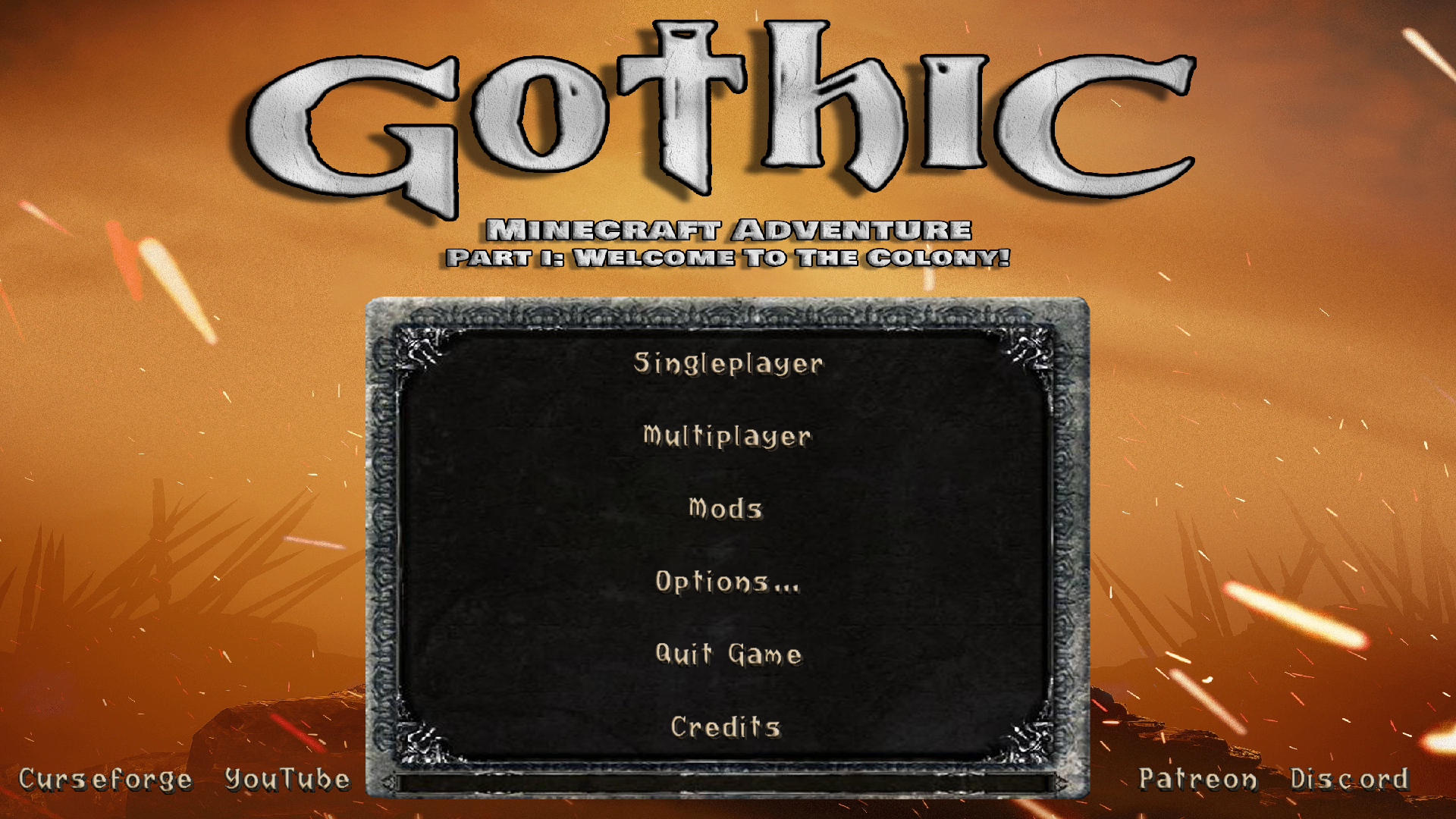
Tak prezentuje się menu w grze:
Translated:
The "Gothic Main Menu" is part of a larger project called "Gothic Minecraft Adventure" that was undertaken by our "Square Quest" team. This mod introduces a brand new main menu inspired by the cult game "Gothic".
Thanks to this modification, players will be able to feel the climate and atmosphere of the ''Gothic'' world from the very beginning of the game.
Note important!
"Gothic Main Menu" requires the "Custom Main Menu" modification installed and th
📊 Mod Details
- Game
- Minecraft Mods
- Author
- SquareQuest
- Version
- 1.0
- Downloads
- 323
- Endorsements
- 1
- Category
- adventure
- Created
- 7/7/2023
- Updated
- 7/5/2023
- Game Versions
- 1.12.2
- Tags
- adventure, decoration, game-mechanics
🔧 How to Install Minecraft Mods Mods
Download from Modrinth. Use Prism Launcher or drop into your mods folder.
📖 Full step-by-step install guide for Minecraft Mods →
Visit the official mod page for specific installation instructions for this mod.
🎮 Need cheat codes or console commands? Check ur gaming wiki for Minecraft Mods commands, item IDs, and more.
❓ Frequently Asked Questions
Which Minecraft Mods versions does Gothic Main Menu support?
The author lists 1.12.2. Other versions may work but are untested by the author.
What is the latest version of Gothic Main Menu?
Version 1.0, published 2023-07-05 with 323 downloads recorded at the source.
Keep browsing — more Minecraft Mods mods await