Randomizer
🟡 Updated this year⚠️ Install Order · 2 steps
Install in this order, then this mod last — most mods fail to load without their framework and dependencies in place.
🖼️ Gallery (2 images)
🔍 Analysis
- 🏆 #76 of 222 cursed mods in this game by downloads
📋 About This Mod
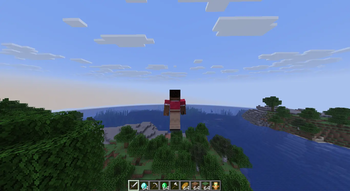
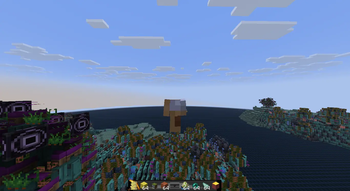
## Want your Minecraft to look chaotic? Ever wish the sounds you hear, the textures you see, and the models in your world weren't always the same old thing? This mod randomizes them around so every session looks different. ## What Gets Shuffled - **Sounds** -- Sound events get mixed up so you might hear something unexpected. - **Textures** -- Atlas sprites (particles, GUI sheets, etc.) and regular textures (blocks, etc.) get shuffled. - **Models** -- Block and item models get swapped around for a "fresh" look. - **Texts** -- Localized labels and text strings get shuffled around. Everything is client-side only, so it won't affect servers you join. ## Configuration The mod is controlled by a config file at `<game_dir>/config/fesuoy_randomizer.json`. **By default, all shuffle domains are disabled.** Each domain has an enable checkbox and a scope selector: | Scope | Meaning | |---|---| | **GLOBAL** | shuffle everything together | | **PER_CATEGORY** | shuffle only within each category | | **PER_NAMESPACE** | shuffle only within each mod's namespace (but this also includes minecraft) | | **EVERYTHING** (Atlas + Texture only) | cross-shuffle atlas sprites and non-atlas textures through one shared pool | For atlas textures there are extra options: pick which atlases get shuffled (**BLOCKS**, **ITEMS**, **PARTICLES**, **ALL**, or **EVERYTHING**), and toggle **Same-Size Only** -- when off, cross-size swaps are allowed (resized to fit), which can produce broken-looking results. For sounds there is **Mix Short & Long Sounds** -- when off, streaming (e.g. music) and non-streaming (e.g. sound effects) sounds are shuffled separately. You can also set a seed for a deterministic shuffle, or leave it at `0` to generate a hidden, random seed every time. The configuration screen can be opened in-game with `/randomizerconfig` or via Mod Menu. ## Dependencies ### Fabric - (https://modrinth.com/mod/modmenu) (optional) ### NeoForge - None
## Want your Minecraft to look chaotic?
Ever wish the sounds you hear, the textures you see, and the models in your world weren't always the same old thing? This mod randomizes them around so every session looks different.
## What Gets Shuffled
- Sounds -- Sound events get mixed up so you might hear something unexpected.
- Textures -- Atlas sprites (particles, GUI sheets, etc.) and regular textures (blocks, etc.) get shuffled.
- Models -- Block and item models get swapped around for a "fresh" look.
- Texts -- Localized labels and text strings get shuffled around.
Everything is client-side only, so it won't affect servers you join.
## Configuration
The mod is controlled by a config file at `
| Scope | Meaning | |---|---| | GLOBAL | shuffle everything together | | PER_CATEGORY | shuffle only within each category | | PER_NAMESPACE | shuffle only within each mod's namespace (but this also includes minecraft) | | EVERYTHING (Atlas + Texture only) | cross-shuffle atlas sprites and non-atlas textures through one shared pool |
For atlas textures there are extra options: pick which atlases get shuffled (BLOCKS, ITEMS, PARTICLES, ALL, or EVERYTHING), and toggle Same-Size Only -- when off, cross-size swaps are allowed (resized to fit), which can produce broken-looking results. For sounds there is Mix Short & Long Sounds -- when off, streaming (e.g. music) and non-streaming (e.g. sound effects) sounds are shuffled separately.
You can also set a seed for a deterministic shuffle, or leave it at `0` to generate a hidden, random seed every time.
The configuration screen can be opened in-game with `/randomizerconfig` or via Mod Menu.
## Dependencies
### Fabric - (https://modrinth.com/mod/modmenu) (optional)
### NeoForge - None
📊 Mod Details
- Game
- Minecraft Mods
- Author
- Fesuoy1
- Version
- 2.1.0-26.2+neoforge
- Downloads
- 224
- Endorsements
- 3
- Category
- cursed
- Created
- 7/22/2026
- Updated
- 8/5/2026
- Game Versions
- 26.2
- Tags
- cursed, utility
🔧 How to Install Minecraft Mods Mods
Download from Modrinth. Use Prism Launcher or drop into your mods folder.
📖 Full step-by-step install guide for Minecraft Mods →
Visit the official mod page for specific installation instructions for this mod.
🎮 Need cheat codes or console commands? Check ur gaming wiki for Minecraft Mods commands, item IDs, and more.
❓ Frequently Asked Questions
Which Minecraft Mods versions does Randomizer support?
The author lists 26.2. Other versions may work but are untested by the author.
What is the latest version of Randomizer?
Version 2.1.0-26.2+neoforge, published 2026-08-05 with 224 downloads recorded at the source.
Keep browsing — more Minecraft Mods mods await