Fast Path
🟡 Updated this year⚠️ Install Order · 2 steps
Install in this order, then this mod last — most mods fail to load without their framework and dependencies in place.
🖼️ Gallery (3 images)
🔍 Analysis
- 👍 0.6% endorsement rate
- 🏆 #15 of 602 adventure mods in this game by downloads
📋 About This Mod
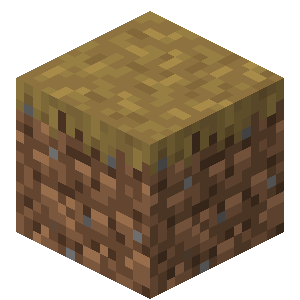
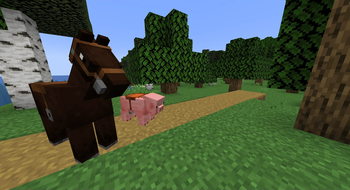
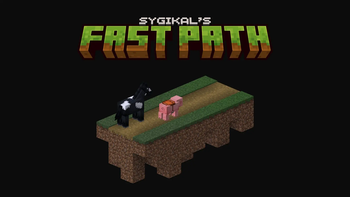
Fast path allows for you, your horse, and pig to move faster on dirt paths. Fast path doesn't use potion effects to modify speed so this boost can be stacked with them. While on a dirt path, your base movement speed will be multiplied by `0.3`. This effect can also be used while sprint jumping on paths and if there is misplaced grass!
PathWeaver A path-building assistant mod for Minecraft Forge. Select a road cross-section as a template, mark path points along the terrain, and generate a complete road with one click. Compatibility Minecraft : 1. 20. 1 Forge : 47.x Dedicated Server / LAN Multiplayer : Fully supported, with data stored separately for each player Getting the Item Craft the Path Weaver using 7 sticks in a crafting table with the following pattern: Stick Stick Stick Stick Stick Stick Stick You can also obtain it directly from the PathWeaver creative tab in Creative Mode. The item is non-stackable. Controls Overview Action Function Requirement Right-click block Mark selection corner / complete a selection region — Left-click block inside selection Delete that selection region Hold the tool and target a block inside an existing region Shift + Right-click block Confirm template (when selection regions exist) At least one region selected Left-click block Add path point Template confirmed, no active selection Shift + Right-click path point Remove that path point At least one path point exists Shift + Left-click block Generate path Template confirmed, enough path points Shift + Mouse Wheel Switch between LINEAR / BEZIER modes — Step 1: Select the Template Cross-Section The template is the road's cross-section . The tool repeats this cross-section along the path direction. Multiple selected regions are supported and merged as a union , which is useful for non-rectangular cross-sections. Basic Selection Right-click one corner block of the cross-section to mark Corner 1 (gold cross marker) Right-click the opposite corner block to mark Corner 2 and complete one selection region Repeat the above steps to add more regions; all regions are merged into the final template Face the forward path direction, then Shift + Right-click any block to confirm the template After confirmation, corner selections are cleared automatically, but the template is kept Re-selecting while a template already exists: the old template remains temporarily, and is replaced only after the new one is confirmed; all path points are cleared If path points already exist, right-clicking a block shows a confirmation prompt: "This will clear all current path points. Continue?" If Corner 1 is already set and you right-click a block: if there are no path points, it marks Corner 2; if path points exist, the action is rejected Delete a Selection Region Left-click any block inside an existing selected region to remove the smallest region containing that position Left-clicking outside the selection does not break the block; the action is intercepted Undo Selection /pathweaver undo corner - Cancel the current pending Corner 1 /pathweaver undo region - Remove the most recently added selection region Step 2: Mark Path Points After the template is confirmed, the tool enters path point mode. Left-click a ground block to add a path point, up to 256 points The XZ-plane projected distance from the new point to the previous poin
📊 Mod Details
- Game
- Minecraft Mods
- Author
- Sygikal
- Version
- v1.9.1
- Downloads
- 9,589
- Endorsements
- 59
- Category
- adventure
- Created
- 6/29/2023
- Updated
- 10/5/2025
- Game Versions
- 1.21.9, 1.21.10
- Tags
- adventure, transportation, utility
🔧 How to Install Minecraft Mods Mods
Download from Modrinth. Use Prism Launcher or drop into your mods folder.
📖 Full step-by-step install guide for Minecraft Mods →
Visit the official mod page for specific installation instructions for this mod.
🎮 Need cheat codes or console commands? Check ur gaming wiki for Minecraft Mods commands, item IDs, and more.
❓ Frequently Asked Questions
Which Minecraft Mods versions does Fast Path support?
The author lists 1.21.9, 1.21.10. Other versions may work but are untested by the author.
What is the latest version of Fast Path?
Version v1.9.1, published 2025-10-05 with 9,589 downloads recorded at the source.
Keep browsing — more Minecraft Mods mods await