Extended Light
🟡 Updated this year⚠️ Install Order · 2 steps
Install in this order, then this mod last — most mods fail to load without their framework and dependencies in place.
🖼️ Gallery (4 images)
🔍 Analysis
- 👍 0.3% endorsement rate
- 🏆 #171 of 243 decoration mods in this game by downloads
📋 About This Mod
##Light Extender Light Extender is a client-side Fabric mod that makes torches, lanterns, fire, glowstone, lava, and other block-light sources look brighter and broader. It supports every stable Minecraft Java release from 1.20 through 26.2 with one exact-version JAR per game release. The effect is visual only. Zero block light remains zero, skylight is preserved, and the server still owns the real light values used for mob spawning, crop growth, melting, and other game logic. The server does not need the mod. ## Settings Open **Options > Light Extender...** or press **K** in game. The settings page contains: - **Enabled** — turns the visual effect on or off. - **Light power** — controls how strongly existing block light is boosted, from 100% to 200%. - **Edge reach** — makes dim, non-zero light at the edge of a source more visible, from 0% to 100%. - **Steady lights** — removes Minecraft's subtle block-light flicker. - **Reset Defaults** — restores 135% power, 25% reach, and normal flicker. Press **O** for the quick on/off toggle. Both keys can be changed under **Options > Controls > Key Binds > Light Extender**. Settings are saved in `config/light_extender.properties` inside the Minecraft instance. ## Shaders Light Extender adjusts the packed block-light coordinates used while terrain is built. This is friendlier to Vanilla, Sodium, Iris, and shader packs that sample Minecraft's lightmap than modifying only Vanilla's final lightmap texture. Shader packs are free to replace Minecraft's lighting model completely, so no client mod can guarantee that every shader pack will display the same boost. A pack that ignores block-light coordinates or supplies its own block lighting may reduce or override the effect. The settings page reports whether Iris and an active shader pack were detected; Iris is optional.
##Light Extender
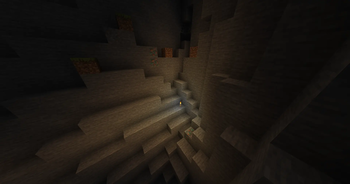
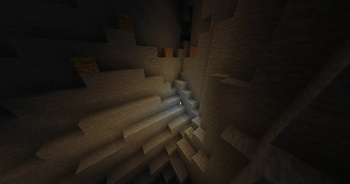
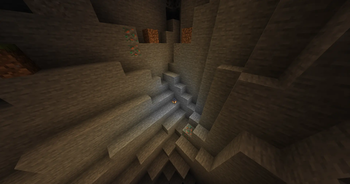
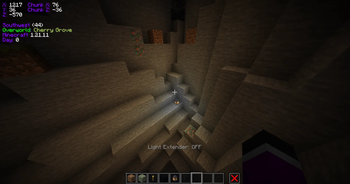
Light Extender is a client-side Fabric mod that makes torches, lanterns, fire, glowstone, lava, and other block-light sources look brighter and broader. It supports every stable Minecraft Java release from 1. 20 through 26. 2 with one exact-version JAR per game release.
The effect is visual only. Zero block light remains zero, skylight is preserved, and the server still owns the real light values used for mob spawning, crop growth, melting, and other game logic. The server does not need the mod.
## Settings
Open Options > Light Extender... or press K in game. The settings page contains:
- Enabled — turns the visual effect on or off.
- Light power — controls how strongly existing block light is boosted,
- from 100% to 200%.
- Edge reach — makes dim, non-zero light at the edge of a source more
- visible, from 0% to 100%.
- Steady lights — removes Minecraft's subtle block-light flicker.
- Reset Defaults — restores 135% power, 25% reach, and normal flicker.
Press O for the quick on/off toggle. Both keys can be changed under Options > Controls > Key Binds > Light Extender. Settings are saved in `config/light_extender.properties` inside the Minecraft instance.
Light Extender adjusts the packed block-light coordinates used while terrain is built. This is friendlier to Vanilla, Sodium, Iris, and shader packs that sample Minecraft's lightmap than modifying only Vanilla's final lightmap texture.
Shader packs are free to replace Minecraft's lighting model completely, so no client mod can guarantee that every shader pack will display the same boost. A pack that ignores block-light coordinates or supplies its own block lighting may reduce or override the effect. The settings page reports whether Iris and an active shader pack were detected; Iris is optional.
📊 Mod Details
- Game
- Minecraft Mods
- Author
- Lebaba
- Version
- 2.0.0+mc26.2
- Downloads
- 622
- Endorsements
- 2
- Category
- decoration
- Created
- 7/19/2026
- Updated
- 7/21/2026
- Game Versions
- 26.2
- Tags
- decoration, magic, utility
🔧 How to Install Minecraft Mods Mods
Download from Modrinth. Use Prism Launcher or drop into your mods folder.
📖 Full step-by-step install guide for Minecraft Mods →
Visit the official mod page for specific installation instructions for this mod.
🎮 Need cheat codes or console commands? Check ur gaming wiki for Minecraft Mods commands, item IDs, and more.
❓ Frequently Asked Questions
Which Minecraft Mods versions does Extended Light support?
The author lists 26.2. Other versions may work but are untested by the author.
What is the latest version of Extended Light?
Version 2.0.0+mc26.2, published 2026-07-21 with 622 downloads recorded at the source.
Keep browsing — more Minecraft Mods mods await