EventMod
⚪ Last updated 2023⚠️ Install Order · 2 steps
Install in this order, then this mod last — most mods fail to load without their framework and dependencies in place.
Preview
🔍 Analysis
- 👍 0.0% endorsement rate
- 🏆 #275 of 940 fabric mods in this game by downloads
📋 About This Mod
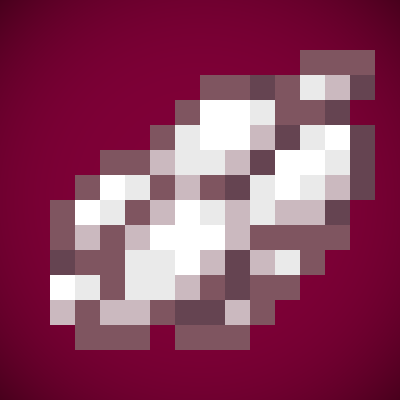
<center><big><b>EventMod</big></b></center> <img src="https://i.imgur.com/K0Bn3Mh.png" alt= “Description” width="25%" height="auto"> <br><br/> This mod is made for events. It is made for server owners and only adds one item, the debugger. It won't do anything by itself, it has to get configured properly. <img src="https://i.imgur.com/WKCuHQL.png" alt= “Misc” width="10%" height="auto"> <br><br /> (https://modrinth.com/mod/fabric-api) This mod is developed for Fabric. There are no plans to develop a Forge version. Modpack Permission: Feel free to use it in any modpacks.
General: With this awesome tool, you can bind other plugins to specific regions. Only if a player is located in the region the plugin is bound to, this plugin will be loaded. As soon as no player is left in the region, the plugins will be unloaded. Features: Custom flag for WorldGuard Using WorldGuard regions, no new commands needed Plugins only loaded in specific regions Installation and configuration: To install the plugin just drop the JAR file into your plugins folder and reload or restart the server. After this, a new folder named "EventMod" will appear. This folder will contain a config.yml where you can enter all plugins which shall be loaded or unloaded with the region flag. To bind the plugins from the config file to a region, simply set the WorldGuard flag "event-region" to "allow". Don't forget to set this flag to "deny" in region " global ". IMPORTANT: This plugin is made for events, that are not being used all the time. It's only listening on worlds starting with "evt_". So if you want to use this, make sure your world name starts with this prefix. Example workflow: Your server is a minigame server and you want to use this plugin to have the Spleef plugin only loaded if someone is in the arena for this minigame. To reach your goal, you came here and already downloaded EventMod. Now put it into your "plugins" folder and reload or restart the server. You will find a folder named "EventMod" in your "plugins" directory, as mentioned above. Open up the config.yml located in this folder and edit it to your heart's contents. In this example, this config would do the job (assuming you use the plugin "ArenaSpleef"): eventmod : plugins : - ArenaSpleef After you saved your configuration, make sure the world name of the world containing your awesome Spleef arena starts with "evt_", so you could maybe name your world "evt_spleef" or something like that. Now we're doing the real magic. We start with defining a new region for our Spleef arena. In case you don't know how to do that, take a look into the WorldGuard wiki. For making your Spleef region an event region, just set the flag "event-region" to "allow" for your arena and deny it on all other regions. This can be done with the following commands: / rg f __global__ event - region deny / rg f myarena event - region allow Now, your Spleef plugin will only be loaded if someone is in your arena region. That saves some resources and makes minigames unplayable when you close the arena. It also can prevent abuse of the minigame plugins if you have freebuild maps too. Dependencies: This plugin is built on three other awesome plugins which need to be installed to make this plugin working: WorldEdit WorldGuard WGCustomFlags Upcoming Features: Flags for each loaded plugin Selecting plugins for each region Completely unloading plugins when nobody is in an event region instead of disabling Known Bugs: No bugs are actually known! Feel free to report some! Changelog: 1. 0: Initial release Sample config: eventm
📊 Mod Details
- Game
- Minecraft Mods
- Author
- Globox1997
- Version
- 1.0.5
- Downloads
- 28,494
- Endorsements
- 7
- Category
- fabric
- Created
- 4/20/2023
- Updated
- 4/19/2023
- Game Versions
- 1.19.2
- Tags
- technology, utility
🔧 How to Install Minecraft Mods Mods
Download from Modrinth. Use Prism Launcher or drop into your mods folder.
📖 Full step-by-step install guide for Minecraft Mods →
Visit the official mod page for specific installation instructions for this mod.
🎮 Need cheat codes or console commands? Check ur gaming wiki for Minecraft Mods commands, item IDs, and more.
❓ Frequently Asked Questions
Which Minecraft Mods versions does EventMod support?
The author lists 1.19.2. Other versions may work but are untested by the author.
What is the latest version of EventMod?
Version 1.0.5, published 2023-04-19 with 28,494 downloads recorded at the source.
Keep browsing — more Minecraft Mods mods await