EnderBooks
🟠 Updated over a year ago⚠️ Install Order · 2 steps
Install in this order, then this mod last — most mods fail to load without their framework and dependencies in place.
🖼️ Gallery (10 images)
🔍 Analysis
- 👍 1.2% endorsement rate — high engagement, a strong quality signal
- 🏆 #309 of 391 forge mods in this game by downloads
📋 About This Mod
**26.1.x update coming soon...** !(https://cdn.modrinth.com/data/cached_images/bbada79547462a9f70e68ca9d32c0b09e65cf0ec.png) The mod adds items which allow you to save points and quickly teleport to them. There are 3 books, each of which can be used within the same dimension: **An OverworldBook for the overworld,** !(https://cdn.modrinth.com/data/cached_images/6acad9506232c75bddd133abebabccd3affa2ef0.png) **a NetherBook for the Nether,** !(https://cdn.modrinth.com/data/cached_images/3343b5add04a5e204301def79c61870edb152c10.png) **a Book Of The End for the End,** !(https://cdn.modrinth.com/data/cached_images/b6c11bebafcf70ee2db40c835d8d35c370d29de0.png) **& universal to all vanila dimensions - EnderBook.** !(https://cdn.modrinth.com/data/cached_images/8030cfca9daa11954a14db388ef783ea8f1b3edb.png) To use a book, open it, then click on one of the three or four icons to save your current coordinates. Please note that the coordinates are not saved in a book - they are saved individually for the player, as it usually works with Ender Chest. **Example with OverworldBook:** !(https://cdn.modrinth.com/data/cached_images/84c22f84fc9f6e359347a39b524dd628c4ed7f00.gif) **Example with Writable OverworldBook:** !(https://cdn.modrinth.com/data/cached_images/606171f9b544784067d3c1eb7959d7120176abdd.gif) To return to a saved coordinates, you need to have at least 1 Ender Pearl in your inventory. Attach the Ender Perl to the line where is the pressed icon located, and then you will teleport. Also this mod adds Enderpengament: !(https://cdn.modrinth.com/data/cached_images/82fb09bf61016bfedfb4b9713ec3e5e252ffe230.png) By pressing RMB draw something on it to save your place, and then - the same way swallow it to return to the saved place. _THERE ARE CONTRAINDICATIONS TO USE: slight damage is possible, loss of Ender Pearls, leg atrophy._ **The mod can be installed on a modified server.** **Made with** !(https://upload.wikimedia.org/wikipedia/commons/c/cf/MCreator_Logo.png) _**The mod will be updated to versions supported by MCreator.**_ **_(And maybe by some generators from community)_**
26. 1.x update coming soon...
!(https://cdn.modrinth.com/data/cached_images/bbada79547462a9f70e68ca9d32c0b09e65cf0ec.png)
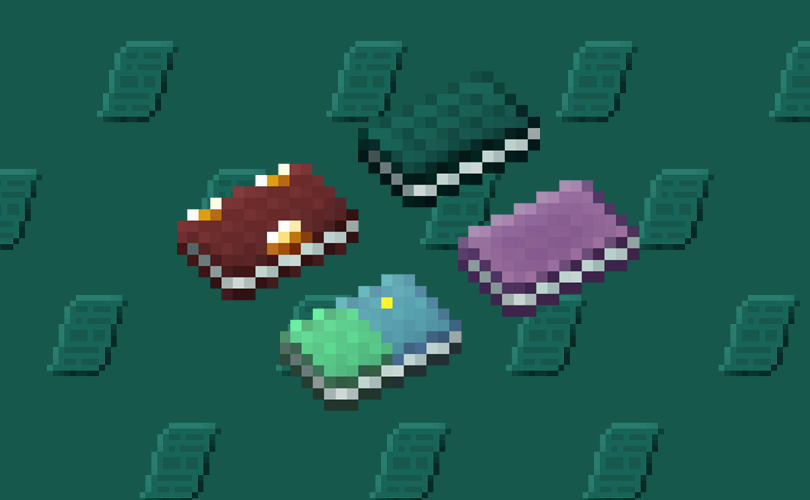
The mod adds items which allow you to save points and quickly teleport to them. There are 3 books, each of which can be used within the same dimension:
An OverworldBook for the overworld,
!(https://cdn.modrinth.com/data/cached_images/6acad9506232c75bddd133abebabccd3affa2ef0.png)
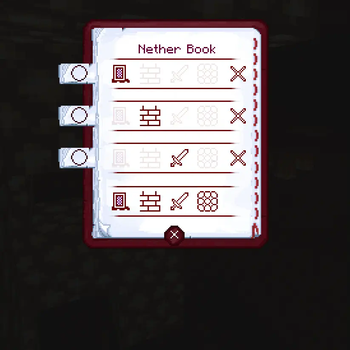
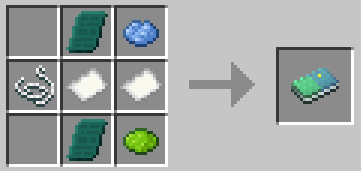
a NetherBook for the Nether,
!(https://cdn.modrinth.com/data/cached_images/3343b5add04a5e204301def79c61870edb152c10.png)
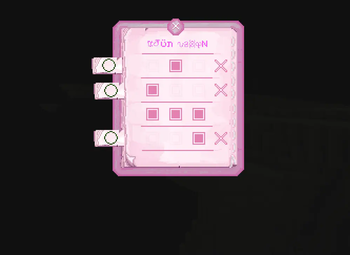
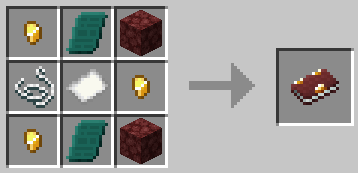
a Book Of The End for the End,
!(https://cdn.modrinth.com/data/cached_images/b6c11bebafcf70ee2db40c835d8d35c370d29de0.png)
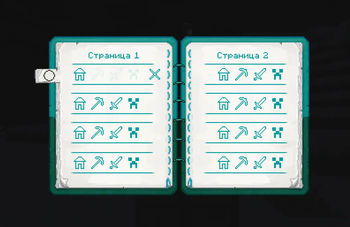
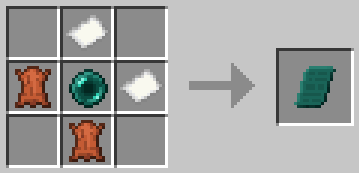
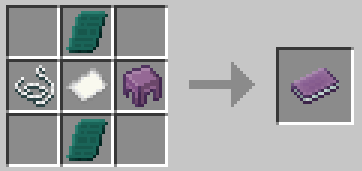
& universal to all vanila dimensions - EnderBook.
!(https://cdn.modrinth.com/data/cached_images/8030cfca9daa11954a14db388ef783ea8f1b3edb.png)
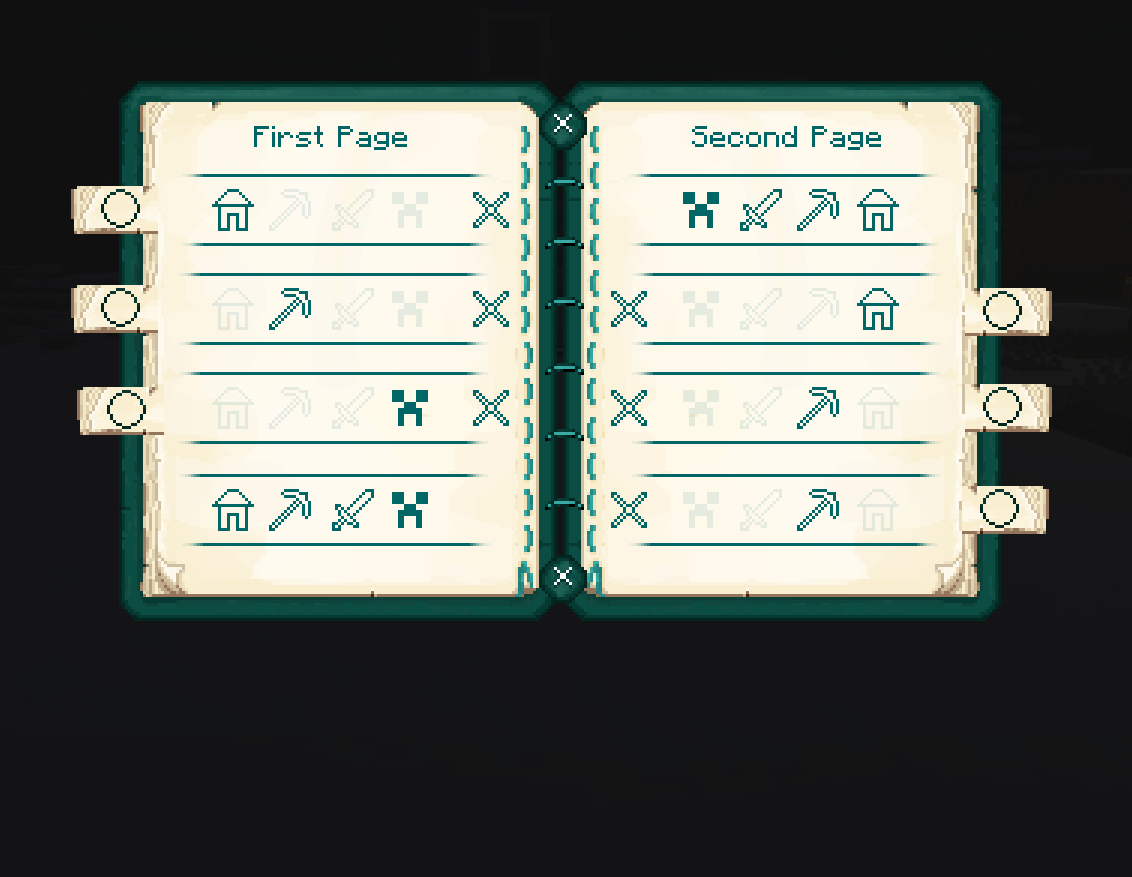
To use a book, open it, then click on one of the three or four icons to save your current coordinates. Please note that the coordinates are not saved in a book - they are saved individually for the player, as it usually works with Ender Chest.
Example with OverworldBook:
!(https://cdn.modrinth.com/data/cached_images/84c22f84fc9f6e359347a39b524dd628c4ed7f00.gif)
Example with Writable OverworldBook:
!(https://cdn.modrinth.com/data/cached_images/606171f9b544784067d3c1eb7959d7120176abdd.gif)
To return to a saved coordinates, you need to have at least 1 Ender Pearl in your inventory. Attach the Ender Perl to the line where is the pressed icon located, and then you will teleport.
Also this mod adds Enderpengament:
!(https://cdn.modrinth.com/data/cached_images/82fb09bf61016bfedfb4b9713ec3e5e252ffe230.png)
By pressing RMB draw something on it to save your place, and then - the same way swallow it to return to the saved place.
_THERE ARE CONTRAINDICATIONS TO USE: slight damage is possible, loss of Ender Pearls, leg atrophy._
The mod can be installed on a modified server.
Made with
!(https://upload.wikimedia.org/wikipedia/commons/c/cf/MCreator_Logo.png) _The mod will be updated to versions supported by MCreator._
_(And maybe by some generators from community)_
📊 Mod Details
- Game
- Minecraft Mods
- Author
- Ivan_TheWorst
- Version
- 0.1.3.5
- Downloads
- 996
- Endorsements
- 12
- Category
- forge
- Created
- 12/31/2024
- Updated
- 9/3/2025
- Game Versions
- 1.20.1
- Tags
- game-mechanics, magic, transportation
🔧 How to Install Minecraft Mods Mods
Download from Modrinth. Use Prism Launcher or drop into your mods folder.
📖 Full step-by-step install guide for Minecraft Mods →
Visit the official mod page for specific installation instructions for this mod.
🎮 Need cheat codes or console commands? Check ur gaming wiki for Minecraft Mods commands, item IDs, and more.
❓ Frequently Asked Questions
Which Minecraft Mods versions does EnderBooks support?
The author lists 1.20.1. Other versions may work but are untested by the author.
What is the latest version of EnderBooks?
Version 0.1.3.5, published 2025-09-03 with 996 downloads recorded at the source.
Keep browsing — more Minecraft Mods mods await