EltrasHud
🟡 Updated this year⚠️ Install Order · 2 steps
Install in this order, then this mod last — most mods fail to load without their framework and dependencies in place.
🖼️ Gallery (4 images)
🔍 Analysis
- 🏆 #31 of 909 fabric mods in this game by downloads
📋 About This Mod
# Eltra's HUD A lightweight, fully customizable client-side HUD mod for competitive Minecraft PVP — no Fabric API required. # FaQ | Question | Answer | |---|---| | **How do I open the Menu for this mod?** | Press **H Key** to open the GUI or change it in controls. | | **Can I move Scoreboard** | Yes, you can, also the boss bar too. | | **The Mod isn't working** | You can (https://github.com/david2rex/EltrasHUD/issues) | ## Features ### HUD Modules All modules can be individually toggled, repositioned, and styled directly in-game. | Module | Description | |---|---| | **Totem Counter** | Tracks totems of undying in your inventory | | **Armor Status** | Displays current armor durability | | **Coordinates** | Shows your X/Y/Z position | | **FPS** | Live frames-per-second counter | | **Ping** | Current server latency | | **CPS** | Clicks per second tracker | | **Keystrokes** | Visual keystroke display | | **Reach** | Last attack reach distance | | **Combo Counter** | Tracks active hit combos | | **Hit Counter** | Counts hits dealt | | **Momentum** | Horizontal movement speed | | **Potion Effects** | Active potion effect display | | **Item Info** | Info about the item in your hand | | **Clock** | Real-world time | | **Day Counter** | In-game day counter | | **Memory** | JVM memory usage | | **Direction Compass** | Cardinal direction indicator | ### Customization - Drag-and-drop HUD positioning via the **Customize** screen - Three panel styles: **Translucent**, **Bordered**, and **Transparent** - Per-module background style overrides - Bulk-apply background style to all modules at once - Repositionable **Boss Bar** and **Scoreboard** overlays --- ## Installation 1. Install (https://fabricmc.net/use/installer/) **≥ 0.14.22** 2. Drop the mod jar into your `mods/` folder 3. Launch the game — no other mods required (https://modrinth.com/mod/modmenu) is supported but optional. --- ## Compatibility | Minecraft Version | Supported | |---|---| | 1.21.4 | ✅ | | 1.21.5 | ✅ | | 1.21.6 | ✅ | | 1.21.9 | ✅ | | 1.21.10 | ✅ | | 1.21.11 | ✅ | | 26.1.1 | ✅ | | 26.1.2 | ✅ | | 26.2 | ✅ | --- ## Links - 🌐 (https://eltramc.com) - ❤️ (https://supporter.eltramc.com)
# Eltra's HUD
A lightweight, fully customizable client-side HUD mod for competitive Minecraft PVP — no Fabric API required.
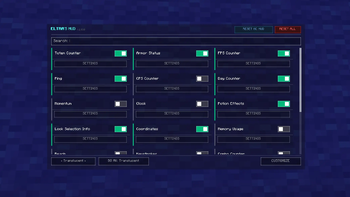
# FaQ | Question | Answer | |---|---| | How do I open the Menu for this mod? | Press H Key to open the GUI or change it in controls. | | Can I move Scoreboard | Yes, you can, also the boss bar too. | | The Mod isn't working | You can (https://github.com/david2rex/EltrasHUD/issues) |
## Features
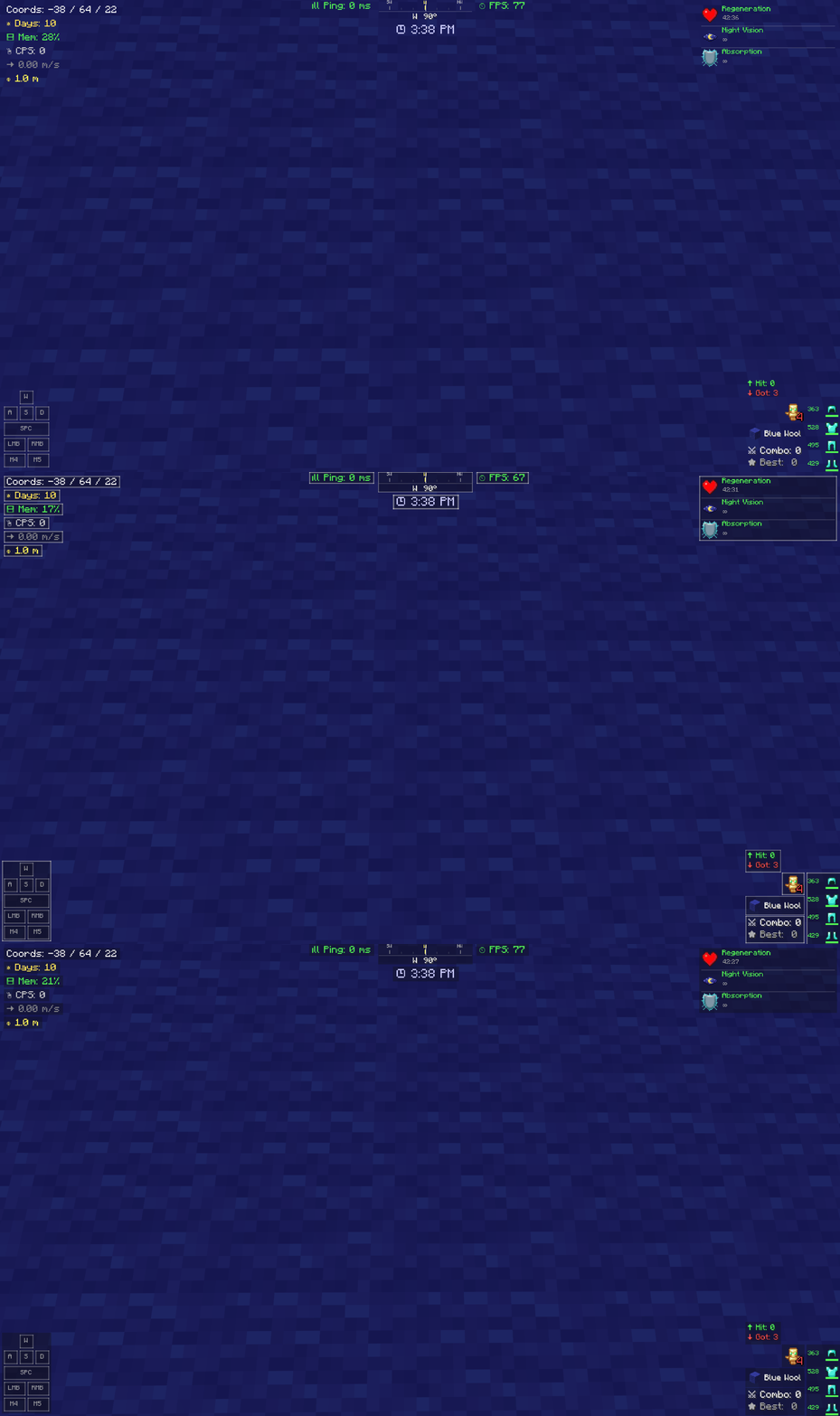
### HUD Modules All modules can be individually toggled, repositioned, and styled directly in-game.
| Module | Description | |---|---| | Totem Counter | Tracks totems of undying in your inventory | | Armor Status | Displays current armor durability | | Coordinates | Shows your X/Y/Z position | | FPS | Live frames-per-second counter | | Ping | Current server latency | | CPS | Clicks per second tracker | | Keystrokes | Visual keystroke display | | Reach | Last attack reach distance | | Combo Counter | Tracks active hit combos | | Hit Counter | Counts hits dealt | | Momentum | Horizontal movement speed | | Potion Effects | Active potion effect display | | Item Info | Info about the item in your hand | | Clock | Real-world time | | Day Counter | In-game day counter | | Memory | JVM memory usage | | Direction Compass | Cardinal direction indicator |
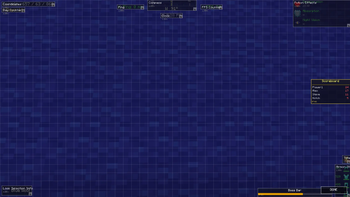
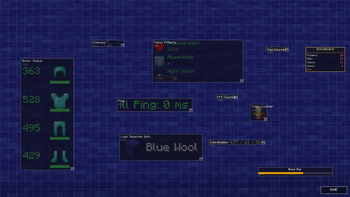
### Customization - Drag-and-drop HUD positioning via the Customize screen - Three panel styles: Translucent, Bordered, and Transparent - Per-module background style overrides - Bulk-apply background style to all modules at once - Repositionable Boss Bar and Scoreboard overlays
## Installation
1. Install (https://fabricmc.net/use/installer/) ≥ 0. 14. 22 2. Drop the mod jar into your `mods/` folder 3. Launch the game — no other mods required
(https://modrinth.com/mod/modmenu) is supported but optional.
## Compatibility
| Minecraft Version | Supported | |---|---| | 1. 21. 4 | ✅ | | 1. 21. 5 | ✅ | | 1. 21. 6 | ✅ | | 1. 21. 9 | ✅ | | 1. 21. 10 | ✅ | | 1. 21. 11 | ✅ | | 26. 1. 1 | ✅ | | 26. 1. 2 | ✅ | | 26. 2 | ✅ |
- 🌐 (https://eltramc.com)
- ❤️ (https://supporter.eltramc.com)
📊 Mod Details
- Game
- Minecraft Mods
- Author
- Twiztyler
- Version
- 1.0.0
- Downloads
- 299
- Endorsements
- 3
- Category
- fabric
- Created
- 8/11/2026
- Updated
- 7/29/2026
- Game Versions
- 26.2
🔧 How to Install Minecraft Mods Mods
Download from Modrinth. Use Prism Launcher or drop into your mods folder.
📖 Full step-by-step install guide for Minecraft Mods →
Visit the official mod page for specific installation instructions for this mod.
🎮 Need cheat codes or console commands? Check ur gaming wiki for Minecraft Mods commands, item IDs, and more.
❓ Frequently Asked Questions
Which Minecraft Mods versions does EltrasHud support?
The author lists 26.2. Other versions may work but are untested by the author.
What is the latest version of EltrasHud?
Version 1.0.0, published 2026-07-29 with 299 downloads recorded at the source.
Keep browsing — more Minecraft Mods mods await