Effortless Building
🟡 Updated this year⚠️ Install Order · 2 steps
Install in this order, then this mod last — most mods fail to load without their framework and dependencies in place.
🖼️ Gallery (11 images)
🔍 Analysis
- 👍 0.1% endorsement rate
- 🏆 #271 of 435 decoration mods in this game by downloads
📋 About This Mod
Many mods make it easier to break blocks, but not many focus on placing them. Even the most experienced players still often place blocks one by one. This mod makes building easier by providing tools like mirrors, arrays, build modes and a block randomizer.
Place and break multiple blocks at once Mirror blocks in realtime Place random blocks using the Randomizer Bag Undo and redo Fully supported in survival mode
## Build Modes
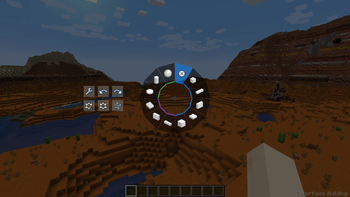
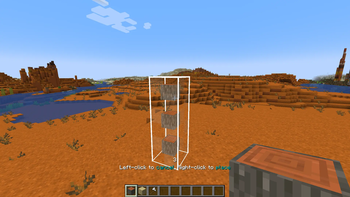
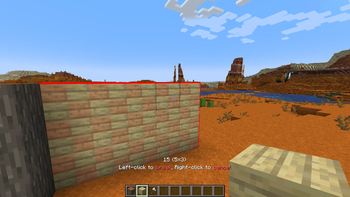
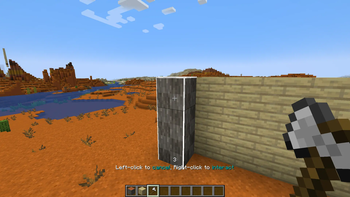
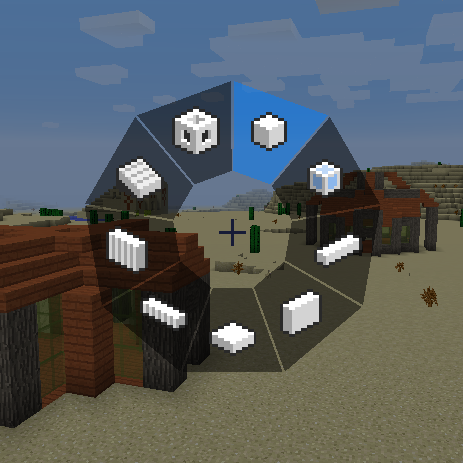
Hold ALT to open the radial menu and select a build mode. With a block in hand, right-click to pick the starting position. Aim somewhere else, then right-click again to build the shape.
Build modes can be used to place blocks, break blocks, and interact with certain blocks. When holding a tool, right-clicking will interact with all the blocks in the shape. For example, stripping logs with an axe, pathing with a shovel, tilling with a hoe, and placing liquids with a bucket.
Available build modes: Disabled Single Line Wall Floor Cube Diagonal Line Diagonal Wall Slope Floor Circle Cylinder Sphere
On the right side of the radial menu you can find additional options for each build mode. On the left side you can find buttons for undo/redo, replace options, opening the modifier settings and config screens.
More videos
## Build Modifiers
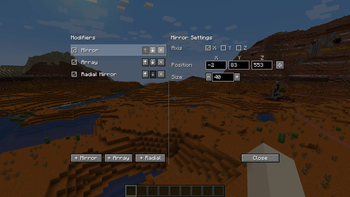
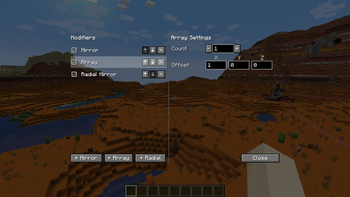
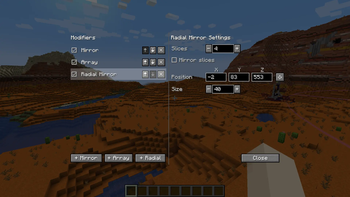
Modifiers can place additional blocks for each block you placed. You can enable any number of modifiers in the modifier settings. Open the modifier settings with the button in the radial menu, or use the keybind (default NUMPAD+).
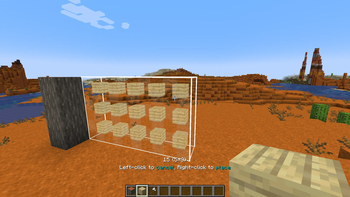
Mirror. Place a mirror at a position of a certain size. Each block placed on one side gets mirrored to the other side. Array. Copies the block you placed in a certain direction a certain number of times. Useful for repeated builds like tunnels and walls. Radial Mirror. Divides an area in slices around a central point. Each slice copies your block placements.
!(https://media.forgecdn.net/attachments/1718/585/2026-06-05_15-47-27_gemiddeld-png.png)
## Randomizer Tool
This item allows you to place random blocks. Configure the tool by shift-rightclicking when in hand.
Use it in combination with build modes and build modifiers. While placing a shape, you can open the randomizer tool and change its settings. You can preview those settings in realtime! Setting the ratio of an empty slot will cause air gaps to appear in your shape.
!(https://media.forgecdn.net/attachments/1821/822/randomizer-tool-recipe-png.png)
Crafting recipe: 3 iron ingots, 1 redstone dust, 1 any flower.
## Replace Options Use the button to the left of the radial menu to cycle through replace options.
Replace Only Air: You can only place blocks where there was air. Replaceables such as short grass and ferns can still be replaced. Replace Blocks And Air: You can replace blocks and air. Replace Only Blocks: You can only replace blocks, not air. Filter By Offhand: You can only replace blocks that match the block in your offhand.
## Undo and Redo Press CTRL+Z to undo and CTRL+Y to redo placing blocks.
## Survival-friendly Playing this mod in survival mode is fully supported. All actions consume the right number of blocks from your inventory. It is fully configurable, so you can find settings that feel balanced for you.
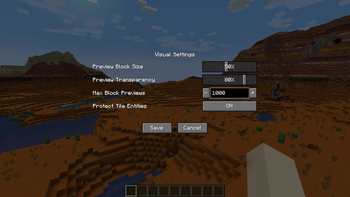
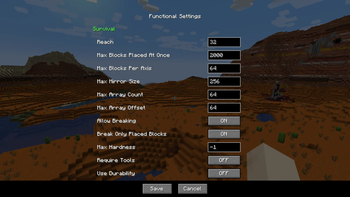
Here's a small sample of what you can configure: How far away you can place blocks The maximum number of blocks placed at once The maximum size of the mirror and array * Whether you can break and replace multiple blocks at once, including if tools are required, if they should use durability, etc. By default, you can break and replace blocks that you placed in the same play session.
The functional settings can be found in the radial menu. On a server, you can only edit functional settings if you are an admin.
!(https://media.forgecdn.net/attachments/1718/579/2026-06-05_15-46-00-png.png)
## FAQ _"Can I add this
📊 Mod Details
- Game
- Minecraft Mods
- Author
- Requios
- Version
- 4.3
- Downloads
- 1,194,616
- Endorsements
- 1,134
- Category
- decoration
- Created
- 7/31/2023
- Updated
- 8/1/2026
- Game Versions
- 26.2
- Tags
- decoration, game-mechanics, utility
🔧 How to Install Minecraft Mods Mods
Download from Modrinth. Use Prism Launcher or drop into your mods folder.
📖 Full step-by-step install guide for Minecraft Mods →
Visit the official mod page for specific installation instructions for this mod.
🎮 Need cheat codes or console commands? Check ur gaming wiki for Minecraft Mods commands, item IDs, and more.
❓ Frequently Asked Questions
Which Minecraft Mods versions does Effortless Building support?
The author lists 26.2. Other versions may work but are untested by the author.
What is the latest version of Effortless Building?
Version 4.3, published 2026-08-01 with 1.2M downloads recorded at the source.
Keep browsing — more Minecraft Mods mods await