Effective Instruments
🟡 Updated this year⚠️ Install Order · 2 steps
Install in this order, then this mod last — most mods fail to load without their framework and dependencies in place.
🖼️ Gallery (3 images)
🔍 Analysis
- 👍 0.0% endorsement rate
- 🏆 #53 of 280 equipment mods in this game by downloads
📋 About This Mod
[](https://discord.gg/6734GW7bWC)
# Effective Instruments
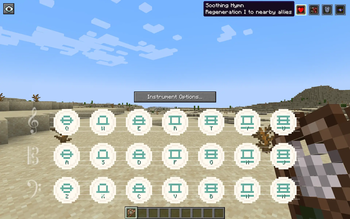
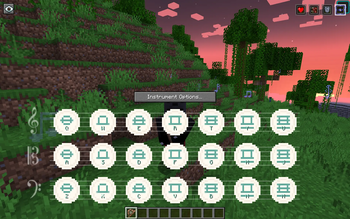
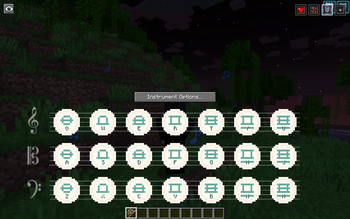
Play music. Empower allies. Or curse your enemies. Effective Instruments adds a magical aura system to (https://www.curseforge.com/minecraft/mc-mods/genshin-instruments), letting musicians grant potion effects to nearby players and tamed pets while they perform — or, if they pick the negative-polarity variant, inflict debuffs on nearby mobs. Every instrument has its own unique positive _and_ offensive aura — pick up a Windsong Lyre and feel the breeze quicken your step (positive) or call down a howling gale that slows and weakens every foe in range (offensive).
New in 1. 4.x:
Offensive (negative) auras — every instrument gets a mirrored debuff variant (Wither, Poison, Slowness, Blindness, etc.). Pick the red-bordered icon to swap polarities on the fly. Instrument durability — instruments now wear out with use (per-instrument NBT durability) and can be repaired on an anvil. Vanilla-style durability bar under every instrument slot. Offensive auras wear instruments out faster. 1-to-1 unique auras across 42 instruments. Every GI, EMI (including all 16 note-block variants), and Immersive Melodies instrument has its own distinct positive + offensive pair — 84 unique auras shipped. Broad offensive targeting by default — negative auras hit every mob in range except the musician, their own pets, and other players' pets. Admins can flip to fine-grained per-category control if preferred. Diagnostics command — `/effectiveinstruments diagnose` surfaces every gate in the aura pipeline so "why isn't my aura firing?" has a one-command answer.
From 1. 3. 0: Optional (https://www.curseforge.com/minecraft/mc-mods/immersive-melodies) support! Walk around playing an IM instrument and receive lighter, passive buffs — no screen needed.
## How It Works
### Stationary Tier (Genshin Instruments / Even More Instruments)
1. Open any instrument from Genshin Instruments (or Even More Instruments). 2. Your instrument's default positive aura auto-selects. Each instrument has a default aura mapped to it — no manual selection needed. 3. Play a single note and the aura applies immediately to all valid targets in range. Effects refresh as you keep playing; colored music note particles float outward to show the aura's reach. 4. Pick the red-bordered icon in the top-right to switch to the instrument's offensive variant. Non-ambient particles on affected mobs show the debuff landed. 5. Stop playing and the aura deactivates after a short grace window (configurable, default 5 seconds). Effects naturally expire. 6. Close the instrument and the aura clears. Open the same instrument again and it remembers your last selection for that session.
### Mobile Tier (Immersive Melodies — optional)
When (https://www.curseforge.com/minecraft/mc-mods/immersive-melodies) is installed alongside Effective Instruments:
1. Hold an IM instrument and start a melody (autoplay) or use free-play mode. 2. Walk around freely — a passive aura buff applies to you and nearby allies every pulse (default: once per second). Colored music notes float around the musician while the aura is active. 3. Pause or switch instruments — effects linger briefly then clear. 4. Pick the red-bordered icon to swap to the mobile-tier offensive aura for the held instrument.
Mobile auras are deliberately lighter than stationary ones (single effect, shorter range and duration) for balance. If both tiers would apply to the same player, the stationary tier takes precedence by default.
> Free-play support shipped in 1. 4. 3. Opening the IM screen is enough to activate the aura — no autoplay required. (Durability is only charged during autoplay / actual note playback, not while browsing the melody list.)
## Instrument Auras
Every instrument ships with its own unique, thematic aura:
### Genshin Instruments
| Instrument |Aura |Effects | | -------------- |------------------- |--------------------------- | | Windsong Lyre |Zephyr's Blessing |Speed I | | Vintage Lyre |Echoes of Antiquity |Regeneration I | | Floral Zither |Bloom Veil |Absorption I + Saturation I | | Glorious Drum |Warcry Cadence |Strength I + Resistance I | | Nightwind Horn |Moonlit Passage |Night Vision + Slow Falling | | Ukulele |Sunkissed Serenade |Luck I | | Djem Djem Drum |Rhythm of the Earth |Haste I + Jump Boost I |
### Even More Instruments
| Instrument |Aura |Effects | | ---------- |------------------ |--------------------------------- | | Guitar |Wanderer's Ant
📊 Mod Details
- Game
- Minecraft Mods
- Author
- otectus
- Version
- 1.6.0
- Downloads
- 5,590
- Endorsements
- 1
- Category
- equipment
- Created
- 5/18/2026
- Updated
- 7/6/2026
- Game Versions
- 1.20.1
- Tags
- equipment, game-mechanics, magic
🔧 How to Install Minecraft Mods Mods
Download from Modrinth. Use Prism Launcher or drop into your mods folder.
📖 Full step-by-step install guide for Minecraft Mods →
Visit the official mod page for specific installation instructions for this mod.
🎮 Need cheat codes or console commands? Check ur gaming wiki for Minecraft Mods commands, item IDs, and more.
❓ Frequently Asked Questions
Which Minecraft Mods versions does Effective Instruments support?
The author lists 1.20.1. Other versions may work but are untested by the author.
What is the latest version of Effective Instruments?
Version 1.6.0, published 2026-07-06 with 5,590 downloads recorded at the source.
Keep browsing — more Minecraft Mods mods await