Dash - Dashboard
🟢 Updated this month⚠️ Install Order · 2 steps
Install in this order, then this mod last — most mods fail to load without their framework and dependencies in place.
🖼️ Gallery (12 images)
🔍 Analysis
- 👍 0.8% endorsement rate
- 🏆 #1 of 10 bukkit mods in this game by downloads
📋 About This Mod
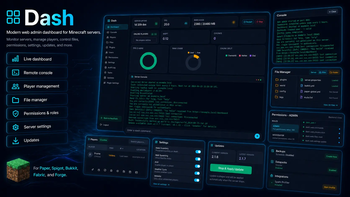
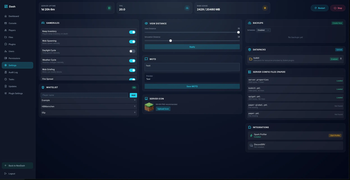
A modern web admin dashboard for Minecraft servers with live stats, console access, files, player tools, permissions, backups, and NeoDash multi-server management.
Dash is a self-hosted web admin dashboard for Minecraft servers.
Run a server without juggling terminal windows, FTP clients, config folders and disconnected admin plugins. Dash puts live performance, console access, player care, files, backups, reports, permissions, updates and recovery tools into one responsive browser workspace.
Dash is built as a family of native server dashboards:
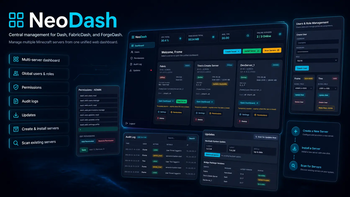
| Project | Use it for | Install location | | --- | --- | --- | | Dash | Paper, Purpur, Spigot, Bukkit and compatible servers | `plugins/` | | FabricDash | Fabric servers | `mods/` | | ForgeDash | NeoForge servers | `mods/` | | NeoDash | Optional central control plane for multiple servers | Linux host or Docker |
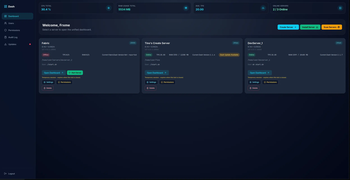
Each local dashboard is designed to manage the server it actually runs on. NeoDash is optional: use it when you want fleet-wide visibility, provisioning and signed handoff between multiple Dash-connected servers.
## What Dash Gives You
Dash is not a generic hosting panel bolted onto Minecraft. It is a dashboard that understands a live server and its day-to-day operating work.
- See server health before players notice a problem
- Run commands and read the live console from a browser
- Manage players, moderation, inventories and linked Dash accounts
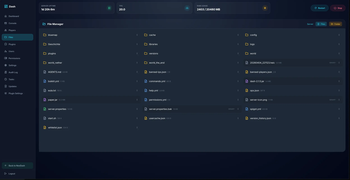
- Browse, edit, upload, download and safely organize server files
- Discover compatible plugins or mods through Modrinth
- Create verified backups, prepare maintenance and inspect recovery options
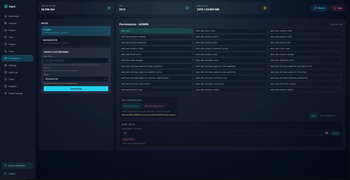
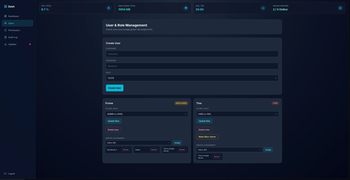
- Give staff exactly the permissions they need, with an audit trail behind sensitive actions
- Receive player reports through a dedicated public form without exposing the admin dashboard
- Move from one server to another through NeoDash without losing a secure, loader-native workflow
The interface is designed for real operations: compact controls, readable data, responsive layouts, keyboard support, useful loading and error states, reduced-motion support and navigation that keeps the current page visible until the next one is ready.
## Server Overview and Live Console
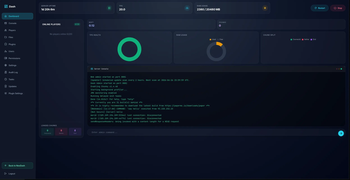
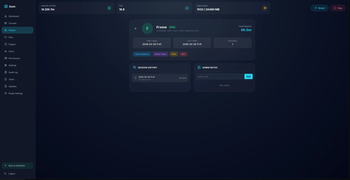
The Dashboard gives you an immediate view of the state that matters:
- Server uptime and current Dash version
- TPS, MSPT, memory, CPU and loaded chunks
- Online player count and per-world activity
- Server start, restart and stop controls, protected by permissions
- Live charts for health and resource use
- Quick access to the live console and common administration actions
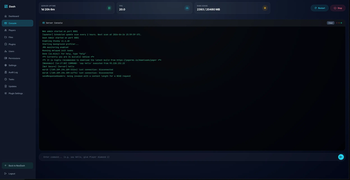
The remote console is built for browser-based administration, not just a static log viewer.
- Read current console output
- Send server commands from a focused command field
- Keep command history available for the session
- Clear the visible console view without deleting actual server logs
- Restrict access with server-side permissions
For historical metrics, Graphs provides real `1h`, `6h`, `24h` and `7d` ranges, live or paused refresh, responsive canvases, tooltips, empty states and JSON or CSV export.
## Player Management and Player Profiles
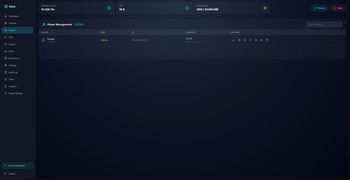
Dash turns player administration into a proper workspace rather than a long, horizontally scrolling table.
- Responsive player cards for desktop and mobile
- Player names, UUIDs, status, ping, world and location
- Skin avatars and a click-to-open interactive 3D skin viewer
- Drag-to-rotate and scroll-to-zoom skin previews with a static fallback when 3D rendering is unavailable
- Player profiles, session history and staff notes
- Moderation controls for kick, ban, unban and whitelist actions where permitted
- Inventory and ender-chest tools where the active platform supports them
- Permission-aware actions instead of a one-size-fits-all admin surface
- Existing Dash-account links shown directly on the player record, with permitted account actions close by
The linked-account view matters for teams: an operator can see whether a Minecraft identity is already connected to a Dash user rather than having to guess from two separate systems.
## Files, Plugins and Mods
The file manager is intentionally server-aware and guarded. It gives staff the useful controls without treating the server root like an unrestricted file browser.
- Whole-row file and folder interaction: click the file bubble, not a tiny filename target
- Browse folders, configuration, logs, worlds, plugins or mods
- Upload without throwing the page back to the top
- Create, edit, rename, download and delete files when the current role permits it
- Download folders as ZIP archives
- Detect binary files and preserve protected lock or PID files from unsafe actions
- Use canonical path handling, bounded uploads and safe archive rules behind the interface
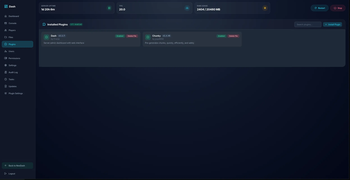
The local Plugins or Mods workspace works together with Modrinth discovery:
- See installed plugins or mods and their local status
- Upload local JAR files when the server policy allows it
- Search Modrinth from the dashboard
- Filter results by the active server loader and exact Minecraft version
- Resolve an installable
📊 Mod Details
- Game
- Minecraft Mods
- Author
- Framepersecond
- Version
- 26.2
- Downloads
- 776
- Endorsements
- 6
- Category
- bukkit
- Created
- 5/13/2026
- Updated
- 9/3/2026
- Game Versions
- 1.21, 1.21.1, 1.21.2, 1.21.3, 1.21.4
- Tags
- management, technology, utility
🔧 How to Install Minecraft Mods Mods
Download from Modrinth. Use Prism Launcher or drop into your mods folder.
📖 Full step-by-step install guide for Minecraft Mods →
Visit the official mod page for specific installation instructions for this mod.
🎮 Need cheat codes or console commands? Check ur gaming wiki for Minecraft Mods commands, item IDs, and more.
❓ Frequently Asked Questions
Which Minecraft Mods versions does Dash - Dashboard support?
The author lists 1.21, 1.21.1, 1.21.2, 1.21.3, 1.21.4, 1.21.5. Other versions may work but are untested by the author.
What is the latest version of Dash - Dashboard?
Version 26.2, published 2026-09-03 with 776 downloads recorded at the source.
Keep browsing — more Minecraft Mods mods await