Dark Loading Screen Neoforge
🟡 Updated this year⚠️ Install Order · 2 steps
Install in this order, then this mod last — most mods fail to load without their framework and dependencies in place.
🖼️ Gallery (2 images)
🔍 Analysis
- 👍 0.1% endorsement rate
- 🏆 #30 of 51 neoforge mods in this game by downloads
📋 About This Mod
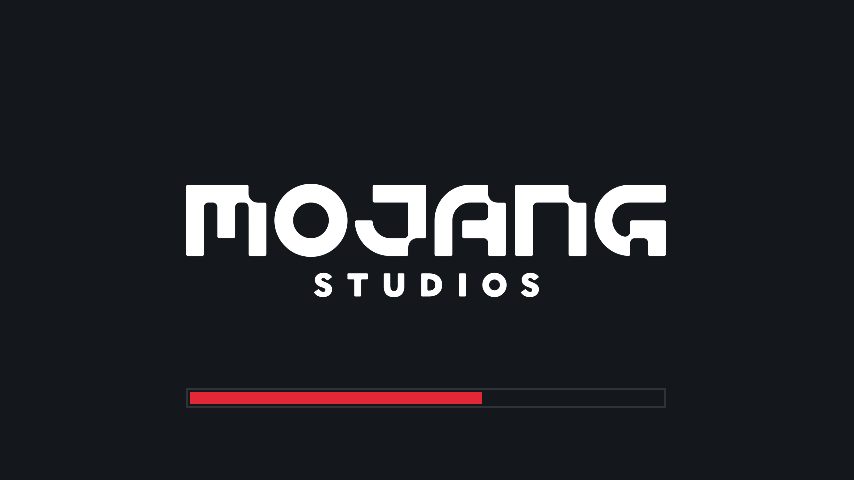
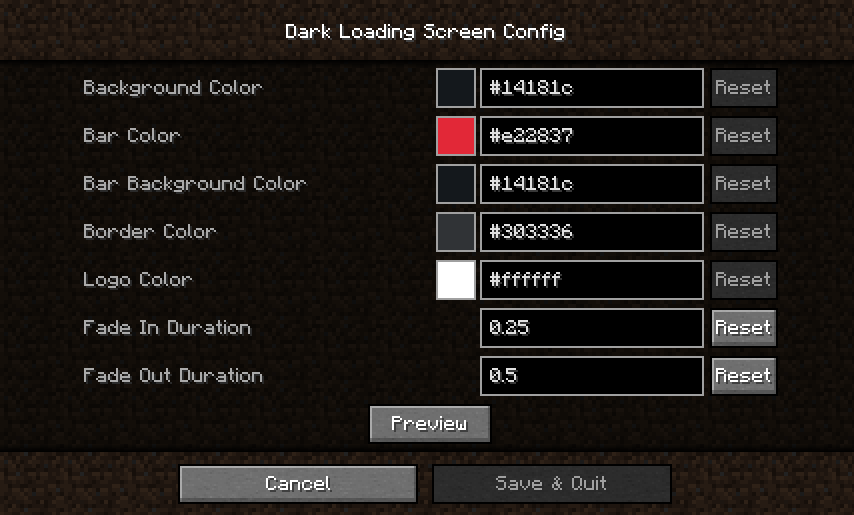
A simple Neoforge port of a mod to make the loading screen **darker** and _way more customizable_! Color configuration:the Colors can be modified in-game if both Mod Menu/Catalgoue and Cloth Config are installed. Manual configuration Create or edit .minecraft/config/dark-loading-screen.json, the default config is <div class="spoiler">{ "background": "14181c", "bar": "e22837", "barBackground": "14181c", "border": "303336", "logo": "ffffff", "fadeIn": 1.0, "fadeOut": 2.0 } Manual changes are only visible after restarting the game.</div> Credits - Original mod by A5b84 found (https://www.curseforge.com/minecraft/mc-mods/dark-loading-screen) - Config screen made using shedaniel's Cloth Config - Logo coloring suggested by Minenash - Bar background coloring suggested by Chrisblox *** (https://media.forgecdn.net/attachments/452/988/bh_id_promo.png)](https://www.bisecthosting.com/craisincraft) <span style="font-size:14px">I’ve spent thousands of hours on my mods. I learned Java specifically for this. If you've enjoyed my projects a ton, two great ways to support me are through Patreon directly, or buying your server through Bisect Hosting. Click on the above picture to get a server, use my code CraisinCraft to get 25% off your first month and enjoy playing with your friends! Set up is so easy, it's basically one click.</span> <span style="font-size:14px">Click on the picture bellow for my patreon to directly support me. You'll get exclusive discord roles, chats, and get to directly influence the development of IDAS.</span> <span style="font-size:14px"><a href="https://www.patreon.com/craisinlord" rel="nofollow"><img src="https://media.forgecdn.net/attachments/453/148/digital-patreon-wordmark_fierycoral.png" alt="" width="432" height="88"></a></span> <span style="font-size:14px">Join the Discord by clicking on the image or link below if you run into an issue of any kind or have a suggestion, I'll try my best to respond to everyone and would absolutely love suggestions! Thanks for playing and supporting my mod! </span> <span style="font-size:14px"> <a href="https://discord.com/invite/72a7jmc5mb" rel="nofollow"><img src="https://www.bisecthosting.com/images/CF/IDAS/BH_ID_DISCORD.png" alt="" width="1125" height="111"></a></span> <span style="font-size:14px"> https://discord.com/invite/72a7jmc5mb</span>
A simple Neoforge port of a mod to make the loading screen darker and _way more customizable_!
Color configuration:the Colors can be modified in-game if both Mod Menu/Catalgoue and Cloth Config are installed.
Manual configuration Create or edit .minecraft/config/dark-loading-screen.json, the default config is
Manual changes are only visible after restarting the game.
Credits - Original mod by A5b84 found (https://www.curseforge.com/minecraft/mc-mods/dark-loading-screen) - Config screen made using shedaniel's Cloth Config - Logo coloring suggested by Minenash - Bar background coloring suggested by Chrisblox
[](https://www.bisecthosting.com/craisincraft)
I’ve spent thousands of hours on my mods. I learned Java specifically for this. If you've enjoyed my projects a ton, two great ways to support me are through Patreon directly, or buying your server through Bisect Hosting. Click on the above picture to get a server, use my code CraisinCraft to get 25% off your first month and enjoy playing with your friends! Set up is so easy, it's basically one click.
Click on the picture bellow for my patreon to directly support me. You'll get exclusive discord roles, chats, and get to directly influence the development of IDAS.

Join the Discord by clicking on the image or link below if you run into an issue of any kind or have a suggestion, I'll try my best to respond to everyone and would absolutely love suggestions! Thanks for playing and supporting my mod!

https://discord.com/invite/72a7jmc5mb
📊 Mod Details
- Game
- Minecraft Mods
- Author
- craisinlord
- Version
- 1.0.1
- Downloads
- 4,720
- Endorsements
- 5
- Category
- neoforge
- Created
- 6/11/2026
- Updated
- 8/8/2026
- Game Versions
- 26.2
🔧 How to Install Minecraft Mods Mods
Download from Modrinth. Use Prism Launcher or drop into your mods folder.
📖 Full step-by-step install guide for Minecraft Mods →
Visit the official mod page for specific installation instructions for this mod.
🎮 Need cheat codes or console commands? Check ur gaming wiki for Minecraft Mods commands, item IDs, and more.
❓ Frequently Asked Questions
Which Minecraft Mods versions does Dark Loading Screen Neoforge support?
The author lists 26.2. Other versions may work but are untested by the author.
What is the latest version of Dark Loading Screen Neoforge?
Version 1.0.1, published 2026-08-08 with 4,720 downloads recorded at the source.
Keep browsing — more Minecraft Mods mods await