Custom Discs
🟡 Updated this year⚠️ Install Order · 2 steps
Install in this order, then this mod last — most mods fail to load without their framework and dependencies in place.
Preview
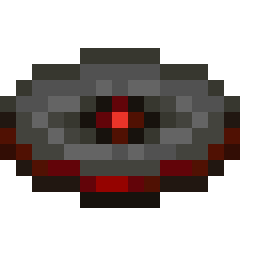
🔍 Analysis
- 👍 0.1% endorsement rate
- 🏆 #8 of 33 game-mechanics mods in this game by downloads
📋 About This Mod
## Custom Discs Custom Discs lets you play **your own music** in Minecraft jukeboxes. Upload any `.wav`, `.mp3` or `.ogg` file straight from an in-game screen, drop the disc in a jukebox, and everyone nearby hears it — in sync, with full 3D positional audio. No accounts, no external hosting, no URLs: every track is stored and streamed by the server you're already playing on. ### Features - **In-game upload** — pick a file with `/disc upload`, no config editing - **3D positional audio**; works with Sound Physics Remastered - **Synced for everyone** — all players in range hear the same track at the same moment - **Server-side controls** — upload size limit, total storage cap, per-player file limit, cooldown, and a configurable permission level for every command - **Client cache** with a size limit, plus an opt-out for players who don't want to receive audio ### Commands - `/disc upload` — open the upload screen - `/disc list` — list uploaded files with size and uploader - `/disc delete <file>` — remove an uploaded file ### Requirements NeoForge **21.1.x** for Minecraft **1.21.1**.
## Custom Discs
Custom Discs lets you play your own music in Minecraft jukeboxes. Upload any `.wav`, `.mp3` or `.ogg` file straight from an in-game screen, drop the disc in a jukebox, and everyone nearby hears it — in sync, with full 3D positional audio.
No accounts, no external hosting, no URLs: every track is stored and streamed by the server you're already playing on.
### Features
- In-game upload — pick a file with `/disc upload`, no config editing
- 3D positional audio; works with Sound Physics Remastered
- Synced for everyone — all players in range hear the same track at the same moment
- Server-side controls — upload size limit, total storage cap, per-player file limit, cooldown, and a configurable permission level for every command
- Client cache with a size limit, plus an opt-out for players who don't want to receive audio
### Commands
- `/disc upload` — open the upload screen
- `/disc list` — list uploaded files with size and uploader
- `/disc delete
` — remove an uploaded file
### Requirements
NeoForge 21. 1.x for Minecraft 1. 21. 1.
📊 Mod Details
- Game
- Minecraft Mods
- Author
- MotVARD
- Version
- 1.1.0
- Downloads
- 1,962
- Endorsements
- 1
- Category
- game-mechanics
- Created
- 5/31/2026
- Updated
- 6/29/2026
- Game Versions
- 1.21.1
- Tags
- game-mechanics, utility
🔧 How to Install Minecraft Mods Mods
Download from Modrinth. Use Prism Launcher or drop into your mods folder.
📖 Full step-by-step install guide for Minecraft Mods →
Visit the official mod page for specific installation instructions for this mod.
🎮 Need cheat codes or console commands? Check ur gaming wiki for Minecraft Mods commands, item IDs, and more.
❓ Frequently Asked Questions
Which Minecraft Mods versions does Custom Discs support?
The author lists 1.21.1. Other versions may work but are untested by the author.
What is the latest version of Custom Discs?
Version 1.1.0, published 2026-06-29 with 1,962 downloads recorded at the source.
Keep browsing — more Minecraft Mods mods await