Create: Templates & Gears
🟡 Updated this year⚠️ Install Order · 2 steps
Install in this order, then this mod last — most mods fail to load without their framework and dependencies in place.
🖼️ Gallery (4 images)
🔍 Analysis
- 👍 0.1% endorsement rate
- 🏆 #125 of 236 equipment mods in this game by downloads
📋 About This Mod
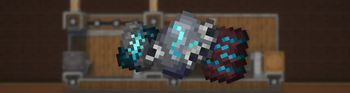
# *IMPORTANT* * This mod **requires** (https://modrinth.com/mod/create) and (https://modrinth.com/mod/create-enchantment-industry). * This mod is compatible with (https://modrinth.com/mod/more-armor-trims). --- !(https://cdn.modrinth.com/data/ubfQJZV7/images/5b7682b5f373f2dfd90561cda9c96f642bec0990.png) ## _Description_ This mod adds a complex, immersive, and fully automated way to craft Armor Trim Smithing Templates using Create machines and experience fluid. Forget vanilla loot tables — now you **build your trims like an engineer**. ## 🔨 _Making the Shards_ The first step is to craft a **base shard** using various Create machines like the Press and the Basin. Each trim starts its journey as a raw material processed with care. <table> <tr> <td><img src="https://cdn.modrinth.com/data/ubfQJZV7/images/b09335ec2e2ff22b59a15e33d608c1e3012b2c16.png" alt="recipe 1" width="100%"/></td> <td><img src="https://cdn.modrinth.com/data/ubfQJZV7/images/dc2188dbed5a3af200a1734f869050a76be676c7.png" alt="recipe 2" width="100%"/></td> </tr> </table> - In the first recipe, **Some Stones is pressed into a flat sheet**, forming the basis of the trim’s structure. - Then, **some item like echo or moss is added** inside a basin and pressed, producing a charged and purified core shard. - Each Trim got there personnal recipe check it with **JEI** mod. ## ⚙️ _Assembling the Shard_ With the base shards ready, the real process begins. You’ll need to: - Use **Mechanical Arms** to deploy Diamond Shard. - Run them through **Sequenced Assembly**, where each action upgrades the item step by step. - Finally, **inject XP fluid** into the item using a **Spout** to awaken its full potential. !(https://cdn.modrinth.com/data/ubfQJZV7/images/0e022043c8b0b17eaae2f0b4e9a821ebf6040b64.png) > Every trim has a different flavor — some require specific coral types, others need rare materials like diamonds or nether components. > The XP injection is what **activates the shard**, making it usable as a Smithing Template. ## ✅ _Result_ After these steps, you’ll have a **fully functional Armor Trim Template** — obtained through automation, logic, and style. Perfect for tech-based survival worlds or modpacks aiming to reduce RNG and promote **player-driven progression**.
# IMPORTANT
This mod requires (https://modrinth.com/mod/create) and (https://modrinth.com/mod/create-enchantment-industry). This mod is compatible with (https://modrinth.com/mod/more-armor-trims).
!(https://cdn.modrinth.com/data/ubfQJZV7/images/5b7682b5f373f2dfd90561cda9c96f642bec0990.png)
## _Description_ This mod adds a complex, immersive, and fully automated way to craft Armor Trim Smithing Templates using Create machines and experience fluid.
Forget vanilla loot tables — now you build your trims like an engineer.
## 🔨 _Making the Shards_
The first step is to craft a base shard using various Create machines like the Press and the Basin. Each trim starts its journey as a raw material processed with care.
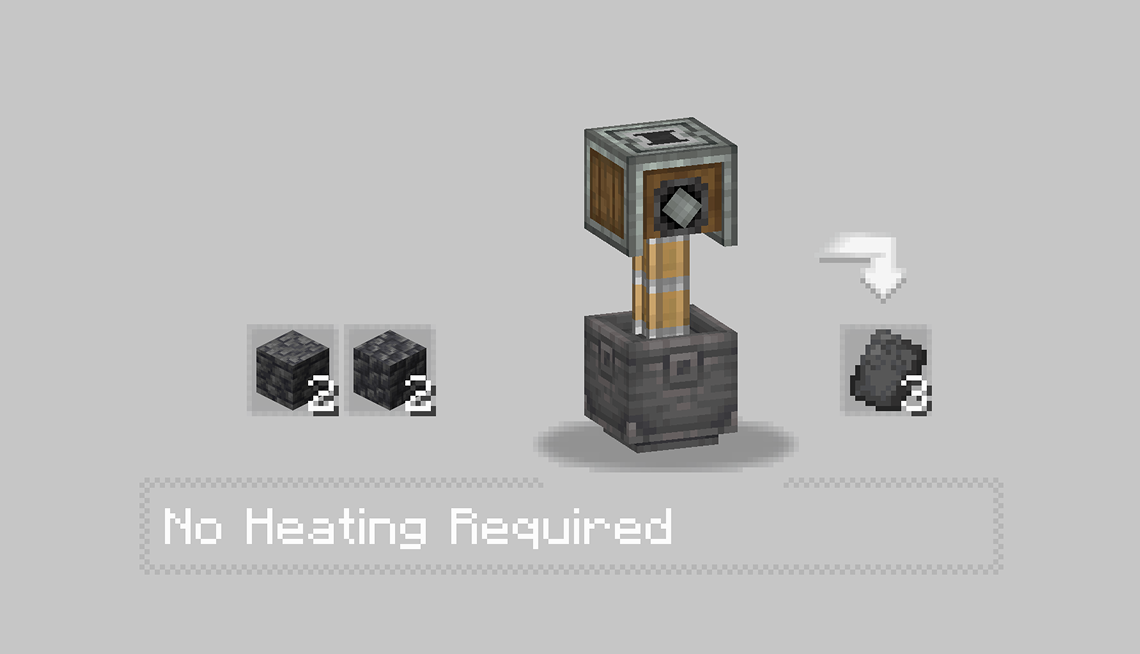 |
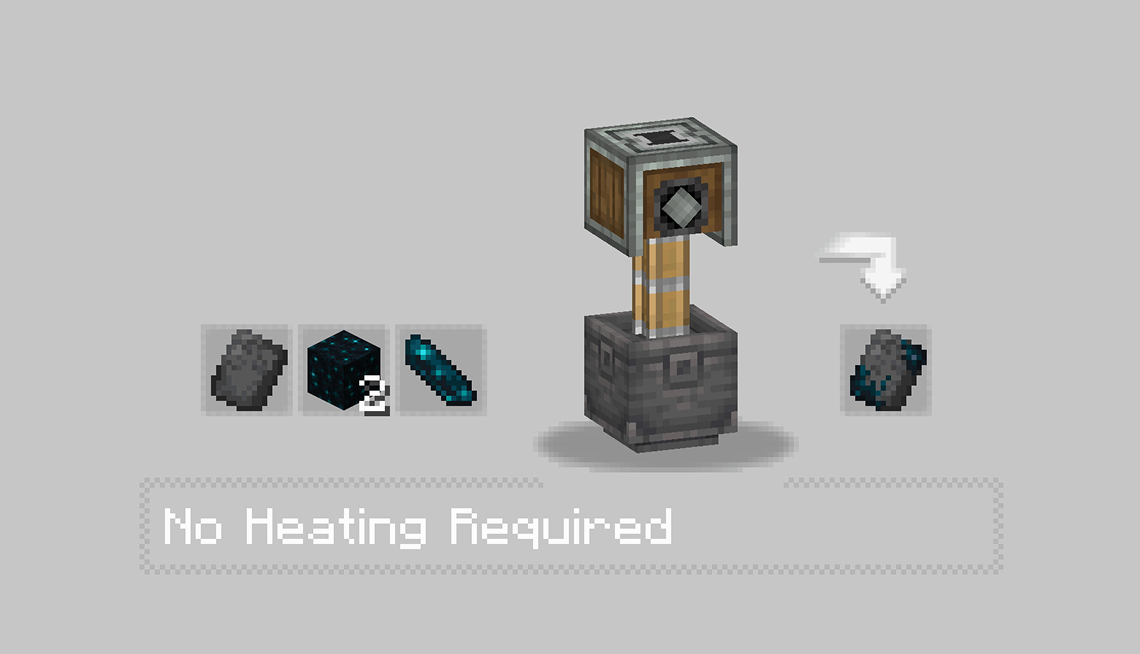 |
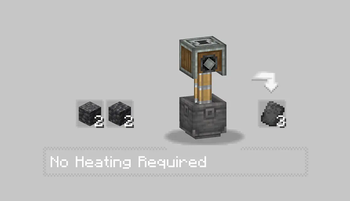
- In the first recipe, Some Stones is pressed into a flat sheet, forming the basis of the trim’s structure.
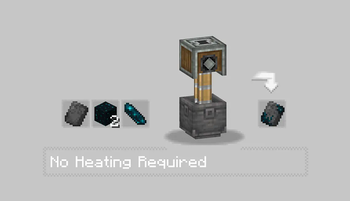
- Then, some item like echo or moss is added inside a basin and pressed, producing a charged and purified core shard.
- Each Trim got there personnal recipe check it with JEI mod.
## ⚙️ _Assembling the Shard_
With the base shards ready, the real process begins.
You’ll need to:
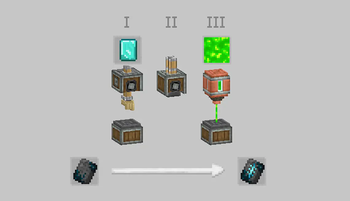
- Use Mechanical Arms to deploy Diamond Shard.
- Run them through Sequenced Assembly, where each action upgrades the item step by step.
- Finally, inject XP fluid into the item using a Spout to awaken its full potential.
!(https://cdn.modrinth.com/data/ubfQJZV7/images/0e022043c8b0b17eaae2f0b4e9a821ebf6040b64.png)
> Every trim has a different flavor — some require specific coral types, others need rare materials like diamonds or nether components. > The XP injection is what activates the shard, making it usable as a Smithing Template.
## ✅ _Result_
After these steps, you’ll have a fully functional Armor Trim Template — obtained through automation, logic, and style. Perfect for tech-based survival worlds or modpacks aiming to reduce RNG and promote player-driven progression.
📊 Mod Details
- Game
- Minecraft Mods
- Author
- suAptInstallKuma
- Version
- 1.2.2
- Downloads
- 12,499
- Endorsements
- 14
- Category
- equipment
- Created
- 8/1/2025
- Updated
- 3/23/2026
- Game Versions
- 1.21.1
- Tags
- equipment, technology, utility
🔧 How to Install Minecraft Mods Mods
Download from Modrinth. Use Prism Launcher or drop into your mods folder.
📖 Full step-by-step install guide for Minecraft Mods →
Visit the official mod page for specific installation instructions for this mod.
🎮 Need cheat codes or console commands? Check ur gaming wiki for Minecraft Mods commands, item IDs, and more.
❓ Frequently Asked Questions
Which Minecraft Mods versions does Create: Templates & Gears support?
The author lists 1.21.1. Other versions may work but are untested by the author.
What is the latest version of Create: Templates & Gears?
Version 1.2.2, published 2026-03-23 with 12,499 downloads recorded at the source.
Keep browsing — more Minecraft Mods mods await