Create: Networking
🟡 Updated this year⚠️ Install Order · 2 steps
Install in this order, then this mod last — most mods fail to load without their framework and dependencies in place.
🖼️ Gallery (8 images)
🔍 Analysis
- 👍 1.6% endorsement rate — high engagement, a strong quality signal
- 🏆 #4 of 10 management mods in this game by downloads
📋 About This Mod
# Create: Networking **Create: Networking** is an unofficial Create addon for building controlled kinetic power networks, multiplayer banking systems, physical markets and automated economic infrastructure. It expands Create with network protection, provider/customer power contracts, configurable banks, ATMs, physical currency, real warehouse-backed markets, Trade Terminals, persistent orders and physical package delivery using Create logistics. The goal is to let players build anything from a protected workshop or small private bank to large server-wide power grids, automated warehouses and fully connected economic networks. --- # Kinetic Network Infrastructure ## Network Limiter Control how much kinetic Stress Unit capacity can pass between different parts of a network. Network Limiters can: * Define clear input and output directions * Reserve capacity for connected systems * Monitor transferred stress * React to overloads and invalid network layouts * Separate provider and customer infrastructure They are designed for larger Create networks where power distribution should behave more like managed infrastructure rather than one unrestricted mechanical network. --- ## Contract Anchor Create monitored provider/customer connections for kinetic power delivery. Contract Anchors represent controlled supply boundaries between different sections of a Create network and provide visual feedback about the current connection state. They can be used to build systems where one player, company or network provides rotational power to another. --- ## Compact Fuse Protect smaller machine branches with a local mechanical failsafe. Compact Fuses can isolate individual sections before a problem affects the wider network. ### Fuse Tiers Different fuse materials provide different protection characteristics: * Zinc * Copper * Brass --- ## Limiter Controller Configure and inspect Network Limiters, including their direction and available capacity. --- ## Network Connector The **Network Connector** is the main connection tool used throughout Create: Networking. It is used to establish relationships between compatible blocks across both the kinetic and economic systems. Depending on the blocks involved, it can connect things such as: * Network infrastructure * Economic devices * Trade Terminals * Order Interfaces * Economic Links * Storage branches * Create Stock Links --- # Economics Create: Networking includes a multiplayer-focused banking, market and logistics system built around **Network Credits (NC)**. Instead of relying on virtual shops that simply create purchased items, the economic system can use **real items stored inside real Create warehouses** and physically transport customer orders through Create logistics. --- # Economic Controller The **Economic Controller** is the central management block of an economic network. A Controller represents one bank/network and manages its connected infrastructure. Its current interface includes: * **Overview** * **Branding** * **Market** * **Storage** * **Orders** * **Screens** The Overview provides a summary of the network, including connected devices, reserve information, storage nodes, market listings, Pickup Stations and Display Boards. --- ## Branding Banks can define their own identity and distribute visual presets across compatible devices. Current network presets include: * CN Blue * CN Green * CN Red Bank names and branding can be shared with connected Trade Terminals, Order Interfaces and other supported economic devices. More visual customization is planned as the UI system continues to evolve. --- # ATM Banking ATMs provide the player-facing banking interface. Players can use them for: * Opening and accessing accounts * Depositing physical currency * Withdrawing available funds * Transferring Network Credits * Issuing Bank Cards * Replacing Bank Cards * Viewing balances and transaction feedback ATM owners can also configure visual branding and physical screen imagery. The ATM interface and customization system will continue to receive additional polish during the beta. --- # Secure Bank Cards Bank Cards can be issued through connected ATMs and are bound to their owner and economic network. Replacement cards invalidate older issues, while copied or stale cards are rejected by the server. Multiple visual card variants are available. --- # Physical Currency Network Credits can also exist as physical currency. The mod currently includes: ### Coins * Copper * Zinc * Brass ### Notes * 5 NC * 10 NC * 20 NC * 50 NC * 100 NC Physical currency can be deposited into ATMs and withdrawn from bank accounts. Currency is intentionally not normally craftable, allowing banks and server operators to control issuance and reserves. --- # Market System The Economic Controller can turn a connected warehouse into a configurable marketplace. Items detected inside the storage network can be listed for sale and configured ind
# Create: Networking
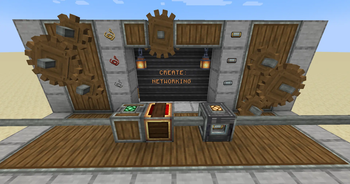
Create: Networking is an unofficial Create addon for building controlled kinetic power networks, multiplayer banking systems, physical markets and automated economic infrastructure.
It expands Create with network protection, provider/customer power contracts, configurable banks, ATMs, physical currency, real warehouse-backed markets, Trade Terminals, persistent orders and physical package delivery using Create logistics.
The goal is to let players build anything from a protected workshop or small private bank to large server-wide power grids, automated warehouses and fully connected economic networks.
# Kinetic Network Infrastructure
## Network Limiter
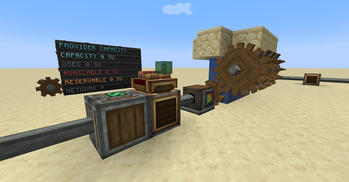
Control how much kinetic Stress Unit capacity can pass between different parts of a network.
Network Limiters can:
Define clear input and output directions Reserve capacity for connected systems Monitor transferred stress React to overloads and invalid network layouts Separate provider and customer infrastructure
They are designed for larger Create networks where power distribution should behave more like managed infrastructure rather than one unrestricted mechanical network.
## Contract Anchor
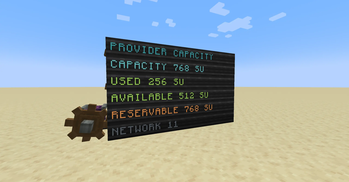
Create monitored provider/customer connections for kinetic power delivery.
Contract Anchors represent controlled supply boundaries between different sections of a Create network and provide visual feedback about the current connection state.
They can be used to build systems where one player, company or network provides rotational power to another.
## Compact Fuse
Protect smaller machine branches with a local mechanical failsafe.
Compact Fuses can isolate individual sections before a problem affects the wider network.
### Fuse Tiers
Different fuse materials provide different protection characteristics:
Zinc Copper Brass
## Limiter Controller
Configure and inspect Network Limiters, including their direction and available capacity.
## Network Connector
The Network Connector is the main connection tool used throughout Create: Networking.
It is used to establish relationships between compatible blocks across both the kinetic and economic systems.
Depending on the blocks involved, it can connect things such as:
Network infrastructure Economic devices Trade Terminals Order Interfaces Economic Links Storage branches Create Stock Links
# Economics
Create: Networking includes a multiplayer-focused banking, market and logistics system built around Network Credits (NC).
Instead of relying on virtual shops that simply create purchased items, the economic system can use real items stored inside real Create warehouses and physically transport customer orders through Create logistics.
# Economic Controller
The Economic Controller is the central management block of an economic network.
A Controller represents one bank/network and manages its connected infrastructure.
Its current interface includes:
Overview Branding Market Storage Orders Screens
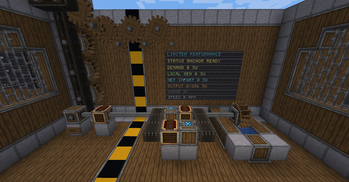
The Overview provides a summary of the network, including connected devices, reserve information, storage nodes, market listings, Pickup Stations and Display Boards.
## Branding
Banks can define their own identity and distribute visual presets across compatible devices.
Current network presets include:
CN Blue CN Green CN Red
Bank names and branding can be shared with connected Trade Terminals, Order Interfaces and other supported economic devices.
More visual customization is planned as the UI system continues to evolve.
# ATM Banking
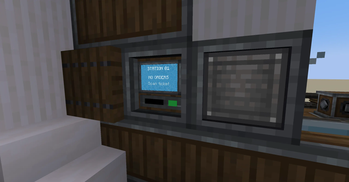
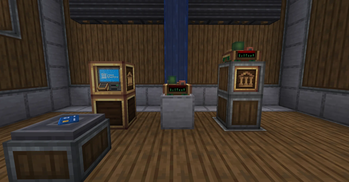
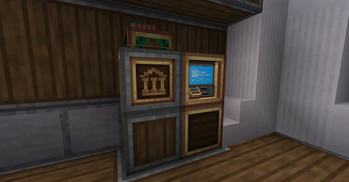
ATMs provide the player-facing banking interface.
Players can use them for:
Opening and accessing accounts Depositing physical currency Withdrawing available funds Transferring Network Credits Issuing Bank Cards Replacing Bank Cards Viewing balances and transaction feedback
ATM owners can also configure visual branding and physical screen imagery.
The ATM interface and customization system will continue to receive additional polish during the beta.
# Secure Bank Cards
Bank Cards can be issued through connected ATMs and are bound to their owner and economic network.
Replacement cards invalidate older issues, while copied or stale cards are rejected by the server.
Multiple visual card variants are available.
# Physical Currency
Network Credits can also exist as physical currency.
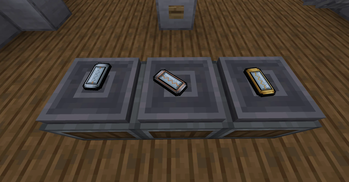
The mod currently includes:
Copper Zinc Brass
5 NC 10 NC 20 NC 50 NC * 100 NC
Physical currency can be deposited into ATMs and withdrawn from bank accounts.
Currency is intentionally not normally craftable, allowing banks and server operators to control issuance and reserves.
# Market System
The Economic Controller can turn a connected warehouse into a configurable marketplace.
Items detected inside the storage network can be listed for sale and configured ind
📊 Mod Details
- Game
- Minecraft Mods
- Author
- ordovicium
- Version
- 0.1.7-beta
- Downloads
- 551
- Endorsements
- 9
- Category
- management
- Created
- 7/14/2026
- Updated
- 8/27/2026
- Game Versions
- 1.21.1
- Tags
- management, technology, utility
🔧 How to Install Minecraft Mods Mods
Download from Modrinth. Use Prism Launcher or drop into your mods folder.
📖 Full step-by-step install guide for Minecraft Mods →
Visit the official mod page for specific installation instructions for this mod.
🎮 Need cheat codes or console commands? Check ur gaming wiki for Minecraft Mods commands, item IDs, and more.
❓ Frequently Asked Questions
Which Minecraft Mods versions does Create: Networking support?
The author lists 1.21.1. Other versions may work but are untested by the author.
What is the latest version of Create: Networking?
Version 0.1.7-beta, published 2026-08-27 with 551 downloads recorded at the source.
Keep browsing — more Minecraft Mods mods await