CPM Animator Utils
🟡 Updated this year⚠️ Install Order · 2 steps
Install in this order, then this mod last — most mods fail to load without their framework and dependencies in place.
🖼️ Gallery (7 images)
🔍 Analysis
- 👍 0.3% endorsement rate
- 🏆 #148 of 874 fabric mods in this game by downloads
📋 About This Mod
**CPM Animator Utils** is a Quality-of-Life (QoL) utility designed to enhance the animation workflow within the **Customizable Player Models (CPM)** mod. It provides advanced tools for managing, editing, and organizing animation frames, allowing creators to produce complex movements with significantly less manual effort. --- ## Overview The animation system in CPM is powerful, but managing projects with dozens of frames and complex bone structures can become a bottleneck for creators. **CPM Animator Utils** addresses this by introducing a more streamlined approach to frame manipulation. Whether you are a professional modeler or a beginner, this tool is designed to make the "boring" part of animating, like duplicating, shifting, and organizing frames, as fast as possible, so you can focus on the creative side of your models. --- ## Features **Dynamic Timeline Workflow** The enhanced timeline interface is built for high-performance editing, providing a more fluid experience when navigating through hundreds of individual animation keys. !(https://media.forgecdn.net/attachments/description/null/description_460b13be-4998-4808-b0a2-4e1884010a66.gif) **Interactive Playhead Scrubbing** Effortlessly drag the red playhead across the timeline to preview your animation in real-time. This allows for frame-by-frame inspection and immediate feedback on motion smoothing without needing to hit play. !(https://media.forgecdn.net/attachments/description/null/description_7a6ce836-1d84-4cc0-9b66-573a5614532d.gif) **Frame Color-Coding (Painting)** Organize your project visually by "painting" frames with specific colors. Use this to categorize different animation states—such as startup, active, and recovery frames—improving workspace readability at a glance. !(https://media.forgecdn.net/attachments/description/null/description_59c449de-cb3a-4c4f-922a-63f421a6526b.gif) **Drag-and-Drop Frame Management** Rearrange your animation sequence instantly. You can click and drag frames to new positions on the timeline, making it easy to experiment with timing and order without manual data entry. !(https://media.forgecdn.net/attachments/description/null/description_4af7bfcc-9299-4d86-bbad-44ca1a98c968.gif) **Hierarchical Folder Grouping** Keep your model tree clean by grouping bones and blocks into organized folders. This is essential for complex models, allowing you to collapse or expand entire sections of the rig to focus on what matters. !(https://media.forgecdn.net/attachments/description/null/description_dc7d84c1-8f18-4951-91e9-d23d9fc7db9f.gif) **Advanced Shift-Selection** Standardized multi-selection support is here. Use Shift-Selection to pick multiple bones or blocks simultaneously, allowing you to perform bulk rotations, translations, or visibility toggles in a single step. !(https://media.forgecdn.net/attachments/description/null/description_ba56214d-8ad4-40c5-8bc9-0ecce03bc635.gif) **Pivot Alignment Utility** Streamline your rigging process with the dedicated pivot alignment tool. Quickly snap and align pivots to specific coordinates or vertices, ensuring perfect rotations for every joint in your model. !(https://media.forgecdn.net/attachments/description/null/description_60d4fa56-d9e4-4de1-bb90-75fe4866c012.gif) --- ## Compatibility **Minecraft Version**: 1.18.2 to 1.21.x **Mod Loader**: Forge 40.0.0+ **Required Dependency**: (https://www.curseforge.com/minecraft/mc-mods/custom-player-models) **Side**: Client-side (Modeling tool) --- ## Why This Mod? For serious animators, time is the most valuable resource. **CPM Frame Editor** doesn't change what CPM can do; it changes **how fast** you can do it. By removing the repetitive manual tasks of the animation process, it turns a complex modeling session into a smooth experience. --- ## Credits **Author**: (https://x.com/SatPhoe) (https://ko-fi.com/img/githubbutton_sm.svg)](https://ko-fi.com/satdphoe) (https://img.shields.io/badge/Donate-PayPal-green.svg)](https://paypal.me/SatDPhoe)
CPM Animator Utils is a Quality-of-Life (QoL) utility designed to enhance the animation workflow within the Customizable Player Models (CPM) mod. It provides advanced tools for managing, editing, and organizing animation frames, allowing creators to produce complex movements with significantly less manual effort.
## Overview
The animation system in CPM is powerful, but managing projects with dozens of frames and complex bone structures can become a bottleneck for creators. CPM Animator Utils addresses this by introducing a more streamlined approach to frame manipulation.
Whether you are a professional modeler or a beginner, this tool is designed to make the "boring" part of animating, like duplicating, shifting, and organizing frames, as fast as possible, so you can focus on the creative side of your models.
## Features
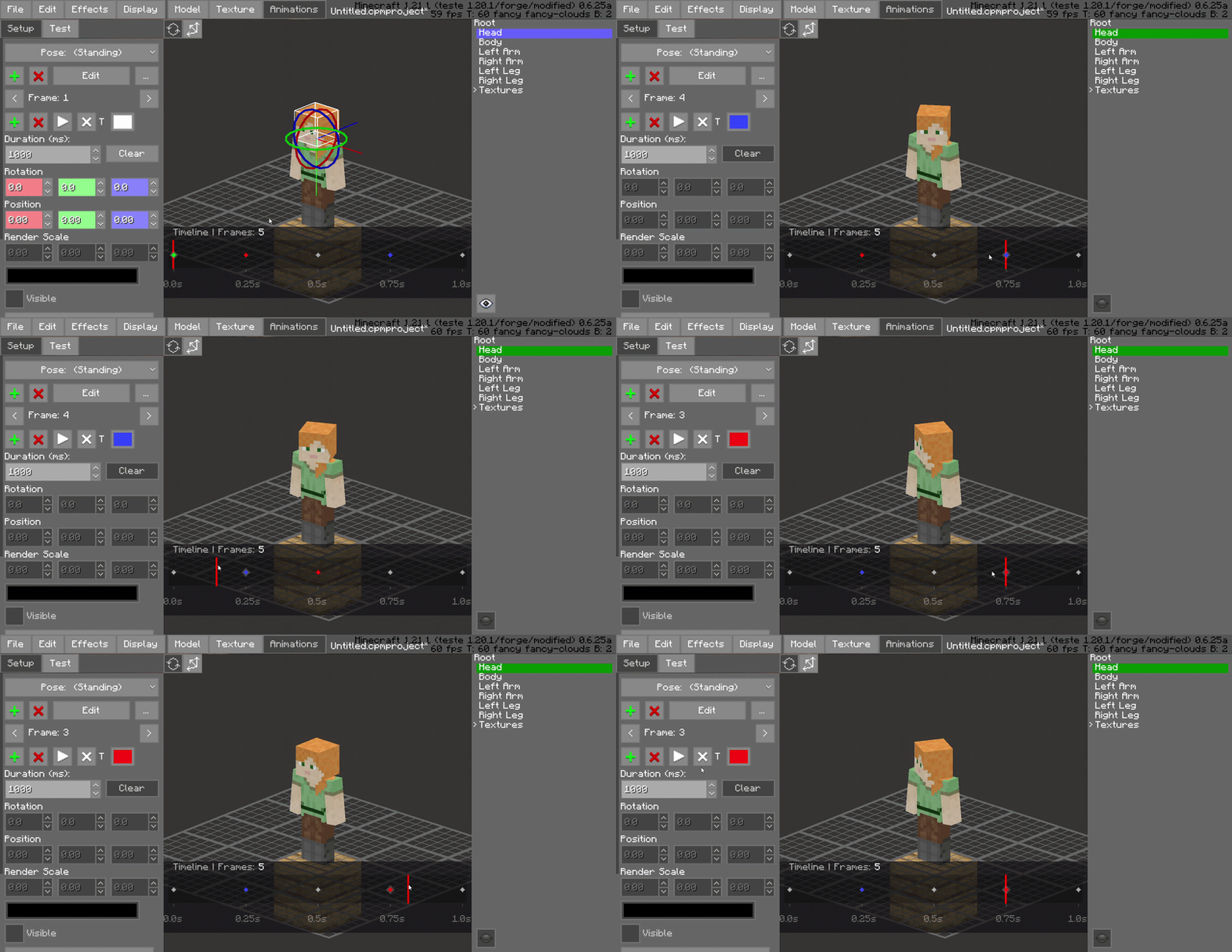
Dynamic Timeline Workflow
The enhanced timeline interface is built for high-performance editing, providing a more fluid experience when navigating through hundreds of individual animation keys.
!(https://media.forgecdn.net/attachments/description/null/description_460b13be-4998-4808-b0a2-4e1884010a66.gif)
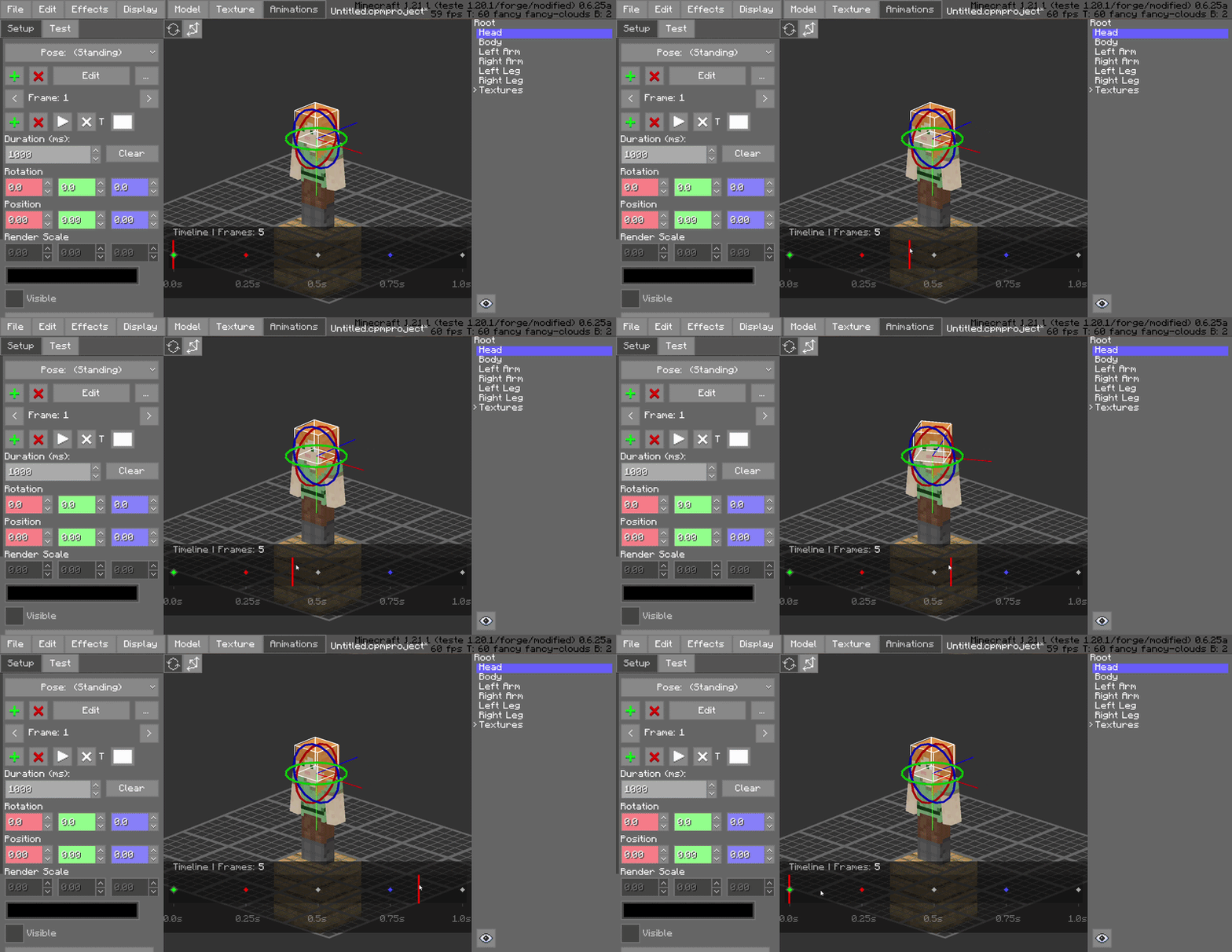
Interactive Playhead Scrubbing
Effortlessly drag the red playhead across the timeline to preview your animation in real-time. This allows for frame-by-frame inspection and immediate feedback on motion smoothing without needing to hit play.
!(https://media.forgecdn.net/attachments/description/null/description_7a6ce836-1d84-4cc0-9b66-573a5614532d.gif)
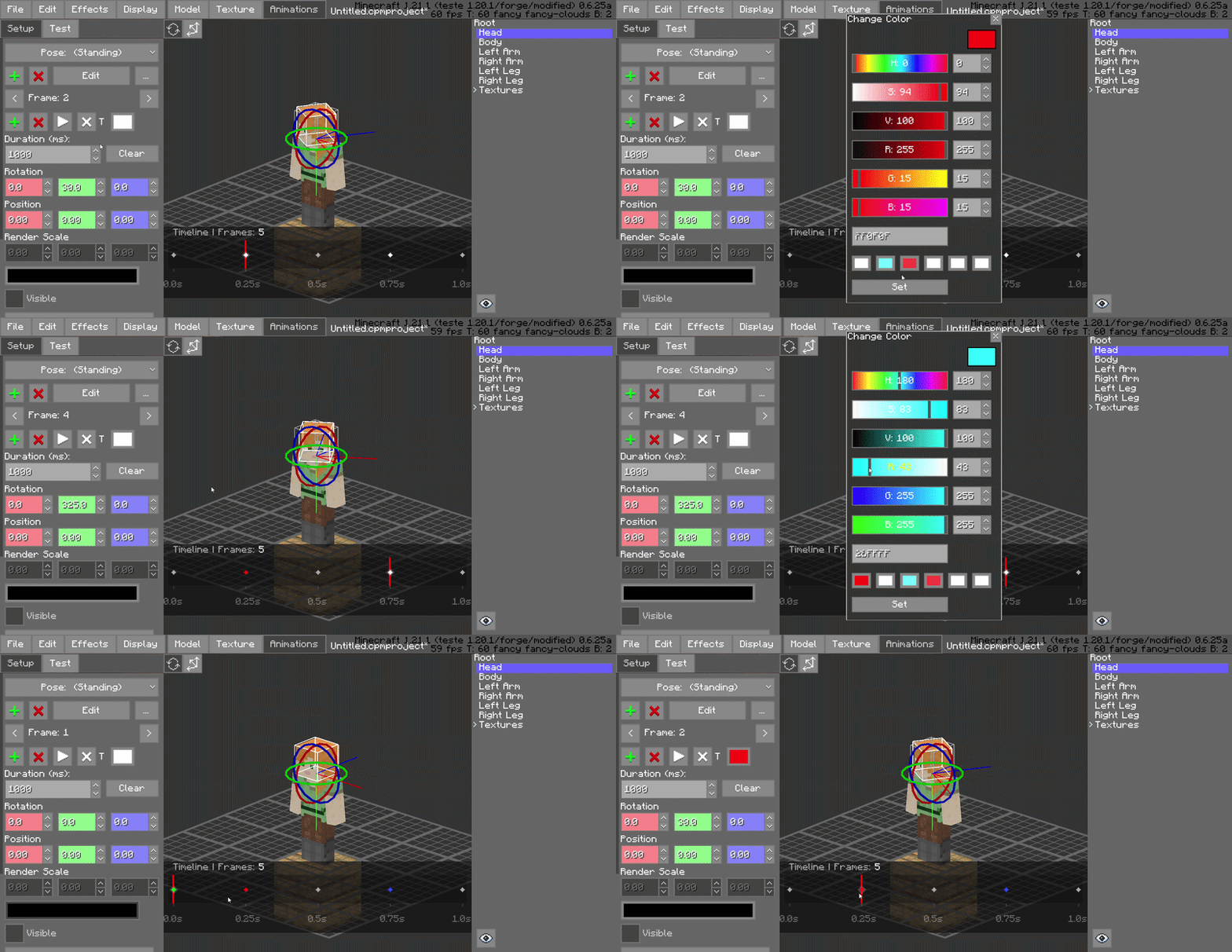
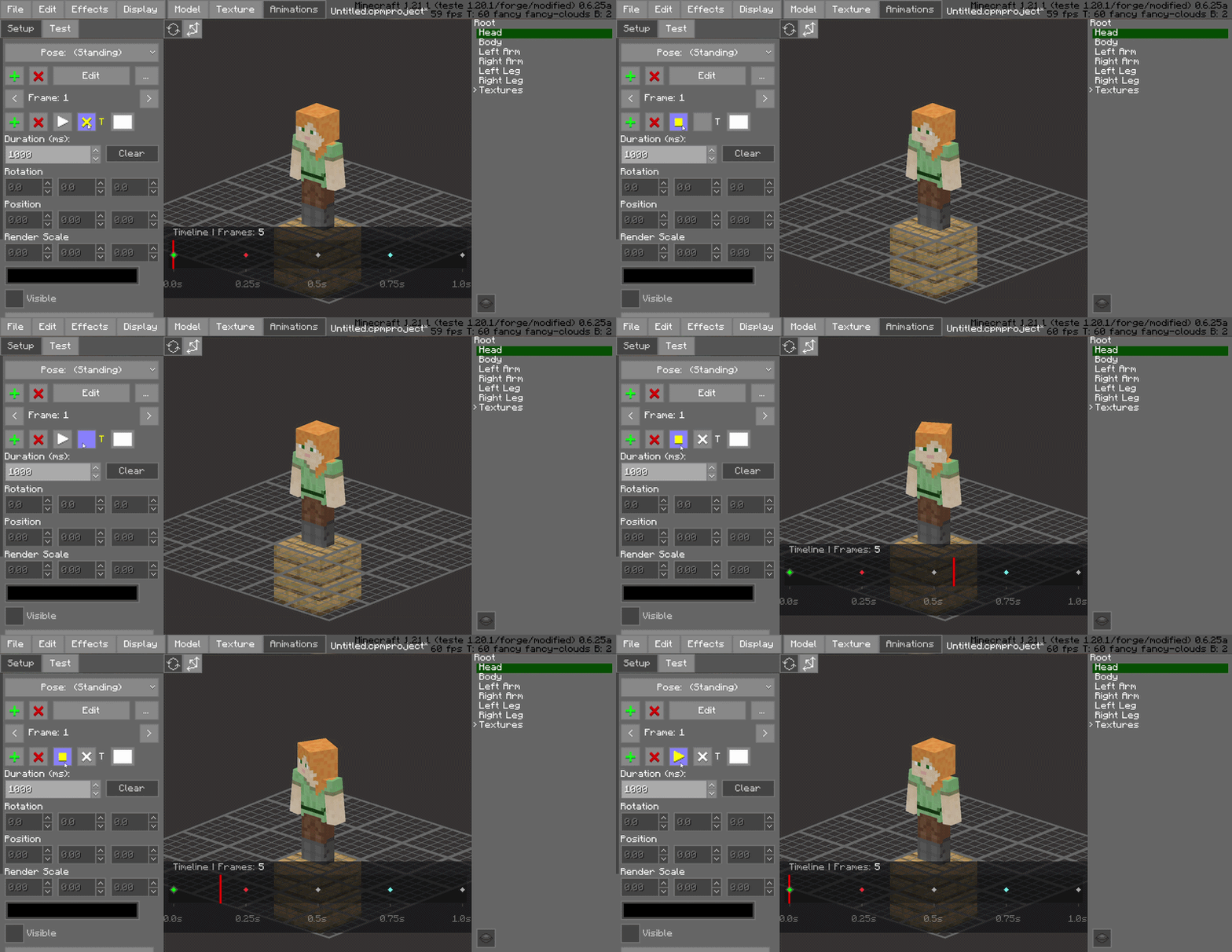
Frame Color-Coding (Painting)
Organize your project visually by "painting" frames with specific colors. Use this to categorize different animation states—such as startup, active, and recovery frames—improving workspace readability at a glance.
!(https://media.forgecdn.net/attachments/description/null/description_59c449de-cb3a-4c4f-922a-63f421a6526b.gif)
Drag-and-Drop Frame Management
Rearrange your animation sequence instantly. You can click and drag frames to new positions on the timeline, making it easy to experiment with timing and order without manual data entry.
!(https://media.forgecdn.net/attachments/description/null/description_4af7bfcc-9299-4d86-bbad-44ca1a98c968.gif)
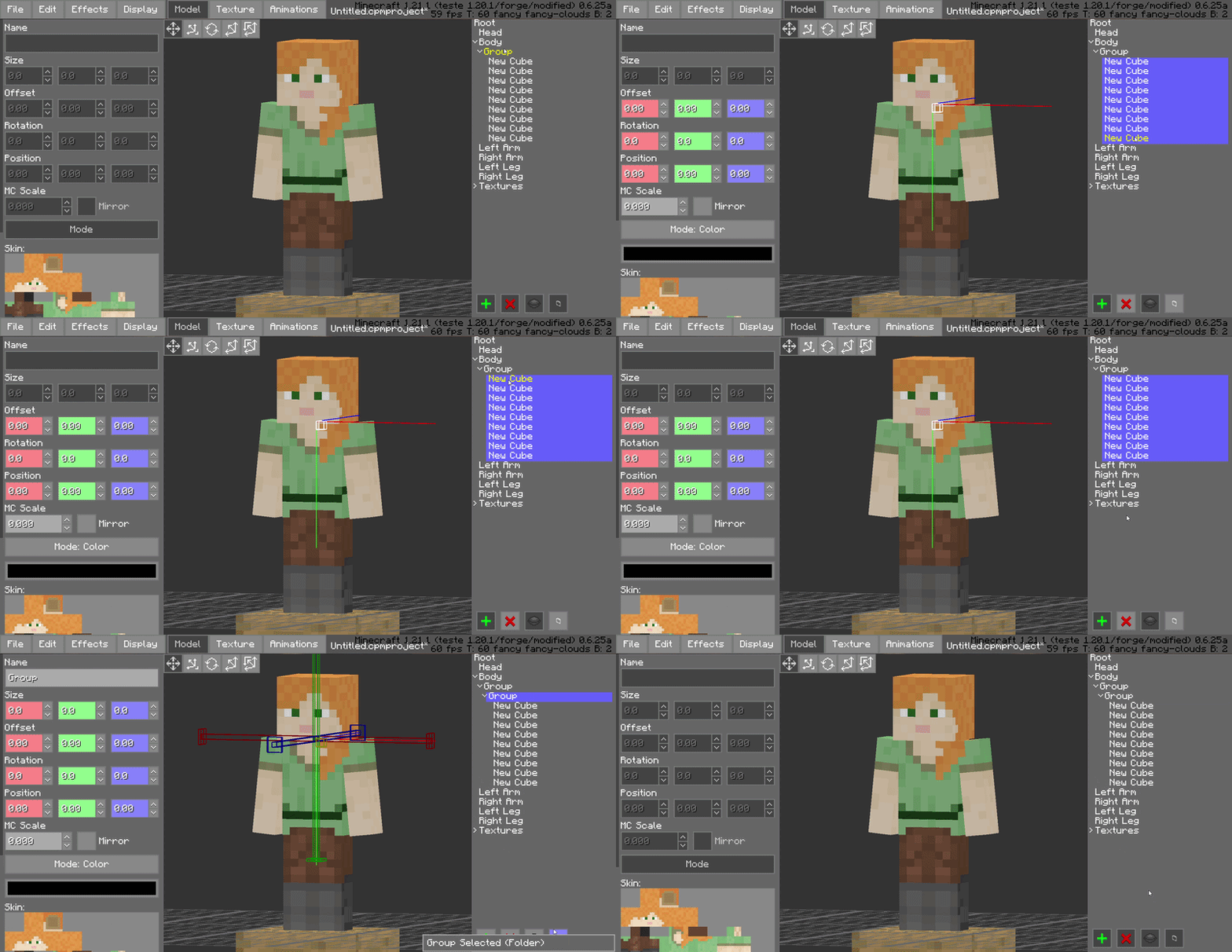
Hierarchical Folder Grouping
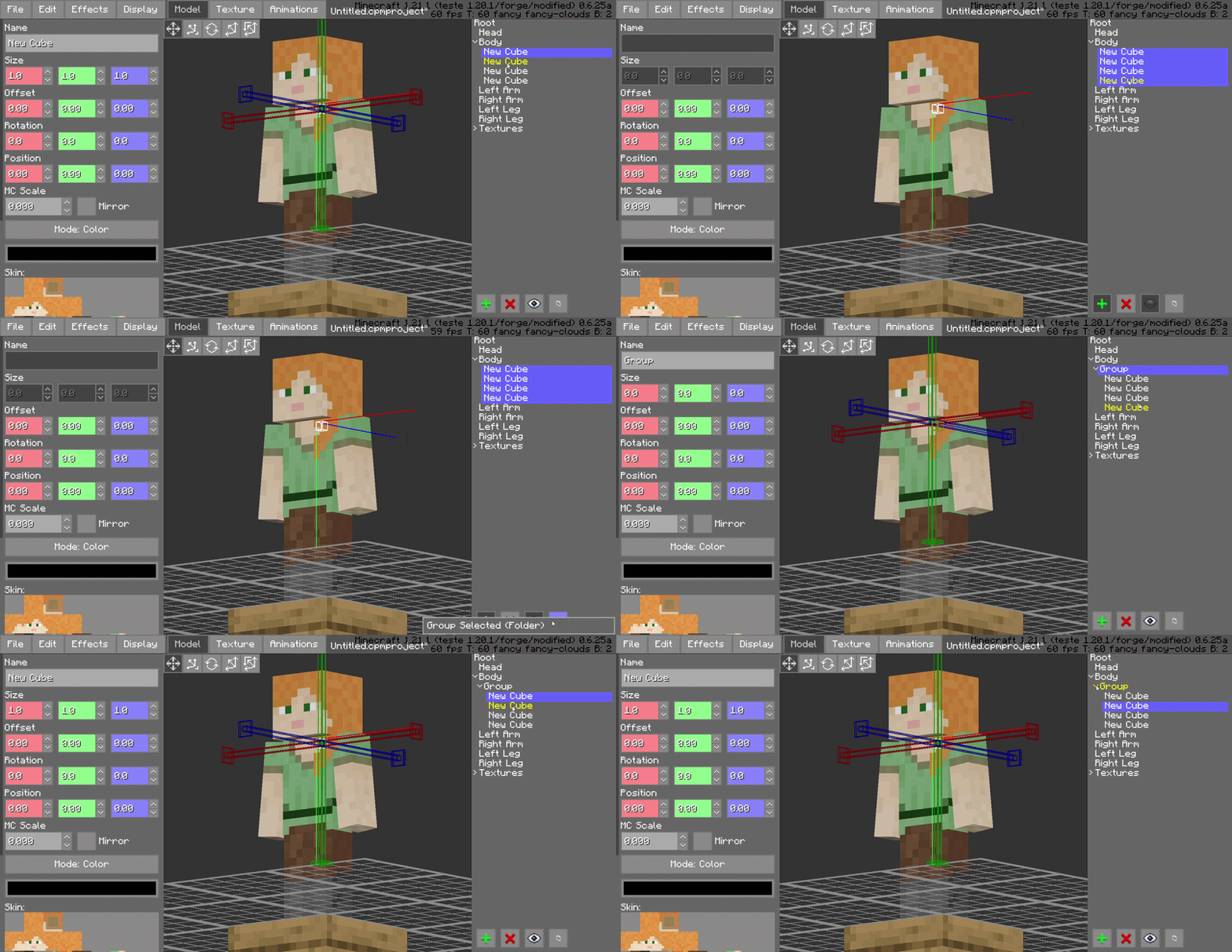
Keep your model tree clean by grouping bones and blocks into organized folders. This is essential for complex models, allowing you to collapse or expand entire sections of the rig to focus on what matters.
!(https://media.forgecdn.net/attachments/description/null/description_dc7d84c1-8f18-4951-91e9-d23d9fc7db9f.gif)
Advanced Shift-Selection
Standardized multi-selection support is here. Use Shift-Selection to pick multiple bones or blocks simultaneously, allowing you to perform bulk rotations, translations, or visibility toggles in a single step.
!(https://media.forgecdn.net/attachments/description/null/description_ba56214d-8ad4-40c5-8bc9-0ecce03bc635.gif)
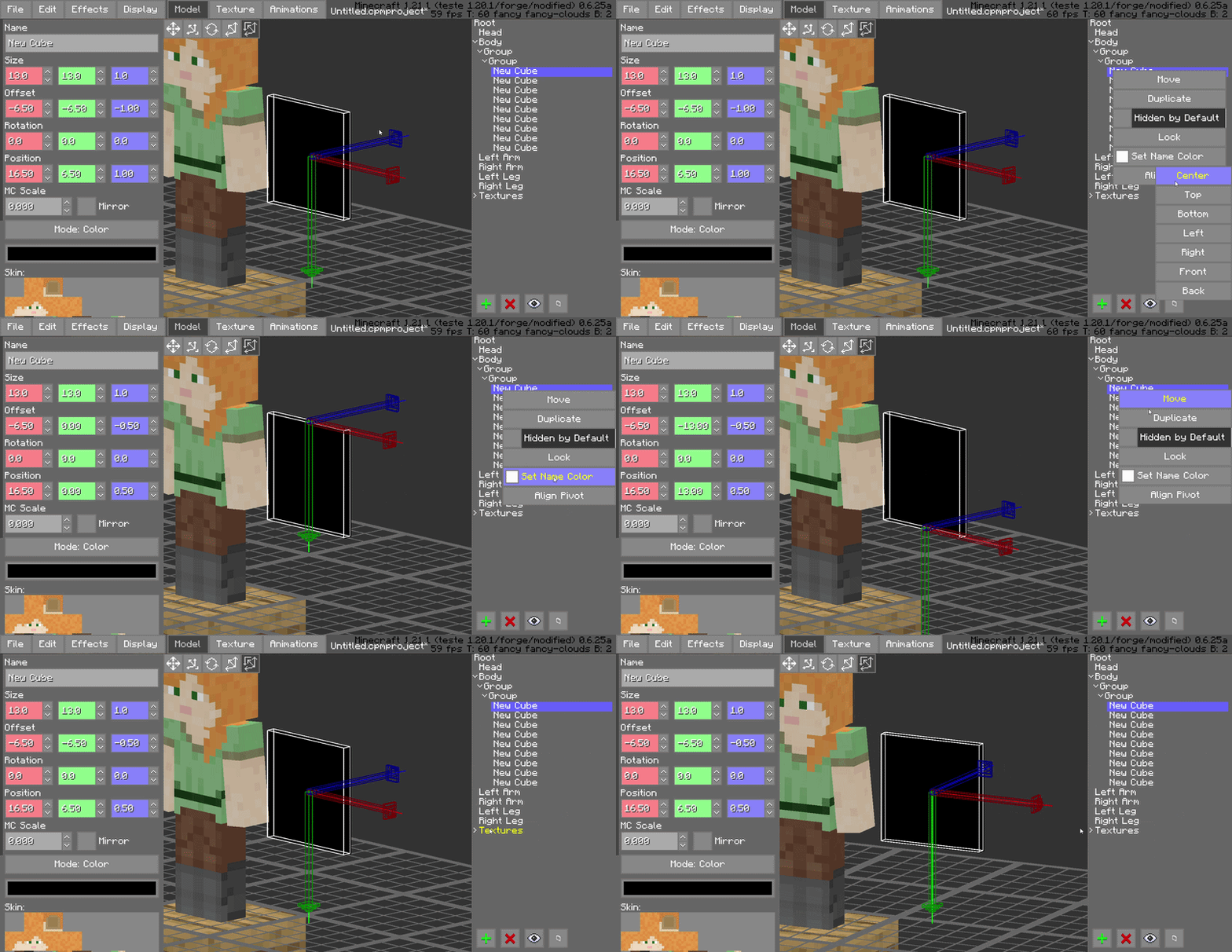
Pivot Alignment Utility
Streamline your rigging process with the dedicated pivot alignment tool. Quickly snap and align pivots to specific coordinates or vertices, ensuring perfect rotations for every joint in your model.
!(https://media.forgecdn.net/attachments/description/null/description_60d4fa56-d9e4-4de1-bb90-75fe4866c012.gif)
## Compatibility
Minecraft Version: 1. 18. 2 to 1. 21.x
Mod Loader: Forge 40. 0. 0+
Required Dependency: (https://www.curseforge.com/minecraft/mc-mods/custom-player-models)
Side: Client-side (Modeling tool)
## Why This Mod?
For serious animators, time is the most valuable resource. CPM Frame Editor doesn't change what CPM can do; it changes how fast you can do it. By removing the repetitive manual tasks of the animation process, it turns a complex modeling session into a smooth experience.
Author: (https://x.com/SatPhoe)
[!(https://ko-fi.com/img/githubbutton_sm.svg)](https://ko-fi.com/satdphoe)
[!(https://img.shields.io/badge/Donate-PayPal-green.svg)](https://paypal.me/SatDPhoe)
📊 Mod Details
- Game
- Minecraft Mods
- Author
- SatDPhoe
- Version
- 1.1.0
- Downloads
- 2,008
- Endorsements
- 6
- Category
- fabric
- Created
- 5/12/2026
- Updated
- 6/12/2026
- Game Versions
- 1.18.2, 1.19.1, 1.19.2, 1.20.1, 1.21.1
- Tags
- utility
🔧 How to Install Minecraft Mods Mods
Download from Modrinth. Use Prism Launcher or drop into your mods folder.
📖 Full step-by-step install guide for Minecraft Mods →
Visit the official mod page for specific installation instructions for this mod.
🎮 Need cheat codes or console commands? Check ur gaming wiki for Minecraft Mods commands, item IDs, and more.
❓ Frequently Asked Questions
Which Minecraft Mods versions does CPM Animator Utils support?
The author lists 1.18.2, 1.19.1, 1.19.2, 1.20.1, 1.21.1. Other versions may work but are untested by the author.
What is the latest version of CPM Animator Utils?
Version 1.1.0, published 2026-06-12 with 2,008 downloads recorded at the source.
Keep browsing — more Minecraft Mods mods await