CoreProtectNeo
🟡 Updated this year⚠️ Install Order · 2 steps
Install in this order, then this mod last — most mods fail to load without their framework and dependencies in place.
🖼️ Gallery (3 images)
🔍 Analysis
- 👍 0.2% endorsement rate
- 🏆 #2 of 5 management mods in this game by downloads
📋 About This Mod
# CoreProtectNeo **CoreProtectNeo** is a *server-side* block logging and rollback mod for **NeoForge 1.21.1**, inspired by CoreProtect. Record who changed what, inspect block history in chat, and roll back griefing by time — **clients do not need the mod**. > **Server-only mod.** All data is stored locally in SQLite. No MySQL or external services required. --- ## Features ### Block logging - Block **place** and **break** - **Interact** actions (doors, buttons, levers, etc.) - Container **open** and **close** - World-gen blocks are **not removed** on rollback if they were never logged !(https://cdn.modrinth.com/data/cached_images/6927bff0f44197e1bb1c37d96e54b3ecda01afa2.png) ### Container logging - Logs items **put into** and **taken from** chests, barrels, furnaces, and more - **Per-slot** tracking — rollback restores items to the correct slots - **Double chests** supported as one unit (both halves, 54 slots) - Item **icons** and registry IDs in inspect output (vanilla + modded items) !(https://cdn.modrinth.com/data/cached_images/706ea735d1fb120c784f83866152d98c05e07f8b.png) ### Player inventory logging - Tracks inventory changes over time - Rollback inventory by time ### Inspector — `/co i` - Available to **all players** - Left/right-click a block for full **paginated** history in chat - **◀ ▶** page navigation (like CoreProtect) - Action bar indicator when inspector is active - Short **UI click** sound on toggle ### Rollback — admin only - `/co rollback block <time>` — rollback the block you are looking at - `/co rollback area <radius> <time>` — rollback logged blocks in a radius - `/co rollback inventory <time>` — rollback your inventory - Time format: `30s`, `5m`, `1h`, `2d`, `1h 30m` - Success **sound** when rollback completes ### Nearby lookup — admin only - `/co near <radius>` — recent activity nearby (radius 1–50) - Paginated with `/co page` ### Localization Configure in `config/coreprotectneo-common.toml`: `language = "ru"` — Russian `language = "en"` — English *(alias: `eu`)* All mod messages use config language, not the client locale. --- ## Commands | Command | Access | Description | |---------|--------|-------------| | `/co i` | Everyone | Toggle block inspector | | `/co help` | Everyone | List all commands | | `/co page <n>` | Everyone | Browse history pages | | `/co near <radius>` | Admin (OP 2) | Logs near you | | `/co rollback block <time>` | Admin | Rollback looked-at block | | `/co rollback area <radius> <time>` | Admin | Rollback area | | `/co rollback inventory <time>` | Admin | Rollback your inventory | --- ## Requirements - **Minecraft:** 1.21.1 - **Loader:** NeoForge 21.1+ - **Side:** Server only --- ## Configuration **Config file:** `config/coreprotectneo-common.toml` **Database:** `config/coreprotectneo/database.db`
# CoreProtectNeo
CoreProtectNeo is a server-side block logging and rollback mod for NeoForge 1. 21. 1, inspired by CoreProtect. Record who changed what, inspect block history in chat, and roll back griefing by time — clients do not need the mod.
> Server-only mod. All data is stored locally in SQLite. No MySQL or external services required.
## Features
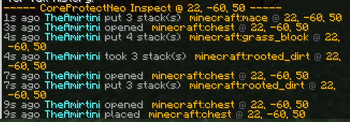
### Block logging - Block place and break - Interact actions (doors, buttons, levers, etc.) - Container open and close - World-gen blocks are not removed on rollback if they were never logged  ### Container logging - Logs items put into and taken from chests, barrels, furnaces, and more - Per-slot tracking — rollback restores items to the correct slots - Double chests supported as one unit (both halves, 54 slots) - Item icons and registry IDs in inspect output (vanilla + modded items) 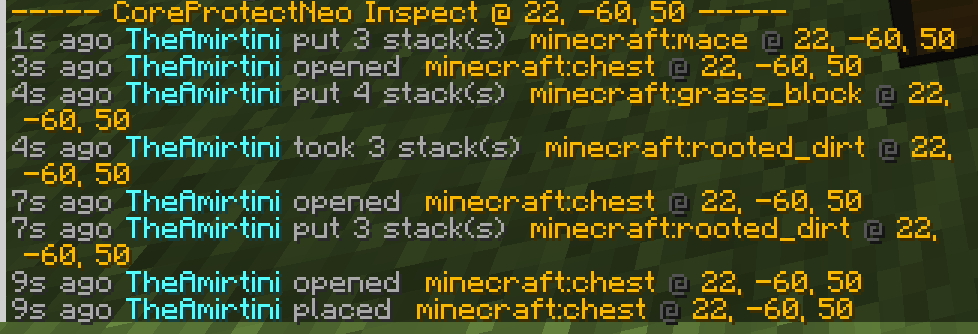 ### Player inventory logging - Tracks inventory changes over time - Rollback inventory by time
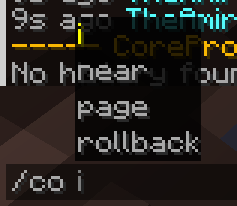
### Inspector — `/co i` - Available to all players - Left/right-click a block for full paginated history in chat - ◀ ▶ page navigation (like CoreProtect) - Action bar indicator when inspector is active - Short UI click sound on toggle
### Rollback — admin only - `/co rollback block
### Nearby lookup — admin only
- `/co near
### Localization Configure in `config/coreprotectneo-common.toml`:
`language = "ru"` — Russian `language = "en"` — English (alias: `eu`)
All mod messages use config language, not the client locale.
## Commands
| Command | Access | Description |
|---------|--------|-------------|
| `/co i` | Everyone | Toggle block inspector |
| `/co help` | Everyone | List all commands |
| `/co page
## Requirements
- Minecraft: 1. 21. 1
- Loader: NeoForge 21. 1+
- Side: Server only
## Configuration
Config file: `config/coreprotectneo-common.toml`
Database: `config/coreprotectneo/database.db`
📊 Mod Details
- Game
- Minecraft Mods
- Author
- Amirtini
- Version
- 1.1
- Downloads
- 7,989
- Endorsements
- 12
- Category
- management
- Created
- 5/30/2026
- Updated
- 7/3/2026
- Game Versions
- 1.21.1, 1.21.2, 1.21.3, 1.21.4, 1.21.5
- Tags
- management
🔧 How to Install Minecraft Mods Mods
Download from Modrinth. Use Prism Launcher or drop into your mods folder.
📖 Full step-by-step install guide for Minecraft Mods →
Visit the official mod page for specific installation instructions for this mod.
🎮 Need cheat codes or console commands? Check ur gaming wiki for Minecraft Mods commands, item IDs, and more.
❓ Frequently Asked Questions
Which Minecraft Mods versions does CoreProtectNeo support?
The author lists 1.21.1, 1.21.2, 1.21.3, 1.21.4, 1.21.5, 1.21.6. Other versions may work but are untested by the author.
What is the latest version of CoreProtectNeo?
Version 1.1, published 2026-07-03 with 7,989 downloads recorded at the source.
Keep browsing — more Minecraft Mods mods await