Content Creator Integration
🟠 Updated over a year ago⚠️ Install Order · 2 steps
Install in this order, then this mod last — most mods fail to load without their framework and dependencies in place.
🖼️ Gallery (1 images)
🔍 Analysis
- 👍 0.0% endorsement rate
- 🏆 #462 of 1032 fabric mods in this game by downloads
📋 About This Mod
<h2>What is Content Creator Integration</h2> Content Creator Integration (CCI) bridges the gap between your stream and Minecraft. It takes the information from your stream, and passes it to you, for you to do whatever you want, such as:<br /><br /> <ul> <li><a href="https://www.twitch.tv/darkphan/clip/SpeedyPeppyBananaHassaanChop">A message in chat when someone subscribes</a></li> <li><a href="https://www.twitch.tv/sublimiter/clip/ImpartialImportantAxeHoneyBadger">An angry miniature of the streamer raiding you, per viewer</a></li> <li><a href="https://www.twitch.tv/stomp_the_bean/clip/BenevolentSneakyHippoFrankerZ">An explosive flying pig for every 100 bits</a></li> <li>And many many more, limited by only your imagination!</li> </ul> <br/><br/> <h2><strong>Why pick CCI?</strong></h2> <h4><strong>1. Support for multiple services</strong></h4> CCI currently supports: <ul> <li><a href="https://streamlabs.com/">Streamlabs</a></li> <li><a href="https://streamelements.com/">StreamElements</a></li> <li><a href="https://www.donationalerts.com/">DonationAlerts</a></li> <li><a href="https://www.twitch.tv/">Twitch PubSub</a></li> <li><a href="https://www.twitch.tv/">Twitch Chat</a></li> <li><a href="https://www.youtube.com/">YouTube Chat</a></li> </ul> <br/><br/> We also used to support Mixer Chat, RIP Mixer :( <br/><br/> <h4><strong>2. Detailed, In-Depth Documentation</strong></h4> CCI is <strong>fully</strong> documented, with in-depth guides and instructions on how to do many frequently accessed functions. It is also community-contributed, which allows the community to give back and guide others. <br/><br/> Documentation is available <a href="https://content-creator-integration.readthedocs.io/en/latest/">here</a>. <br/><br/> <h4><strong>3. Extensive Editor</strong></h4> No scripting required! CCI has a detailed and extensive Editor for you to edit the configs it runs off: <br/><br/> <img alt="A screenshot of the in-game editor. A toolbar at the top, a tree-style navigation window on the left, with lines with some content on a window on the right" src="https://content-creator-integration.readthedocs.io/en/latest/gettingstarted/images/processingevent/toastoutcome.png" width="1125" height="602" /> Work then and there, save, and your changes are immediately applied. No need to restart the game! <br/><br/> The editor also shows when you are creating invalid objects, so no scratching your head, wondering what went wrong. <br/><br/> <h4><strong>4. Server Optional</strong></h4> CCI works entirely on the client. We don't need to be installed on a server to function, though it would help CCI do more things than usual. CCI has a full suite of client-only outcomes, for times when the server doesn't have CCI. <br/><br/> Most of the time though, you'll want to trigger a Command. Even then, CCI'll send a chat message in your place. All you have to do, is be Opped. <br/><br/> <h4><strong>5. All your connection data in one place</strong></h4> As mentioned, CCI works entirely on the client. No putting multiple user's sensitive information in one config file, on a server in the middle of nowhere. <br/><br/> Multiple streamers could be running CCI on the same server (which also has CCI), and there won't be any transfer of your sensitive information at all. Your sensitive data stays on your machine, in your client-config. All the server needs to know, is if you're whitelisted. That is, if the server even has CCI installed at all. <br/><br/> <br/><br/> <h2><strong>Having Issues?</strong></h2> CCI is complex and thus, complicated. If you're having issues, feel free to join our <a href="https://discord.gg/wvxVkmpt3g">Discord server,</a> we've a channel specifically for helping with CCI. <br/><br/> <br/><br/> <h3><strong>Final Note</strong></h3> Many thanks to <a href="https://www.twitch.tv/wyld">Wyld</a>, <a href="https://twitter.com/themattabase">TheMattaBase</a>, <a href="https://www.twitch.tv/bacon_donut">Bacon_Donut</a>, <a href="https://www.twitch.tv/darkphan">darkphan</a>, <a href="https://www.twitch.tv/generikb">generikb</a> and <a href="https://www.twitch.tv/lewdi">Lewdi</a> for testing the mod in its early development stages.<br/><br/> HUGE thanks to <a href="https://www.twitch.tv/sublimiter">Sublimiter</a> and <a href="https://www.twitch.tv/beefql">BeefQL</a> for all the issues reported, testing and support for the mod. <br/><br/> This mod uses the <a href="https://github.com/socketio/socket.io-client-java">Socket.IO Java</a> and <a href="https://github.com/TooTallNate/Java-WebSocket">Java Websocket</a> Libraries, both of which are licensed under MIT. <br/><br/> I do not stream as a main source of income and I wrote this mod for streamers to use for free. If you are happy with how CCI has shaped your stream, consider Donating.<br/><br/> <br/><br/>
What is Content Creator Integration
Content Creator Integration (CCI) bridges the gap between your stream and Minecraft. It takes the information from your stream, and passes it to you, for you to do whatever you want, such as:- A message in chat when someone subscribes
- An angry miniature of the streamer raiding you, per viewer
- An explosive flying pig for every 100 bits
- And many many more, limited by only your imagination!
Why pick CCI?
1. Support for multiple services
CCI currently supports:We also used to support Mixer Chat, RIP Mixer :(
2. Detailed, In-Depth Documentation
CCI is fully documented, with in-depth guides and instructions on how to do many frequently accessed functions. It is also community-contributed, which allows the community to give back and guide others.Documentation is available here.
3. Extensive Editor
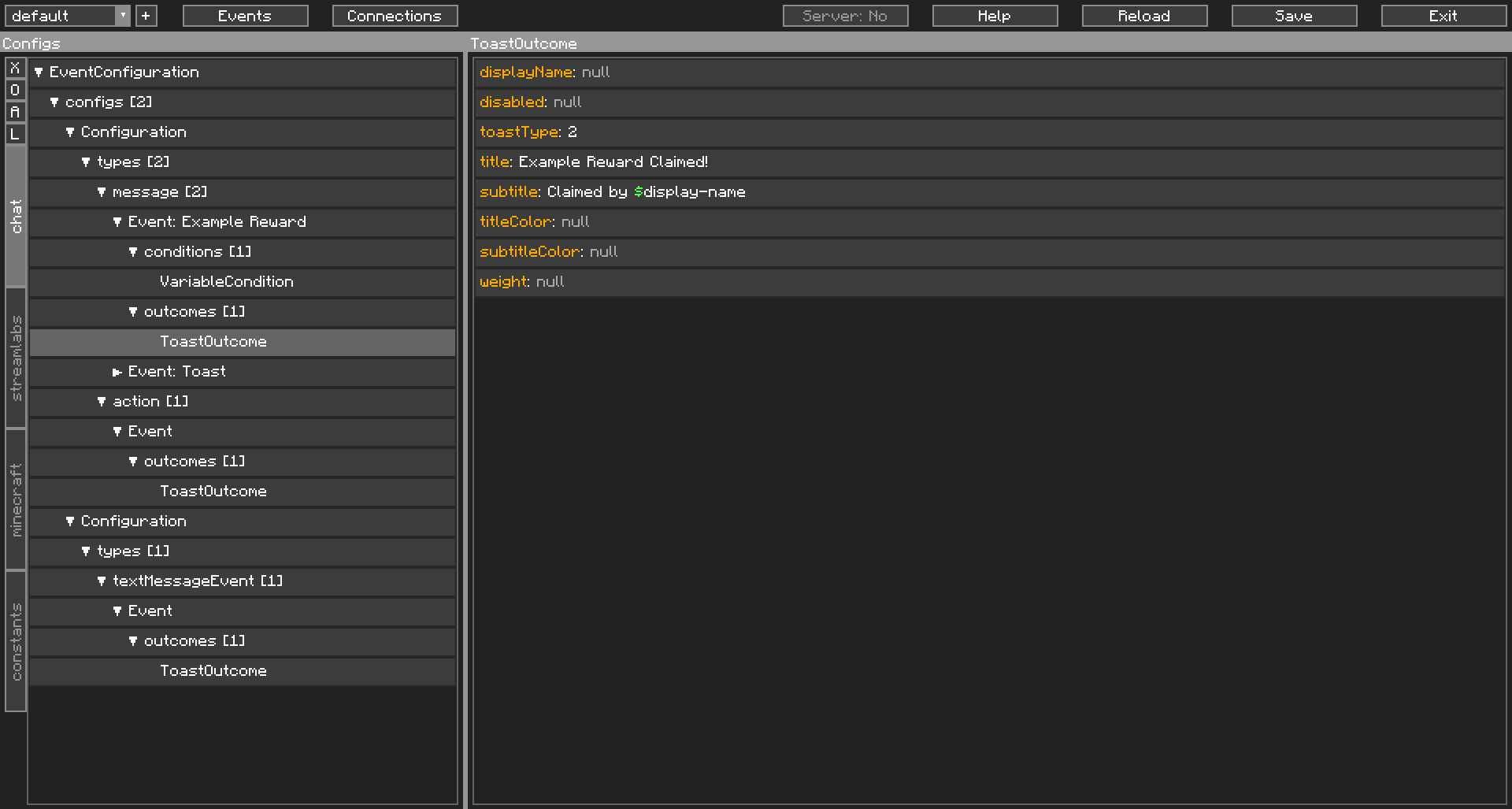
No scripting required! CCI has a detailed and extensive Editor for you to edit the configs it runs off: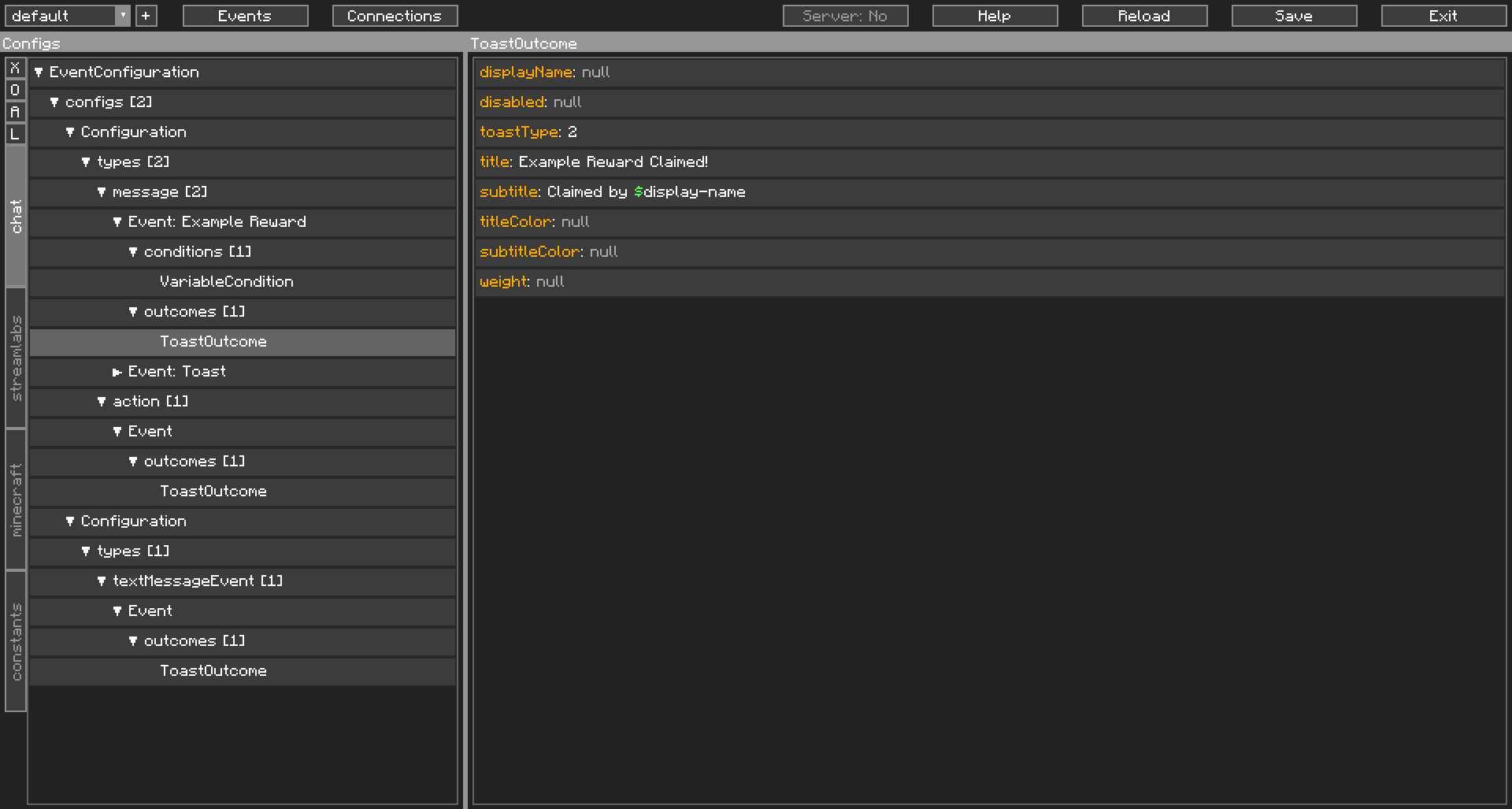 Work then and there, save, and your changes are immediately applied. No need to restart the game!
The editor also shows when you are creating invalid objects, so no scratching your head, wondering what went wrong.
4. Server Optional
CCI works entirely on the client. We don't need to be installed on a server to function, though it would help CCI do more things than usual. CCI has a full suite of client-only outcomes, for times when the server doesn't have CCI.Most of the time though, you'll want to trigger a Command. Even then, CCI'll send a chat message in your place. All you have to do, is be Opped.
5. All your connection data in one place
As mentioned, CCI works entirely on the client. No putting multiple user's sensitive information in one config file, on a server in the middle of nowhere.Multiple streamers could be running CCI on the same server (which also has CCI), and there won't be any transfer of your sensitive information at all. Your sensitive data stays on your machine, in your client-config. All the server needs to know, is if you're whitelisted. That is, if the server even has CCI installed at all.
Having Issues?
CCI is complex and thus, complicated. If you're having issues, feel free to join our Discord server, we've a channel specifically for helping with CCI.Final Note
Many thanks to Wyld, TheMattaBase, Bacon_Donut, darkphan, generikb and Lewdi for testing the mod in its early development stages.HUGE thanks to Sublimiter and BeefQL for all the issues reported, testing and support for the mod.
This mod uses the Socket. IO Java and Java Websocket Libraries, both of which are licensed under MIT.
I do not stream as a main source of income and I wrote this mod for streamers to use for free. If you are happy with how CCI has shaped your stream, consider Donating.
📊 Mod Details
- Game
- Minecraft Mods
- Author
- iChun
- Version
- 1.13.0
- Downloads
- 190,635
- Endorsements
- 54
- Category
- fabric
- Created
- 2/9/2023
- Updated
- 5/9/2025
- Game Versions
- 1.21.5
- Tags
- game-mechanics, social, utility
🔧 How to Install Minecraft Mods Mods
Download from Modrinth. Use Prism Launcher or drop into your mods folder.
📖 Full step-by-step install guide for Minecraft Mods →
Visit the official mod page for specific installation instructions for this mod.
🎮 Need cheat codes or console commands? Check ur gaming wiki for Minecraft Mods commands, item IDs, and more.
❓ Frequently Asked Questions
Which Minecraft Mods versions does Content Creator Integration support?
The author lists 1.21.5. Other versions may work but are untested by the author.
What is the latest version of Content Creator Integration?
Version 1.13.0, published 2025-05-09 with 190,635 downloads recorded at the source.
Keep browsing — more Minecraft Mods mods await