Concerto
🟡 Updated this year⚠️ Install Order · 2 steps
Install in this order, then this mod last — most mods fail to load without their framework and dependencies in place.
🖼️ Gallery (4 images)
🔍 Analysis
- 👍 0.1% endorsement rate
- 🏆 #396 of 983 fabric mods in this game by downloads
📋 About This Mod
# Concerto ## ✨ Features - **Many sources, one player** — NetEase Cloud Music, QQ Music, KuGou Music, local audio files (drag & drop), and direct HTTP links. - **Smooth playback** – drag the progress bar to move through a track, keep listening while streams load, and choose an audio output option if the default does not suit your setup. Supported formats include MP3, OGG/Opus, FLAC, WAV, M4A/AAC, and AIFF. - **Music rooms (listen together)** — members of a room share playback in real time: the same track, the same position, the same pauses. Rooms can be named, listed publicly, and joined from a browser screen or by UUID. - **Server-wide queue (KTV mode)** — players queue songs for the whole server, vote to skip, and the server falls back to preset radios when the queue is empty. - **Shared access & preset playlists** – server owners can configure their own supported music-service accounts for the server and share curated playlists with everyone. - **Cross-platform** — Fabric and NeoForge on the client; a dedicated Paper plugin lets modded clients use every server feature on plugin servers. --- ## 📦 Installation | Platform | What to install | | --- | --- | | **Fabric client** | `Concerto-mc<version>-fabric-<mod version>.jar` + (https://modrinth.com/mod/fabric-api) | | **NeoForge client** | `Concerto-mc<version>-neoforge-<mod version>.jar` | | **Paper server** | `Concerto-mc<version>-paper-<mod version>.jar` into `plugins/` | Concerto stores its settings, playlists, downloads, and sign-in data in the `Concerto/` folder next to the game or server directory. You can use Concerto as a local player in singleplayer and on servers that do not have it installed. Shared rooms, sharing, and the server-wide queue need Concerto on the server too (Fabric, NeoForge, or Paper). --- ## ⌨️ Hotkeys All hotkeys can be rebound in **Options → Controls**. | Default key | Action | | :---: | --- | | `I` | Open the Concerto index (main menu) | | `U` | Open the playlist screen | | `N` | Play the next track | | `P` | Pause / resume | --- ## 🖱️ Screens & Controls ### Index screen (`I`) Your starting point for playlists, music services (NetEase / QQ / KuGou), search, local files, links, music rooms, and settings. ### Playlist screen (`U`) - **Drag & drop** audio files or whole folders from your file manager to import them. - **Double-click** an entry to play it; single click selects. - Bottom row: next / play / delete / order (normal, random, reversed, loop) / pause / info / clear. - In the server-wide queue, **Play** becomes **Request in server** and queues the selected song instead. - The **volume button** pops up a slider (click anywhere else to dismiss). Volume changes apply instantly and are saved to the config. - The search box filters the current playlist. ### Playlist previews - Select **Save to Local** to add the displayed playlist to **Local Playlists** immediately; it is also written as JSON under `Concerto/local_playlists/`. ### Player screen - Drag the progress bar to **seek**; a preview of the target position is shown while dragging. - Shows title, artist, source, cover art, and buffering state for streamed tracks. ### Music rooms screen - **Discovery view**: lists the server's public (visible) rooms with one-click join, plus fields to create a named room, join by UUID, refresh, or enter the server queue. - **Management view** (when you are in a room): member list, rename, toggle *visible* / *joinable*, grant co-op permission, and dissolve or leave the room. ### Options screen Use the in-game options to adjust audio output, HUD visibility, scrolling-text speed, NetEase audio quality, and more. Audio output changes take effect from the next track. --- ## 📜 Commands ### Client player control – `/concerto` (alias `/music`) The `/music` alias can be disabled with the `registerMusicCommand` client config option. Most everyday actions are available from the screens above. Commands are optional shortcuts for players and server owners who prefer them. | Command | Description | | --- | --- | | `/concerto pause` | Toggle pause / resume | | `/concerto start` | Start the player if it is not running | | `/concerto stop` | Stop playback | | `/concerto clear` | Stop playback and clear the playlist | | `/concerto restart` | Restart the player core (recovers from a stuck state) | | `/concerto reload` | Reload configs, local playlists, and restart the player | | `/concerto save` | Cache the current track locally (cacheable sources only) | | `/concerto like` / `dislike` | Like / unlike the current track (NetEase Cloud Music only) | | `/concerto download-current` | Download the current track and its lyrics to `Concerto/` | | `/concerto download-all` | Download every track in the current playlist | | `/concerto export-as-playlist` | Export the current playlist as a JSON preset playlist (`Concerto/local_playlists`) | | `/concerto clean-cache` | Wipe the client cache (music, images, verification files) |
## ✨ Features
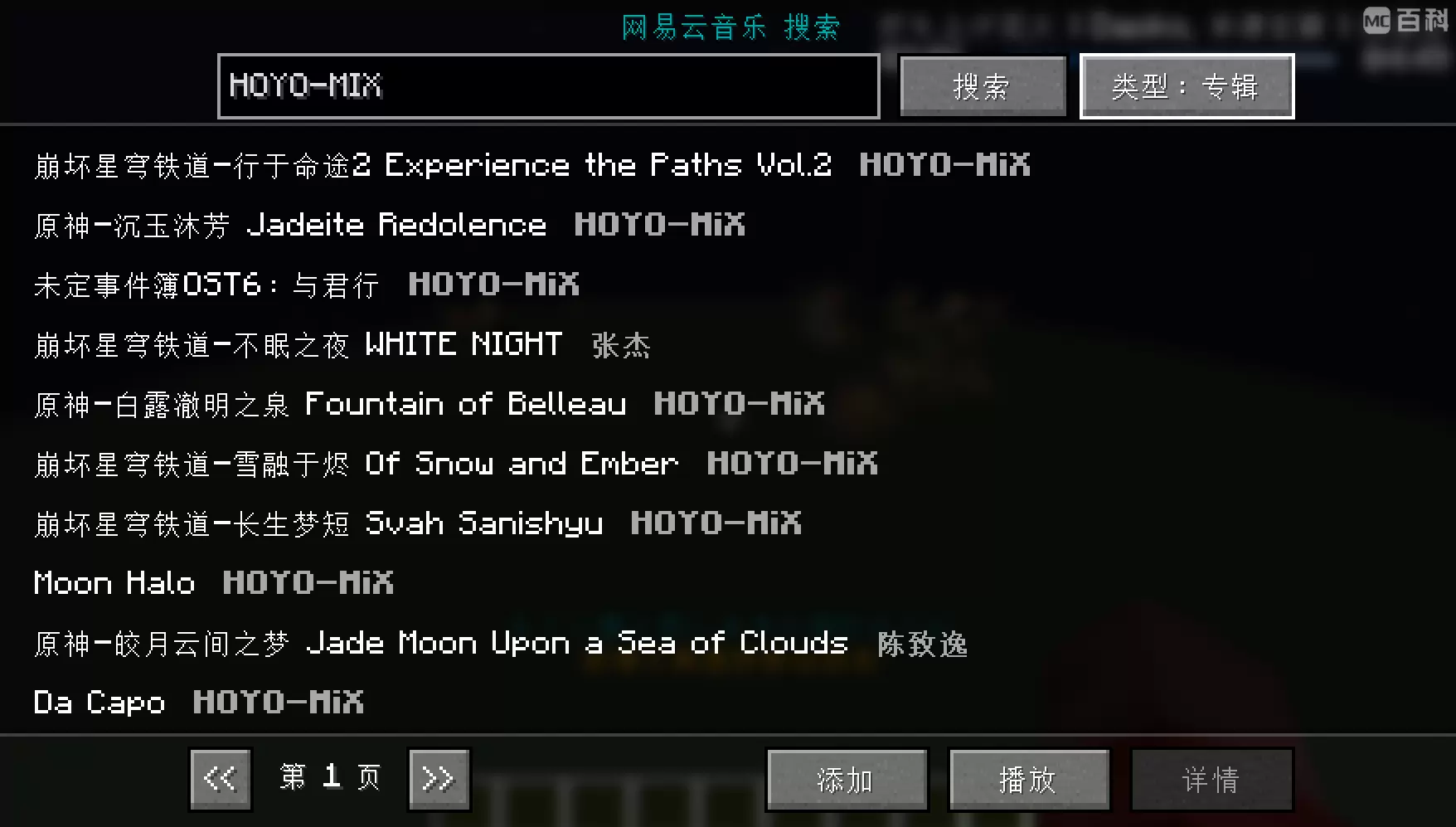
- Many sources, one player — NetEase Cloud Music, QQ Music, KuGou Music, local audio files (drag & drop), and direct HTTP links.
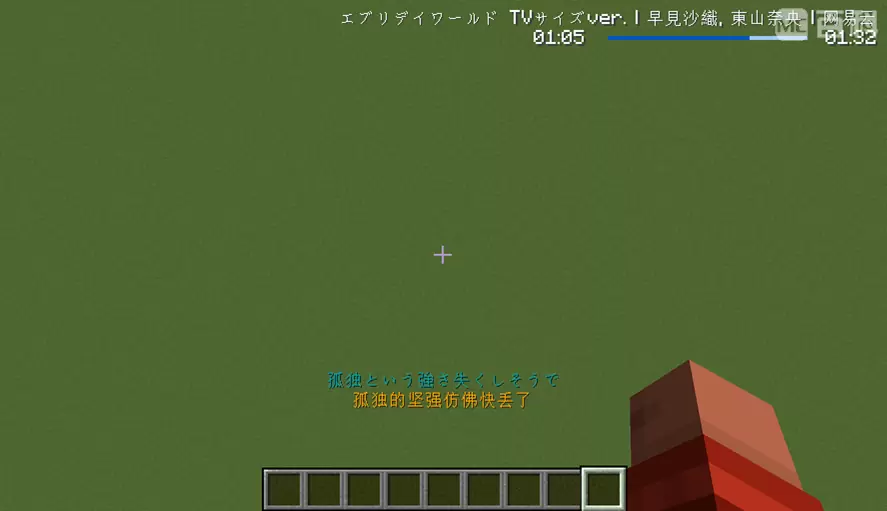
- Smooth playback – drag the progress bar to move through a track, keep listening while streams load, and choose an audio output option if the default does not suit your setup. Supported formats include MP3, OGG/Opus, FLAC, WAV, M4A/AAC, and AIFF.
- Music rooms (listen together) — members of a room share playback in real time: the same track, the same position, the same pauses. Rooms can be named, listed publicly, and joined from a browser screen or by UUID.
- Server-wide queue (KTV mode) — players queue songs for the whole server, vote to skip, and the server falls back to preset radios when the queue is empty.
- Shared access & preset playlists – server owners can configure their own supported music-service accounts for the server and share curated playlists with everyone.
- Cross-platform — Fabric and NeoForge on the client; a dedicated Paper plugin lets modded clients use every server feature on plugin servers.
## 📦 Installation
| Platform | What to install |
| --- | --- |
| Fabric client | `Concerto-mc
Concerto stores its settings, playlists, downloads, and sign-in data in the `Concerto/` folder next to the game or server directory.
You can use Concerto as a local player in singleplayer and on servers that do not have it installed. Shared rooms, sharing, and the server-wide queue need Concerto on the server too (Fabric, NeoForge, or Paper).
## ⌨️ Hotkeys
All hotkeys can be rebound in Options → Controls.
| Default key | Action | | :---: | --- | | `I` | Open the Concerto index (main menu) | | `U` | Open the playlist screen | | `N` | Play the next track | | `P` | Pause / resume |
## 🖱️ Screens & Controls
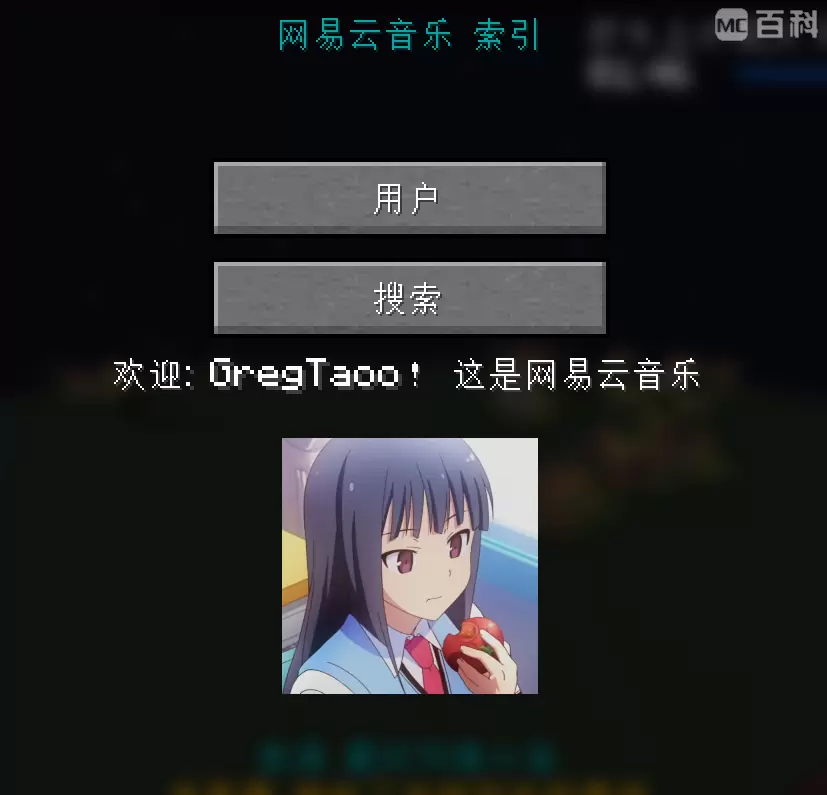
### Index screen (`I`) Your starting point for playlists, music services (NetEase / QQ / KuGou), search, local files, links, music rooms, and settings.
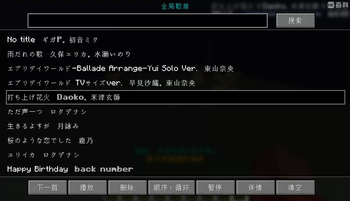
### Playlist screen (`U`) - Drag & drop audio files or whole folders from your file manager to import them. - Double-click an entry to play it; single click selects. - Bottom row: next / play / delete / order (normal, random, reversed, loop) / pause / info / clear. - In the server-wide queue, Play becomes Request in server and queues the selected song instead. - The volume button pops up a slider (click anywhere else to dismiss). Volume changes apply instantly and are saved to the config. - The search box filters the current playlist.
### Playlist previews - Select Save to Local to add the displayed playlist to Local Playlists immediately; it is also written as JSON under `Concerto/local_playlists/`.
### Player screen - Drag the progress bar to seek; a preview of the target position is shown while dragging. - Shows title, artist, source, cover art, and buffering state for streamed tracks.
### Music rooms screen - Discovery view: lists the server's public (visible) rooms with one-click join, plus fields to create a named room, join by UUID, refresh, or enter the server queue. - Management view (when you are in a room): member list, rename, toggle visible / joinable, grant co-op permission, and dissolve or leave the room.
### Options screen Use the in-game options to adjust audio output, HUD visibility, scrolling-text speed, NetEase audio quality, and more. Audio output changes take effect from the next track.
## 📜 Commands
### Client player control – `/concerto` (alias `/music`)
The `/music` alias can be disabled with the `registerMusicCommand` client config option.
Most everyday actions are available from the screens above. Commands are optional shortcuts for players and server owners who prefer them.
| Command | Description | | --- | --- | | `/concerto pause` | Toggle pause / resume | | `/concerto start` | Start the player if it is not running | | `/concerto stop` | Stop playback | | `/concerto clear` | Stop playback and clear the playlist | | `/concerto restart` | Restart the player core (recovers from a stuck state) | | `/concerto reload` | Reload configs, local playlists, and restart the player | | `/concerto save` | Cache the current track locally (cacheable sources only) | | `/concerto like` / `dislike` | Like / unlike the current track (NetEase Cloud Music only) | | `/concerto download-current` | Download the current track and its lyrics to `Concerto/` | | `/concerto download-all` | Download every track in the current playlist | | `/concerto export-as-playlist` | Export the current playlist as a JSON preset playlist (`Concerto/local_playlists`) | | `/concerto clean-cache` | Wipe the client cache (music, images, verification files) |
📊 Mod Details
- Game
- Minecraft Mods
- Author
- GregTao
- Version
- neoforge-2.1.0-mc1.21.11
- Downloads
- 59,952
- Endorsements
- 42
- Category
- fabric
- Created
- 5/24/2024
- Updated
- 7/30/2026
- Game Versions
- 1.21.11
- Tags
- game-mechanics, management, social
🔧 How to Install Minecraft Mods Mods
Download from Modrinth. Use Prism Launcher or drop into your mods folder.
📖 Full step-by-step install guide for Minecraft Mods →
Visit the official mod page for specific installation instructions for this mod.
🎮 Need cheat codes or console commands? Check ur gaming wiki for Minecraft Mods commands, item IDs, and more.
❓ Frequently Asked Questions
Which Minecraft Mods versions does Concerto support?
The author lists 1.21.11. Other versions may work but are untested by the author.
What is the latest version of Concerto?
Version neoforge-2.1.0-mc1.21.11, published 2026-07-30 with 59,952 downloads recorded at the source.
Keep browsing — more Minecraft Mods mods await