Combat Toggle
🟢 Updated this month⚠️ Install Order · 2 steps
Install in this order, then this mod last — most mods fail to load without their framework and dependencies in place.
Preview
🔍 Analysis
- 🏆 #391 of 391 forge mods in this game by downloads
📋 About This Mod
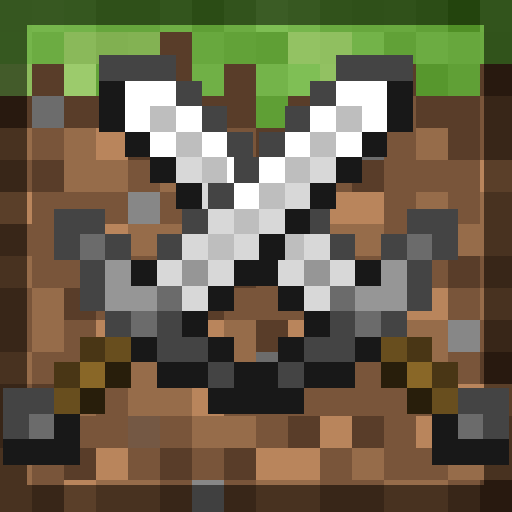
Combat Toggle is a lightweight server-side PvP control mod that prevents accidental or unwanted player combat by requiring mutual opt-in before PvP damage is allowed. Combat only activates when both players are in Combat mode.
# Combat Toggle
A server-installable PvP opt-in system with combat tagging, smart cooldowns, and a full admin toolkit — for Minecraft 1. 19. 2 Forge.
Combat Toggle lets every player on your server choose whether they can be attacked. It's a ship-it-on-a-modpack solution for the "some players want PvP, some don't" problem — no world-border workarounds, no region plugins, no third-party dependencies. Install it on your dedicated server and vanilla clients can join and use `/ct` without touching their game.
## What it does
Peace mode — PvP is off. Other players' arrows, swords, potions, and projectiles pass harmlessly. Combat mode — PvP is on. You can be hit, and you can hit back. Each player decides independently. The default is Peace — new players must opt in. Server-installable. Vanilla clients can join and use `/ct` to flip modes with no client install. Modded clients additionally get a rebindable `V` keybind and an on-screen HUD indicator.
## Features
Universal commands. `/ct`, `/combat`, `/peace`, and `/combattoggle status` work from any client — modded or vanilla. One-key toggle. Default keybind: `V` (modded clients only). Fully rebindable per-client. HUD overlay. 51×19 pixel-art icon (shield for Peace, crossed swords for Combat). Configurable position (9-anchor + custom XY), scale, and per-mode visibility. Hides automatically in inventories and when the HUD is toggled off with `F1`. Combat tagging. Any PvP engagement tags both attacker and victim for a configurable duration (default 30s). While tagged, a player cannot switch to Peace mode — no combat-logging via the toggle. Smart cooldowns. By default, the cooldown starts only when PvP actually happens, not when players toggle. Players can freely switch modes while farming, building, or exploring. Persistent state. Mode, tag timer, and cooldown survive logouts, respawns, dimension changes, and server restarts. Stored on a Forge capability serialized to player data. Dual-event PvP enforcement. Primary cancel at `LivingAttackEvent` (HIGH priority) — knockback, hurt sound, and the `PLAYER_HURT_ENTITY` advancement criterion never fire on Peace targets. `LivingHurtEvent` runs as defence-in-depth. Attacker resolution walks projectile owners, primed-TNT owners, and tamed pets, so wolves, snow golems, and ignited TNT are correctly attributed.
Nameplate coloring. Players in Combat mode get red nameplates; Peace players get blue. Disable if you already use scoreboard teams for something else. Emoji/text prefixes. Configurable glyphs (defaults: crossed swords and a coffee mug) appear before the player name so the state is unmistakable from any angle. * Throttled feedback. Attackers who hit a peace-mode target get a one-line chat message explaining why nothing happened (throttled so it never spams).
### Player commands
No permissions required.
| Command |Purpose |
| -------------------- |----------------------------------------------------------------- |
| /ct |Toggle Combat ↔ Peace. |
| /combat |Set yourself to Combat mode. |
| /peace |Set yourself to Peace mode. |
| /combattoggle status |Show your own mode, tag, and cooldown. |
| /combattoggle help |List every command you can run (admin entries hidden for non-OP). |
### Admin commands
Require OP level 2.
| Command |Purpose |
| ----------------------------------------------------------------------------------------------- |----------------------------------------------------------------------------------------------------- |
| /combattoggle get <player> |Inspect another player's state. |
| /combattoggle set <player> <peace\|combat> |Force a mode. bypass=true overrides cooldown + tag guard. |
| /combattoggle tag <player> |Apply a combat tag manually (1–3600s). |
| /combattoggle untag <player> |Clear a combat tag. |
| /combattoggle resetcooldown &lt
📊 Mod Details
- Game
- Minecraft Mods
- Author
- otectus
- Version
- 1.20.1
- Downloads
- 257
- Endorsements
- 0
- Category
- forge
- Created
- 5/18/2026
- Updated
- 9/4/2026
- Game Versions
- 26.1.2
- Tags
- cursed, game-mechanics, social
🔧 How to Install Minecraft Mods Mods
Download from Modrinth. Use Prism Launcher or drop into your mods folder.
📖 Full step-by-step install guide for Minecraft Mods →
Visit the official mod page for specific installation instructions for this mod.
🎮 Need cheat codes or console commands? Check ur gaming wiki for Minecraft Mods commands, item IDs, and more.
❓ Frequently Asked Questions
Which Minecraft Mods versions does Combat Toggle support?
The author lists 26.1.2. Other versions may work but are untested by the author.
What is the latest version of Combat Toggle?
Version 1.20.1, published 2026-09-04 with 257 downloads recorded at the source.
Keep browsing — more Minecraft Mods mods await