Cogwheel
🟡 Updated this year⚠️ Install Order · 2 steps
Install in this order, then this mod last — most mods fail to load without their framework and dependencies in place.
🖼️ Gallery (7 images)
🔍 Analysis
- 👍 0.3% endorsement rate
- 🏆 #1 of 8 management mods in this game by downloads
📋 About This Mod
# Cogwheel > **A node-based visual factory planner for Create and other recipe-driven mods. Plan your factory as a graph before you build it.** !(https://media.forgecdn.net/avatars/console-avatars/avatar_558a5515-d41b-4c31-8771-626cb0b59ead.png) Cogwheel is an in-game **factory designer** built on the same wavelength as Satisfactory's blueprint tool. Press a single key, and instead of throwing recipes into a wiki, you wire them up on a canvas — Cogwheel does the throughput math, tracks Create's stress for you, and warns when your kinetic budget can't keep up. It works as a planning notebook for any modpack with recipes, but it really shines next to **Create**. *** ## ✨ Features at a glance * 🎛️ **Visual graph editor** — drag recipes onto a canvas, connect outputs to inputs, watch your factory take shape before you place a single block. * ⚡ **Create stress calculation** — every Create-backed recipe knows its SU draw at any RPM. Mixer at 128 RPM? 512 SU. The math just shows up. * 🔋 **Cross-factory power sources** — define your steam engines, windmills or flywheels once, assign factories to them, get warned the moment your budget tips over. * 🌀 **Sequenced assembly auto-expands** — drop a Precision Mechanism recipe and Cogwheel unfolds it into a locked cluster with all five steps, the loop control, and the right SU sum. * 🔁 **Loop nodes** — gate a chain with a Loop node that runs the contained recipes N times. Connect via the violet bottom-port ports. * 📚 **Multiple factories per save** — separate JSON file per factory in `cogwheel/factories/`, switchable from the left panel, easy to share. * 🔗 **Cross-factory wiring** — export an item from Factory A and import it as a source in Factory B by reference. * 🧩 **Clusters** — group any selection into a sub-graph (USER cluster) or get auto-built ones (LOCKED) from sequenced recipes. Edit clusters in-place. * 🎨 **Fully themeable** — every color, every text scale, every panel size is configurable from a tabbed settings page. * 🔍 **JEI integration** — recipe pickers render JEI's own categories. Right-click any picker row to jump straight to JEI's full recipe view. *** ## 🚀 Getting started Press **K** in-game (or whatever you've bound `Open Factory Editor` to) to open the editor. !(https://media.forgecdn.net/attachments/1697/422/screenshot-2026-05-25-000746-png.png) From left to right: 1. **Categories panel** (left side): browse Recipes, Sources, Sinks, Outputs, Logic, Factories, Power sources, Settings. 2. **Canvas**: pan with middle-mouse, zoom with scroll, drop items here to add nodes. 3. **Properties panel** (right side): right-click any node → Edit, or double-click. Configure parallelism, RPM, recipe variant, port pairing. 4. **Solver overlay** (bottom): live readout of what your factory needs, produces, and wastes — plus RPM and SU draw against your assigned power source. **Adding nodes:** _drag_ an item or logic block from the left panel onto the canvas. Items land where you drop them. *** ## 🔧 Create integration Cogwheel reads Create's stress-impact tables and recipe types directly. Every Create recipe is recognized and contributes its SU draw at the configured RPM: | Recipe type |SU per RPM |At 128 RPM (1 machine) | | ------------------------------ |---------- |---------------------- | | Crushing wheels (pair) |8 |1,024 SU | | Mechanical Press |8 |1,024 SU | | Mechanical Mixer |4 |512 SU | | Millstone |4 |512 SU | | Mechanical Saw |4 |512 SU | | Deployer |4 |512 SU | | Spout / Item Drain |4 |512 SU | | Encased Fan (washing/haunting) |2 |256 SU | ### Per-factory and per-recipe RPM Each factory has a default RPM (1–256). Each Create recipe node and each cluster can either **inherit** that RPM or **override** it with its own value via a checkbox in the properties panel. !(https://media.forgecdn.net/attachments/1697/423/screenshot-2026-05-25-000832-png.png) ### Sequenced assembly clusters Drop a Precision Mechanism, Track, or Brass Casing recipe and Cogwheel builds an entire LOCKED cluster for you — every step in order, the right ingredients flowing through, a Loop node showing the iteration count. !(https://media.forgecdn.net/attachments/1697/425/screenshot-2026-05-25-000938-png.png) !(https://media.forgecdn.net/attachments/1697/426/screenshot-2026-05-25-000957-png.png) *** ## ⚡ Power sources Power sources live **outside** any single factory. Create them once in the **Power** category (left panel) with a name and an SU capacity: * _Steam Engine — 16,384 SU_ * _Big windmill array — 4,096 SU_ Then a
> A node-based visual factory planner for Create and other recipe-driven mods. Plan your factory as a graph before you build it.
!(https://media.forgecdn.net/avatars/console-avatars/avatar_558a5515-d41b-4c31-8771-626cb0b59ead.png)
Cogwheel is an in-game factory designer built on the same wavelength as Satisfactory's blueprint tool. Press a single key, and instead of throwing recipes into a wiki, you wire them up on a canvas — Cogwheel does the throughput math, tracks Create's stress for you, and warns when your kinetic budget can't keep up.
It works as a planning notebook for any modpack with recipes, but it really shines next to Create.
## ✨ Features at a glance
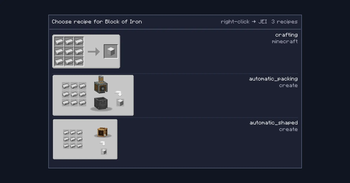
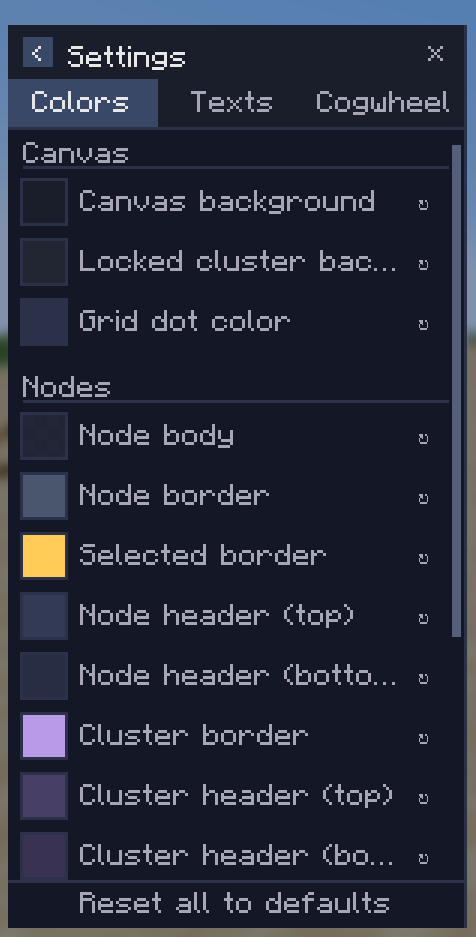
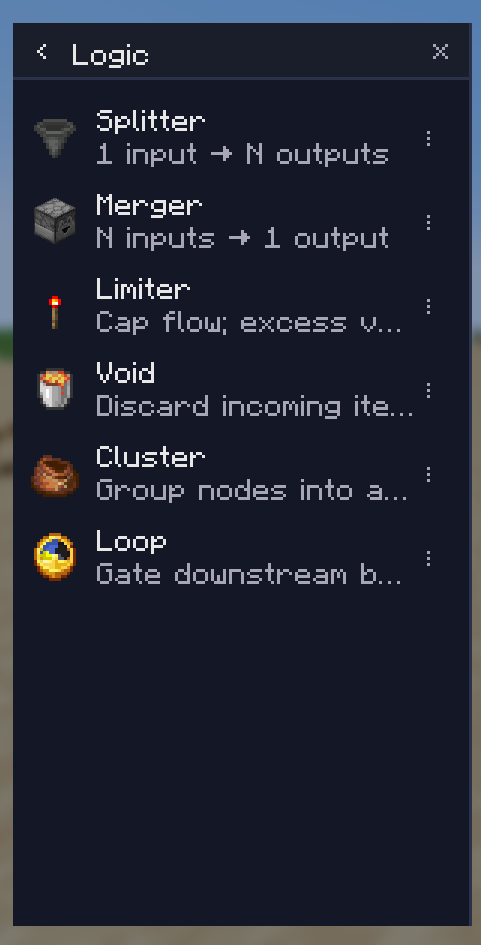
🎛️ Visual graph editor — drag recipes onto a canvas, connect outputs to inputs, watch your factory take shape before you place a single block. ⚡ Create stress calculation — every Create-backed recipe knows its SU draw at any RPM. Mixer at 128 RPM? 512 SU. The math just shows up. 🔋 Cross-factory power sources — define your steam engines, windmills or flywheels once, assign factories to them, get warned the moment your budget tips over. 🌀 Sequenced assembly auto-expands — drop a Precision Mechanism recipe and Cogwheel unfolds it into a locked cluster with all five steps, the loop control, and the right SU sum. 🔁 Loop nodes — gate a chain with a Loop node that runs the contained recipes N times. Connect via the violet bottom-port ports. 📚 Multiple factories per save — separate JSON file per factory in `cogwheel/factories/`, switchable from the left panel, easy to share. 🔗 Cross-factory wiring — export an item from Factory A and import it as a source in Factory B by reference. 🧩 Clusters — group any selection into a sub-graph (USER cluster) or get auto-built ones (LOCKED) from sequenced recipes. Edit clusters in-place. 🎨 Fully themeable — every color, every text scale, every panel size is configurable from a tabbed settings page. 🔍 JEI integration — recipe pickers render JEI's own categories. Right-click any picker row to jump straight to JEI's full recipe view.
## 🚀 Getting started
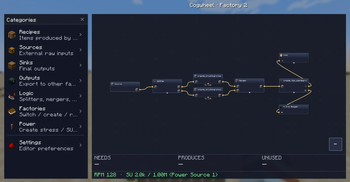
Press K in-game (or whatever you've bound `Open Factory Editor` to) to open the editor.
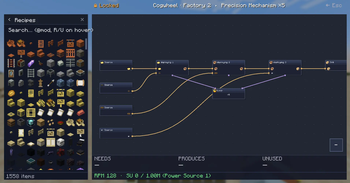
!(https://media.forgecdn.net/attachments/1697/422/screenshot-2026-05-25-000746-png.png)
From left to right:
1. Categories panel (left side): browse Recipes, Sources, Sinks, Outputs, Logic, Factories, Power sources, Settings. 2. Canvas: pan with middle-mouse, zoom with scroll, drop items here to add nodes. 3. Properties panel (right side): right-click any node → Edit, or double-click. Configure parallelism, RPM, recipe variant, port pairing. 4. Solver overlay (bottom): live readout of what your factory needs, produces, and wastes — plus RPM and SU draw against your assigned power source.
Adding nodes: _drag_ an item or logic block from the left panel onto the canvas. Items land where you drop them.
## 🔧 Create integration
Cogwheel reads Create's stress-impact tables and recipe types directly. Every Create recipe is recognized and contributes its SU draw at the configured RPM:
| Recipe type |SU per RPM |At 128 RPM (1 machine) | | ------------------------------ |---------- |---------------------- | | Crushing wheels (pair) |8 |1,024 SU | | Mechanical Press |8 |1,024 SU | | Mechanical Mixer |4 |512 SU | | Millstone |4 |512 SU | | Mechanical Saw |4 |512 SU | | Deployer |4 |512 SU | | Spout / Item Drain |4 |512 SU | | Encased Fan (washing/haunting) |2 |256 SU |
### Per-factory and per-recipe RPM
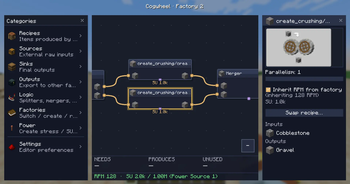
Each factory has a default RPM (1–256). Each Create recipe node and each cluster can either inherit that RPM or override it with its own value via a checkbox in the properties panel.
!(https://media.forgecdn.net/attachments/1697/423/screenshot-2026-05-25-000832-png.png)
### Sequenced assembly clusters
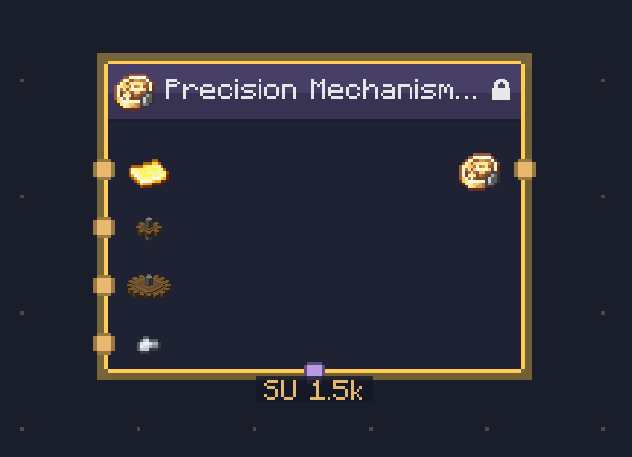
Drop a Precision Mechanism, Track, or Brass Casing recipe and Cogwheel builds an entire LOCKED cluster for you — every step in order, the right ingredients flowing through, a Loop node showing the iteration count.
!(https://media.forgecdn.net/attachments/1697/425/screenshot-2026-05-25-000938-png.png) !(https://media.forgecdn.net/attachments/1697/426/screenshot-2026-05-25-000957-png.png)
## ⚡ Power sources
Power sources live outside any single factory. Create them once in the Power* category (left panel) with a name and an SU capacity:
_Steam Engine — 16,384 SU_ * _Big windmill array — 4,096 SU_
📊 Mod Details
- Game
- Minecraft Mods
- Author
- Kimacchi
- Version
- 0.5.5
- Downloads
- 880
- Endorsements
- 3
- Category
- management
- Created
- 5/28/2026
- Updated
- 5/24/2026
- Game Versions
- 1.21.1
- Tags
- management, optimization, utility
🔧 How to Install Minecraft Mods Mods
Download from Modrinth. Use Prism Launcher or drop into your mods folder.
📖 Full step-by-step install guide for Minecraft Mods →
Visit the official mod page for specific installation instructions for this mod.
🎮 Need cheat codes or console commands? Check ur gaming wiki for Minecraft Mods commands, item IDs, and more.
❓ Frequently Asked Questions
Which Minecraft Mods versions does Cogwheel support?
The author lists 1.21.1. Other versions may work but are untested by the author.
What is the latest version of Cogwheel?
Version 0.5.5, published 2026-05-24 with 880 downloads recorded at the source.
Keep browsing — more Minecraft Mods mods await