Client Paintings
⚪ Last updated 2023⚠️ Install Order · 2 steps
Install in this order, then this mod last — most mods fail to load without their framework and dependencies in place.
🖼️ Gallery (2 images)
🔍 Analysis
- 👍 1.1% endorsement rate — high engagement, a strong quality signal
- 🏆 #137 of 289 decoration mods in this game by downloads
📋 About This Mod
# Client Paintings <img src="https://cdn.modrinth.com/data/6NZYNcOV/cc2a2bad8d0d7c7333af00f82ca7e8c80c159359.png" align="right" width="50"> Client Paintings is a simple, *fully client-side* mod to add new paintings via resource packs while keeping the vanilla paintings intact. It achieves this by looking at the UUID of the painting entity and applying a pseudo-random algorithm to it to determine which painting to render. This mod uses a custom resource pack format to add new paintings, you can use the (https://enjarai.dev/#/tools/client-paintings-generator) on my website to generate such a pack easily. Alternatively, see the resource pack format section below for technical instructions. ### Features - Add multiple new sets of paintings via resource packs - Keep the vanilla paintings intact - When a vanilla painting is shown, it will match the vanilla painting seen by players without the mod - Custom paintings shown will match the custom paintings seen by other players with the mod - Custom paintings are fully persistent between relogs and server restarts ### Caveats - Custom paintings will only match up between players if they both use the exact same painting sets - Painting sets have to be added via a custom resource pack format, see below for details ## Example With the included default resource pack: <img src="https://cdn.modrinth.com/data/6NZYNcOV/images/18ed311ec6686c0e50beb715a89a5e0470db09da.png" width="512"/> What vanilla players see: <img src="https://cdn.modrinth.com/data/6NZYNcOV/images/be67923c3ded57c4b82a47daccab9e86e1bbdec0.png" width="512"/> ## Resource pack format The resource pack format is very simple. It consists of a single `client_paintings` folder located in the root of your resource pack namespace (e.g. `assets/<namespace>/client_paintings`). Inside this folder, you can place any number of json files, each representing a custom painting. Each json file must have the following structure: ```json { "texture": "<namespace>:client_paintings/painting_texture", "back": "<namespace>:client_paintings/painting_back_texture", "size": } ``` - `texture` is the texture of the painting, it must be a png image with a ratio matching the `size` field, with width and height both being a multiple of 16. The texture has to be located within the `assets/<namespace>/textures/client_paintings` folder. - `back` is the texture of the back of the painting, it must be a square png image with similarly, a width and height being a multiple of 16. - `size` is the size of the painting in blocks, the first value is the width, the second value is the height. Do note only 1x1, 1x2, 2x1, 2x2, 4x2, 4x4, and 4x3 size paintings are supported due to the need to replace a vanilla painting. An example resource pack structure would look as follows: ```text pack.mcmeta assets └── namespace ├── textures │ └── client_paintings │ ├── painting1.png │ ├── painting2.png │ ├── painting3.png │ └── backs │ ├── back1.png │ └── back2.png └── client_paintings ├── painting1.json ├── painting2.json └── painting3.json ``` The source for the default included pack can be easily browsed (https://github.com/enjarai/client-paintings/tree/master/src/main/resources/resourcepacks/default).
# Client Paintings 
Client Paintings is a simple, fully client-side mod to add new paintings via resource packs while keeping the vanilla paintings intact. It achieves this by looking at the UUID of the painting entity and applying a pseudo-random algorithm to it to determine which painting to render.
This mod uses a custom resource pack format to add new paintings, you can use the (https://enjarai.dev/#/tools/client-paintings-generator) on my website to generate such a pack easily. Alternatively, see the resource pack format section below for technical instructions.
### Features
- Add multiple new sets of paintings via resource packs
- Keep the vanilla paintings intact
- When a vanilla painting is shown, it will match the vanilla painting seen by players without the mod
- Custom paintings shown will match the custom paintings seen by other players with the mod
- Custom paintings are fully persistent between relogs and server restarts
### Caveats
- Custom paintings will only match up between players if they both use the exact same painting sets
- Painting sets have to be added via a custom resource pack format, see below for details
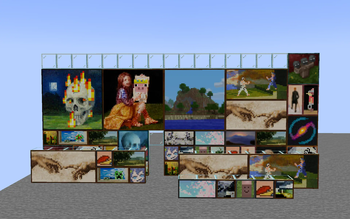
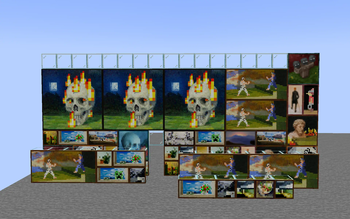
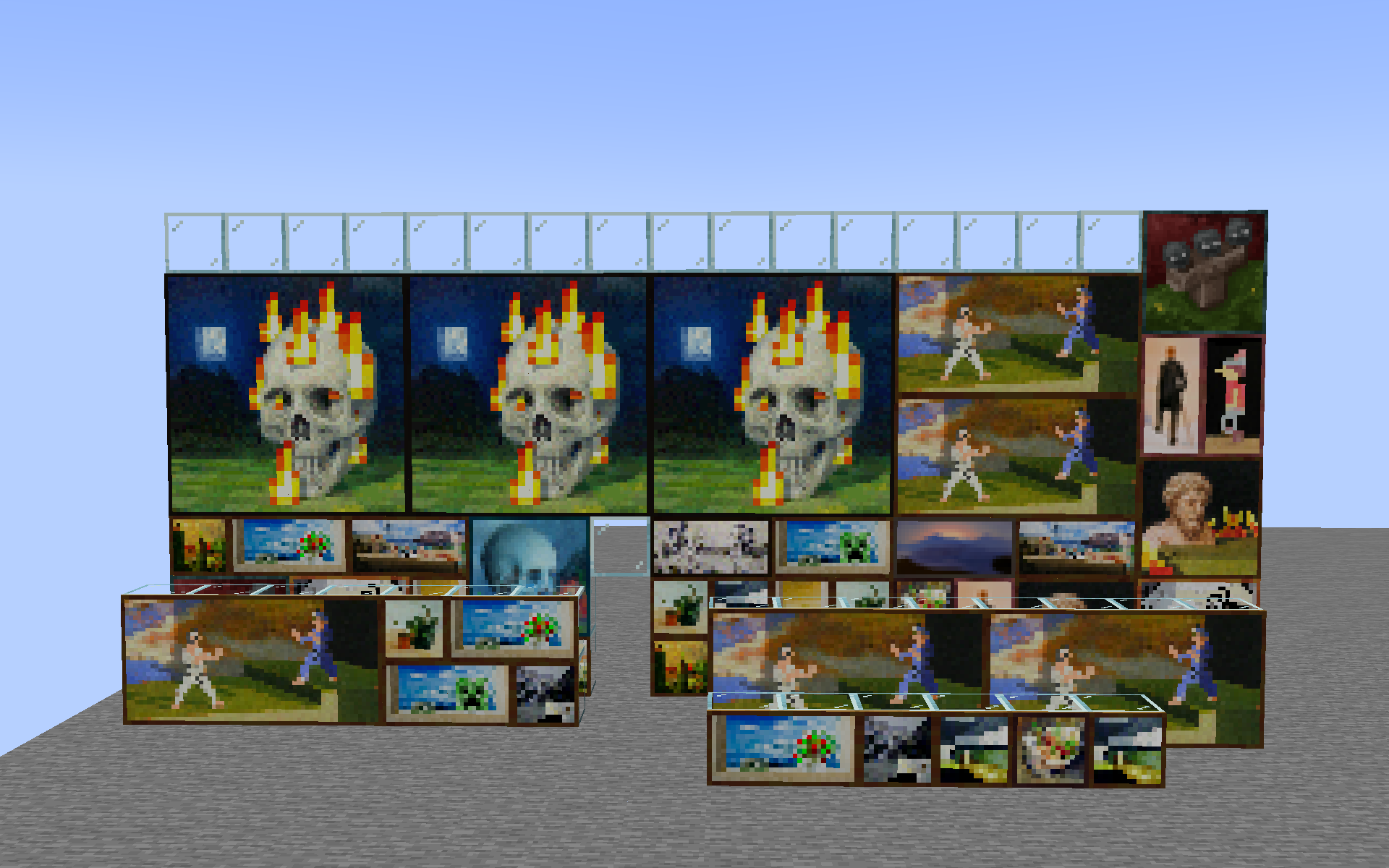
With the included default resource pack:
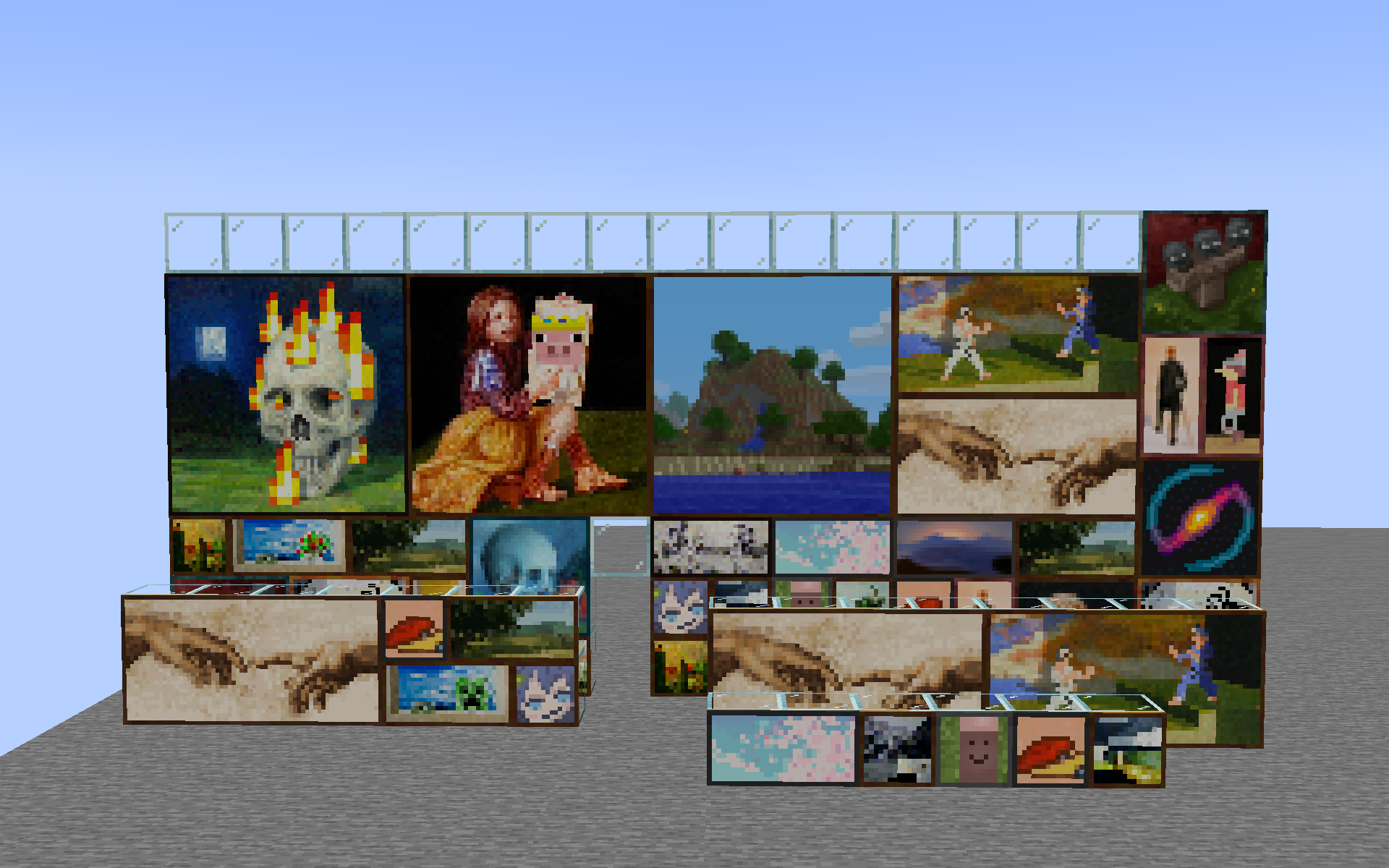
What vanilla players see:
## Resource pack format
The resource pack format is very simple. It consists of a single `client_paintings` folder
located in the root of your resource pack namespace (e.g. `assets/
Each json file must have the following structure:
```json
{
"texture": "
- `texture` is the texture of the painting, it must be a png image with a ratio matching the `size` field,
- with width and height both being a multiple of 16. The texture has to be located within
- the `assets/
/textures/client_paintings` folder. - `back` is the texture of the back of the painting, it must be a square png image with similarly, a width and height
- being a multiple of 16.
- `size` is the size of the painting in blocks, the first value is the width, the second value is the height.
- Do note only 1x1, 1x2, 2x1, 2x2, 4x2, 4x4, and 4x3 size paintings are supported due to the need to replace
- a vanilla painting.
An example resource pack structure would look as follows:
```text pack.mcmeta assets └── namespace ├── textures │ └── client_paintings │ ├── painting1.png │ ├── painting2.png │ ├── painting3.png │ └── backs │ ├── back1.png │ └── back2.png └── client_paintings ├── painting1.json ├── painting2.json └── painting3.json ```
The source for the default included pack can be easily browsed (https://github.com/enjarai/client-paintings/tree/master/src/main/resources/resourcepacks/default).
📊 Mod Details
- Game
- Minecraft Mods
- Author
- enjarai
- Version
- 1.2.1+1.20
- Downloads
- 2,483
- Endorsements
- 28
- Category
- decoration
- Created
- 3/23/2023
- Updated
- 11/3/2023
- Game Versions
- 1.20, 1.20.1, 1.20.2
- Tags
- decoration, game-mechanics, utility
🔧 How to Install Minecraft Mods Mods
Download from Modrinth. Use Prism Launcher or drop into your mods folder.
📖 Full step-by-step install guide for Minecraft Mods →
Visit the official mod page for specific installation instructions for this mod.
🎮 Need cheat codes or console commands? Check ur gaming wiki for Minecraft Mods commands, item IDs, and more.
❓ Frequently Asked Questions
Which Minecraft Mods versions does Client Paintings support?
The author lists 1.20, 1.20.1, 1.20.2. Other versions may work but are untested by the author.
What is the latest version of Client Paintings?
Version 1.2.1+1.20, published 2023-11-03 with 2,483 downloads recorded at the source.
Keep browsing — more Minecraft Mods mods await