Chimage
🟡 Updated this year⚠️ Install Order · 2 steps
Install in this order, then this mod last — most mods fail to load without their framework and dependencies in place.
🖼️ Gallery (12 images)
🔍 Analysis
- 🏆 #249 of 907 fabric mods in this game by downloads
📋 About This Mod
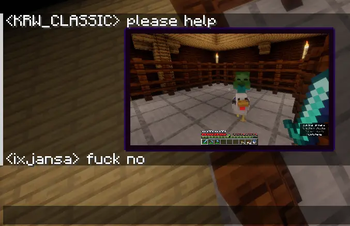
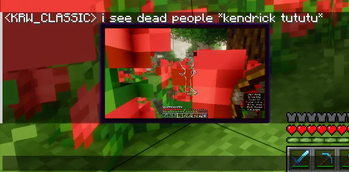
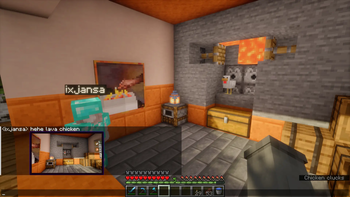
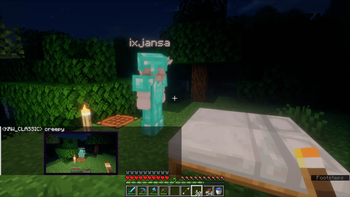
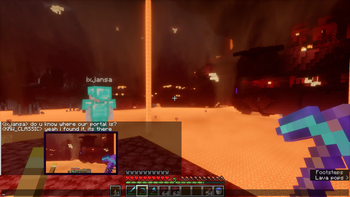
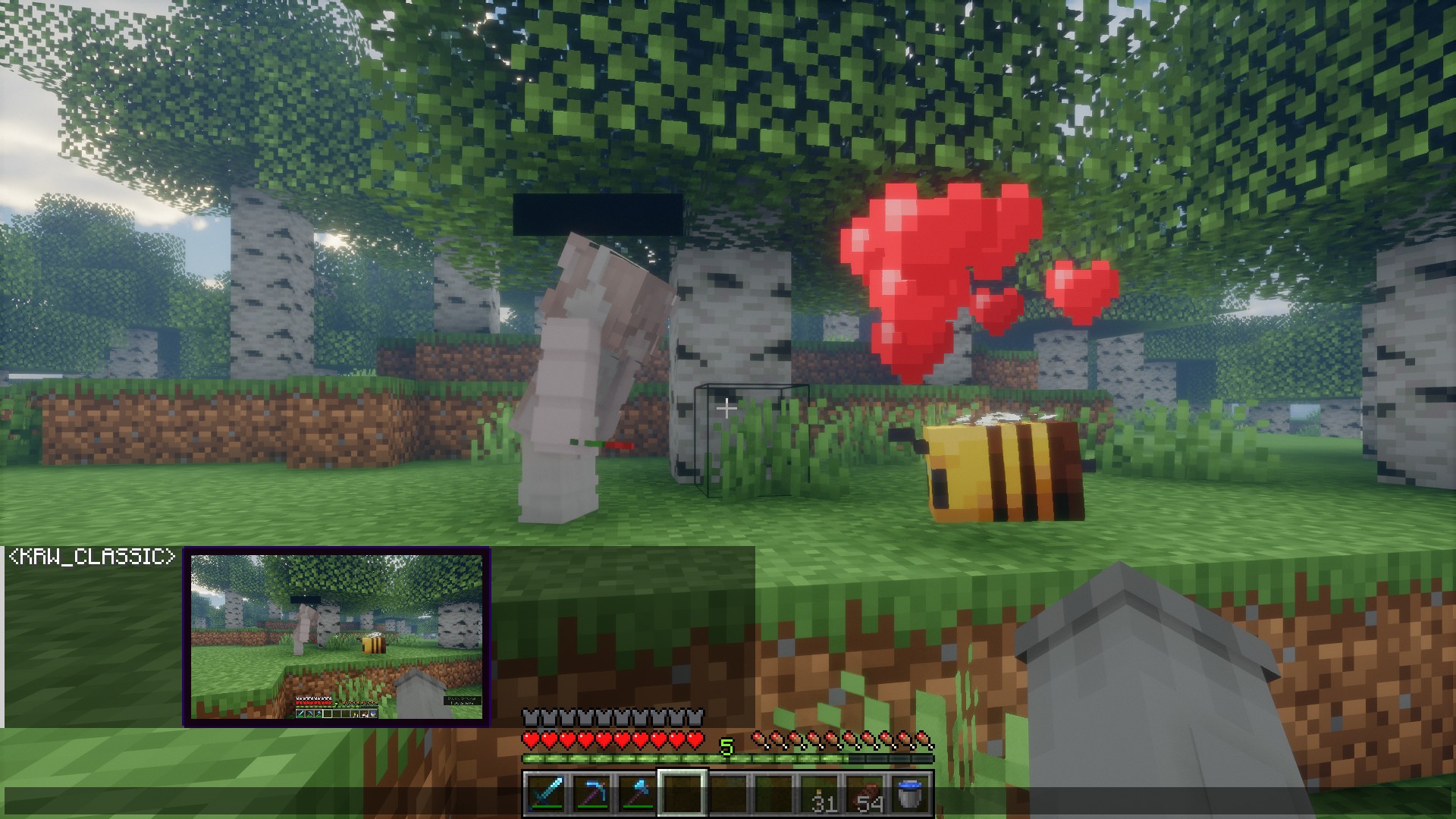
Chimage is a Minecraft mod that lets you paste, preview, and share images directly in the in-game chat.
> Aiming to support both Fabric and Forge on every Minecraft version from 1. 16. 5 onwards.
How to use
Using Chimage is straightforward. There are three ways to attach an image to your chat message: 1. Clipboard: Simply press `CTRL + V` while the chat bar is open. (With image or image file in clipboard) 2. Drag & Drop: Drag an image file from your computer directly into the Minecraft window while the chat is open. 3. URL Loading: Type `!(your_url)` in the chat, or simply type `!` and press `CTRL + V` with an image link. Chimage will automatically fetch it directly from the web!
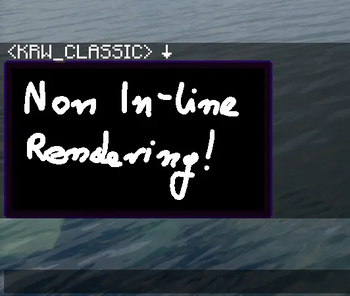
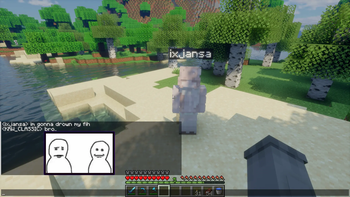
Once you've attached an image, a small preview window will appear above your chat bar. This lets you confirm the image before sending it.
Features List
- Clipboard Paste: Press `CTRL + V` while the chat is open to send images from your clipboard.
- Drag & Drop: Drag image files from your computer directly into the game window while the chat is open.
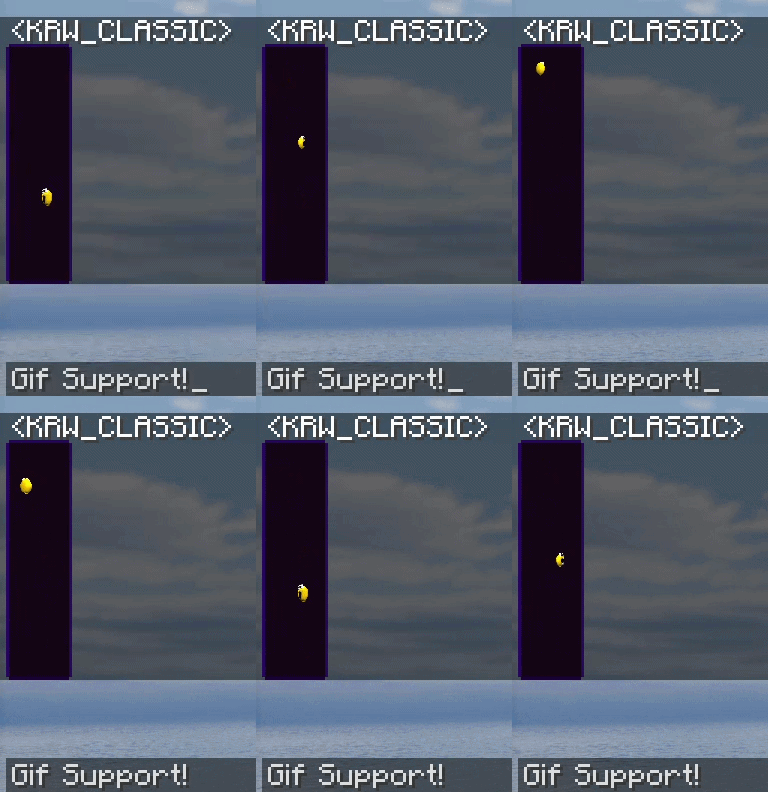
- URL Loading: Fetch images, GIFs, and gallery links (like Imgur, Tenor, and Klipy) instantly by pasting links or typing `!(url)`.
- Attachment Drawer: Open the attachment drawer at any time to pick images from your computer, attach F2 screenshots, or start a blank canvas.
- Real-Time Preview: See a preview window of your image to confirm before sending, with an animated border indicator during upload cooldowns.
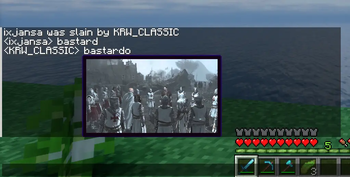
- In-Chat Rendering: View images sent by other players directly within the chat box.
- Fullscreen Viewer: Click any image in chat to view it in fullscreen with zoom support.
- Remix Button: Click the Remix button on an image sent by another player to open it in the editor, modify it, and send back your own version.
- Private Message Support: Share images directly in private messages (`/msg`, `/tell`, etc.) with configurable command support.
- Image Metadata: Hold `SHIFT` while hovering over an image to see its details.
- Quick Download: Use `SHIFT + Left Click` on an image to save it to your computer.
- Quick Copy: Use `CTRL + Left Click` on an image to copy it straight to your clipboard.
- Spoilers: Mark images as spoilers to keep them blurred in chat until hovered or clicked.
- Vanilla Compatibility: Vanilla clients can view images via clickable fallback links (if enabled by the server).
- Client-Side Downscaling: Enforce a resolution limit to automatically downscale large incoming images, reducing memory usage and improving performance.
- Highly Configurable: Adjust maximum image sizes, rendering limits, behaviours, and more.
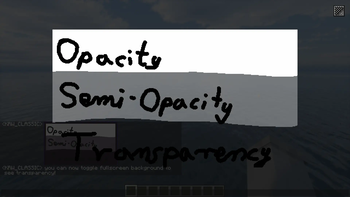
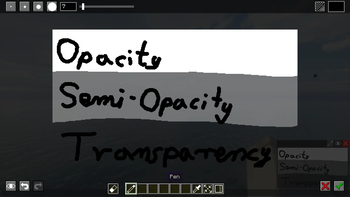
- Built-in Image Editor: Draw, erase, pick colors, crop, and resize images before sending them.
- Immersive Paintings Integration: Export your edited images directly into the world as custom paintings or graffiti!
Image Editor
Chimage features a robust built-in Image Editor, allowing you to quickly modify images right before sending them in chat.
Features include: - Pen & Eraser: Draw or erase directly on the image with customizable brush sizes. - Color Picker: A fully-featured RGB/HSL/HSV & Alpha color picker to select the exact color you need. - Resize: Scale the image up or down, optionally locking the aspect ratio. - Crop: Quickly crop out the important parts of the image. - Undo / Redo: Made a mistake? Use `Ctrl+Z` and `Ctrl+Y` to undo or redo your actions.
View Editor Screenshots
(Screenshots coming soon)
Immersive Paintings Integration
If you have the **(https://modrinth.com/mod/immersive-paintings)** mod installed alongside Chimage, a new export button will appear inside the Image Editor!
This feature allows you to take any image or any drawing you've made inside the editor and instantly convert it into a custom painting or graffiti item. You can then place it anywhere in your Minecraft world!
Commands
- `/chimage config` - Manage your Client and Server configurations directly from chat.
- `/chimage server` - Commands to manage the Built-in HTTP Server (`status`, `start`, `stop`, `getActiveFiles`, `getLatestLog`, etc).
- `/chimage access` - Manage the Access List (`mode`, `add`, `remove`, `list`) to control exactly who is allowed to send images.
- `/chimage debug` - Trigger test downloads or enable developer overlay options (`viewBoundingBoxes`, `verbose`).
- `/chimage version
📊 Mod Details
- Game
- Minecraft Mods
- Author
- KRWCLASSIC
- Version
- 1.3.1-forge-1.20.1
- Downloads
- 444
- Endorsements
- 5
- Category
- fabric
- Created
- 6/26/2026
- Updated
- 8/7/2026
- Game Versions
- 1.20.1
- Tags
- social, utility
🔧 How to Install Minecraft Mods Mods
Download from Modrinth. Use Prism Launcher or drop into your mods folder.
📖 Full step-by-step install guide for Minecraft Mods →
Visit the official mod page for specific installation instructions for this mod.
🎮 Need cheat codes or console commands? Check ur gaming wiki for Minecraft Mods commands, item IDs, and more.
❓ Frequently Asked Questions
Which Minecraft Mods versions does Chimage support?
The author lists 1.20.1. Other versions may work but are untested by the author.
What is the latest version of Chimage?
Version 1.3.1-forge-1.20.1, published 2026-08-07 with 444 downloads recorded at the source.
Keep browsing — more Minecraft Mods mods await