CC:LiftLink
🟡 Updated this year⚠️ Install Order · 2 steps
Install in this order, then this mod last — most mods fail to load without their framework and dependencies in place.
🖼️ Gallery (3 images)
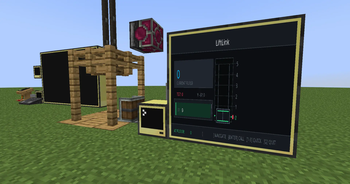
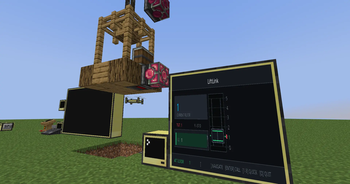
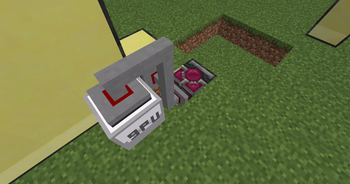
🔍 Analysis
- 👍 0.3% endorsement rate
- 🏆 #62 of 362 forge mods in this game by downloads
📋 About This Mod
CC:LiftLink * CC:LiftLink by Tom * Copyright (c) 2026 Tom * Licensed under the Mozilla Public License 2.0 ComputerCraft support for Create elevators. CC:LiftLink provides a bridge between the Create mod and CC: Tweaked, allowing for programmatic control of elevator systems. By connecting a computer to a single redstone contact within an elevator column, you gain access to the entire elevator network without complex wiring or pulley attachments. Setup Build: Assemble and test your Create elevator normally. Connect: Place a ComputerCraft computer or wired modem against any one redstone contact in the elevator column. Initialize: Wrap the peripheral in your Lua script using: Lua local elevator = peripheral.find("create_elevator") API Functions listFloors() Returns all floors in the column. callToFloor(name) Calls the elevator to a named floor. callToY(y) Calls the elevator to a floor by Y level. getState() Returns the main elevator state table. getFloors() Returns floor names mapped to Y levels. getCurrentLevel() Returns current elevator Y level. getTargetLevel() Returns target Y level. getTargetY() Returns target Y level. isMoving() Returns true if the elevator is moving. isActive() Returns true if the elevator is active. getCabY() Returns cab Y position. getSpeed() Returns current speed. getDirection() Returns "up", "down", or "idle". getColumnInfo() Returns combined floor and state info. getCurrentFloor() Returns the exact current floor name and Y. getNearestFloor() Returns the nearest floor name and Y. hasFloor(name) Checks if a floor exists. isAtFloor(name) Checks if the elevator is at that floor. Technical Details Requirements: Minecraft: 1.20.1 Create: 0.5.1.f (6.0.8) CC: Tweaked: 1.116.1 Platform: Forge Note: You do not need to connect to the elevator pulley. A single connection to any redstone contact in the column provides full access to the elevator's functions. Github: https://github.com/tiktop101/CC-LiftLink
CC:LiftLink
CC:LiftLink by Tom Copyright (c) 2026 Tom * Licensed under the Mozilla Public License 2. 0
ComputerCraft support for Create elevators. CC:LiftLink provides a bridge between the Create mod and CC: Tweaked, allowing for programmatic control of elevator systems. By connecting a computer to a single redstone contact within an elevator column, you gain access to the entire elevator network without complex wiring or pulley attachments. Setup Build: Assemble and test your Create elevator normally. Connect: Place a ComputerCraft computer or wired modem against any one redstone contact in the elevator column. Initialize: Wrap the peripheral in your Lua script using: Lua
local elevator = peripheral.find("create_elevator")
API Functions
listFloors() Returns all floors in the column. callToFloor(name) Calls the elevator to a named floor. callToY(y) Calls the elevator to a floor by Y level. getState() Returns the main elevator state table. getFloors() Returns floor names mapped to Y levels. getCurrentLevel() Returns current elevator Y level. getTargetLevel() Returns target Y level. getTargetY() Returns target Y level. isMoving() Returns true if the elevator is moving. isActive() Returns true if the elevator is active. getCabY() Returns cab Y position. getSpeed() Returns current speed. getDirection() Returns "up", "down", or "idle". getColumnInfo() Returns combined floor and state info. getCurrentFloor() Returns the exact current floor name and Y. getNearestFloor() Returns the nearest floor name and Y. hasFloor(name) Checks if a floor exists. isAtFloor(name) Checks if the elevator is at that floor.
Technical Details Requirements: Minecraft: 1. 20. 1 Create: 0. 5. 1.f (6. 0. 8) CC: Tweaked: 1. 116. 1 Platform: Forge Note: You do not need to connect to the elevator pulley. A single connection to any redstone contact in the column provides full access to the elevator's functions.
Github: https://github.com/tiktop101/CC-LiftLink
📊 Mod Details
- Game
- Minecraft Mods
- Author
- tiktop101
- Version
- 1.0.3
- Downloads
- 1,492
- Endorsements
- 5
- Category
- forge
- Created
- 4/23/2026
- Updated
- 4/17/2026
- Game Versions
- 1.20.1, 1.21.1
- Tags
- technology, transportation, utility
🔧 How to Install Minecraft Mods Mods
Download from Modrinth. Use Prism Launcher or drop into your mods folder.
📖 Full step-by-step install guide for Minecraft Mods →
Visit the official mod page for specific installation instructions for this mod.
🎮 Need cheat codes or console commands? Check ur gaming wiki for Minecraft Mods commands, item IDs, and more.
❓ Frequently Asked Questions
Which Minecraft Mods versions does CC:LiftLink support?
The author lists 1.20.1, 1.21.1. Other versions may work but are untested by the author.
What is the latest version of CC:LiftLink?
Version 1.0.3, published 2026-04-17 with 1,492 downloads recorded at the source.
Keep browsing — more Minecraft Mods mods await