Building Shift
⚪ Last updated 2024⚠️ Install Order · 2 steps
Install in this order, then this mod last — most mods fail to load without their framework and dependencies in place.
🖼️ Gallery (2 images)
🔍 Analysis
- 👍 1.0% endorsement rate
- 🏆 #66 of 282 decoration mods in this game by downloads
📋 About This Mod
[!(https://raw.githubusercontent.com/HiWord9/RPRenames/extra/links/discord.png)](https://discord.gg/3Q699k7qHr)
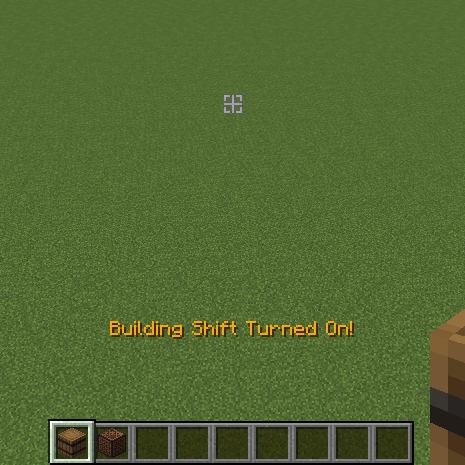
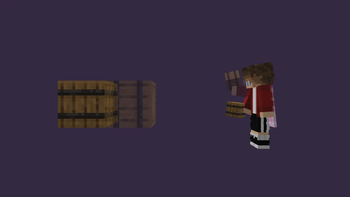
# Building Shift It is Minecraft Fabric Client Mod, that allows u to disable Interaction with Functional Blocks, and place Blocks next to them without holding Shift! Use `/buildingshift toggle` Command or Binded Key to toggle, G by default
Server-side
Mod can be installed on server what gives better functionality. Mod functionals being installed on Server or on Client, and gives Best Experience if installed on both sides.
Player with mod installed on client can join servers without mod and use it as client-side only, it works well, but gives a few little bugs.
Known bugs: - The side of placed side-related block wont depend on side of other block where player is placing it, but on player's facing in the world ((https://github.com/HiWord9/BuildingShift/issues/2))
Player without mod can join server with mod and use its functional through command:
```
/buildingshift (toggle|on|off)
Known bugs: - No sound after placing the block - Unabbility to spam blocks row
And, the Best Experience, is when Player with mod installed on client plays on Server with mod installed too. It makes Player and Server side of mod communicate better: - Player will see indicator beside crosshair - Player wont experience bug related to mod being installed either only on server or only on client
Playing in singleplayer is the same as playing with mod installed on both sides, but on integrated server.
Shows special Indicator beside Crosshair if turned on
!(https://github.com/HiWord9/BuildingShift/assets/46609661/6343c844-fa23-416c-b1b4-d06510b74cff)
Made with purpose to help builders in Minecraft!
📊 Mod Details
- Game
- Minecraft Mods
- Author
- HiWord9
- Version
- 1.2.0
- Downloads
- 5,548
- Endorsements
- 54
- Category
- decoration
- Created
- 1/24/2024
- Updated
- 9/1/2024
- Game Versions
- 1.21, 1.21.1
- Tags
- decoration, game-mechanics, utility
🔧 How to Install Minecraft Mods Mods
Download from Modrinth. Use Prism Launcher or drop into your mods folder.
📖 Full step-by-step install guide for Minecraft Mods →
Visit the official mod page for specific installation instructions for this mod.
🎮 Need cheat codes or console commands? Check ur gaming wiki for Minecraft Mods commands, item IDs, and more.
❓ Frequently Asked Questions
Which Minecraft Mods versions does Building Shift support?
The author lists 1.21, 1.21.1. Other versions may work but are untested by the author.
What is the latest version of Building Shift?
Version 1.2.0, published 2024-09-01 with 5,548 downloads recorded at the source.
Keep browsing — more Minecraft Mods mods await