BlockBuster engine
🟡 Updated this year⚠️ Install Order · 2 steps
Install in this order, then this mod last — most mods fail to load without their framework and dependencies in place.
🖼️ Gallery (4 images)


🔍 Analysis
- 👍 0.3% endorsement rate
- 🏆 #126 of 220 datapack mods in this game by downloads
📋 About This Mod
#BlockbasterEngine **Cinematic Engine for Minecraft** Blockbaster Engine is a powerful datapack for creating professional cinematics, cutscenes, and animated sequences directly in Minecraft. The engine provides a complete set of tools for recording, editing, and playing back complex scenes with multiple actors. --- ## 🎬 Key Features ### Actor System Create and manage virtual characters for your scenes: - **Actor creation** with unique names and IDs - **Custom skins** — apply any skins to actors - **Visibility control** of names and display parameters - **Actor database** with the ability to save and load - **Interactive menu** for editing actor properties ### Motion Recording Capture player actions in real time: - **Frame-by-frame recording** of all player movements, turns, and actions - **Save to storage** for later use - **Playback via mannequins** — precise repetition of recorded actions - **Support for multiple recordings** for a single scene - **Indexing system** for organizing large numbers of recordings ### Scene Editor A professional tool for creating Cinematography: - **Create and manage scenes** with unique IDs - **Add multiple recordings** to a single scene - **Link actors to recordings** for synchronized playback - **Load and edit** existing scenes - **Interactive menu** with a user-friendly control interface ### Playback System (Player) Smooth and synchronized playback: - **Frame-by-frame execution** of recorded actions - **Synchronize multiple actors** in a single scene - **Control the player's camera** during cutscene playback - **Automatic player state restoration** upon completion - **Callback system** for integration with other systems ### Mannequin System Advanced NPC playback system: - **Dynamic creation** of mannequins with specified skins - **Frame-by-frame animation** of movements and rotations - **Support Indexed records** for optimization - **Automatic cleanup** after playback completes - **Macro system** for efficient data loading --- ## 🚀 Quick Start ### Installation 1. Download the datapack 2. Place the `blockbaster-engine` folder in the `datapacks` directory of your world 3. Reload the world or run `/reload` ### Launching the Editor To work with Blockbaster Engine, use the **visual editor** instead of commands: ```mcfunction /function _blockbuster:open ``` After launching, the editor interface will open with a menu in the actionbar (above the hotbar). --- ## 🎮 Working with the Editor ### Interface Controls **Menu Navigation:** - **Mouse Wheel** (Slot Change) — Switch between menu items - **RMB** (Right Mouse Button) — Select the current menu item **Main Menu Structure:** 1. 🔴 **Record** — Start recording movements 2. ⏹ **Stop** — Stop the current recording 3. ▶ **Play** — Play the last recording 4. 🎬 **Scenes** — Open the scene management menu 5. 🎞 **Cutscene** — Cutscene Editor 6. 👤 **Character** — Actor Management Menu 7. ❌ **Exit** — Close the editor ### Creating Your First Scene **Step 1: Open Editor** ```mcfunction /function _blockbuster:open ``` **Step 2: Create a Character** - Scroll to **👤 Character** - Right-click to open the menu - Select the desired action (create, list, edit) **Step 3: Record Actions** - Scroll to **🔴 Record** - Right-click to start recording - Perform the desired actions (move, turn, jump) - Scroll to **⏹ Stop** and right-click **Step 4: Create a Scene** - Scroll to **🎬 Scenes** - Right-click to open the scenes menu - Create a new scene and add recordings **Step 5: Play** - Select **▶ Play** to preview the results --- ## 🎯 Character Menu After selecting **👤 Character** in the main menu: 1. **Character List** — view all created actors 2. **Stop All** — stop playback of all mannequins 3. **Back** — return to the main menu ### Working with Characters - Create actors with unique names - Assign custom skins - Manage name visibility - Link recordings to specific characters --- ## 🎬 Scene Menu After selecting **🎬 Scenes** in the main menu: - **Create Scene** — new cinematic scene - **Scene List** — all saved scenes - **Edit** — change scene parameters - **Add Recording** — link a recording to a scene - **Play** — start a scene ### Working with Scenes - One scene can Contain multiple recordings - Each recording is linked to a specific actor - Automatic synchronization of all actors during playback - Saving scenes to files for reuse --- ## 🔧 Technical features ### Data Storage System - Use of **storage** for temporary data - Loot tables** for persistent storage of scenes and actors - Predicates** for conditional logic and checks ### Optimization - Indexed system** for working with large numbers of records - Macro functions** for dynamic data loading - Efficient memory management** by cleaning up unused data ### Integration - Callback system** for interacting with other datapacks - Cutscene Engine support** for advanced features - Modular architecture** for easy functionality expansion --- ## 📋 Requi
#BlockbasterEngine
Cinematic Engine for Minecraft
Blockbaster Engine is a powerful datapack for creating professional cinematics, cutscenes, and animated sequences directly in Minecraft. The engine provides a complete set of tools for recording, editing, and playing back complex scenes with multiple actors.
## 🎬 Key Features
### Actor System Create and manage virtual characters for your scenes: - Actor creation with unique names and IDs - Custom skins — apply any skins to actors - Visibility control of names and display parameters - Actor database with the ability to save and load - Interactive menu for editing actor properties
### Motion Recording Capture player actions in real time: - Frame-by-frame recording of all player movements, turns, and actions - Save to storage for later use - Playback via mannequins — precise repetition of recorded actions - Support for multiple recordings for a single scene - Indexing system for organizing large numbers of recordings
### Scene Editor A professional tool for creating Cinematography: - Create and manage scenes with unique IDs - Add multiple recordings to a single scene - Link actors to recordings for synchronized playback - Load and edit existing scenes - Interactive menu with a user-friendly control interface
### Playback System (Player) Smooth and synchronized playback: - Frame-by-frame execution of recorded actions - Synchronize multiple actors in a single scene - Control the player's camera during cutscene playback - Automatic player state restoration upon completion - Callback system for integration with other systems
### Mannequin System Advanced NPC playback system: - Dynamic creation of mannequins with specified skins - Frame-by-frame animation of movements and rotations - Support Indexed records for optimization - Automatic cleanup after playback completes - Macro system for efficient data loading
## 🚀 Quick Start
### Installation 1. Download the datapack 2. Place the `blockbaster-engine` folder in the `datapacks` directory of your world 3. Reload the world or run `/reload`
### Launching the Editor
To work with Blockbaster Engine, use the visual editor instead of commands:
```mcfunction /function _blockbuster:open ```
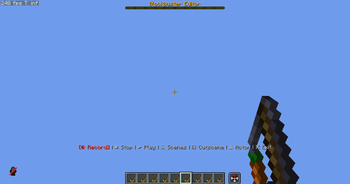
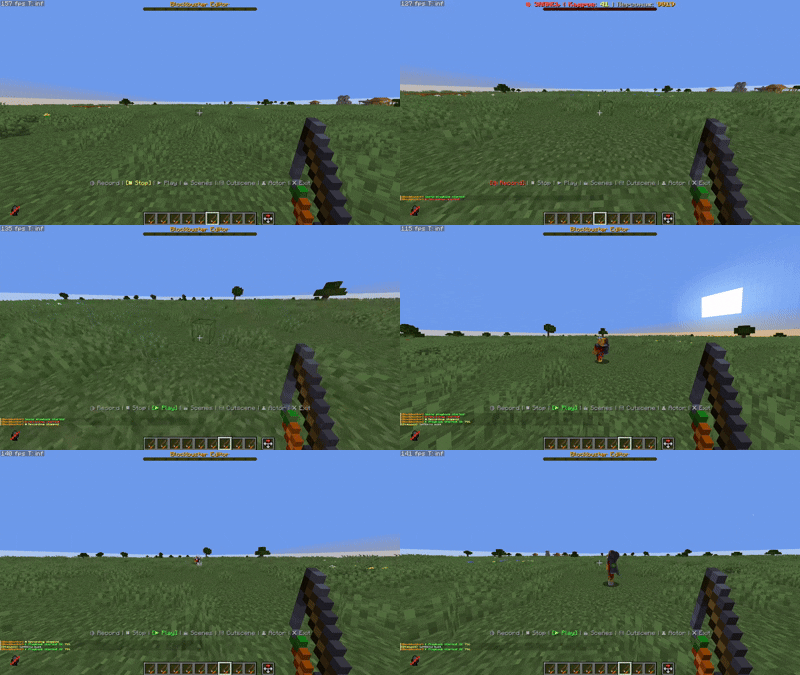
After launching, the editor interface will open with a menu in the actionbar (above the hotbar).
## 🎮 Working with the Editor
### Interface Controls
Menu Navigation: - Mouse Wheel (Slot Change) — Switch between menu items - RMB (Right Mouse Button) — Select the current menu item
Main Menu Structure: 1. 🔴 Record — Start recording movements 2. ⏹ Stop — Stop the current recording 3. ▶ Play — Play the last recording 4. 🎬 Scenes — Open the scene management menu 5. 🎞 Cutscene — Cutscene Editor 6. 👤 Character — Actor Management Menu 7. ❌ Exit — Close the editor
### Creating Your First Scene
Step 1: Open Editor ```mcfunction /function _blockbuster:open ```
Step 2: Create a Character - Scroll to 👤 Character - Right-click to open the menu - Select the desired action (create, list, edit)
Step 3: Record Actions - Scroll to 🔴 Record - Right-click to start recording - Perform the desired actions (move, turn, jump) - Scroll to ⏹ Stop and right-click
Step 4: Create a Scene - Scroll to 🎬 Scenes - Right-click to open the scenes menu - Create a new scene and add recordings
Step 5: Play - Select ▶ Play to preview the results
## 🎯 Character Menu
After selecting 👤 Character in the main menu:
1. Character List — view all created actors 2. Stop All — stop playback of all mannequins 3. Back — return to the main menu
### Working with Characters - Create actors with unique names - Assign custom skins - Manage name visibility - Link recordings to specific characters
## 🎬 Scene Menu
After selecting 🎬 Scenes in the main menu:
- Create Scene — new cinematic scene
- Scene List — all saved scenes
- Edit — change scene parameters
- Add Recording — link a recording to a scene
- Play — start a scene
### Working with Scenes - One scene can Contain multiple recordings - Each recording is linked to a specific actor - Automatic synchronization of all actors during playback - Saving scenes to files for reuse
## 🔧 Technical features
### Data Storage System - Use of storage for temporary data - Loot tables for persistent storage of scenes and actors - Predicates for conditional logic and checks
### Optimization - Indexed system for working with large numbers of records - Macro functions for dynamic data loading - Efficient memory management by cleaning up unused data
### Integration - Callback system for interacting with other datapacks - Cutscene Engine support for advanced features - Modular architecture for easy functionality expansion
## 📋 Requi
📊 Mod Details
- Game
- Minecraft Mods
- Author
- Stepan1411
- Version
- v0.1+mod
- Downloads
- 7,500
- Endorsements
- 24
- Category
- datapack
- Created
- 11/27/2025
- Updated
- 4/22/2026
- Game Versions
- 1.21.9, 1.21.10, 1.21.11
- Tags
- library, management, utility
🔧 How to Install Minecraft Mods Mods
Download from Modrinth. Use Prism Launcher or drop into your mods folder.
📖 Full step-by-step install guide for Minecraft Mods →
Visit the official mod page for specific installation instructions for this mod.
🎮 Need cheat codes or console commands? Check ur gaming wiki for Minecraft Mods commands, item IDs, and more.
❓ Frequently Asked Questions
Which Minecraft Mods versions does BlockBuster engine support?
The author lists 1.21.9, 1.21.10, 1.21.11. Other versions may work but are untested by the author.
What is the latest version of BlockBuster engine?
Version v0.1+mod, published 2026-04-22 with 7,500 downloads recorded at the source.
Keep browsing — more Minecraft Mods mods await