Big Globe
🟡 Updated this year⚠️ Install Order · 2 steps
Install in this order, then this mod last — most mods fail to load without their framework and dependencies in place.
🖼️ Gallery (12 images)
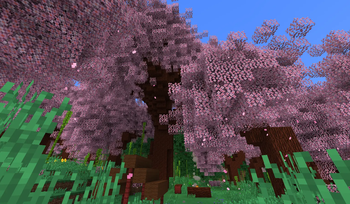
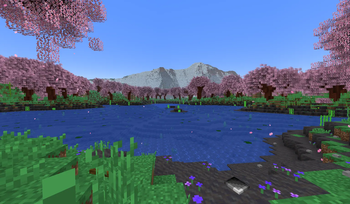
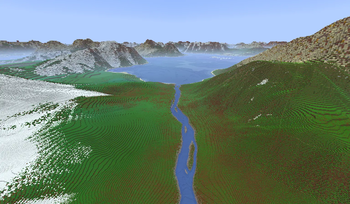
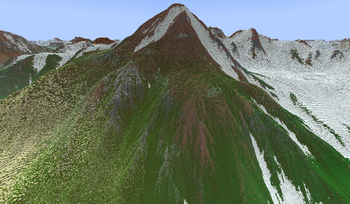
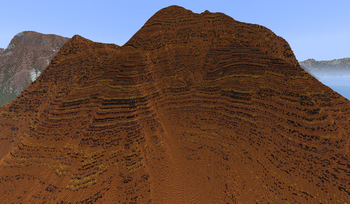
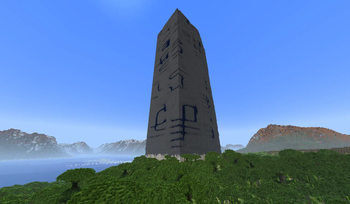
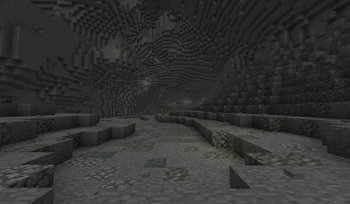
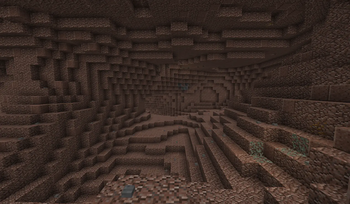
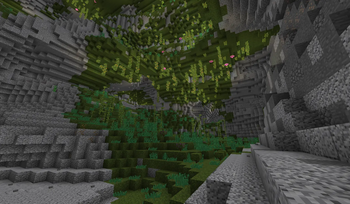
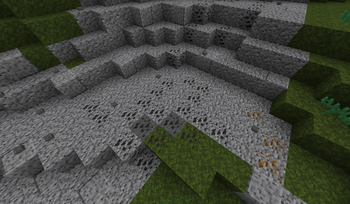
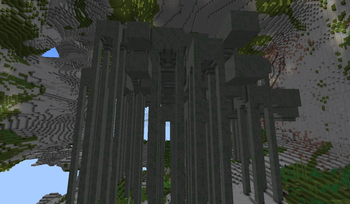
🔍 Analysis
- 👍 0.2% endorsement rate
- 🏆 #961 of 1284 fabric mods in this game by downloads
📋 About This Mod
# Important info first This mod MIGHT CHANGE in the future, potentially breaking old worlds in the process! The end dimension is only supported in V3.6.0 and above. In older mod versions, the end is vanilla. Biomes added by other mods WILL NEED A DATA PACK to generate in Big Globe worlds. Ores, flowers, and other features and structures added by other mods WILL NEED A DATA PACK to generate in Big Globe worlds. Data packs that provide compatibility for other mods can be found on my Discord server. Or, you can search Modrinth for compatibility packs that other people have made. This mod generates worlds on a VERY LARGE scale, both horizontally and vertically. Exploration and resource collecting will be difficult. This mod uses more RAM than vanilla due to worlds being taller. Be prepared to have to allocate a lot of RAM to the game. This mod is not planned to support Forge or NeoForge, however it does work with (https://modrinth.com/mod/connector). Just note that if you are using an older version of Big Globe than V4.5.0, you will need to disable `MobSpawnerLogic_SpawnLightning` inside `.minecraft/config/bigglobe/mixins.properties` for this to work. This mod cannot be made into a data pack, nor can it be server-side only. Data packs can't add blocks/items/entities to the game (and Big Globe has a lot of those), and also vanilla density functions can't replicate the equations Big Globe needs to generate its terrain. # Ok, now on to the description Big Globe is, at its heart, a worldgen mod which overhauls all 3 vanilla dimensions to be bigger. Ever since Minecraft 1.18, mods and data packs have been able to change how tall worlds are, and Big Globe takes full advantage of this. The overworld in Big Globe is 2048 blocks tall, while the nether and end are both 1024 blocks tall. But Big Globe isn't *just* about making worlds taller. It also provides completely custom terrain features for just about everything, AND it comes with over 100 new blocks to make the game feel more immersive. Most of them are designed to be decorational or fit in with vanilla, but some of them have their own mechanics too, to make certain parts of the game easier. You can find a full list of current blocks and items (https://github.com/Builderb0y/BigGlobe/blob/scriptable-generators/List%20of%20features.md#blocks). Big Globe also comes with its own scripting language which data packs can use to add their own worldgen features governed by arbitrary rules. The overwhelming majority of Big Globe's terrain features are, in fact, scripts. But with great power comes great cost: most worldgen added by other mods or other data packs will have no effect in Big Globe worlds. But all is not lost! Data packs designed for Big Globe can place content from other mods or other data packs, so you can make a "compatibility" data pack to bridge the gap between how vanilla does things and how Big Globe does things. # Getting started Once you've installed Big Globe, simply set the world type to "Big Globe" when creating a new world. If you're a server hoster, set `level-type=bigglobe:bigglobe` in server.properties. Big Globe will attempt to spawn you in an area with trees to make getting started a bit easier. Big Globe also changes where some resources generate. If you can't find something and don't know where to look for it, (https://github.com/Builderb0y/BigGlobe/blob/scriptable-generators/List%20of%20features.md#material-cheat-sheet) link might help you. # Recommended other mods to use in combination with Big Globe (https://modrinth.com/mod/sodium), (https://modrinth.com/mod/lithium), (https://modrinth.com/mod/ferrite-core), and (https://modrinth.com/mod/starlight)/(https://modrinth.com/mod/scalablelux): recommended because Big Globe demands a lot of resources by default, and these mods can reduce that somewhat. (https://modrinth.com/mod/c2me-fabric): recommended because it contains a number of optimizations which can improve performance while doing worldgen. Note however that Big Globe already has concurrency built-in to its chunk generator, so the multi-threading aspect of C2ME will be less effective in Big Globe worlds than in vanilla worlds. (https://modrinth.com/mod/structure-layout-optimizer): recommended because Big Globe needs to generate structures in a larger radius than vanilla, and sometimes needs to re-generate them from scratch. Structure Layout Optimizer can help make that process faster. (https://modrinth.com/mod/vertigo): recommended in multiplayer because Big Globe will consume vastly more bandwidth without Vertigo installed. Neither recommended nor discouraged in singleplayer. Vertigo might help reduce memory usage somewhat in both singleplayer and multiplayer. (https://modrinth.com/mod/distanthorizons) or (https://modrinth.com/mod/voxy): recommended in V4 in order
# Important info first
This mod MIGHT CHANGE in the future, potentially breaking old worlds in the process!
The end dimension is only supported in V3. 6. 0 and above. In older mod versions, the end is vanilla.
Biomes added by other mods WILL NEED A DATA PACK to generate in Big Globe worlds.
Ores, flowers, and other features and structures added by other mods WILL NEED A DATA PACK to generate in Big Globe worlds.
Data packs that provide compatibility for other mods can be found on my Discord server. Or, you can search Modrinth for compatibility packs that other people have made.
This mod generates worlds on a VERY LARGE scale, both horizontally and vertically. Exploration and resource collecting will be difficult.
This mod uses more RAM than vanilla due to worlds being taller. Be prepared to have to allocate a lot of RAM to the game.
This mod is not planned to support Forge or NeoForge, however it does work with (https://modrinth.com/mod/connector). Just note that if you are using an older version of Big Globe than V4. 5. 0, you will need to disable `MobSpawnerLogic_SpawnLightning` inside `.minecraft/config/bigglobe/mixins.properties` for this to work.
This mod cannot be made into a data pack, nor can it be server-side only. Data packs can't add blocks/items/entities to the game (and Big Globe has a lot of those), and also vanilla density functions can't replicate the equations Big Globe needs to generate its terrain.
# Ok, now on to the description
Big Globe is, at its heart, a worldgen mod which overhauls all 3 vanilla dimensions to be bigger. Ever since Minecraft 1. 18, mods and data packs have been able to change how tall worlds are, and Big Globe takes full advantage of this. The overworld in Big Globe is 2048 blocks tall, while the nether and end are both 1024 blocks tall.
But Big Globe isn't just about making worlds taller. It also provides completely custom terrain features for just about everything, AND it comes with over 100 new blocks to make the game feel more immersive. Most of them are designed to be decorational or fit in with vanilla, but some of them have their own mechanics too, to make certain parts of the game easier. You can find a full list of current blocks and items (https://github.com/Builderb0y/BigGlobe/blob/scriptable-generators/List%20of%20features.md#blocks).
Big Globe also comes with its own scripting language which data packs can use to add their own worldgen features governed by arbitrary rules. The overwhelming majority of Big Globe's terrain features are, in fact, scripts. But with great power comes great cost: most worldgen added by other mods or other data packs will have no effect in Big Globe worlds. But all is not lost! Data packs designed for Big Globe can place content from other mods or other data packs, so you can make a "compatibility" data pack to bridge the gap between how vanilla does things and how Big Globe does things.
# Getting started
Once you've installed Big Globe, simply set the world type to "Big Globe" when creating a new world. If you're a server hoster, set `level-type=bigglobe:bigglobe` in server.properties. Big Globe will attempt to spawn you in an area with trees to make getting started a bit easier.
Big Globe also changes where some resources generate. If you can't find something and don't know where to look for it, (https://github.com/Builderb0y/BigGlobe/blob/scriptable-generators/List%20of%20features.md#material-cheat-sheet) link might help you.
# Recommended other mods to use in combination with Big Globe
(https://modrinth.com/mod/sodium), (https://modrinth.com/mod/lithium), (https://modrinth.com/mod/ferrite-core), and (https://modrinth.com/mod/starlight)/(https://modrinth.com/mod/scalablelux): recommended because Big Globe demands a lot of resources by default, and these mods can reduce that somewhat.
(https://modrinth.com/mod/c2me-fabric): recommended because it contains a number of optimizations which can improve performance while doing worldgen. Note however that Big Globe already has concurrency built-in to its chunk generator, so the multi-threading aspect of C2ME will be less effective in Big Globe worlds than in vanilla worlds.
(https://modrinth.com/mod/structure-layout-optimizer): recommended because Big Globe needs to generate structures in a larger radius than vanilla, and sometimes needs to re-generate them from scratch. Structure Layout Optimizer can help make that process faster.
(https://modrinth.com/mod/vertigo): recommended in multiplayer because Big Globe will consume vastly more bandwidth without Vertigo installed. Neither recommended nor discouraged in singleplayer. Vertigo might help reduce memory usage somewhat in both singleplayer and multiplayer.
(https://modrinth.com/mod/distanthorizons) or (https://modrinth.com/mod/voxy): recommended in V4 in order
📊 Mod Details
- Game
- Minecraft Mods
- Author
- Builderb0y
- Version
- 6.2.0
- Downloads
- 799,041
- Endorsements
- 1,704
- Category
- fabric
- Created
- 3/11/2023
- Updated
- 8/27/2026
- Game Versions
- 26.1, 26.1.1, 26.1.2
- Tags
- worldgen
🔧 How to Install Minecraft Mods Mods
Download from Modrinth. Use Prism Launcher or drop into your mods folder.
📖 Full step-by-step install guide for Minecraft Mods →
Visit the official mod page for specific installation instructions for this mod.
🎮 Need cheat codes or console commands? Check ur gaming wiki for Minecraft Mods commands, item IDs, and more.
❓ Frequently Asked Questions
Which Minecraft Mods versions does Big Globe support?
The author lists 26.1, 26.1.1, 26.1.2. Other versions may work but are untested by the author.
What is the latest version of Big Globe?
Version 6.2.0, published 2026-08-27 with 799,041 downloads recorded at the source.
Keep browsing — more Minecraft Mods mods await