BeatCraft
🟡 Updated this year⚠️ Install Order · 2 steps
Install in this order, then this mod last — most mods fail to load without their framework and dependencies in place.
🖼️ Gallery (5 images)

🔍 Analysis
- 👍 0.9% endorsement rate
- 🏆 #142 of 920 fabric mods in this game by downloads
📋 About This Mod
# BeatCraft A fan-made, faithful recreation of (https://beatsaber.com/) in Minecraft. This mod was inspired by deep knowledge of how Beat Saber functions, created from members of the community who have been studying it for years. Not only does this mod function like Beat Saber, it's also playable inside virtual reality using (https://modrinth.com/mod/vivecraft) This allows for a truly accurate experience, as you'll really be swinging your sabers physically in 3D space! Experience a unique take on virtual reality's most popular rhythm game, all within the confines of the blocky sandbox we all know and love! > This mod is still in active development, please be patient about features that haven't been added yet, and report bugs to the github (check that it hasn't already been reported first please) ## Features - Play beatmaps that you can download in-game from (https://beatsaver.com/). - Built-in Chroma and Noodle Extensions ("Modchart") support. - Simple decorative blockset to build your own environments with. - 3D-space menus for easy song selection and playing. - Semi-accurate scoring. - Multiplayer which allows players to sync their games and take turns. * This feature may be buggy so please report issues to the GitHub. ## Usage You can craft sabers and a headset in game using iron, redstone, amethyst, leather, and red/blue dyes. To interact with the menus, you must be holding a saber in your right hand. If you want to interact with the menu outside of VR, the `/fpfc ` command will toggle positioning the sabers to the player head as in Beat Saber's FPFC mode. Menu buttons are pressed by punching while holding a saber pointed at the button. ## Recommended Settings ### Minecraft - BeatCraft worldgen preset - Cheats enabled / Creative mode - peaceful difficulty - gamerule DoDaylightCycle set to false - time set to midnight - press F1 to hide hotbar and block outlines while playing ### Vivecraft - Hide player arms ## Dependencies - (https://modrinth.com/mod/vivecraft) - (https://modrinth.com/mod/architectury-api)
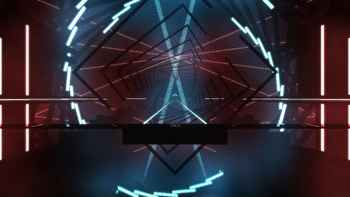
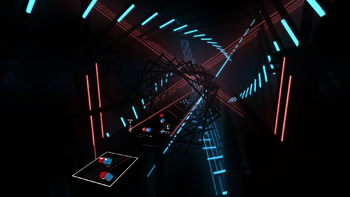
# BeatCraft A fan-made, faithful recreation of (https://beatsaber.com/) in Minecraft.
This mod was inspired by deep knowledge of how Beat Saber functions, created from members of the community who have been studying it for years.
Not only does this mod function like Beat Saber, it's also playable inside virtual reality using (https://modrinth.com/mod/vivecraft) This allows for a truly accurate experience, as you'll really be swinging your sabers physically in 3D space!
Experience a unique take on virtual reality's most popular rhythm game, all within the confines of the blocky sandbox we all know and love!
> This mod is still in active development, please be patient about features that haven't been added yet, and report bugs to the github (check that it hasn't already been reported first please)
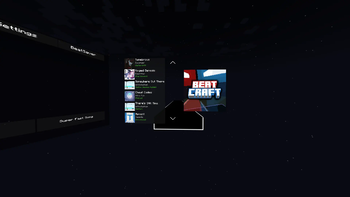
## Features - Play beatmaps that you can download in-game from (https://beatsaver.com/). - Built-in Chroma and Noodle Extensions ("Modchart") support. - Simple decorative blockset to build your own environments with. - 3D-space menus for easy song selection and playing. - Semi-accurate scoring. - Multiplayer which allows players to sync their games and take turns. * This feature may be buggy so please report issues to the GitHub.
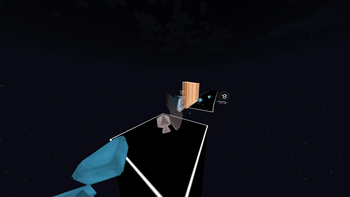
## Usage You can craft sabers and a headset in game using iron, redstone, amethyst, leather, and red/blue dyes.
To interact with the menus, you must be holding a saber in your right hand.
If you want to interact with the menu outside of VR, the `/fpfc ` command will toggle positioning the sabers to the player head as in Beat Saber's FPFC mode.
Menu buttons are pressed by punching while holding a saber pointed at the button.
## Recommended Settings ### Minecraft - BeatCraft worldgen preset - Cheats enabled / Creative mode - peaceful difficulty - gamerule DoDaylightCycle set to false - time set to midnight - press F1 to hide hotbar and block outlines while playing ### Vivecraft - Hide player arms
## Dependencies - (https://modrinth.com/mod/vivecraft) - (https://modrinth.com/mod/architectury-api)
📊 Mod Details
- Game
- Minecraft Mods
- Author
- Swifter
- Version
- 1.21.1-0.9.4-fabric
- Downloads
- 5,716
- Endorsements
- 51
- Category
- fabric
- Created
- 2/26/2025
- Updated
- 4/24/2026
- Game Versions
- 1.21.1
- Tags
- minigame
🔧 How to Install Minecraft Mods Mods
Download from Modrinth. Use Prism Launcher or drop into your mods folder.
📖 Full step-by-step install guide for Minecraft Mods →
Visit the official mod page for specific installation instructions for this mod.
🎮 Need cheat codes or console commands? Check ur gaming wiki for Minecraft Mods commands, item IDs, and more.
❓ Frequently Asked Questions
Which Minecraft Mods versions does BeatCraft support?
The author lists 1.21.1. Other versions may work but are untested by the author.
What is the latest version of BeatCraft?
Version 1.21.1-0.9.4-fabric, published 2026-04-24 with 5,716 downloads recorded at the source.
Keep browsing — more Minecraft Mods mods await