Auto Reauth
🟡 Updated this year⚠️ Install Order · 2 steps
Install in this order, then this mod last — most mods fail to load without their framework and dependencies in place.
🖼️ Gallery (2 images)
🔍 Analysis
- 👍 0.1% endorsement rate
- 🏆 #395 of 983 fabric mods in this game by downloads
📋 About This Mod
# auto-reauth (https://github.com/Basicprogrammer10/auto-reauth/actions/workflows/build.yml/badge.svg)](https://github.com/Basicprogrammer10/auto-reauth/actions/workflows/build.yml) !(https://img.shields.io/github/v/release/Basicprogrammer10/auto-reauth) !(https://img.shields.io/badge/dynamic/json?url=https%3A%2F%2Fconnorcode.com%2Fapi%2Fdownloads%3Fgithub%3DBasicprogrammer10%252Fauto-reauth%26modrinth%3Dlab8OplF%26curseforge%3D977807&query=%24%5B'total-human'%5D&label=downloads&color=limegreen) Requires: <kbd>(https://modrinth.com/mod/fabric-api)</kbd> <kbd>(https://modrinth.com/mod/modmenu)</kbd> This is a mod that automatically re-authenticates your session when it expires. Without this mod, you need to restart your game every time your session expires (about every day). !(https://github.com/Basicprogrammer10/auto-reauth/assets/50306817/0d8b2d50-7d2b-4b86-8f92-a0f6baed7e26) ## Usage After installing, you will need to sign in through auto reauth, so it can store your authentication tokens. To do this, open the mod menu find auto reauth and open the config menu. Here you can click "Login" to be redirected to the Microsoft login page, after signing in (if everything goes well) you will be redirected to a page that says "You can close this tab now", at this point your authentication tokens are stored, and you can close the tab. Now, anytime you open the multiplayer menu, auto reauth will check your session status, and re-authenticate if necessary. The tokens may expire after some time (like 90 days) so if you start having issues with the mod, try logging in again. Do note that using this mod will store your authentication tokens in your config folder (config/auto-reauth/config.nbt). So just be careful about that. ## References - (https://wiki.vg/Microsoft_Authentication_Scheme) — Information on how the Microsoft authentication flow works for Minecraft. - (https://github.com/axieum/authme) — A mod that lets you re-authenticate your session manually.
# auto-reauth [!(https://github.com/Basicprogrammer10/auto-reauth/actions/workflows/build.yml/badge.svg)](https://github.com/Basicprogrammer10/auto-reauth/actions/workflows/build.yml) !(https://img.shields.io/github/v/release/Basicprogrammer10/auto-reauth) !(https://img.shields.io/badge/dynamic/json?url=https%3A%2F%2Fconnorcode.com%2Fapi%2Fdownloads%3Fgithub%3DBasicprogrammer10%252Fauto-reauth%26modrinth%3Dlab8OplF%26curseforge%3D977807&query=%24%5B'total-human'%5D&label=downloads&color=limegreen)
Requires: (https://modrinth.com/mod/fabric-api) (https://modrinth.com/mod/modmenu)
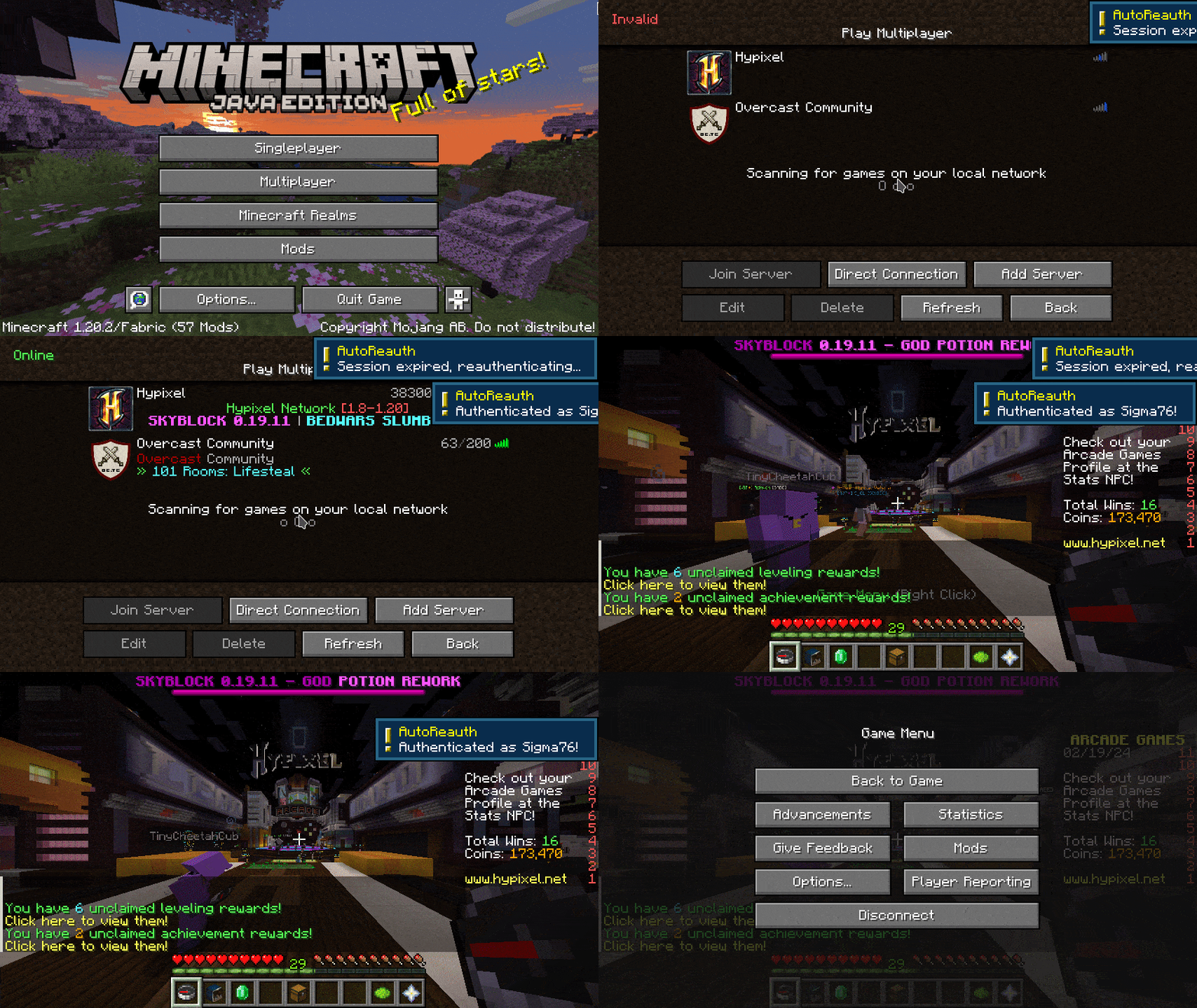
This is a mod that automatically re-authenticates your session when it expires. Without this mod, you need to restart your game every time your session expires (about every day).
!(https://github.com/Basicprogrammer10/auto-reauth/assets/50306817/0d8b2d50-7d2b-4b86-8f92-a0f6baed7e26)
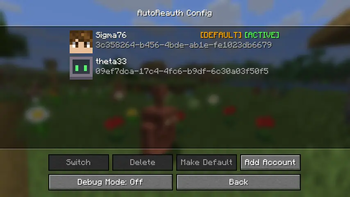
After installing, you will need to sign in through auto reauth, so it can store your authentication tokens. To do this, open the mod menu find auto reauth and open the config menu. Here you can click "Login" to be redirected to the Microsoft login page, after signing in (if everything goes well) you will be redirected to a page that says "You can close this tab now", at this point your authentication tokens are stored, and you can close the tab. Now, anytime you open the multiplayer menu, auto reauth will check your session status, and re-authenticate if necessary. The tokens may expire after some time (like 90 days) so if you start having issues with the mod, try logging in again.
Do note that using this mod will store your authentication tokens in your config folder (config/auto-reauth/config.nbt). So just be careful about that.
## References
- (https://wiki.vg/Microsoft_Authentication_Scheme) — Information on how the Microsoft authentication flow works for Minecraft.
- (https://github.com/axieum/authme) — A mod that lets you re-authenticate your session manually.
📊 Mod Details
- Game
- Minecraft Mods
- Author
- connorslade
- Version
- 0.4.1
- Downloads
- 60,026
- Endorsements
- 61
- Category
- fabric
- Created
- 2/25/2024
- Updated
- 6/25/2026
- Game Versions
- 26.2
- Tags
- utility
🔧 How to Install Minecraft Mods Mods
Download from Modrinth. Use Prism Launcher or drop into your mods folder.
📖 Full step-by-step install guide for Minecraft Mods →
Visit the official mod page for specific installation instructions for this mod.
🎮 Need cheat codes or console commands? Check ur gaming wiki for Minecraft Mods commands, item IDs, and more.
❓ Frequently Asked Questions
Which Minecraft Mods versions does Auto Reauth support?
The author lists 26.2. Other versions may work but are untested by the author.
What is the latest version of Auto Reauth?
Version 0.4.1, published 2026-06-25 with 60,026 downloads recorded at the source.
Keep browsing — more Minecraft Mods mods await