Armory of Destiny
🟡 Updated this year⚠️ Install Order · 2 steps
Install in this order, then this mod last — most mods fail to load without their framework and dependencies in place.
🖼️ Gallery (12 images)




🔍 Analysis
- 👍 1.5% endorsement rate — high engagement, a strong quality signal
- 🏆 #134 of 285 equipment mods in this game by downloads
📋 About This Mod
!(https://i.imgur.com/W31OEHA.png) *** <span style="font-size: 18px;"><strong>Attention:</strong> This mod is still in development so expect bugs. Please, back up your world before playing with this mod, and report any issues you encounter!</span> *** <span style="font-size: 18px;"><br><a href="modrinth.com/mod/geckolib" target="_blank" rel="nofollow noopener"><span style="text-decoration: underline;"><strong><span style="color: #f00; text-decoration: underline;">GeckoLib is required!</span></strong></span></a><br><br>Armory of Destiny is a mod that adds both iconic and custom weapons with in-depth mechanics, each one of them has a high-quality model and texture; These weapons are made in an immersive way, step-by-step using the Armorer's Workshop and Armorer's Forge - No interfaces, only pure in-world interaction. In the future there are planned to be more weapons, and items like artifacts, armors and even more!<br><br>Now, let's skim over the content currently present in the mod:<br><br></span><span style="font-size: 14px;"><strong>Blueprints<br><img src="https://i.imgur.com/TTnrvuq.png" alt="" width="308" height="231"><br></strong>These items are necessary to craft the components and the weapons themselves. They also contain the list of all components and their ingredients in their description. A blueprint for a specific weapon can be found almost anywhere as loot, but they are quite rare, so keep an eye out for them!<strong><br></strong></span><span style="font-size: 14px;"><br></span><span style="font-size: 14px;"><strong>Armorer's Forge</strong><br><img src="https://i.imgur.com/YmlrGPW.png" alt="" width="521" height="276"><br>Armorer's Forge is used to forge components, which then can be assembled into a special item on the Armorer's Workshop. It is split into four blocks and one item:<br><br><strong>Smithing Tongs</strong><br><img src="https://i.imgur.com/eslkv4m.png" alt="" width="220" height="240"><br>Hot items will deal consistent damage as long as they are in your inventory or you're stepping on them. Tongs are used to handle them safely, moving from one place to another. If a block is tongs-compatible, you can directly take and put items from them.<br>You can also manually take and put items into the tongs - Hold an item in your offhand and tongs in main hand, hold Shift and press RMB, the item will be inserted into the tongs.<br>To release the item, simply hold Shift and press RMB again.<br><br><strong>Bloomery</strong><br><img src="https://i.imgur.com/zQCdIPF.png" alt="" width="225" height="530"><br>Bloomery is used to heat materials for forging on the Armorer's Anvil. It's made out of the top and bottom part:<br><br><strong>Bloomery's Bottom<br></strong><img src="https://i.imgur.com/fgNjLtv.png" alt="" width="215" height="234"><br>The bottom part has an openable door, and it's inside can store up to 4 logs of any kind. To start the fire, use Flint and Steel, to extinguish it - Any shovel.<br>You can also take out the logs with Shift+RMB, but only if the fire is not present. However you may add more logs anytime you want.<br>The Nether variant has longer burn time per log (And looks cooler).<br>Fun fact: Sound cues indicate when a log is consumed!<br><br><strong>Bloomery's Top</strong><br><img src="https://i.imgur.com/1ldN6Rb.png" alt="" width="203" height="287"><br>The top part will turn any item put inside into it's hot counterpart (If there is one), as long as the bottom part provides the heat.<br>Crafting process is indicated by the smoke coming out of the pipe, and a hissing sound indicates that the item is processed.<br>Nether variant heats thing twice as fast.<br><br><strong>Armorer's Anvil</strong><br><img src="https://i.imgur.com/vOgIJbX.png" alt="" width="369" height="292"><br>The anvil is used to smith ingredients together into an item's component. To begin, put a blueprint of the weapon which component you want to craft, then begin adding materials on top of the anvil, and keep in mind that the order matters! After you laid out the items, start hammering them with the Smithing Hammer.<br>If the ingredients and their order is correct, you will be showered in sparks. Keep hitting the items until they turn into the hot component.<br>Also, you can hang the Smithing Tongs on the hook of the anvil! Handy, isn't it?<br><br><strong>Tempering Barrel</strong><br><img src="https://i.imgur.com/UMi8FZu.png" alt="" width="270" height="309"><br>This block is used to turn hot items into their cold counterparts, if you messed up and heated something you didn't need to, or to cool off your finished component. The cooling will work as long as there's water inside, which will deplete after a couple uses. You can put water in at any time as long as the water's level is not max. (And also, nobody knows this, but you can even take out water if it's at the max level!)<br><br><strong>Armorer's Workshop</strong><br><img src="https://i.imgur.com/6NOmTId.png" width="484" height="357"><br>Armorer's Wo

Attention: This mod is still in development so expect bugs. Please, back up your world before playing with this mod, and report any issues you encounter!
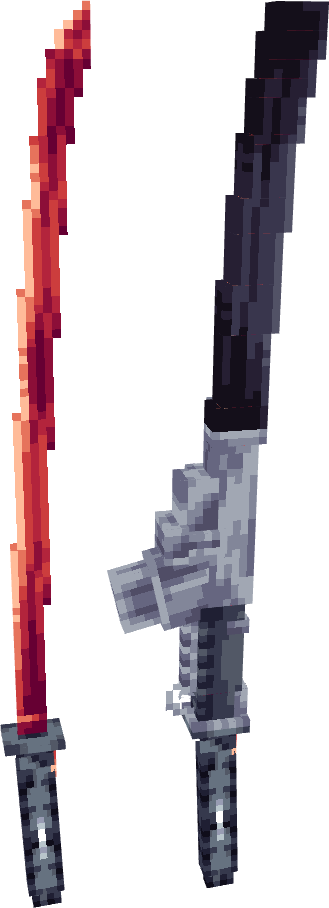
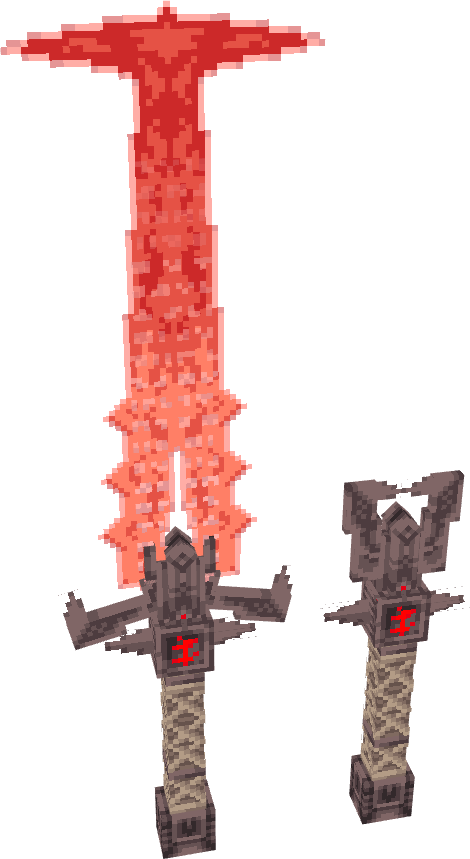
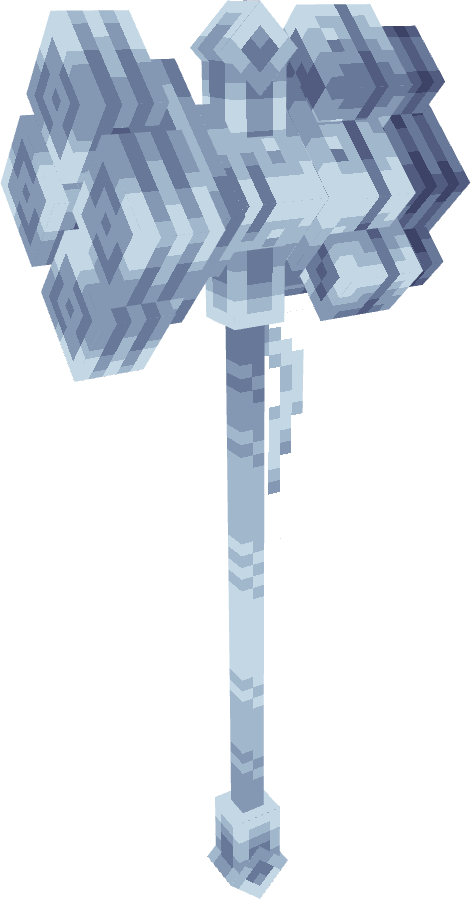
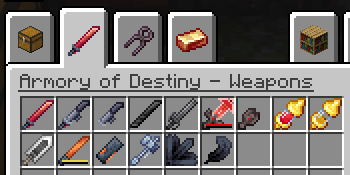
Armory of Destiny is a mod that adds both iconic and custom weapons with in-depth mechanics, each one of them has a high-quality model and texture; These weapons are made in an immersive way, step-by-step using the Armorer's Workshop and Armorer's Forge - No interfaces, only pure in-world interaction. In the future there are planned to be more weapons, and items like artifacts, armors and even more!
Now, let's skim over the content currently present in the mod:
Blueprints
 These items are necessary to craft the components and the weapons themselves. They also contain the list of all components and their ingredients in their description. A blueprint for a specific weapon can be found almost anywhere as loot, but they are quite rare, so keep an eye out for them!
Armorer's Forge
These items are necessary to craft the components and the weapons themselves. They also contain the list of all components and their ingredients in their description. A blueprint for a specific weapon can be found almost anywhere as loot, but they are quite rare, so keep an eye out for them!
Armorer's Forge
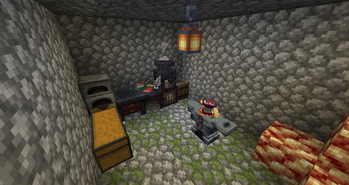
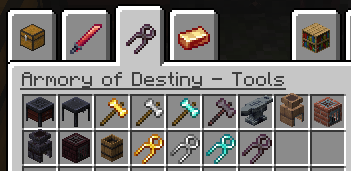
 Armorer's Forge is used to forge components, which then can be assembled into a special item on the Armorer's Workshop. It is split into four blocks and one item:
Smithing Tongs
 Hot items will deal consistent damage as long as they are in your inventory or you're stepping on them. Tongs are used to handle them safely, moving from one place to another. If a block is tongs-compatible, you can directly take and put items from them.
You can also manually take and put items into the tongs - Hold an item in your offhand and tongs in main hand, hold Shift and press RMB, the item will be inserted into the tongs.
To release the item, simply hold Shift and press RMB again.
Hot items will deal consistent damage as long as they are in your inventory or you're stepping on them. Tongs are used to handle them safely, moving from one place to another. If a block is tongs-compatible, you can directly take and put items from them.
You can also manually take and put items into the tongs - Hold an item in your offhand and tongs in main hand, hold Shift and press RMB, the item will be inserted into the tongs.
To release the item, simply hold Shift and press RMB again.
Bloomery
 Bloomery is used to heat materials for forging on the Armorer's Anvil. It's made out of the top and bottom part:
Bloomery's Bottom
 The bottom part has an openable door, and it's inside can store up to 4 logs of any kind. To start the fire, use Flint and Steel, to extinguish it - Any shovel.
You can also take out the logs with Shift+RMB, but only if the fire is not present. However you may add more logs anytime you want.
The Nether variant has longer burn time per log (And looks cooler).
Fun fact: Sound cues indicate when a log is consumed!
The bottom part has an openable door, and it's inside can store up to 4 logs of any kind. To start the fire, use Flint and Steel, to extinguish it - Any shovel.
You can also take out the logs with Shift+RMB, but only if the fire is not present. However you may add more logs anytime you want.
The Nether variant has longer burn time per log (And looks cooler).
Fun fact: Sound cues indicate when a log is consumed!
Bloomery's Top
 The top part will turn any item put inside into it's hot counterpart (If there is one), as long as the bottom part provides the heat.
Crafting process is indicated by the smoke coming out of the pipe, and a hissing sound indicates that the item is processed.
Nether variant heats thing twice as fast.
The top part will turn any item put inside into it's hot counterpart (If there is one), as long as the bottom part provides the heat.
Crafting process is indicated by the smoke coming out of the pipe, and a hissing sound indicates that the item is processed.
Nether variant heats thing twice as fast.
Armorer's Anvil
 The anvil is used to smith ingredients together into an item's component. To begin, put a blueprint of the weapon which component you want to craft, then begin adding materials on top of the anvil, and keep in mind that the order matters! After you laid out the items, start hammering them with the Smithing Hammer.
If the ingredients and their order is correct, you will be showered in sparks. Keep hitting the items until they turn into the hot component.
Also, you can hang the Smithing Tongs on the hook of the anvil! Handy, isn't it?
The anvil is used to smith ingredients together into an item's component. To begin, put a blueprint of the weapon which component you want to craft, then begin adding materials on top of the anvil, and keep in mind that the order matters! After you laid out the items, start hammering them with the Smithing Hammer.
If the ingredients and their order is correct, you will be showered in sparks. Keep hitting the items until they turn into the hot component.
Also, you can hang the Smithing Tongs on the hook of the anvil! Handy, isn't it?
Tempering Barrel
 This block is used to turn hot items into their cold counterparts, if you messed up and heated something you didn't need to, or to cool off your finished component. The cooling will work as long as there's water inside, which will deplete after a couple uses. You can put water in at any time as long as the water's level is not max. (And also, nobody knows this, but you can even take out water if it's at the max level!)
Armorer's Workshop
 Armorer's Wo
📊 Mod Details
- Game
- Minecraft Mods
- Author
- the_destiny
- Version
- 2.6
- Downloads
- 668
- Endorsements
- 10
- Category
- equipment
- Created
- 5/30/2026
- Updated
- 8/20/2026
- Game Versions
- 1.20.1
- Tags
- equipment, game-mechanics, minigame
🔧 How to Install Minecraft Mods Mods
Download from Modrinth. Use Prism Launcher or drop into your mods folder.
📖 Full step-by-step install guide for Minecraft Mods →
Visit the official mod page for specific installation instructions for this mod.
🎮 Need cheat codes or console commands? Check ur gaming wiki for Minecraft Mods commands, item IDs, and more.
❓ Frequently Asked Questions
Which Minecraft Mods versions does Armory of Destiny support?
The author lists 1.20.1. Other versions may work but are untested by the author.
What is the latest version of Armory of Destiny?
Version 2.6, published 2026-08-20 with 668 downloads recorded at the source.
Keep browsing — more Minecraft Mods mods await